
NYO 4.0 is a Windows based database application for working with EEPROM dump files from automotive modules. It helps workshop technicians calculate radio codes, adjust dashboard mileage, clear airbag crash records and prepare IMMO or navigation data when repairing control units. The build in this post is a fully configured installation with extended brand coverage for everyday use in automotive electronics work.

Highlights
Package contents
Compatibility notes
NYO 4.0 works with EEPROM and flash dump files read from automotive control units rather than communicating directly over OBD. It can be used together with many third party programmers and diagnostic tools that are able to read and write dumps in standard formats. Vehicle and module coverage is defined by the included database and scripts so available functions vary by brand, model, year and ECU firmware. Some features are targeted at experienced electronics specialists and should only be used when you fully understand the effect of the changes on the vehicle system.
Basic usage
Operating systems
NYO 4.0 is designed as a lightweight Windows desktop application and typically operates on the following systems in both 32 bit and 64 bit editions.
Minimum system requirements
Disclaimer
Source of Files. All software and resources in this post are collected from public and open sources on the internet. We do not claim authorship or ownership.
File Hosting. This forum does not host files. All links point to third party public cloud storage. We are not responsible for external content.
User Responsibility. Software is provided for educational and evaluation purposes only. You use it at your own risk. Authors of the post and forum administration are not liable for any damage.

Highlights
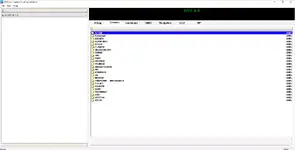
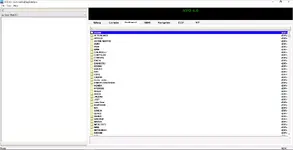
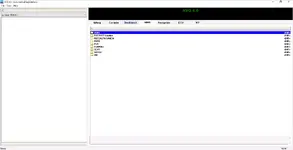
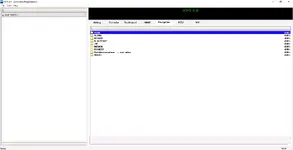
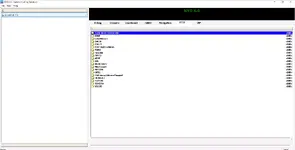
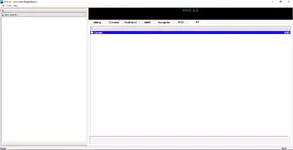
- Covers multiple module types in one interface including Airbag, Carradio, Dashboard, IMMO, Navigation, ECU and VIP categories with structured brand folders.
- Includes a large database for European and Asian vehicles such as Audi, VW, BMW, Mercedes, PSA, Fiat, Ford, Hyundai, Kia, Subaru and many others across airbag units, radios and clusters.
- Provides EEPROM dump calculators and templates for common tasks like radio code calculation, odometer data preparation and airbag crash record cleaning where supported.
- Offers an integrated hex editor, file commander and comparison tools so you can inspect, edit and verify binary files before writing them back with an external programmer.
- Uses an internal script interpreter that applies predefined algorithms to dumps and allows creation of custom scripts for special modules or local workshop procedures.
- Supports common dump formats including BIN, HEX and Motorola style files used by automotive ECUs, dashboards, SRS modules and navigation systems.
Package contents
- NYO 4.0 main application folder with program executable, configuration files and English language interface.
- Full database structure for Airbag, Carradio, Dashboard, IMMO, Navigation, ECU and VIP sections with brand subfolders, notes and reference images.
- Supporting data files and basic information or readme text for installation path, default folders and general usage notes.
Compatibility notes
NYO 4.0 works with EEPROM and flash dump files read from automotive control units rather than communicating directly over OBD. It can be used together with many third party programmers and diagnostic tools that are able to read and write dumps in standard formats. Vehicle and module coverage is defined by the included database and scripts so available functions vary by brand, model, year and ECU firmware. Some features are targeted at experienced electronics specialists and should only be used when you fully understand the effect of the changes on the vehicle system.
Basic usage
- Install NYO 4.0 on a supported Windows PC and close other heavy applications to keep enough memory available for large dump files.
- Read the EEPROM or flash memory from the radio, airbag ECU, dashboard, IMMO or navigation unit with a suitable programmer or external tool and save the dump to your computer.
- Start NYO, select the correct category tab such as Airbag or Dashboard, then browse the brand folders or use search to locate an entry that matches the module part number.
- Open the dump file in the editor, apply the relevant calculator or script where available, then save the result under a new file name so the original backup remains untouched.
- Program the modified dump back into the module with your programmer, reinstall the unit and carry out functional checks in the vehicle following normal workshop safety procedures.
Operating systems
NYO 4.0 is designed as a lightweight Windows desktop application and typically operates on the following systems in both 32 bit and 64 bit editions.
- Windows XP
- Windows Vista
- Windows 7
- Windows 8 and 8.1
- Windows 10
- May also run on newer Windows versions using compatibility settings depending on individual PC configuration
Minimum system requirements
- CPU from 1.8 GHz Pentium, Athlon or newer dual core processor
- At least 256 MB of RAM with 1 GB or more recommended for handling larger databases
- Around 5 GB of free hard disk space for the program, database and backup dumps
- Display with minimum resolution 1024x768 for comfortable viewing of tables and hex editor windows
- Standard keyboard and mouse or touchpad for navigation in the software
- External EEPROM or flash programmer or compatible diagnostic hardware for reading and writing control unit dumps
- Local Windows user account with administrator rights during installation and first configuration
Disclaimer
Source of Files. All software and resources in this post are collected from public and open sources on the internet. We do not claim authorship or ownership.
File Hosting. This forum does not host files. All links point to third party public cloud storage. We are not responsible for external content.
User Responsibility. Software is provided for educational and evaluation purposes only. You use it at your own risk. Authors of the post and forum administration are not liable for any damage.


