
MSS65 Binary Modification Tool is a Windows desktop utility built for file based calibration changes on the BMW MSS65 DME used with the S85 V10 platform. It is intended for working with saved binary files that were previously read from the ECU, then writing an updated file after parameter changes are applied.

Summary Highlights
Package contents
Compatibility notes
This tool is designed for BMW E6x M5 and M6 platforms that use the MSS65 DME with the S85 V10. Compatibility depends on the exact ECU software version, region, and calibration structure. Availability varies by vehicle and firmware.
Some options shown in the interface may be intended for track or off road use only, and legal requirements vary by country and state. Always follow local regulations and workshop policies.
For any ECU writing or flashing operation, use appropriate power support and proven flashing procedures. Incorrect flashing can permanently damage the control unit.
Official references and background information:
Basic usage
Operating systems
Minimum system requirements
Disclaimer
Source of Files. All software and resources in this post are collected from public and open sources on the internet. We do not claim authorship or ownership.
File Hosting. This forum does not host files. All links point to third party public cloud storage. We are not responsible for external content.
User Responsibility. Software is provided for educational and evaluation purposes only. You use it at your own risk. Authors of the post and forum administration are not liable for any damage.
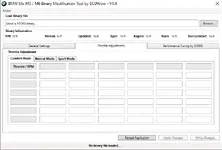
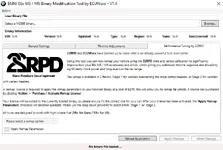
Summary Highlights
- Loads an MSS65 binary file and shows basic binary information fields for review
- General Settings page for rev limit adjustments, including per gear targets and temperature based limits
- Idle speed adjustment table based on oil temperature for controlled warm up behavior
- Throttle Adjustments page with Comfort, Normal, and Sport mode mapping tables
- Optional Performance Tuning page for applying predefined remap parameter sets when available
- Apply and Write workflow to generate an updated output file after changes are selected
Package contents
- MSS65_Binary_Modification_Tool_V1.4.exe
Compatibility notes
This tool is designed for BMW E6x M5 and M6 platforms that use the MSS65 DME with the S85 V10. Compatibility depends on the exact ECU software version, region, and calibration structure. Availability varies by vehicle and firmware.
Some options shown in the interface may be intended for track or off road use only, and legal requirements vary by country and state. Always follow local regulations and workshop policies.
For any ECU writing or flashing operation, use appropriate power support and proven flashing procedures. Incorrect flashing can permanently damage the control unit.
Official references and background information:
- https://www.ecuworx.co.uk/downloads/
- https://www.ecuworx.co.uk/how-to-faqs/using-the-bmw-e6x-m5-m6-mss65-binary-modification-tool/
Basic usage
- Extract the tool to a local folder and run the application
- Click Browse and select the MSS65 binary file you want to review
- Use the tabs to inspect settings, then adjust only the parameters you understand
- Click Apply Changes to stage the edits, then Write Changes to save the updated file
- Keep an original backup and validate the result with proper calibration checks before deployment
Operating systems
- Windows 7 SP1, Windows 8.1, Windows 10, Windows 11
- x86 and x64 editions supported
- Microsoft .NET Framework 4.0 or higher required
Minimum system requirements
- CPU: Dual-core 1.6 GHz or higher
- RAM: 2 GB minimum, 4 GB recommended
- Storage: 100 MB free space plus space for your binary backups
- Display: 1366x768 or higher recommended for full table visibility
- Network: Not required for offline use
- Permissions: Local administrator rights may be required depending on system policy
Disclaimer
Source of Files. All software and resources in this post are collected from public and open sources on the internet. We do not claim authorship or ownership.
File Hosting. This forum does not host files. All links point to third party public cloud storage. We are not responsible for external content.
User Responsibility. Software is provided for educational and evaluation purposes only. You use it at your own risk. Authors of the post and forum administration are not liable for any damage.


