
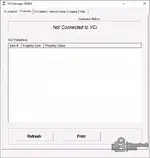
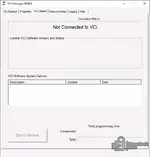
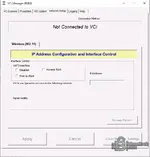
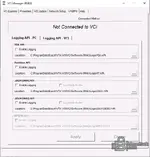
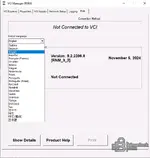
This package collects multiple releases of the Bosch VCI Software (RNM) and GxE installer builds used to manage a compatible Vehicle Communication Interface. The VCI Manager application provides connection status, basic device properties, firmware update options, wireless network configuration, and diagnostic logging controls. It also includes J2534 configuration utilities that help define default device behavior and auto-connection order for PassThru workflows.

Highlights
Package contents
Compatibility notes
Basic usage
Operating systems
Minimum system requirements
Disclaimer
Highlights
- VCI Manager (RNM) interface for connection status and device discovery
- VCI Update page to apply supported VCI software updates when a device is detected
- Network Setup for wireless interface control, access point and point-to-point modes
- Logging controls for PDU API, Runtime API, J2534 API profiles, and RP1210 API logging
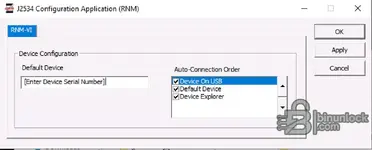
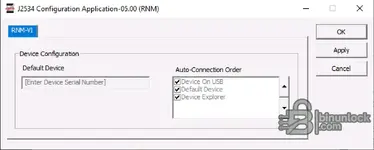
- J2534 Configuration Application for default device and auto-connection order settings
- Multiple installer builds for controlled rollout and troubleshooting
Package contents
- 9.0.1422.248.exe
- 9.2.1530.7 24 June 2022.exe
- 9.2.1845.18 4 May 2023.exe
- 9.2.2119.32 2 February 2024.exe
- 9.2.2396.6 5 November 2024.exe
- GxE_Installer 6.1.4.0.msi
- GxE_Installer 7.2.0.5.msi
- GxE_Installer 7.3.2.0.msi
Compatibility notes
- Intended for Bosch VCI Software (RNM) environments used with supported VCIs.
- Device detection depends on installed drivers, connection method, and hardware revision.
- J2534 functionality depends on the VCI model and the vehicle protocol requirements.
- Wireless options and IP configuration availability vary by VCI firmware and adapter type.
- Administrator rights may be required to install drivers, apply updates, or change system-wide settings.
Basic usage
- Install the required RNM build and, if needed, the matching GxE installer package.
- Connect the VCI via USB or configure wireless mode in Network Setup when supported.
- Open VCI Manager and confirm the device appears in VCI Explorer.
- Use Properties to review device details, then use VCI Update only when a device is connected.
- Configure J2534 defaults in the J2534 Configuration Application if your workflow requires it.
Operating systems
- Windows 10 or Windows 11 64-bit is commonly used for RNM-based VCI management.
- Older Windows builds may work depending on driver support and vendor requirements.
Minimum system requirements
- CPU: Dual-core 2.0 GHz or better
- RAM: 4 GB minimum, 8 GB recommended
- Storage: 2 GB free space minimum
- Network: Required only for wireless VCI modes and supported update services
- Admin rights: Recommended for installation and driver setup
Disclaimer
- No file hosting. This website does not host or store software, firmware, keys, or archives.
- Editorial index only. Descriptions and filenames are provided for reference and identification.
- No endorsement or affiliation. Trademarks and product names belong to their respective owners.
- Licensing and EULAs. Users are responsible for following vendor liсеnsе terms and local laws. We do not supply bураss methods or keys.
- Safety and warranty risk. Incorrect configuration or updates can disrupt diagnostics and may impact vehicles or equipment. Proceed at your own risk.
- Security and integrity. Use official sources when possible, verify hashes, and scan downloads before use.


