
Cat Electronic Technician 2019C is dealer level diagnostic software for servicing electronically controlled Caterpillar engines, machines and powertrains. It allows technicians to connect to supported Electronic Control Modules, view status information and perform guided service functions during maintenance and repair.

Highlights
Package contents
Compatibility notes
Cat Electronic Technician 2019C is designed for electronic Caterpillar engines, machines and powertrains that support communication with Cat ET through Cat Communication Adapter 3 or another compatible RP1210 interface. Available functions such as configuration changes, tests and calibrations depend on the ECM type, installed flash file, security level and regional product configuration, so availability varies by vehicle and firmware.
Basic usage
Operating systems
Cat Electronic Technician 2019C is typically used on the following Microsoft Windows builds in 32 bit and 64 bit editions where noted.
Minimum system requirements
For stable operation it is recommended to use hardware close to the Caterpillar guidelines for Cat ET.
Disclaimer
Source of Files. All software and resources in this post are collected from public and open sources on the internet. We do not claim authorship or ownership.
File Hosting. This forum does not host files. All links point to third party public cloud storage. We are not responsible for external content.
User Responsibility. Software is provided for educational and evaluation purposes only. You use it at your own risk. Authors of the post and forum administration are not liable for any damage.
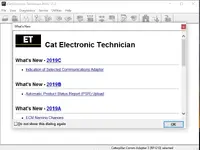
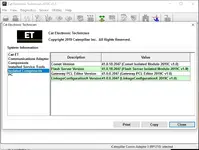
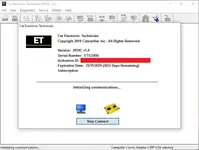
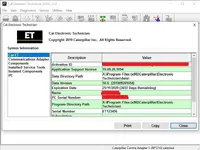
Highlights
- Display live parameter status such as temperatures, pressures, voltages and switch states from connected Caterpillar ECMs.
- View active and logged diagnostic codes, related events and snapshots to support troubleshooting in the workshop or field.
- Run supported diagnostic tests and calibrations for engines, transmissions and machine systems where access is permitted.
- Modify available configuration parameters when allowed, then save and print configuration and warranty style service reports.
- Work with Cat Communication Adapter 3 and other compatible RP1210 interfaces for communication over Caterpillar data links.
Package contents
- Cat Electronic Technician 2019C v1.0 application folder ready for installation on a supported Windows PC.
- Program data directory with 2019C data version 10.6 for Caterpillar engines and machine controllers.
- Basic installation and connection notes in text format for initial workshop setup.
Compatibility notes
Cat Electronic Technician 2019C is designed for electronic Caterpillar engines, machines and powertrains that support communication with Cat ET through Cat Communication Adapter 3 or another compatible RP1210 interface. Available functions such as configuration changes, tests and calibrations depend on the ECM type, installed flash file, security level and regional product configuration, so availability varies by vehicle and firmware.
Basic usage
- Install Cat Electronic Technician 2019C on a supported Windows system and restart the PC if requested.
- Connect a Cat Communication Adapter 3 or compatible RP1210 interface between the PC and the Caterpillar machine service connector, then power the machine or engine ignition on.
- Start Cat ET, select the correct communications adapter in the preferences menu and allow the software to detect installed ECMs on the data link.
- Open the required ECM from the connection list to view status parameters, read active and logged diagnostics and run available tests or calibrations.
- Save or print service reports as needed and close the connection before disconnecting the adapter from the machine.
Operating systems
Cat Electronic Technician 2019C is typically used on the following Microsoft Windows builds in 32 bit and 64 bit editions where noted.
- Windows 7 Professional 32 bit and 64 bit.
- Windows 8 32 bit and 64 bit.
- Windows 8.1 32 bit and 64 bit.
- Windows 10 32 bit and 64 bit.
Minimum system requirements
For stable operation it is recommended to use hardware close to the Caterpillar guidelines for Cat ET.
- Processor from 2.0 GHz dual core or faster.
- At least 1 to 3 GB of RAM depending on operating system and number of applications running.
- From 500 MB to 3 GB of free disk space for program files, data and reports.
- Super VGA or better display with resolution from 1024x768 or higher.
- One free USB port or RS232 port for the Cat Communication Adapter 3 or other compatible interface.
- Reliable internet or local network access when downloading updates or saving reports to network locations.
- Local Windows administrator rights during installation and first configuration.
Disclaimer
Source of Files. All software and resources in this post are collected from public and open sources on the internet. We do not claim authorship or ownership.
File Hosting. This forum does not host files. All links point to third party public cloud storage. We are not responsible for external content.
User Responsibility. Software is provided for educational and evaluation purposes only. You use it at your own risk. Authors of the post and forum administration are not liable for any damage.


