
CLAAS WebTIC Offline is a browser-based documentation workspace that lets you search, open, and read technical documents without an online connection. It’s built for day-to-day workshop work where you need fast access to repair manuals, component documentation, and wiring diagrams from one interface.

Version: 07.2024
Language: English (en)
Type: Offline documentation and technical information viewer (runs locally in your browser)
Why WebTIC Offline is useful
What you can do inside the interface
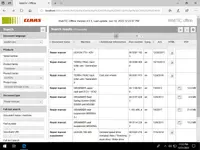
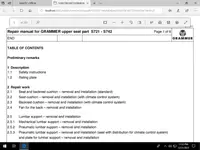
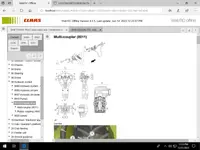
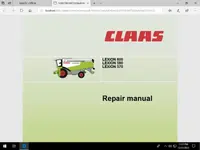
Documentation examples shown in the screenshots
Installation and launch (typical offline setup)
System requirements (recommended)
Package contents
Official resources
The links were found in the public domain. We do not store or distribute any files. All rights belong to their respective owners. If you
Version: 07.2024
Language: English (en)
Type: Offline documentation and technical information viewer (runs locally in your browser)
Why WebTIC Offline is useful
- One place for documentation – manuals and PDFs open in a consistent viewer, no jumping between random folders
- Quick filtering – narrow results by product family, series, product type, document type, part number, and more
- Search-first workflow – find a document by machine name or keyword, then open HTML or PDF directly
- Workshop friendly – designed for service tasks like repair procedures, removal and installation steps, diagrams, and reference data
What you can do inside the interface
- Search and browse documentation by machine and document category
- Open documents as HTML pages or PDF files
- Use navigation tree for chapters and sections (repair manual structure)
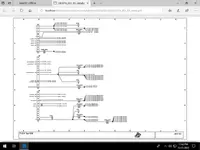
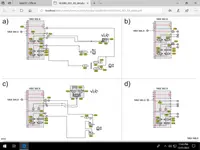
- View technical drawings and electrical wiring diagrams in a readable layout
- Work fully offline once installed and launched locally
Documentation examples shown in the screenshots
- LEXION repair manuals and supplements
- TERRA TRAC related documentation
- Component manuals such as GRAMMER seat documentation
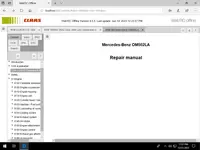
- Engine-related manuals (example shown: Mercedes-Benz OM502LA repair manual)
- Electrical schematics and wiring diagram pages
Installation and launch (typical offline setup)
- Run the installer from the 2. SETUP folder
- After installation, start WebTIC Offline from the created shortcut or the included launcher
- Open it in a modern browser (Edge or Chrome recommended)
- Set Document language to English (en) and start searching
System requirements (recommended)
- OS: Windows 10 x64 or Windows 11 x64
- Storage: about 110 GB free space for a comfortable install
- RAM: 8 GB or more recommended for smoother browsing
- Browser: Microsoft Edge or Google Chrome
Package contents
- 1. FIRST\
- 2. SETUP\
- 3. CLAAS.rar
Official resources
The links were found in the public domain. We do not store or distribute any files. All rights belong to their respective owners. If you


