
Complete multibrand diagnostic package based on Delphi / Autocom platform with Cars & Trucks databases updated to 2021.10b.
Covers passenger cars, light commercial vehicles and heavy-duty trucks from most European, Asian and US manufacturers when used with a compatible DS150E / CDP+ VCI.

Main functions
Vehicle coverage
Supported systems
Interface languages
Hardware compatibility
What’s included
Typical installation workflow
Recommended system
Important notes & disclaimer
Covers passenger cars, light commercial vehicles and heavy-duty trucks from most European, Asian and US manufacturers when used with a compatible DS150E / CDP+ VCI.
Main functions
- Full system diagnostics – read & clear DTCs, freeze-frame, live data, graphing and logging
- Automatic system scan (ISS) and quick access to faulted ECUs
- Actuator tests and component activations where supported
- Basic coding & adaptations (service functions depend on ECU capabilities)
- Service light reset and inspection interval configuration
- Electronic parking brake (EPB) maintenance functions
- Diesel particulate filter (DPF) regeneration and ash / soot counter reset on supported engines
- Steering angle sensor (SAS) and suspension level calibration
- Battery replacement / battery registration for supported vehicles
- VIN-based vehicle selection and automatic model recognition
- Flight recorder support on compatible VCI – record live data during a test drive
Vehicle coverage
- Cars & light vans – 70+ brands:
- European: Abarth, Alfa Romeo, Audi, BMW, Citroën, Dacia, Fiat, Ford, Mercedes-Benz, Opel / Vauxhall, Peugeot, Renault, SEAT, Škoda, Volvo, VW and many others
- Asian: Hyundai, Kia, Mazda, Mitsubishi, Nissan, Subaru, Toyota etc.
- Trucks, buses & LCV – extensive coverage of European heavy-duty manufacturers and popular light trucks (coverage depends on brand and model year)
- Typical model years from mid-1990s up to ~2021 depending on brand and ECU type
Supported systems
- Engine management – petrol, diesel, common rail, GDI where supported
- Automatic & manual gearbox controllers
- ABS / ESP / braking systems, including EPB
- Airbag / SRS and seat occupancy systems
- Instrument cluster, immobilizer and body modules
- HVAC / climate control
- Power steering, suspension, steering locks
- Central electronics, comfort modules, parking assistance, TPMS and many others
Interface languages
- Multilingual workshop interface – English, German, French, Spanish, Italian and others
- Additional languages such as Polish, Portuguese, Romanian, Russian etc. selectable from settings
Hardware compatibility
- Designed for Delphi DS150E / Autocom CDP+ style VCI interfaces
- Works with both single-PCB and double-PCB devices
- Supports standard 16-pin OBDII connection; older vehicles may require brand-specific adapters
- Firmware pack 1622 / 3200 / 3201 included so software and VCI firmware can be matched from one bundle
What’s included
- Delphi DS Cars & Trucks 2021.10b main installer
- Offline key for Delphi / Autocom 2021 platform (activation by System ID)
- Firmware 1622, 3200 and 3201 folders for updating your VCI
- Text installation guide (Instruction.txt) with step-by-step procedure
- Video tutorial showing full installation, activation and first connection
Typical installation workflow
- Extract the archive and run the Delphi 2021.10b setup.
- Choose diagnostic device type (Type 1 – 2-board VCI / Type 2 – 1-board VCI).
- Install the program but do not run it yet.
- Update VCI firmware to the required version using the firmware tools inside the package.
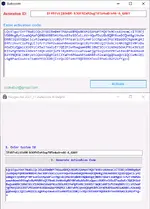
- Launch Delphi, copy the System ID into the key and generate activation code.
- Paste the activation code back into Delphi and finish offline activation.
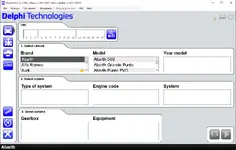
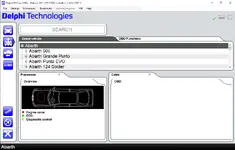
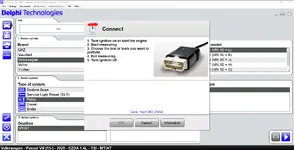
- Select brand, model and year (or use VIN), connect to the vehicle and start diagnostics.
Recommended system
- Windows 7 / 8 / 8.1 / 10 / 11 – 32-bit or 64-bit
- Modern dual-core CPU
- 4 GB RAM or more
- 20+ GB free disk space for installation and logs
- USB port or Bluetooth (depending on your VCI) and stable power supply for the laptop
Important notes & disclaimer
- Actual coverage, coding options and special functions depend on vehicle brand, model, year and installed ECUs.
- Always save original coding and configuration before changing any parameters.
- Use diagnostic, coding and programming features at your own risk – follow OEM repair procedures and safety rules.
- For workshop / training / educational use; check local regulations and licensing requirements before commercial use.
Source of files. All software and resources mentioned in this post are collected from publicly available sources on the internet.
File hosting. This forum does not host any files. All links (if present) point to third-party file hosting services and external websites.
User responsibility. Software is provided for educational and evaluation purposes only. You are solely responsible for how you use any files or information obtained from this thread.
File hosting. This forum does not host any files. All links (if present) point to third-party file hosting services and external websites.
User responsibility. Software is provided for educational and evaluation purposes only. You are solely responsible for how you use any files or information obtained from this thread.


