
TunerStudio MS is a tuning and monitoring application designed for MegaSquirt and compatible engine management systems. It provides real time dashboards, table editing for fuel and ignition calibration, data logging, and analysis tools to support safe and repeatable tuning workflows.

Summary highlights
Package contents
Compatibility notes
Basic usage
Operating systems
Windows 7, Windows 8, Windows 10, Windows 11 (x86 and x64)
Minimum system requirements
Disclaimer
Source of Files. All software and resources in this post are collected from public and open sources on the internet. We do not claim authorship or ownership.
File Hosting. This forum does not host files. All links point to third party public cloud storage. We are not responsible for external content.
User Responsibility. Software is provided for educational and evaluation purposes only. You use it at your own risk. Authors of the post and forum administration are not liable for any damage.
Summary highlights
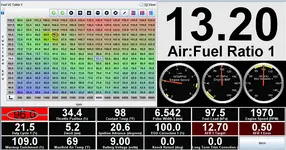
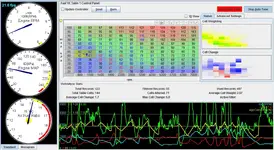
- Custom dashboards and gauge clusters for live engine monitoring
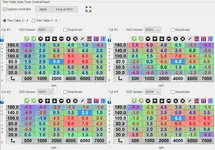
- Fuel VE table editing with 2D and 3D table views and common tuning tools
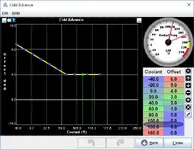
- Ignition timing table editing and supporting calibration views
- Integrated datalogging and log playback for troubleshooting and tuning review
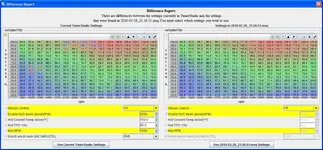
- Difference report style comparison to review tune changes between projects or saved settings
- Tuning aids and analysis features that may vary by edition and ECU firmware support
Package contents
- TunerStudioMS_Setup_v3.0.18.exe
- Activation.zip
Compatibility notes
- ECU support depends on the controller type, firmware family, and the correct project definition
- Connection reliability depends on cable quality and drivers, especially with USB to serial adapters
- Some advanced analysis features depend on sensors installed on the vehicle, such as a wideband O2 setup
Basic usage
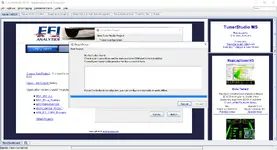
- Install the application from the included setup file
- Create a new project and select the correct ECU or firmware definition
- Select the communications method and verify the correct COM port is available
- Connect to the ECU to view gauges, edit tables, and save calibration changes as needed
- Use datalogging and comparison reports to review changes and validate results
Operating systems
Windows 7, Windows 8, Windows 10, Windows 11 (x86 and x64)
Minimum system requirements
- CPU: 1.5 GHz or better
- RAM: 1 GB minimum, 2 GB recommended
- Storage: 500 MB free space or more for install, projects, and logs
- Network: Not required for offline tuning and logging
- Hardware: DB9 serial port or USB to serial adapter, FTDI based adapters are commonly recommended
- Rights: Administrator rights may be required for install and driver access depending on system policy
Disclaimer
Source of Files. All software and resources in this post are collected from public and open sources on the internet. We do not claim authorship or ownership.
File Hosting. This forum does not host files. All links point to third party public cloud storage. We are not responsible for external content.
User Responsibility. Software is provided for educational and evaluation purposes only. You use it at your own risk. Authors of the post and forum administration are not liable for any damage.


