
Ford Diagnostic Engineering Tool (DET) is an engineering-level diagnostic utility designed for ISO 14229 (UDS) based ECUs.
It provides direct access to services, DIDs, upload and download routines, and configuration workflows used during development and advanced service operations.

It can send raw diagnostic requests, manage ECU software download sequences, read and write configuration data, and perform module-centric routines where supported.
Practical coverage depends on vehicle platform, ECU type, network architecture, and the interface and environment being used.
If your vehicle modules expose UDS services for diagnostics, configuration, or download, DET is the type of tool built to work at that layer.

Version information visible in the application About dialog:
Because this tool can write configuration data and participate in software download workflows, use it only when you understand the target ECU behavior and have the correct authorization and procedures.
Official reference:
Use only on vehicles you own or have explicit permission to service.
You are responsible for complying with local laws and OEM procedures, and for any risk of data loss or module damage.
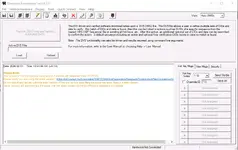
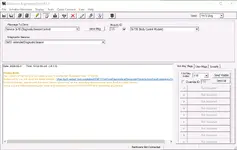
It provides direct access to services, DIDs, upload and download routines, and configuration workflows used during development and advanced service operations.
What it is used for
This tool is typically used when you need deeper ECU interaction than standard scan tools provide.It can send raw diagnostic requests, manage ECU software download sequences, read and write configuration data, and perform module-centric routines where supported.
Key functions
- UDS and OBD request sender: Select a service and parameters (PID or DID where applicable), set a target module ID, and transmit a message to the ECU.
- Module addressing: Work by module ID and ECU type, including body control related modules when available on the vehicle network.
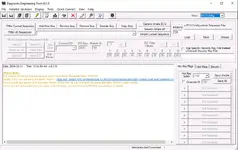
- Logging: View responses and workflow status in the log area for troubleshooting and validation.
- Hardware initialization and quick connect: Designed to work with a compatible vehicle communication interface in supported environments.
Modules and menus
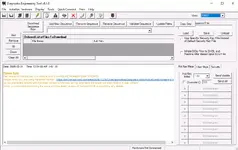
- Generic Diag: Manual message building and sending for UDS and OBD style requests, including service selection and module targeting.
- SWDL: Software download sequence management with ordered file lists, sequence validation, path updates, and sequence copy tools.
- ECU Config: Build and run ECU configuration sequences, manage DIDs, and support inhale workflows that pull configuration data from the vehicle.
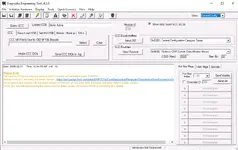
- Central Config: Central configuration operations with GCC query support, CDB save and load handling, DID decode support, and routine execution where supported.
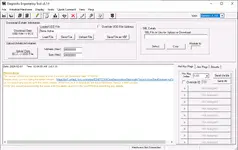
- Generic UL/DL: Upload and download operations using UDD files, plus optional export to VBF format depending on workflow.
- Auto SWDL: DID driven and verified automated software download controlled by a DVS (XML) definition file, with an option for command line driven execution in supported setups.
- PATS Diag: Diagnostic session control and security related diagnostic navigation within supported modules and authorized workflows.
Supported vehicles and ECUs
DET v8.1.0 is intended for Ford vehicles equipped with ISO 14229 (UDS) based ECUs.Practical coverage depends on vehicle platform, ECU type, network architecture, and the interface and environment being used.
If your vehicle modules expose UDS services for diagnostics, configuration, or download, DET is the type of tool built to work at that layer.
Package contents
Exact archive file listing was not provided in the material shown.Version information visible in the application About dialog:
- Diagnostic Engineering Tool (For ISO 14229 Based ECUs) v8.1.0
- GGDS DLL v2.9.3
- FordNetCom DLL v4.2.0
- FordNetComXML DLL v2.3.3
- FordNetComMux DLL v1.4.3.5
Notes
The interface displays a release date of 2018-03-07 and warns that the build is older than 6 months, recommending a newer version for issue reporting.Because this tool can write configuration data and participate in software download workflows, use it only when you understand the target ECU behavior and have the correct authorization and procedures.
Official reference:
Disclaimer
This resource is shared for informational and diagnostic purposes only.Use only on vehicles you own or have explicit permission to service.
You are responsible for complying with local laws and OEM procedures, and for any risk of data loss or module damage.


