
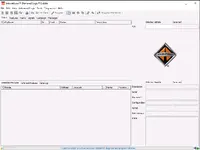
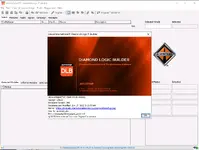
International Diamond Logic Builder (DLB) is a chassis diagnostic and programming environment focused on electrical and body systems used on International trucks and IC buses. It is commonly used to identify modules on the vehicle network, review faults, monitor inputs and outputs, and validate feature behavior during troubleshooting.
Official references:

Summary Highlights
Package contents
Compatibility notes
Basic usage
Operating systems
Minimum system requirements
Disclaimer
Source of Files. All software and resources in this post are collected from public and open sources on the internet. We do not claim authorship or ownership.
File Hosting. This forum does not host files. All links point to third party public cloud storage. We are not responsible for external content.
User Responsibility. Software is provided for educational and evaluation purposes only. You use it at your own risk. Authors of the post and forum administration are not liable for any damage.
Official references:
- https://tools.international.com/product/dlb-sc1/
- https://ievaluateb.internationaldelivers.com/servicetools/hyp/ws/
Summary Highlights
- Module discovery by VIN and network scan with detected and inferred module views
- Read and review diagnostic trouble codes for supported chassis and body controllers
- Live signal monitoring in text and graphical views for switch states, sensor inputs, and outputs
- Feature and parameter viewing for configurable vehicle options where supported
- Test bench style utilities for functional checks and guided diagnostics depending on module firmware
- Data logging for repeatable troubleshooting and before and after comparisons
Package contents
- Diamond Logic Builder Setup.exe
- Diamond Logic Builder.exe
- Instruction.txt
- up 6.2022 (folder)
- a_database.dbm
- b_database.dbm
Compatibility notes
- Designed for International and IC platforms that use Diamond Logic multiplexing and compatible chassis or body controllers
- A supported RP1210 communication interface and its driver are required for vehicle connection
- Coverage and available functions vary by vehicle model, model year, module family, and firmware level
- Programming and configuration options depend on the detected modules and the enabled service functions in your environment
Basic usage
- Install the application, then install the RP1210 driver for your diagnostic interface
- Connect the RP1210 adapter to the vehicle and confirm ignition state and network power
- Open DLB and select the communication link, then perform VIN or module detection
- Use the Faults and Signals areas to capture DTCs and live data during troubleshooting
- Save a report or data log for documentation and follow up testing
Operating systems
- Windows 10 (64-bit)
- Windows 11 (64-bit)
Minimum system requirements
- CPU: Dual core 2.0 GHz or better
- RAM: 4 GB minimum, 8 GB recommended
- Storage: 2 GB free space plus working space for logs
- Network: Optional, required only for online resources and updates in supported environments
- Display: 1024x768 or higher
- Permissions: Local administrator rights for installation and driver setup
Disclaimer
Source of Files. All software and resources in this post are collected from public and open sources on the internet. We do not claim authorship or ownership.
File Hosting. This forum does not host files. All links point to third party public cloud storage. We are not responsible for external content.
User Responsibility. Software is provided for educational and evaluation purposes only. You use it at your own risk. Authors of the post and forum administration are not liable for any damage.


