
BMW KIS-Checker — plan & analyze with KIS knowledge bases (KISWB) 
KIS-Checker lets you browse/import KIS knowledge bases and calculate target ECU lists (SVT) from a Vehicle Order (FA) and chosen I-Level/I-Step. It’s used to verify compatibility, plan programming sets and review flash/erase routines for BMW platforms.

Highlights
Typical workflow
Compatibility
Tested on Windows 10 LTSC (2019). Also runs on Windows 7 / 8 / 10 / 11 (x86/x64).
Minimum system requirements
Note & disclaimer
All information is summarized from public sources for educational/archival purposes. Any files, if referenced, are stored on third-party cloud services by unknown users; our forum does not host or distribute software and is not responsible for external content. Please follow local laws and licensing.
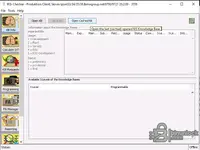
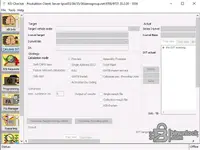

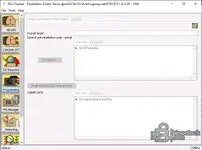
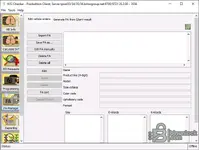
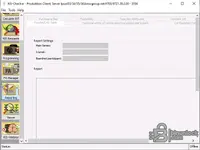

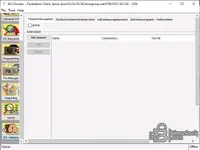
KIS-Checker lets you browse/import KIS knowledge bases and calculate target ECU lists (SVT) from a Vehicle Order (FA) and chosen I-Level/I-Step. It’s used to verify compatibility, plan programming sets and review flash/erase routines for BMW platforms.
Highlights
- KIS WB access: open/cached KBs, inspect I-Levels, eligible series and statuses.
- SVT calculation: compute SVT from FA & target I-Level for verification and planning.
- Flash data insight: determine flash/erase routine by SGBMID and review programmable SWE sets.
- FA tools: edit/import/export FA, generate from query results, validate content.
- Reporting & viewer: create technical/flashability reports and explore HW/SW, gateway tables, SWT.
- Validation: run consistency checks against the selected KIS base.
Typical workflow
- Load a KIS knowledge base (WB), pick a main series and desired target I-Level.
- Import or edit FA, then calculate SVT and review encoding/flash sets.
- Use Reporting and Viewer tabs to audit parts, SWE groups and compatibility.
Compatibility
Tested on Windows 10 LTSC (2019). Also runs on Windows 7 / 8 / 10 / 11 (x86/x64).
Minimum system requirements
- OS: Windows 7 or newer (32/64-bit)
- CPU: Dual-core 2.0 GHz or better
- RAM: 2 GB (4 GB recommended)
- Storage: 500 MB free
- Display: 1280×768 or higher
- Network: Optional (proxy supported) for KB/update access
Note & disclaimer
All information is summarized from public sources for educational/archival purposes. Any files, if referenced, are stored on third-party cloud services by unknown users; our forum does not host or distribute software and is not responsible for external content. Please follow local laws and licensing.


