
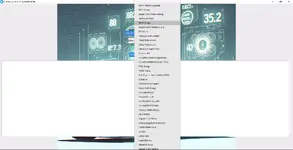
This Windows desktop utility helps you decode Vehicle Identification Numbers using NHTSA vPIC data and quickly find VINs inside large text dumps. It is useful for inventory lists, workshop notes, ECU readouts, and log files where you need fast VIN-based vehicle identification.

Summary Highlights
Package contents
Compatibility notes
Basic usage
Operating systems
Minimum system requirements
Official references
Disclaimer
Source of Files. All software and resources in this post are collected from public and open sources on the internet. We do not claim authorship or ownership.
File Hosting. This forum does not host files. All links point to third party public cloud storage. We are not responsible for external content.
User Responsibility. Software is provided for educational and evaluation purposes only. You use it at your own risk. Authors of the post and forum administration are not liable for any damage.
Summary Highlights
- Decode 17-digit VINs into key vehicle attributes returned by NHTSA vPIC
- Manufacturer selector to narrow searches by brand group when needed
- Load a dump file and automatically scan for VIN patterns
- Search VINs using a specified manufacturer filter
- Lookup a specific VIN inside the selected dump file
- Results depend on available NHTSA vPIC records and can vary by VIN
Package contents
- NHTSA Vin Decoder TOOL.exe
Compatibility notes
- Decoding coverage depends on NHTSA vPIC availability for each VIN and variable
- Missing decoded fields usually mean the dataset does not contain that value for the VIN
- Internet connection is recommended if the tool queries online vPIC services
- Availability varies by vehicle and firmware
Basic usage
- Run the tool on a Windows PC
- Select a manufacturer from the list if you want to filter searches
- Click Select Dump File and choose your text dump or log file
- Use Auto Search VINs or Search VIN Using Specified Manufacturer
- Optionally enter a specific VIN and run the targeted search inside the dump
Operating systems
- Windows standalone .exe build (architecture is not specified in the package)
- Windows 7, Windows 8.1, Windows 10, Windows 11 (32-bit or 64-bit depending on the build)
Minimum system requirements
- CPU: Dual-core 2.0 GHz or better
- RAM: 4 GB minimum, 8 GB recommended for large dump files
- Storage: 200 MB free space
- Network: Internet connection recommended for online decoding
- Permissions: Local admin rights may be required only if your system blocks unknown executables
Official references
Disclaimer
Source of Files. All software and resources in this post are collected from public and open sources on the internet. We do not claim authorship or ownership.
File Hosting. This forum does not host files. All links point to third party public cloud storage. We are not responsible for external content.
User Responsibility. Software is provided for educational and evaluation purposes only. You use it at your own risk. Authors of the post and forum administration are not liable for any damage.


