
NumberAddr is a lightweight Windows utility for organizing ECU files in bulk.
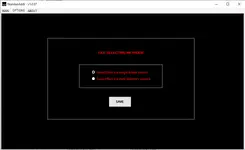
It helps you standardize filenames, apply consistent file extensions, and optionally append HW and SW identifiers for cleaner workshop archives and faster file searching.

Highlights
Package contents
Compatibility notes
This is an offline file utility and it does not connect to a vehicle.
HW and SW detection depends on the selected ECU make and the structure of the input files.
Results can vary between ECU families and file sources.
Availability varies by ECU and file format.
Basic usage
Operating systems
Minimum system requirements
Disclaimer
Source of Files. All software and resources in this post are collected from public and open sources on the internet. We do not claim authorship or ownership.
File Hosting. This forum does not host files. All links point to third party public cloud storage. We are not responsible for external content.
User Responsibility. Software is provided for educational and evaluation purposes only. You use it at your own risk. Authors of the post and forum administration are not liable for any damage.

It helps you standardize filenames, apply consistent file extensions, and optionally append HW and SW identifiers for cleaner workshop archives and faster file searching.
Highlights
- Batch processing for multiple ECU files with progress counters and total size overview
- Optional filename update to add detected HW and SW numbers when available
- Uppercase or lowercase filename normalization for consistent storage rules
- Preset or manual file extension handling for common workshop formats
- Single folder or multi-directory file selection methods from the Options screen
- Optional delete original files setting for controlled workflows
Package contents
- FileChecker.dll
- Number_ADDR.exe
- Prefixes.dll
Compatibility notes
This is an offline file utility and it does not connect to a vehicle.
HW and SW detection depends on the selected ECU make and the structure of the input files.
Results can vary between ECU families and file sources.
Availability varies by ECU and file format.
Basic usage
- Create a backup copy of your file set and work on copies only
- Open NumberAddr and select files using single folder or multi-directory search
- Choose the ECU make if needed, then select save options like HW/SW numbers, case, and extension rules
- Run Start and review the log output area for processed results
- Store exported files in a dedicated folder structure for your workshop library
Operating systems
- Windows 11 (64-bit)
- Windows 10 (32-bit and 64-bit)
- Windows 8.1 (32-bit and 64-bit, legacy)
- Windows 7 SP1 (32-bit and 64-bit, legacy)
Minimum system requirements
- CPU: Dual-core 2.0 GHz or faster
- RAM: 2 GB minimum, 4 GB recommended
- Storage: 200 MB free space plus room for backups and renamed output files
- Network: Not required
- Admin rights: Recommended for file access permissions
Disclaimer
Source of Files. All software and resources in this post are collected from public and open sources on the internet. We do not claim authorship or ownership.
File Hosting. This forum does not host files. All links point to third party public cloud storage. We are not responsible for external content.
User Responsibility. Software is provided for educational and evaluation purposes only. You use it at your own risk. Authors of the post and forum administration are not liable for any damage.


