
If your newer XDOS OpenShell environment is missing the SDconnect Toolkit component, this installer adds it back as a compact, workshop-ready add-on. It targets XDOS-based Xentry setups released from 03.2024+ where the Toolkit is not present by default, so SDconnect selection and related functions become available again inside the workflow.

This build is SDconnect Toolkit version 2.1.16.1 and includes integration points for wireless control through Vediamo and DAS standalone. For DAS standalone, the required local corrections must already be in place on the system. After a successful installation you may remove the uninstaller artifacts (unins000.dat and unins000.exe) if you want to keep the installation folder clean.
Highlights
Package contents
Compatibility notes
Basic usage
Operating systems
Minimum system requirements
Disclaimer
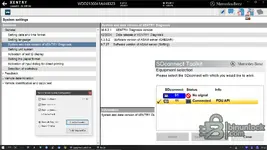
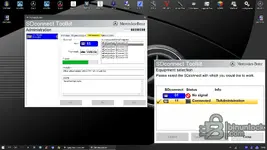
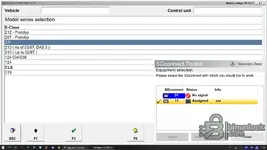
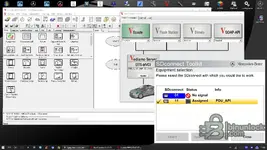
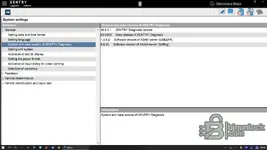
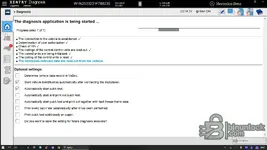
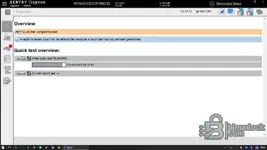
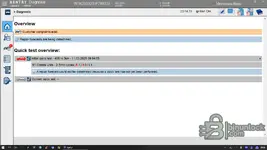
This build is SDconnect Toolkit version 2.1.16.1 and includes integration points for wireless control through Vediamo and DAS standalone. For DAS standalone, the required local corrections must already be in place on the system. After a successful installation you may remove the uninstaller artifacts (unins000.dat and unins000.exe) if you want to keep the installation folder clean.
Highlights
- Adds the missing SDconnect Toolkit module for XDOS OpenShell environments from 03.2024 and newer
- Equipment selection window for SDconnect units, status, assignment, and connection visibility
- Supports wireless control integration paths for Vediamo
- Supports wireless control integration paths for DAS standalone when corresponding fixes exist
- Designed for fast workshop switching between adapters and sessions
Package contents
Code:
sdnc_toolkit_2.1.16.1_password.txt
SDNCtk21161.exe
Compatibility notes
- Intended for Mercedes-Benz diagnostic environments using Xentry with XDOS OpenShell.
- Actual behavior depends on Xentry build, OpenShell generation, SDconnect hardware, and installed drivers.
- Wireless functions depend on adapter configuration, WLAN settings, and local network policies.
- DAS standalone integration depends on your existing DAS standalone corrections and configuration.
Basic usage
- Close Xentry, Vediamo, and DAS before installation.
- Run the installer and complete setup using standard Windows prompts.
- Restart Xentry OpenShell and verify that SDconnect Toolkit equipment selection is available.
- If using wireless, confirm WLAN mode and adapter visibility before starting a diagnostic session.
- Optional cleanup: remove unins000.dat and unins000.exe only after confirming the Toolkit works as expected.
Operating systems
- Windows 10 or Windows 11 64-bit is typically used for XDOS OpenShell Xentry workstations.
Minimum system requirements
- CPU: Dual-core 2.0 GHz or better
- RAM: 4 GB minimum, 8 GB recommended
- Storage: 500 MB free space
- Network: Required only for wireless SDconnect workflows
- Admin rights: Recommended for installation and driver-level changes
Disclaimer
- No file hosting. This site does not store vendor software, firmware, keys, or archives.
- Reference only. Filenames and screenshots are provided to help identify legitimate components.
- No affiliation. Product names and trademarks belong to their respective owners.
- Licensing and legality. Use only under valid licenses and local laws. We do not provide bураss methods or keys.
- Use at your own risk. Vehicle diagnostics can affect systems and warranties if performed incorrectly.


