
Volvo Penta VODIA is a service diagnostic application used to support professional maintenance and repair on Volvo Penta marine and industrial products. It is typically used to identify connected systems, read ECU information, monitor live parameters, run supported tests, and document service operations through logs and reports. VODIA is positioned by Volvo Penta as a diagnostic tool intended for professional service work.
This package is shared as an installer bundle with common prerequisites and communication interface components. Users should understand it is intended for lawful service and repair. Feature availability depends on product generation, installed database set, and system authorization level. Availability varies by product and firmware.

Highlights
Package contents
Compatibility notes
VODIA support depends on Volvo Penta product family, ECU generation, and the installed APCI database set. Some features may require approved workshop hardware and valid authorization. Connectivity depends on the communication unit model and driver stack. Availability varies by product and firmware.
Basic usage
Operating systems
Minimum system requirements
Disclaimer
This page is an editorial index for identification and reference. We do not host vendor files, firmware, keys, accounts, or instructions to bураss licensing or protections. Trademarks belong to their respective owners. Users are solely responsible for following Volvo Penta liсеnsе terms, local laws, and safe workshop practices. Diagnostic and programming operations can damage components or void warranties if performed incorrectly. Proceed at your own risk and verify compatibility before use.
This package is shared as an installer bundle with common prerequisites and communication interface components. Users should understand it is intended for lawful service and repair. Feature availability depends on product generation, installed database set, and system authorization level. Availability varies by product and firmware.
Highlights
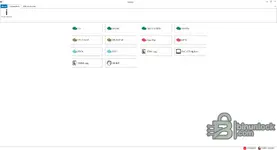
- Application overview panel showing version, database timestamps, and environment identifiers.
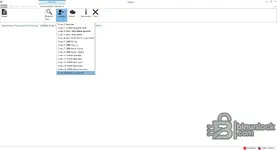
- Operation history and session logging for traceable service work.
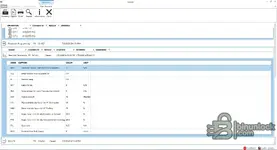
- Parameter monitoring and readout views for supported products and systems.
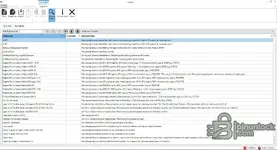
- Log test templates library for repeatable measurement and troubleshooting workflows.
- Administration views including authority levels and user session handling.
- Communication interface components commonly used with VOCOM and related units, depending on workshop hardware.
Package contents
- Instruction.wmv
- Programs.rar
- Setup Vodia v520.msi
- vcredist_x86.exe
- VODIA.rar
- Volvo.rar
- CLUPSetup.exe
- CommunicationUnitInstaller.msi
- Communication-Unit-VOCOM-II.msi
- EGSZipPackage.msi
- FIDOSetup.exe
- NDP461-KB3102436-x86-x64-AllOS-ENU.exe
- Setup Vodia_3.msi
- SQLServerCE31-EN.msi
- SSCERuntime_x64-ENU.msi
- SSCERuntime_x86-ENU.msi
- vcredist_x86_10.exe
Compatibility notes
VODIA support depends on Volvo Penta product family, ECU generation, and the installed APCI database set. Some features may require approved workshop hardware and valid authorization. Connectivity depends on the communication unit model and driver stack. Availability varies by product and firmware.
Basic usage
- Install prerequisites included in the bundle (runtime components and database engines where applicable).
- Install the communication unit software and connect your interface hardware to the PC.
- Install VODIA and confirm it starts and detects the interface.
- Connect to a supported product, then run identification, read parameters, and perform supported guided operations.
- Export logs and reports for job documentation and troubleshooting history.
Operating systems
- Windows-based workstation required. Many workshop deployments reference Windows 7, 8.1, and Windows 10 depending on driver and interface support. Use the most stable OS supported by your interface drivers and your authorized Volvo Penta service environment.
Minimum system requirements
- CPU: Dual-core x86 compatible or better
- RAM: 4 GB or more recommended
- Storage: 15 GB free space recommended
- Network: Optional, required only for official online services and updates where applicable
- Admin rights: Required for driver installation and prerequisite setup
Disclaimer
This page is an editorial index for identification and reference. We do not host vendor files, firmware, keys, accounts, or instructions to bураss licensing or protections. Trademarks belong to their respective owners. Users are solely responsible for following Volvo Penta liсеnsе terms, local laws, and safe workshop practices. Diagnostic and programming operations can damage components or void warranties if performed incorrectly. Proceed at your own risk and verify compatibility before use.


