
Wurth WOW! 5.00.12 is a PC based multibrand diagnostic and workshop information suite for cars and light commercial vehicles. It combines EOBD diagnostics with technical data, repair times, wiring information and guided fault finding in a single interface designed for independent workshops and mobile technicians.

Highlights
Package contents
Compatibility notes
Basic usage
Operating systems
Minimum system requirements
Disclaimer
Source of Files. All software and resources in this post are collected from public and open sources on the internet. We do not claim authorship or ownership.
File Hosting. This forum does not host files. All links point to third party public cloud storage. We are not responsible for external content.
User Responsibility. Software is provided for educational and evaluation purposes only. You use it at your own risk. Authors of the post and forum administration are not liable for any damage.
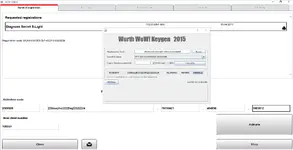
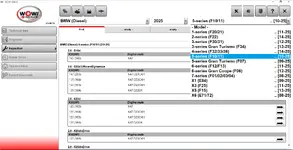
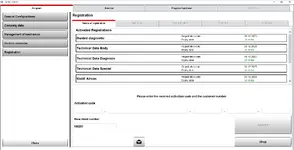
Highlights
- Full WOW! 5.00.12 application with extended database toward 2024–2025 model years, including modern BMW, VAG, Mercedes, Volvo, Toyota and many other brands (coverage still varies by brand and system).
- Multibrand EOBD diagnostics for passenger cars and light commercial vehicles with support for more than 75 manufacturers and 1,600+ models depending on the data pack.
- Main modules available directly from the sidebar: Technical data, Diagnosis, Inspection, Repair times, Tips and infos plus Guided diagnostic and WoW! Aircon functions for HVAC systems.
- Reads and clears fault codes, shows live data, runs actuator and system tests and supports coding, adaptations and service reset procedures on supported ECUs (engine, ABS, airbag, climate control, instrument cluster and more).
- VIN based vehicle identification, model selection by make, model, engine and year, with linked technical descriptions, component locations and wiring where available.
- Optimised to work with WOW Snooper, Autocom / Delphi DS150E and other fully compatible VCIs via USB or Bluetooth for stable communication on CAN, ISO9141 and K-line networks.
Package contents
- WOW! 5.00.12 diagnostic application with complete program interface and configuration tools.
- Passenger car and light commercial vehicle database covering European and selected Asian brands from the mid-1990s up to roughly 2017 in the base release, with this edition extended toward 2024–2025 where data is available.
- Workshop data: service schedules, repair times, tightening torques, fluids, technical descriptions, wiring views and guided fault finding documents linked to DTCs.
- Documentation folder with installation notes and a basic user guide for connecting and configuring a supported VCI.
Compatibility notes
- Intended for multibrand diagnostics on passenger cars and light commercial vehicles sold mainly in Europe plus selected Asian imports.
- Typical coverage spans from mid-1990s OBD-II / EOBD compliant vehicles up to around 2017 for many brands, with extended data in this build for numerous models up to about 2024–2025; exact coverage always depends on make, model and system.
- Available functions such as coding, adaptations, guided test plans or service resets depend on ECU type, firmware level and VCI hardware capability.
- Designed for use with WOW branded Snooper interfaces and DS150E-compatible VCIs; generic ELM327 style adapters are not supported.
Basic usage
- Install WOW! 5.00.12 and the included database on a Windows PC, then restart the system after setup has completed.
- Connect a supported VCI over USB or pair it via Bluetooth and confirm that the interface is detected inside the WOW hardware settings.
- Start WOW, select the vehicle by make, model, year and engine or decode it automatically using the VIN when available.
- Open Diagnosis for fault codes, live data and tests or switch to Technical data, Repair times or Guided diagnostic to view service information and step by step procedures.
- Generate and save customer reports or print inspection and repair documentation directly from the application after each job.
Operating systems
- PC based software for Microsoft Windows.
- Commonly used on Windows Vista, Windows 7, Windows 8 and 8.1, Windows 10 and Windows 11 in 32-bit and 64-bit editions, depending on the specific installation package.
- Local administrator rights are recommended during installation and for the first program start to allow driver and component registration.
Minimum system requirements
- Dual-core Intel or AMD CPU at 1.8 GHz or higher.
- At least 4 GB of RAM, with 8 GB recommended for smooth work with large databases and multiple applications.
- Minimum 32 GB of free hard disk space for program files, database and temporary working files.
- Display resolution of 1024×768 pixels or higher.
- USB 2.0 or USB 3.0 port and, optionally, Bluetooth Class 1 support for wireless VCIs.
Disclaimer
Source of Files. All software and resources in this post are collected from public and open sources on the internet. We do not claim authorship or ownership.
File Hosting. This forum does not host files. All links point to third party public cloud storage. We are not responsible for external content.
User Responsibility. Software is provided for educational and evaluation purposes only. You use it at your own risk. Authors of the post and forum administration are not liable for any damage.


