
This resource is a full PC build of YANMAR SMARTASSIST-Direct (SA-Direct) — a workshop diagnostic suite designed for servicing Yanmar electronically controlled products (ECU-based systems). It provides a clean category-based interface (Industrial Engine, Agriculture, Marine/Ocean, Energy System, Construction) and focuses on practical diagnostics and service workflows.

Industrial Engine / Agriculture / Energy System / Construction (Yanmar Industrial Diesel)
Marine / Ocean (Yanmar Marine Engines)
Summary Highlights
Package contents
Compatibility notes
Basic usage (quick start)
Operating systems
Minimum system requirements
Disclaimer
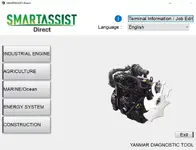
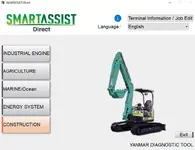
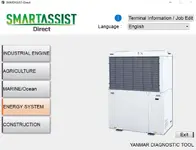
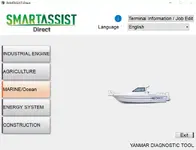
Industrial Engine / Agriculture / Energy System / Construction (Yanmar Industrial Diesel)
- TNE Series: 2TNE68, 3TNE68, 4TNE84, 4TNE88
- TNV Series: 2TNV70, 3TNV70, 3TNV76, 3TNV82, 3TNV84T, 3TNV88, 4TNV84T, 4TNV88, 4TNV94L, 4TNV98, 4TNV98T, 4TNV106, 4TNV106T
- TNV Common Rail (CR) Series: 3TNV88C, 3TNV86CT, 3TNV86CHT, 4TNV88C, 4TNV86CT, 4TNV86CHT, 4TNV98C, 4TNV98CT, 4TNV94FHT
Marine / Ocean (Yanmar Marine Engines)
- 2YM15
- 3YM20
- 3YM30AE
- 4JH45
- 4JH57
- 4JH80
- 4LV150, 4LV170, 4LV195, 4LV230, 4LV250
- 6LY440
Summary Highlights
- ECU connection workflow for service diagnostics and inspection
- Read ECU information and identify supported systems
- Fault diagnosis (DTCs): view current and stored faults
- Measurement values / live data viewing for troubleshooting
- Diagnostic tests for checking inputs/outputs (where supported)
- Data logging / saved sessions for later comparison and analysis
- Service settings and adjustment pages (model dependent)
Package contents
- YANMAR DIAGNOSTIC TOOL SA-DIRECT 2.37.0.exe
- 1 SETUP (folder)
- 2 REPLACE (folder)
- 3 FIREWALL (folder)
Compatibility notes
- Coverage depends on the specific Yanmar model, ECU generation, and the supported connection method used in your workshop.
- Some functions may appear or stay hidden depending on the detected ECU and product family.
- If your build includes optional online-related functions, availability depends on access and environment.
Basic usage (quick start)
- Launch SA-Direct and choose the product category (Industrial Engine / Agriculture / Marine/Ocean / Energy System / Construction).
- Connect to the ECU using the supported workshop connection method for your machine.
- Open fault diagnosis to read DTCs, then review measurement values and run available tests if needed.
- Use logging/saved sessions when you need before/after comparisons (repairs, adjustments, intermittent faults).
Operating systems
- Windows PC (x64) (packaged as a Windows executable)
Minimum system requirements
- CPU: Dual-core or better
- RAM: 4 GB (8 GB recommended)
- Storage: 2 GB free space (more if logs/sessions are stored locally)
- Display: 1366×768 or higher
Disclaimer
- All responsibility for the use of the programs and data lies with the user.
- The user is responsible for any actions performed that may lead to hardware failure or data loss.
- Use of the software is at your own risk.
- No refunds or guarantees are provided.


