
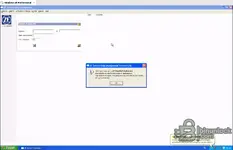
A fully configured VMware image with ZF Service Data Management v1.0g on a lean Windows XP guest. Designed for fast offline ZF parts lookup and service information on legacy workshop laptops.

Highlights
Package contents
Compatibility notes
Focused on ZF Service Data Management v1.0g for parts and reference tasks. Availability of functions and data may vary by product line and program build. Printing depends on host printer pass through and drivers.
Basic usage
Operating systems
Minimum system requirements
Dual core CPU with Intel VT x or AMD V, 4 GB RAM or more, 20 GB free SSD storage, USB 2.0 or 3.0 for peripherals, 1024×768 display, administrator rights on the host. Internet is optional.
Disclaimer
Source of Files. All software and resources in this post are collected from public and open sources on the internet. We do not claim authorship or ownership. File Hosting. This forum does not host files. All links point to third party public cloud storage. We are not responsible for external content. User Responsibility. Software is provided for educational and evaluation purposes only. You use it at your own risk. Authors of the post and forum administration are not liable for any damage.

Highlights
- ZF parts search by material number and text with match limit control
- Lightweight XP build for quick boot on older hardware
- Offline database access for shops without internet on the bay
- Clean baseline snapshot for safe testing and easy rollback
- Feature activation with valid codes where the software requires registration
Package contents
- Windows XP Professional.vmx.lck\
- autoinst.flp
- vmware.log
- vmware-0.log
- vmware-1.log
- vmware-2.log
- Windows XP Professional.nvram
- Windows XP Professional.vmdk
- Windows XP Professional.vmsd
- Windows XP Professional.vmx
- Windows XP Professional.vmxf
Compatibility notes
Focused on ZF Service Data Management v1.0g for parts and reference tasks. Availability of functions and data may vary by product line and program build. Printing depends on host printer pass through and drivers.
Basic usage
- Extract the folder and open Windows XP Professional.vmx in VMware Workstation on Windows or Linux or in VMware Fusion on macOS
- Power on the VM and start ZF Service Data Management from the desktop
- Search by material number or description then export or print as needed
- Create a personal snapshot after first clean run to preserve your state
Operating systems
- Guest OS inside VM: Windows XP Professional x86
- Host support: Windows 10 x64 and Windows 11 x64 with VMware Workstation
- Host support: macOS 12 or newer with VMware Fusion on Intel or Apple silicon as supported by the vendor
- Host support: Major Linux distributions with VMware Workstation for Linux
Minimum system requirements
Dual core CPU with Intel VT x or AMD V, 4 GB RAM or more, 20 GB free SSD storage, USB 2.0 or 3.0 for peripherals, 1024×768 display, administrator rights on the host. Internet is optional.
Disclaimer
Source of Files. All software and resources in this post are collected from public and open sources on the internet. We do not claim authorship or ownership. File Hosting. This forum does not host files. All links point to third party public cloud storage. We are not responsible for external content. User Responsibility. Software is provided for educational and evaluation purposes only. You use it at your own risk. Authors of the post and forum administration are not liable for any damage.


