
- Joined
- 03.05.2025
- Messages
- 1,506
- Reaction score
- 5,634
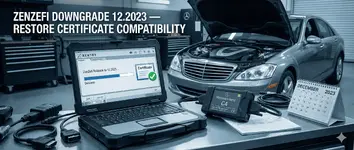
Rollback ZenZefi to the 12.2023 build to fix certificate import issues in Mercedes-Benz XENTRY. Restores legacy Root/Backend CA compatibility for DCS/P12 certificates.
What is ZenZefi?
ZenZefi is the Mercedes-Benz certificate handling component used for managing DCS certificates required for secure diagnosis, secure coding, and secure onboard vehicle communications within the STAR/XENTRY environment.
Why downgrade to ZenZefi 12.2023?
In some setups, newer ZenZefi/XENTRY updates can break compatibility with older (legacy) certificate bundles. The trust chain requirements (Root CA / Backend CA) may differ from the legacy certificate packages used in older environments.
Downgrading to the 12.2023-era ZenZefi can restore legacy compatibility so certificate imports work again.
This downgrade is commonly used to fix:
Archive contents
When you should use this
Notes / Disclaimer
Use only in authorized diagnostic environments and only with certificates issued to you.
Backup your current ZenZefi files before applying any changes. Downgrading security-related components may reduce protections.
What is ZenZefi?
ZenZefi is the Mercedes-Benz certificate handling component used for managing DCS certificates required for secure diagnosis, secure coding, and secure onboard vehicle communications within the STAR/XENTRY environment.
Why downgrade to ZenZefi 12.2023?
In some setups, newer ZenZefi/XENTRY updates can break compatibility with older (legacy) certificate bundles. The trust chain requirements (Root CA / Backend CA) may differ from the legacy certificate packages used in older environments.
Downgrading to the 12.2023-era ZenZefi can restore legacy compatibility so certificate imports work again.
This downgrade is commonly used to fix:
- Certificate import failures (P12/DCS)
- Certificates showing as untrusted / invalid chain
- Missing or changed Root CA / Backend CA after updating
- Regression after XENTRY/ZenZefi update where previously working certificates no longer import
Archive contents
- zenzefi.jar (GUI)
- zenzefi_cli.jar (CLI)
- Start/stop scripts: start_zenzefi.cmd, stop_zenzefi.cmd
- Logging scripts: set_LogLevelInfo.cmd, set_LogLevelFinest.cmd
- StartWithoutGui.exe
- foss-license.txt
When you should use this
- After updating XENTRY/ZenZefi, certificate import stopped working
- You need legacy ZenZefi compatibility for an existing diagnostic setup
- You’re troubleshooting a regression and want to confirm it’s ZenZefi-version related
Notes / Disclaimer
Use only in authorized diagnostic environments and only with certificates issued to you.
Backup your current ZenZefi files before applying any changes. Downgrading security-related components may reduce protections.


