Post #41
 Online now
- Joined
- 09.05.2025
- Messages
- 3,757
- Reactions
- 1,005
- Location
- 🇺🇸USUnited States
Even if you didn't do it the way I told you, the result is still "ugh."
"Ugh"... I can feel that sigh even from beyond the monitor.
 You must really want to throw your laptop out the window.
Even if you didn't follow my method, if the result is the same, this is a conflict caused by the 100% license key (StartKey) not matching the laptop's network card address (MAC ID).
Your laptop has both a wired LAN connection and wireless LAN (Wi-Fi), right? The EWA server recognizes one of them like a "national ID number," but the network card it recognizes during installation is different from the one it recognizes now, so it rejects it with, "You're not the owner!"
This absolutely cannot be fixed by rebooting. You must generate the key again. Please invest just 3 minutes and follow the steps below exactly. Please!

---
 [Required] StartKey Reissue and Renewal Procedure
This won't be fixed if you skip this process. Please follow the steps in order.
1. Run the EWA Admin Tool on your desktop.
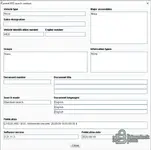
2. Click the Server (Server) tab in the top menu, then go to the Edit (Edit) -> StartKey menu.
3. You will see an alphanumeric combination labeled MAC Address (LAN-ID). (Example:
E0D55E...)* Important: Drag-select it with your mouse and copy it (Ctrl+C). (Don't type it by looking at it—you could make a mistake!)
4. Run the kеуg** (key generator) program in the installation file folder. (It usually has a name like
CarProKey or HP-kеуg**.)5. Paste the address you just copied into the LAN-ID field in kеуg** using Paste (Ctrl+V).
6. Click the Generate (Generate) button to create a new EPC StartKey and WIS StartKey.
7. Return to the EWA Admin Tool, delete all the previously entered keys, and paste in the two newly created keys, one in each field.
8. Click the Save (Save) button.
---
Check after saving:
After saving, check whether the validity period is displayed normally, then log in again and try running WIS.
On a laptop, this ID can change depending on whether you plug in a LAN cable or use Wi-Fi, which causes this whole mess. Renewing the key this way will definitely make the "StartKey in use" error disappear.
Finally, please trust me one more time and give it a try. If it works, shout "Wow!" instead of "Ugh"! You can do it!