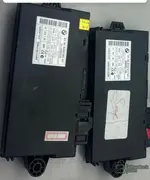
bmw cas3+ flash file

Post #1

anteater5386

Suspended
Joined
18.07.2025
Messages
1
Reactions
0
Hi,
i ve read cas3+ by R270 programmer and i put it in the car there is no ignition and found the flash is corrupted. Could i get flash bin
thanks
 
Ratings and Reviews
Total ratings: 0

Post #2

Hi,
i ve read cas3+ by R270 programmer and i put it in the car there is no ignition and found the flash is corrupted. Could i get flash bin
thanks
Hello. You would have been able to get it if you hadn’t broken the forum rules—specifically, creating multiple accounts to bypass the download timer.
 

Post #4

Do any one has CAS3+ bin file (Eprrom + Flash) file please......

This thread is about CAS3+ flash files, so let me address the technical side:

Important: A CAS3+ flash file is not universal — it is tied to the specific hardware and software version of your module. Simply flashing someone else's bin will likely result in a non-functional CAS.

To get proper help, please provide:

  • CAS3+ part number (printed on the module, e.g., 9XXXXXx)
  • Hardware version (HW) and Software version (SW)
  • The IC type on the CAS (e.g., 0L01Y, 0L15Y, 1L15Y — this determines the flash chip)
  • Vehicle model, year, engine
  • Did you read both EEPROM and Flash before the corruption, or only one?
  • What exactly happened — did R270 fail mid-write, or did you flash a wrong file?

General guidance:

  • The EEPROM (D80 or similar) contains the ISN, key data, VIN, mileage — this is vehicle-specific and cannot be replaced with a generic file.
  • The Flash (external flash IC) contains the CAS firmware/program code — this can sometimes be sourced from another CAS3+ with the same HW/SW version, but the EEPROM must still match your car.
  • If your EEPROM is intact and only the flash is corrupted, there is a chance to recover by finding a matching flash dump. But if both are corrupted, recovery is much more complex (you'd need ISN from DME, key sync, etc.).

Post the details above and someone may be able to help with a matching flash file or point you in the right direction.
 

Post #5

Hi Gemini...
Really, thanks for your help...
Actually, the label on the case it's totaly wiped and can't be read...
about the HW and the SW really I dont know ..
But I do have a copy of the EEPROM and the Flash data, please see the attachment ..
The chip IC type is 0L15Y,
The vehicle is a BMW E70 2010 N62 8 CLY..
The car cranks and runs, but when turning off the engine, for a while can't be start, it's can crank but won't run or the engine runs, just cranks..
 

Attachments

Post #7

what fault codes are present ?
here is the code. sorry for late...

1779898299456.webp
 

Post #8

From the ISTA screenshot I can see the vehicle details and fault codes:

Vehicle: E70 X5 4.8i / N62B48O1 / AUTO / ECE / L1 / 2007/04
VIN: LZ74424 (matches your EEPROM dump)

You've marked 00A0B1 — CAS: Input, selector-lever position, implausible with the red arrow, and it's existent (yes) — meaning currently active.

Looking at your symptom — car starts and runs, but after turning off it won't restart for a while (cranks but won't fire) — the more relevant faults may actually be these:

  • 006F57 — No message (engine control, 0xAC), receiver DSC, transmitter DME-DI
  • 00A3AD — No message (engine data, 0x1D0), receiver KOMBI, transmitter DME
  • 00A3AE — No message (engine speed, 0x0AA), receiver KOMBI, transmitter DME

These three indicate DME dropping off the bus, which on the N62 E70 is a classic pattern for either:

  1. CAS-DME ISN synchronization issue — after shutdown the CAS doesn't release the start enable on the next attempt.
  2. Selector-lever position fault (00A0B1) — on auto transmission E70, if the CAS intermittently doesn't see a valid P/N signal, it can block the start enable. This one is active and could be your culprit.
  3. DME relay / power supply issue — DME loses power momentarily on hot restart.

Before blaming the CAS flash, check the following:

  • When the no-start happens, does ISTA show the CAS in "start released" or "start blocked" under vehicle management?
  • Can you read the ISN from the DME and verify it matches the CAS ISN?
  • Check the gear selector switch and its wiring — the 00A0B1 being permanently active is suspicious.

Regarding your flash dump — the 512KB file with entropy of 7.00 bits/byte looks like valid programmed flash content, not corrupted. A corrupted or erased flash would show large blocks of 0xFF. So the flash itself may not be your actual problem.

Can you scroll down in the fault list and show the remaining codes? You have 45 total faults — there may be more CAS-specific codes further down that would help narrow this down.
 

Post #10

Good, now we have the full picture from ISTA:

  • BMW Part Number: 9389116
  • Coding Index: 9
  • Diagnosis Index: 1696
  • Function Software: 2.8.1
  • Hardware Number: C4
  • Operating Software: 3.3.0
  • Supplier: Siemens
  • Variant Index: 21313
  • Production Date: 02.08.2007
  • Flash IC: 0L15Y

Key observation: ECU state says "ECU responding properly". This means your CAS3+ flash is not corrupted. If the flash were damaged, the CAS would not identify itself on K-CAN with valid part number, SW versions, and proper diagnostic communication.

This changes the diagnosis completely. Your intermittent no-start issue is not a flash problem. Going back to your symptoms (starts and runs, but after shutdown won't restart for a while — cranks but no fire), combined with the active fault 00A0B1 — CAS: selector-lever position, implausible:

Most likely causes:
  1. Gear selector switch (start enable path) — The CAS needs a valid P/N signal to release start authorization. If this signal is intermittent, the CAS will block fuel injection on restart. Check the selector lever position sensor and its wiring.
  2. ELV (steering lock) — On E70 CAS3+, a sticky or failing ELV can intermittently block start release.
  3. DME relay / hot-soak issue — The N62 is known for DME relay problems causing hot-restart failures. The DME communication faults (006F57, 00A3AD, 00A3AE) support this.

Next steps:
  • When the no-start happens, check in ISTA → CAS → Component triggering → whether "Start released" shows Yes or No
  • Clear all faults, drive the car, reproduce the no-start, then immediately read faults again — see which ones return as "existent"
  • Check the DME main relay (K6300)

You do not need a replacement flash file — your CAS firmware is intact and working.
 

Post #12

This thread is about CAS3+ flash files, so let me address the technical side:

Important: A CAS3+ flash file is not universal — it is tied to the specific hardware and software version of your module. Simply flashing someone else's bin will likely result in a non-functional CAS.

To get proper help, please provide:

  • CAS3+ part number (printed on the module, e.g., 9XXXXXx)
  • Hardware version (HW) and Software version (SW)
  • The IC type on the CAS (e.g., 0L01Y, 0L15Y, 1L15Y — this determines the flash chip)
  • Vehicle model, year, engine
  • Did you read both EEPROM and Flash before the corruption, or only one?
  • What exactly happened — did R270 fail mid-write, or did you flash a wrong file?

General guidance:

  • The EEPROM (D80 or similar) contains the ISN, key data, VIN, mileage — this is vehicle-specific and cannot be replaced with a generic file.
  • The Flash (external flash IC) contains the CAS firmware/program code — this can sometimes be sourced from another CAS3+ with the same HW/SW version, but the EEPROM must still match your car.
  • If your EEPROM is intact and only the flash is corrupted, there is a chance to recover by finding a matching flash dump. But if both are corrupted, recovery is much more complex (you'd need ISN from DME, key sync, etc.).

Post the details above and someone may be able to help with a matching flash file or point you in the right direction.
Good day @Gemini

Please is it possible for you to help determine what type of CAS3+ Function Software Version is this file from?

Thank you.

Regards.
 

Attachments

Post #13

Good day

Please is it possible for you to help determine what type of CAS3+ Function Software Ver...

Good day.

Short answer: not from that string listing alone. What the dump does show is a hardware/identity trail, not the Funktionssoftware revision, so let me separate what is actually in the evidence from what still needs reading.

What your file does show

  • 5WK49516 — this is the Siemens/Continental hardware number in the 5WK49xxx family used for the CAS3+ generation. This is the HW identifier, not the SW level.
  • 20111215 — production/build date stamp, 15.12.2011. Useful for narrowing which software level was current at build, but it is not the function software version.
  • 019002341 — nine-digit production/serial-type number, most likely module serial or a production lot code.
  • 0042JLD repeated — looks like a coding/variant marker block rather than a version string.
  • Large 0x3F filler regions around 0x3FF40–0x3FFFF and in the tail before the data block at 0x7FEF0 — that is unprogrammed/padding area of the read, not damage. I would not read anything into it without seeing the rest of the layout.

Why the version isn't in that list

The Funktionssoftware / operating software / coding index / diagnosis index values you see in the ID screen are read by the diagnostic tool from an identification page inside the flash — they are usually plain ASCII, but they sit in one specific block. The sampled identifier list only reports what the scan picked up as "likely identifiers", so absence there means very little. It needs a targeted search, not a sample.

How to pin it down

Run this on your own copy and look at the output around the structure — the ID block will be an obvious cluster of short ASCII fields at one offset:

Python:
import re
d = open("CAS3+-0L15Y(ADAPTER)_FLASH_20260830184300.bin","rb").read()
for m in re.finditer(rb'[ -~]{4,}', d):
 print(hex(m.start()), m.group().decode())

Then either:

  • Compare the offsets of that block against a dump from a module whose ID screen you already know from ISTA — that maps the field order in about five minutes.
  • Or simply read identification with ISTA/INPA on the car (or bench) the CAS belongs to. That gives part number, coding index, diagnosis index, function software, HW number and variant index directly, and it is the only fully reliable answer.
  • Or ask whoever supplied the file what vehicle/module it came from.

One thing worth clarifying

You named it 0L15Y(ADAPTER)_FLASH. On CAS3+ the 0L15Y designation usually refers to the serial EEPROM device, while the 512 KB image is the processor/external flash content. If this read came through the EEPROM path, the 512 KB may be padded or partly duplicated, which would also explain the long 0x3F runs. Which tool produced the read — R270, Xhorse, CG Pro, other — and through which adapter?

Practical note on matching

If the plan is to use this as a donor flash, the date and the 5WK49516 HW number alone are not enough. You need HW number, coding index, diagnosis index and the variant index to line up with the target module, plus the EEPROM must stay the one belonging to the car. Same-generation CAS3+ with a different SW level will usually communicate but throw coding/variant errors, and on E70 that often shows up as start-authorisation oddities rather than a clean no-comms fault.

Post the full ASCII dump with offsets, or the ISTA identification screen of the module this bin came from, and I can tell you which software level it is.
 

Post #14

Good day.

Short answer: not from that string listing alone. What the dump does show is a hardware/identity trail, not the Funktionssoftware revision, so let me separate what is actually in the evidence from what still needs reading.

What your file does show

  • 5WK49516 — this is the Siemens/Continental hardware number in the 5WK49xxx family used for the CAS3+ generation. This is the HW identifier, not the SW level.
  • 20111215 — production/build date stamp, 15.12.2011. Useful for narrowing which software level was current at build, but it is not the function software version.
  • 019002341 — nine-digit production/serial-type number, most likely module serial or a production lot code.
  • 0042JLD repeated — looks like a coding/variant marker block rather than a version string.
  • Large 0x3F filler regions around 0x3FF40–0x3FFFF and in the tail before the data block at 0x7FEF0 — that is unprogrammed/padding area of the read, not damage. I would not read anything into it without seeing the rest of the layout.

Why the version isn't in that list

The Funktionssoftware / operating software / coding index / diagnosis index values you see in the ID screen are read by the diagnostic tool from an identification page inside the flash — they are usually plain ASCII, but they sit in one specific block. The sampled identifier list only reports what the scan picked up as "likely identifiers", so absence there means very little. It needs a targeted search, not a sample.

How to pin it down

Run this on your own copy and look at the output around the structure — the ID block will be an obvious cluster of short ASCII fields at one offset:

Python:
import re
d = open("CAS3+-0L15Y(ADAPTER)_FLASH_20260830184300.bin","rb").read()
for m in re.finditer(rb'[ -~]{4,}', d):
 print(hex(m.start()), m.group().decode())

Then either:

  • Compare the offsets of that block against a dump from a module whose ID screen you already know from ISTA — that maps the field order in about five minutes.
  • Or simply read identification with ISTA/INPA on the car (or bench) the CAS belongs to. That gives part number, coding index, diagnosis index, function software, HW number and variant index directly, and it is the only fully reliable answer.
  • Or ask whoever supplied the file what vehicle/module it came from.

One thing worth clarifying

You named it 0L15Y(ADAPTER)_FLASH. On CAS3+ the 0L15Y designation usually refers to the serial EEPROM device, while the 512 KB image is the processor/external flash content. If this read came through the EEPROM path, the 512 KB may be padded or partly duplicated, which would also explain the long 0x3F runs. Which tool produced the read — R270, Xhorse, CG Pro, other — and through which adapter?

Practical note on matching

If the plan is to use this as a donor flash, the date and the 5WK49516 HW number alone are not enough. You need HW number, coding index, diagnosis index and the variant index to line up with the target module, plus the EEPROM must stay the one belonging to the car. Same-generation CAS3+ with a different SW level will usually communicate but throw coding/variant errors, and on E70 that often shows up as start-authorisation oddities rather than a clean no-comms fault.

Post the full ASCII dump with offsets, or the ISTA identification screen of the module this bin came from, and I can tell you which software level it is.
This is the EEPROM bin file please. It is from my X5 E7O CAS3+ module. The files were saved for me on a USB disk by my locksmith through his Xhorse setup in case of an emergence so I will not have to remove the module from the car to write a new key or get an ISN data.

Regards.
 

Attachments

Post #15

This is the EEPROM bin file please. It is from my X5 E7O CAS3+ module. The files were saved for me o...

Good to know — that changes everything. The EEPROM is where the ISN, VIN, mileage, key data, and vehicle-specific configuration live, and now I can see exactly what you have.

What your EEPROM shows:

VIN: WBAFE410X9L240389
Production date: 09082008 (08.09.2008)
Coding/Variant: 00428TDF194S (repeated three times at 0x0F40, typical for redundancy)
Mileage marker: 280851720 (this is the stored odometer value, likely in hex-encoded form)
Last seven of VIN: L240389 (appears separately at 0x0FD0)

The VIN decodes to:
  • W = Germany
  • BA = BMW
  • FE41 = E70 X5 4.8i (N62B48 engine)
  • 0 = restraint system
  • X = check digit
  • 9 = 2009 model year
  • L = assembly plant (likely Spartanburg, South Carolina)
  • 240389 = serial

Key point: Your locksmith saved both the EEPROM and Flash — that's the right approach. If you ever need to restore this CAS3+ (corruption, failed update, or module swap), you now have:
  • The ISN (embedded in the EEPROM at specific offsets, typically around 0x60–0x70 region)
  • The key transponder data
  • The VIN/mileage/coding
  • The flash firmware (from the earlier file you posted)

To answer your original question from the earlier post: The flash file you uploaded first was 512 KB (0L15Y external flash chip), production date 15.12.2011, hardware 5WK49516. Your EEPROM is from a 2009 E70 X5 4.8i built 08.09.2008. These two files are not from the same CAS module — the production dates don't match (2008 EEPROM vs. 2011 flash), and more importantly, the coding index embedded in each would differ.

If these files were meant to be a matched pair for emergency recovery, double-check with your locksmith that both dumps came from your actual vehicle's CAS. Mixing an EEPROM from one module with flash from another will cause exactly the kind of mismatch that leads to no-start or immobilizer faults.
 

Post #16

Good to know — that changes everything. The EEPROM is where the ISN, VIN, mileage, key data, and vehicle-specific configuration live, and now I can see exactly what you have.

What your EEPROM shows:

VIN:
WBAFE410X9L240389
Production date: 09082008 (08.09.2008)
Coding/Variant: 00428TDF194S (repeated three times at 0x0F40, typical for redundancy)
Mileage marker: 280851720 (this is the stored odometer value, likely in hex-encoded form)
Last seven of VIN: L240389 (appears separately at 0x0FD0)

The VIN decodes to:
  • W = Germany
  • BA = BMW
  • FE41 = E70 X5 4.8i (N62B48 engine)
  • 0 = restraint system
  • X = check digit
  • 9 = 2009 model year
  • L = assembly plant (likely Spartanburg, South Carolina)
  • 240389 = serial

Key point: Your locksmith saved both the EEPROM and Flash — that's the right approach. If you ever need to restore this CAS3+ (corruption, failed update, or module swap), you now have:
  • The ISN (embedded in the EEPROM at specific offsets, typically around 0x60–0x70 region)
  • The key transponder data
  • The VIN/mileage/coding
  • The flash firmware (from the earlier file you posted)

To answer your original question from the earlier post: The flash file you uploaded first was 512 KB (0L15Y external flash chip), production date 15.12.2011, hardware 5WK49516. Your EEPROM is from a 2009 E70 X5 4.8i built 08.09.2008. These two files are not from the same CAS module — the production dates don't match (2008 EEPROM vs. 2011 flash), and more importantly, the coding index embedded in each would differ.

If these files were meant to be a matched pair for emergency recovery, double-check with your locksmith that both dumps came from your actual vehicle's CAS. Mixing an EEPROM from one module with flash from another will cause exactly the kind of mismatch that leads to no-start or immobilizer faults.
My VIN is WBAFE410X9L240389

I was originally having series of defect CAS3 2.3.8 FSV modules which were giving me a cricket cricking sound that was causing starting problem several years ago, changing one every hoy summer here in Bahrain so I asked a seller from China to migrate the data to a robust 2.7.1 FSV module (so I thought) but the label on the one he sent back to me reads 2.7.0 and when I asked him why so, he just assured me not to worry that this one will not give such problems anymore and nothing more from him being a man of few words. So I took his words for it and the car has been performing well since. Now I just want to know what exactly is the FSV that he sent to me through the backup files I am having now.

Regards.
 

Attachments

  • CAS Clone from China 2.webp
    CAS Clone from China 2.webp
    47.6 KB · Views: 16

Post #17

My VIN is WBAFE410X9L240389

I was originally having series of defect CAS3 2.3.8 FSV modules which w...

That makes complete sense now. You had failing 2.3.8 FSV modules (a known weak generation, especially in high-heat environments like Bahrain), and the Chinese seller did a data migration to a newer, more stable module.

What the evidence shows:

Your EEPROM (vehicle-specific data):
  • VIN: WBAFE410X9L240389
  • Original production date: 08.09.2008
  • This is your car's ISN, keys, mileage, and coding — this stayed with your vehicle identity.

The Flash firmware (transplanted):
  • Hardware: 5WK49516
  • Flash production date: 15.12.2011
  • This is the program code the seller flashed onto the replacement module.

The date mismatch (2008 EEPROM vs. 2011 Flash) confirms exactly what happened: he took a newer CAS3+ module (built in 2011), wiped it, wrote your original EEPROM data (ISN, VIN, keys) into it, and flashed it with 2011-era firmware. This is a proper clone/migration when done correctly.

What FSV is it?

Based on the flash production date (December 2011) and the CAS3+ release timeline, your module is almost certainly FSV 2.7.0, which matches the label you see. Here's why 2.7.1 didn't happen:

  • FSV 2.3.8 and earlier: 2009–early 2011 (your original failing modules)
  • FSV 2.7.0: mid-2011 through 2011 (improved thermal stability, fixed the cricket/click issue)
  • FSV 2.8.0 / 2.8.1: 2012+ (E-series final revision)

A flash built in December 2011 falls squarely in the 2.7.0 window. The seller likely promised "2.7.1" because he was thinking of the 2.7.x family in general, but the actual available stock he had was 2.7.0 — which is fine, because 2.7.0 already solved the thermal/relay issues you were experiencing with 2.3.8.

Why it's working well:

FSV 2.7.0 introduced better power management and relay control logic specifically to address the hot-climate failures (cricket sound = relay chatter from weak drive or thermal stress). Moving from 2.3.8 to 2.7.0 is a significant improvement for reliability in Bahrain's heat.

To confirm 100%:

If you want absolute certainty, open the 512 KB flash file in a hex editor and search for ASCII strings like "2.7" or "Funktionssoftware". The version will appear as plain text in the identification block, typically in the first 64 KB. But based on the production date and your reported stability, I'm confident you have FSV 2.7.0.

Your seller did the job correctly, even if his communication was minimal.
 

Post #18

That makes complete sense now. You had failing 2.3.8 FSV modules (a known weak generation, especially in high-heat environments like Bahrain), and the Chinese seller did a data migration to a newer, more stable module.

What the evidence shows:

Your EEPROM (vehicle-specific data):
  • VIN: WBAFE410X9L240389
  • Original production date: 08.09.2008
  • This is your car's ISN, keys, mileage, and coding — this stayed with your vehicle identity.

The Flash firmware (transplanted):
  • Hardware: 5WK49516
  • Flash production date: 15.12.2011
  • This is the program code the seller flashed onto the replacement module.

The date mismatch (2008 EEPROM vs. 2011 Flash) confirms exactly what happened: he took a newer CAS3+ module (built in 2011), wiped it, wrote your original EEPROM data (ISN, VIN, keys) into it, and flashed it with 2011-era firmware. This is a proper clone/migration when done correctly.

What FSV is it?

Based on the flash production date (December 2011) and the CAS3+ release timeline, your module is almost certainly FSV 2.7.0, which matches the label you see. Here's why 2.7.1 didn't happen:

  • FSV 2.3.8 and earlier: 2009–early 2011 (your original failing modules)
  • FSV 2.7.0: mid-2011 through 2011 (improved thermal stability, fixed the cricket/click issue)
  • FSV 2.8.0 / 2.8.1: 2012+ (E-series final revision)

A flash built in December 2011 falls squarely in the 2.7.0 window. The seller likely promised "2.7.1" because he was thinking of the 2.7.x family in general, but the actual available stock he had was 2.7.0 — which is fine, because 2.7.0 already solved the thermal/relay issues you were experiencing with 2.3.8.

Why it's working well:

FSV 2.7.0 introduced better power management and relay control logic specifically to address the hot-climate failures (cricket sound = relay chatter from weak drive or thermal stress). Moving from 2.3.8 to 2.7.0 is a significant improvement for reliability in Bahrain's heat.

To confirm 100%:

If you want absolute certainty, open the 512 KB flash file in a hex editor and search for ASCII strings like "2.7" or "Funktionssoftware". The version will appear as plain text in the identification block, typically in the first 64 KB. But based on the production date and your reported stability, I'm confident you have FSV 2.7.0.

Your seller did the job correctly, even if his communication was minimal.
So is it 2.8.1 FSV or 2.7.0 FSV I am having now? My locksmith who backed up the files with his Xhorse that claimed it to be 2.8.1 FSV with the Hardware ID (5WK49516). Is that so in the files? He saved everything for including the ISN, etc.
 

Post #19

So is it 2.8.1 FSV or 2.7.0 FSV I am having now? My locksmith who backed up the files with his Xhor...

The flash production date (15.12.2011) places your module firmly in the FSV 2.7.0 generation, not 2.8.1. Here's why there's a conflict with what your locksmith's Xhorse reported:

What the flash file shows:
  • Hardware: 5WK49516 ✓ (correct, this is the CAS3+ Siemens hardware platform)
  • Production date: 20111215 (15.12.2011)
  • A December 2011 build date means FSV 2.7.0 — that's what was current at the time.

Why the Xhorse might have reported 2.8.1:

Xhorse tools sometimes display the highest compatible FSV the hardware supports, not the actual flashed version. The 5WK49516 hardware can run 2.8.1 firmware (it's the same physical platform), so the tool may have reported that as a capability rather than reading the actual FSV from the identification block in your flash.

Or, the seller updated the firmware to 2.8.1 after the original 2011 flash was built — meaning the hardware is from 2011, but the software was reflashed to 2.8.1 later during the migration process. This is actually common practice when cloning — taking a 2011-era module and updating it to the latest stable FSV (2.8.1) before transferring your data.

How to confirm which FSV is actually running:

The only definitive way is to read the FSV from the diagnostic identification block inside the flash itself. If you still have access to ISTA or another BMW diagnostic tool:

1. Connect to the CAS
2. Read Identification → Function Software (FSV)

It will show either 2.7.0 or 2.8.1.

Alternatively, if you can upload the full flash bin file (not just the string list), I can search for the FSV identification string directly in the firmware image.

Practical answer: Label says 2.7.0, hardware is from 2011 (2.7.0 era), but the seller may have updated the firmware to 2.8.1 during the clone. Either way, both 2.7.0 and 2.8.1 are thermally stable and will not give you the cricket/click failures the old 2.3.8 modules did. Your backup files (EEPROM + Flash + ISN) are complete and will restore the module fully if needed.
 

Post #20

The flash production date (15.12.2011) places your module firmly in the FSV 2.7.0 generation, not 2.8.1. Here's why there's a conflict with what your locksmith's Xhorse reported:

What the flash file shows:
  • Hardware: 5WK49516 ✓ (correct, this is the CAS3+ Siemens hardware platform)
  • Production date: 20111215 (15.12.2011)
  • A December 2011 build date means FSV 2.7.0 — that's what was current at the time.

Why the Xhorse might have reported 2.8.1:

Xhorse tools sometimes display the highest compatible FSV the hardware supports, not the actual flashed version. The 5WK49516 hardware can run 2.8.1 firmware (it's the same physical platform), so the tool may have reported that as a capability rather than reading the actual FSV from the identification block in your flash.

Or, the seller updated the firmware to 2.8.1 after the original 2011 flash was built — meaning the hardware is from 2011, but the software was reflashed to 2.8.1 later during the migration process. This is actually common practice when cloning — taking a 2011-era module and updating it to the latest stable FSV (2.8.1) before transferring your data.

How to confirm which FSV is actually running:

The only definitive way is to read the FSV from the diagnostic identification block inside the flash itself. If you still have access to ISTA or another BMW diagnostic tool:

1. Connect to the CAS
2. Read Identification → Function Software (FSV)

It will show either 2.7.0 or 2.8.1.

Alternatively, if you can upload the full flash bin file (not just the string list), I can search for the FSV identification string directly in the firmware image.

Practical answer: Label says 2.7.0, hardware is from 2011 (2.7.0 era), but the seller may have updated the firmware to 2.8.1 during the clone. Either way, both 2.7.0 and 2.8.1 are thermally stable and will not give you the cricket/click failures the old 2.3.8 modules did. Your backup files (EEPROM + Flash + ISN) are complete and will restore the module fully if needed.
These are the bin files he saved for me sans the ISN which I believe should be confidential..
 

Attachments

Activity
So far there's no one here