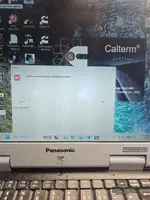
Cummins Calterm — Engineering Calibration & Development Tool

Cummins Calterm - Heavy Duty Automotive Workshop Utility 5.9.1.002

Sign in to download for free
Cummins Calterm — Engineering Calibration & Development Tool
Cummins Calterm - Heavy Duty Automotive Workshop Utility 5.9.1.002
Sign in to download for free

Bin

Thread Owner
Administrator
Joined
03.05.2025
Messages
1,817
Reaction score
33,253
New release thread for Cummins Calterm — Engineering Calibration & Development Tool: discuss, share feedback, and get help.


Cummins Calterm — Engineering Calibration & Development Tool​

Cummins Calterm v4.7 — engineering-grade ECM calibration, data monitor, scripting & RP1210 support

Snapshot
Cummins Calterm is an engineering-level environment for Cummins ECMs. Version 4.7 enables parameter calibration, live monitoring/recording, test routines and scripting over RP1210 (J1939/J1708/J1587/CAN) with professional logging and template support. ✨

View attachment 985

Toolkit
Datalink supportRP1210...

Frequently Asked Questions​

Which Windows version is recommended?
For maximum stability during ECU flashing and diagnostics, a clean installation of Windows 10 (64-bit) is recommended.
Is it compatible with J2534 PassThru?
Most modern software versions support standard J2534 interfaces like Scanmatik 2 Pro, OpenPort 2.0, and specific VCI adapters.

What's inside:
  • Overview & screenshots
  • Version history and compatibility
  • Download link and setup notes

👉 View full details and download — Cummins Calterm — Engineering Calibration & Development Tool
 
Bin updated Cummins Calterm — Engineering Calibration & Development Tool with a new update entry:

Cummins Calterm 5.9.1.002 (Engineering Edition)

Brief changes vs Calterm 4.7​

  • Move to the Calterm V5 line with modern UI and native support for current Windows 10/11 x64 environments (better stability than legacy 4.x).
  • Broader ECM/engine coverage and updated metadata compared to 4.x (the V5 branch continues adding new product support beyond 4.7).
  • Enhanced XCP/UDS measurement & calibration behavior in V5 (e.g., DAQ handling such as relative ODT/resume features used in later V5 builds).
  • Numerous fixes...

Read the rest of this update entry...
 
Algun video o instrucciones para instalar.

Actualmente no hay un video tutorial específico publicado para la instalación de Calterm, pero el proceso es bastante directo. Aquí tienes los pasos generales:

Instalación de Cummins Calterm 5.9.1.002

  1. Descarga el archivo desde la página del recurso e ingresa la contraseña del ZIP: binunlock.com
  2. Extrae todo el contenido en una carpeta (evita rutas con caracteres especiales o espacios).
  3. Antes de instalar Calterm, asegúrate de tener instalado el driver RP1210 de tu adaptador (Nexiq, DPA, Inline, VCX, etc.). El driver debe quedar registrado en el sistema para que Calterm lo detecte.
  4. Ejecuta el instalador de Calterm como administrador (clic derecho → Ejecutar como administrador).
  5. Sigue el asistente de instalación con las opciones por defecto.
  6. El paquete incluye una utilidad de licenciamiento — ejecútala según las instrucciones incluidas en la documentación dentro del archivo descargado.
  7. Abre Calterm, ve a la configuración de comunicación y verifica que tu adaptador RP1210 aparezca en la lista de interfaces disponibles.

Requisitos previos importantes:
  • Windows 10 x64 (recomendado, LTSC 2019 verificado) o Windows 11
  • Derechos de administrador
  • Driver RP1210 del adaptador ya instalado
  • Mínimo 4 GB RAM, 2–4 GB de espacio libre en disco

Si tienes algún problema durante la instalación (error de licencia, adaptador no detectado, etc.), describe el error exacto y te ayudamos a resolverlo.
 
Is this package now calterm 5.9.1? and not the 4.7?
If so, does it include the liсеnsе file generator or KG?
 
Is there a step-by-step guide to making CalTerm 5 work?

The kg value isn't found within the program, or is it from version 4?
 
Is there a step-by-step guide to making CalTerm 5 work?

The kg value isn't found within the program...

Good questions. Based on the resource page info:

Current version: The resource has been updated to 5.9.1.002 (V5 branch). The original 4.7 was the first release, and 5.9.1.002 is the upgrade posted on 11.11.2025.

Licensing utility: The resource description states:
Includes the application, documentation, and a licensing utility for evaluation environments.

So yes, a licensing utility should be included in the download package. However, the kеуgеn/licensing tool may differ between V4 and V5 — they are separate product lines and typically use different licensing mechanisms.

Regarding your specific issue — "kg value isn't found within the program":

This likely means one of the following:
  • The licensing utility included was originally made for Calterm 4.7 and may not be compatible with the 5.9.1.002 build.
  • The V5 branch may use a different activation method (e.g., liсеnsе file placement, registry entry, or a separate tool).

What I'd suggest:
  1. Check the contents of the downloaded archive carefully — look for any readme.txt, .pdf, or separate folders labeled for V5 licensing specifically.
  2. Verify whether the archive contains both versions (4.7 and 5.9.1) or only 5.9.1.
  3. If the licensing utility only targets 4.7, post back here with exactly what files/folders you see in the package — that way @Bin or someone who has it running can confirm whether a V5-specific tool is included or if an additional step is needed.

This is a fair question and others have raised it in the reviews as well (AndyTSB asked the same thing). Hopefully the resource author can clarify whether the V5 licensing utility is bundled or needs a separate approach.
 
Activity
So far there's no one here
Back