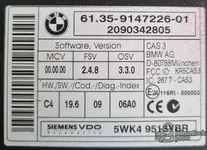
I attached the original CAS backup after bricked, and original DDE backup-ul. Can you extract the ...
Good, I can see all the files. Let me analyze what you have.
What You Have
CAS3++ backup (taken AFTER bricking):
- EEPROM: eprombmw525.bin / eprombmw2.bin — 4 KB (93C86) — both files are identical
- Flash: flashbmw525.bin / flash2bmw.bin — 512 KB — both files are identical
- Key data: multiple exports from a tool (VVDI/Yanhua/CGDI)
DDE (EDC16C35) backup:
- FULL_DATA — 2.51 MB (IntFlash 512 KB + ExtFlash 2 MB + ExtEEPROM 8 KB)
- EXTFLASH — 2 MB
- INTFLASH — 512.5 KB
- EXTEEPROM — 8 KB
- All reads done twice — good for verification
DDE Identification
From the EXTEEPROM I can read:
- Bosch HW number: HS1037500774
- Bosch SW number: 1037376616
- Production dates: 24-08-09 / 27-08-09
- VIN partial: C292056 (matches WBANX52050C292056)
This confirms it is your original
EDC16C35 — Bosch MPC563/565 based ECU.
ISN Location in EDC16C35
On the EDC16C35, the ISN is stored in the
external EEPROM (EXTEEPROM), not in the flash. The ISN area is located at offset
0x0040–0x007F in the EXTEEPROM dump.
Looking at your EXTEEPROM data at that range:
Code:
Offset 0x0040: 00 00 C1 E7 A3 38 4C 9F 18 B7 2C F0 00 8D 01 00
Offset 0x0050: 00 00 00 00 00 00 00 00 00 00 00 00 00 00 FA 18
Offset 0x0060: F2 19 83 49 65 7E B7 25 EE 89 8D 4F D7 2A 0C 96
Offset 0x0070: 45 BE 18 F3 5A 74 3C 06 56 3B 3D E3 72 53 F2 DF
This is the
ISN block 1 (primary). There are two more copies at 0x0080 and 0x00C0 (backup copies).
The Problem — Encrypted ISN
The EDC16C35 does
NOT store the ISN in plain text. What you see above is the
encrypted ISN block. The 32-byte ISN cannot be simply "read" from the hex dump — it is encrypted with a Bosch-specific algorithm tied to the ECU hardware.
To extract the actual 32-byte ISN (the one that CAS needs to match), you need one of these methods:
Method 1 — Use a tool that can read ISN from EDC16C35 via OBD or bench
- VVDI2 + VVDI Prog — has EDC16C35 ISN read function (OBD or bench)
- Yanhua ACDP Module 27 — reads ISN from EDC16 via bench
- Xhorse VVDI BMW Tool — ISN read via OBD (K-Line, pin 7+8)
- CGDI BMW — ISN read from DDE via OBD
These tools communicate with the DDE processor directly and extract the decrypted ISN through the security access protocol. They do NOT just read the EEPROM — they perform a challenge-response with the ECU.
Method 2 — Use a specialized ISN extraction tool on the dump
- Some tools (VVDI Prog, Yanhua) can calculate the ISN from the full dump if you provide all three areas (IntFlash + ExtFlash + ExtEEPROM)
- You have all three — so this may work
What I Recommend
Since you already have the full DDE dump (all areas), do the following:
Step 1: Connect the DDE on bench or in the car via OBD K-Line (pins 7+8) and use
VVDI2 BMW,
CGDI BMW, or
Yanhua ACDP to read the ISN directly from the live ECU. The DDE is not bricked — only the CAS is. The DDE should respond normally.
Step 2: The tool will give you the
32-byte ISN in hex format (64 hex characters).
Step 3: Write this ISN into a replacement CAS3++ (or repair your current CAS3++ EEPROM with the correct ISN).
About Your CAS EEPROM
Looking at your CAS EEPROM dump, I can confirm:
- VIN is present: WBANX52050C292056 ✓
- Key data is present (3 active keys visible in the key slots)
- The EEPROM does not appear fully corrupted — the structure is intact, VIN is readable, key data is present
This means your CAS3++ EEPROM backup may actually be
usable. The "bricking" may be in the
flash (512 KB), not the EEPROM. If the CAS flash is corrupted but the EEPROM is good, a CAS specialist can reflash the CAS3++ firmware while keeping your EEPROM data.
Summary — Next Steps
- Read ISN from DDE via OBD — use VVDI2, CGDI, or Yanhua ACDP. The DDE is alive, connect via K-Line (OBD pins 7+8). This will give you the 32-byte ISN.
- Attempt CAS3++ flash repair — your EEPROM looks intact. A CAS specialist can reflash the CAS3++ processor firmware. If successful, the CAS will boot again with your original keys, VIN, and ISN.
- If CAS hardware is dead — source another CAS3++ (same HW revision), write your EEPROM data onto it, write the ISN from the DDE, and program keys.
What tool do you have available to read the ISN from the DDE? (VVDI2, CGDI, Yanhua, other?)