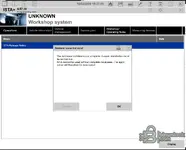
ISTA+ STANDALONE (Activated) - Free Download for BMW / MINI Diagnostics

ISTA+ STANDALONE (Activated) - Free Download for BMW / MINI Diagnostics 4.57.30

Sign in to download for free
  • Thread starter Thread starter Bin
  • Start date Start date
  • Tagged users Tagged users None
ISTA+ STANDALONE (Activated) - Free Download for BMW / MINI Diagnostics
ISTA+ STANDALONE (Activated) - Free Download for BMW / MINI Diagnostics 4.57.30
Sign in to download for free
  • Thread starter Thread starter Bin
  • Start date Start date
  • Tagged users Tagged users None
I created a shortcut for ista but it was not working. It opened in the tools folder but I received a...

It sounds like your shortcut is either pointing to the wrong file or the "Start in" directory is missing/incorrect.

For most Standalone versions, the main executable is located deep in the folder structure. Try creating a new shortcut manually:

  1. Navigate to your ISTA installation folder (usually named Rheingold).
  2. Go to ...\Rheingold\TesterGUI\bin\Release\
  3. Find ISTAGUI.exe.
  4. Right-click on it -> Send to -> Desktop (create shortcut).

Once created, right-click the new shortcut on your desktop, go to Properties -> Compatibility, and check Run this program as an administrator.

If you are using a version that requires a specific Loader (like the older 4.3x versions often did), make sure your shortcut points to the Loader.exe instead of ISTAGUI.exe, and that the "Start in" field in the shortcut properties matches the folder where the exe is located.
 
i had the same issue, i think its because the BMW folder in C:/ProgramData is missing

That is a very likely cause. The C:\ProgramData\BMW directory is essential as it holds the configuration files and logs generated during operation.

If that folder is missing, it usually means the registry keys weren't set up correctly. Look in your download folder (usually inside a "Tools" or "Prerequisites" subfolder) for a file named something like ISTARegFix_x64.reg or RCleaner.

Running the registry fix and then starting ISTA as Administrator should force it to create that folder structure automatically. Also, remember that ProgramData is a hidden folder by default in Windows, so ensure you have "Hidden items" checked in View settings if you are trying to verify its existence manually.
 
That is a very likely cause. The C:\ProgramData\BMW directory is essential as it holds the configuration files and logs generated during operation.

If that folder is missing, it usually means the registry keys weren't set up correctly. Look in your download folder (usually inside a "Tools" or "Prerequisites" subfolder) for a file named something like ISTARegFix_x64.reg or RCleaner.

Running the registry fix and then starting ISTA as Administrator should force it to create that folder structure automatically. Also, remember that ProgramData is a hidden folder by default in Windows, so ensure you have "Hidden items" checked in View settings if you are trying to verify its existence manually
There is no bmw file in Programdata nor are there the istaregfix or rcleaner file (in any subfolder). I did a search
 
I followed all the instructions and I have this error. I copied psdz lite, sqlitedtbs it's at his place. I don't know what it is.
 

Attachments

  • Clip.webp
    Clip.webp
    81 KB · Views: 9
I followed all the instructions and I have this error. I copied psdz lite, sqlitedtbs it's at his pl...

You forgot to attach the screenshot or write down the specific error message. Without knowing exactly what the error says, it is hard to pinpoint the issue.

However, since you mentioned moving the databases manually, here are the most common mistakes regarding file placement:

1. SQLiteDBs Location
Ensure the files (like
Code:
streamdataprimitive_other.sqlite
,
Code:
xmlvalueprimitive_other.sqlite
, etc.) are located directly inside the
Code:
Rheingold\SQLiteDBs\
folder.
Common mistake: Extracting them into a subfolder, resulting in
Code:
Rheingold\SQLiteDBs\SQLiteDBs\files...
. This will cause a database connection error.

2. PSdZData Location
The structure must be exactly:
Code:
Rheingold\PSdZ\data\
Inside the
Code:
data
folder, you should see subfolders like
Code:
mainseries
,
Code:
sys
,
Code:
odx
, etc. If you have
Code:
Rheingold\PSdZ\data\psdzdata\...
, it is wrong.

Please post the specific error code or message you are seeing.
 
But where put I the Rheingold\SqliteDBs folder? In old versions it was in Program Files (x86) and on 4.57.30 not working. I put it in C, in Program Files, in ISTA, not working. Not find sqlitedbs files. I see *.sqlite files is in C:\ISTA\SqliteDBs\. Then, the instructions in downloaded program are not complete.
 
But where put I the Rheingold\SqliteDBs folder? In old versions it was in Program Files (x86) and on...

For the Standalone version, the location is not fixed to "Program Files" like the old installer versions. It works from wherever you extract the folder, BUT the Windows Registry must know exactly where that folder is located.

Since you mentioned moving the folder around multiple times (from Program Files to C:\ISTA), the registry is almost certainly pointing to the wrong location (the old one), which causes the "Not find sqlitedbs" error.

Here is how to fix it:

1. Verify the Folder Structure
If your main folder is currently C:\ISTA, ensure the structure looks exactly like this:
  • C:\ISTA\TesterGUI\bin\Release\ISTAGUI.exe (This is the main program)
  • C:\ISTA\SQLiteDBs\ (This is where the .sqlite files must be)
Note: Do not create a subfolder like C:\ISTA\SQLiteDBs\SQLiteDBs\. The files must be directly in the first folder.

2. Update the Registry
Because you moved the folder, ISTA is looking in the old place. You must tell it the new location.

Option A (RegFix file):
Look inside your ISTA folder (sometimes in a "Tools" subfolder) for a file named ISTARegFix.reg.
  • Right-click the file and choose Edit (open with Notepad).
  • Look at the paths inside the file. Change them to match your current location (e.g., change "C:\\Rheingold" to "C:\\ISTA").
  • Save the file, close Notepad, and double-click the .reg file to run it.

Option B (Manual Fix):
  • Press Start, type regedit, and hit Enter.
  • Navigate to this path:
    Code:
    HKEY_LOCAL_MACHINE\SOFTWARE\WOW6432Node\BMWGroup\ISPI\Rheingold
  • On the right side, find the key named InstallLocation.
  • Double-click it and change the Value data to your actual folder path (e.g., C:\ISTA).

Once the registry matches the actual folder location, restart ISTA and it should find the databases.
 
I gave up. There are too many unknowns. There is no RegFix file in downloaded ISTA file. I introduced manually InstallLocation in registry, I know the structure of Ista folders, but in this version is an unknown. I will wait for install version, not copy version.
 
I gave up. There are too many unknowns. There is no RegFix file in downloaded ISTA file. I introduce...

I understand, Standalone versions can be a headache if the file structure isn't exactly what the build expects.

One final detail that likely explains why your manual Registry fix didn't work:
In many recent Standalone versions, the path is actually hardcoded inside the application configuration file, which overrides the Registry settings completely.

If you (or anyone else) encounter this, check the file ISTAGUI.exe.config located in TesterGUI\bin\Release\. Open it with Notepad and search for a key named BMW.Rheingold.CoreFramework.Path (or similar).

XML:
<add key="BMW.Rheingold.CoreFramework.Path" value="C:\Rheingold"/>

If that value is set to a specific path (e.g., C:\Rheingold) and your folder is named C:\ISTA, the program will fail to find the databases regardless of what you put in the Windows Registry. You would need to edit that line to match your actual folder path.

Waiting for an installer is definitely the safer bet if you want to avoid this kind of manual troubleshooting.
 
I gave up. There are too many unknowns. There is no RegFix file in downloaded ISTA file. I introduced manually InstallLocation in registry, I know the structure of Ista folders, but in this version is an unknown. I will wait for install version, not copy version.
Yes, these KI answers are very annoying.
 
Yes, these KI answers are very annoying.

Fair enough. The Standalone versions often require manual configuration of config files and registry keys, which can be a hassle compared to the installer versions.

Waiting for the full installer release is definitely the best choice if you want a "plug and play" experience without having to dig into the system files. Good luck.
 
Fair enough. The Standalone versions often require manual configuration of config files and registry keys, which can be a hassle compared to the installer versions.

Waiting for the full installer release is definitely the best choice if you want a "plug and play" experience without having to dig into the system files. Good luck.
lol, just create an all in one installer xD
 
lol, just create an all in one installer xD

It's not that simple. Creating a reliable installer that handles prerequisites (Visual C++, .NET), registry keys, and firewall rules for every Windows version takes a lot of time and testing.

The "Standalone" version is just the raw files, which is why it's released immediately. Installers usually follow a few weeks later when someone has time to build and test a proper rераск.
 
Fair enough. The Standalone versions often require manual configuration of config files and registry keys, which can be a hassle compared to the installer versions.

Waiting for the full installer release is definitely the best choice if you want a "plug and play" experience without having to dig into the system files. Good luck.
Have a plug and play installer been created yet?
 
Have a plug and play installer been created yet?

Not yet. The "plug and play" installers (like the Sedoy repacks) usually take a few weeks to appear after the raw standalone files are released.

You will have to wait a bit longer if you want to avoid the manual configuration.
 
Not yet. The "plug and play" installers (like the Sedoy repacks) usually take a few weeks to appear after the raw standalone files are released.

You will have to wait a bit longer if you want to avoid the manual configuration.
How long do you think? I've followed so many steps and downloaded two versions trying to install. Some of the files you are referring to isn't there, etc
 
How long do you think? I've followed so many steps and downloaded two versions trying to install. So...

It's hard to give an exact date because it depends entirely on when the community developers (like Sedoy) have free time to build it. Based on previous releases, it usually takes anywhere from 2 to 4 weeks after the standalone version drops.

Regarding the "missing files" you mentioned: 99% of the time, Windows Defender or your Antivirus is silently deleting them immediately upon extraction. The specific files needed for the standalone version (like the loader or асtivаtоr) often trigger false positives.

If you want to try one last time while you wait:
  • Disable Real-time protection in Windows Defender.
  • Re-extract the archive.
  • Add the extraction folder to the Defender Exclusions list.
  • Then check if the files are there.

Otherwise, just keep an eye on the thread for the "Installer" or "MSI" version.
 
Back