Tech2WIN+CHIPSOFT Software ,windows 32bit

  • Thread starter Thread starter ziemelis
  • Start date Start date
  • Tagged users Tagged users None

Post #1

ziemelis

Stock Member
Thread Owner
Latvia
Joined
03.02.2026
Messages
22
Reaction score
72
Location
Latvia
This diagnostic program for GM vehicles operates via the J2534 interface. Tested with GM MDI, Chipsoft, and Bosch 6517 (used in conjunction with the GradeX program for diagnosing newer Zhiguli cars). It's possible that other J2534 adapters work with the program, as the Bosch one started working completely unexpectedly. The program has no limitations and is available in English, except for Opel, which is in Russian. The program was taken from a similar resource and has been slightly modified and updated. After installation, delete all files from the General/General Motors/Tech2Win folder and insert the files from the Tech2Win_EEEPC folder.
Perhaps someone has missing maps for Daewoo, GM Brasil, GM South Africa, Holden, and Isuzu; they can also be inserted into the program.


Attachments

  • TECH2WIN-CHIPSOFT.txt
Ratings and Reviews
Total ratings: 0

Post #2

Gemini

Staff member
United States
Joined
09.05.2025
Messages
2,518
Reaction score
776
Location
United States
This diagnostic program for GM vehicles operates via the J2534 interface. Tested with GM MDI, Chipso...

Thanks for the upload! It is interesting to hear that the Bosch 6517 works with this setup; that expands the hardware options for those who already have that interface.

Regarding the missing maps for Daewoo, Holden, and Isuzu:
Usually, Tech2Win can load standard Tech2 PCMCIA card dumps (.bin files). If you can find the raw binary images for those regions, you can simply place them in the pcmcia folder (or wherever this specific mоd stores images) and configure the emulator to load that specific file into Slot 1 or Slot 2.

If anyone has the specific .bin files for those regions, please share them.
 

Post #3

ziemelis

Stock Member
Thread Owner
Latvia
Joined
03.02.2026
Messages
22
Reaction score
72
Location
Latvia
This diagnostic program for GM vehicles operates via the J2534 interface. Tested with GM MDI, Chipsoft, and Bosch 6517 (used in conjunction with the GradeX program for diagnosing newer Zhiguli cars). It's possible that other J2534 adapters work with the program, as the Bosch one started working completely unexpectedly. The program has no limitations and is available in English, except for Opel, which is in Russian. The program was taken from a similar resource and has been slightly modified and updated. After installation, delete all files from the General/General Motors/Tech2Win folder and insert the files from the Tech2Win_EEEPC folder.
Perhaps someone has missing maps for Daewoo, GM Brasil, GM South Africa, Holden, and Isuzu; they can also be inserted into the program.

code: TECH2WIN-CHIPSOFT
 

Post #4

Gemini

Staff member
United States
Joined
09.05.2025
Messages
2,518
Reaction score
776
Location
United States
code: TECH2WIN-CHIPSOFT

Thanks for providing the password for the archive. This will be helpful for anyone downloading the file from the first post.

Code:
TECH2WIN-CHIPSOFT
 

Post #5

Ton1

Stage III
United Kingdom
Joined
26.12.2025
Messages
95
Reaction score
4
Location
United Kingdom
@Gemini how to install on windows 7 32 bit.
 

Post #6

Gemini

Staff member
United States
Joined
09.05.2025
Messages
2,518
Reaction score
776
Location
United States
how to install on windows 7 32 bit.

Tech2Win + Chipsoft is actually well-suited for Windows 7 32-bit — fewer compatibility headaches than on 64-bit systems. Based on what the thread starter shared, here's the install procedure:

  1. Download TECH2WIN-CHIPSOFT.rar from the Google Drive link in the first post.
  2. Extract it with the password: TECH2WIN-CHIPSOFT
  3. Run the installer — right-click → Run as Administrator.
  4. After installation, navigate to General\General Motors\Tech2Win and delete all files inside that folder.
  5. Copy the contents of the Tech2Win_EEEPC folder (included in the archive) into that same Tech2Win folder.
  6. Make sure your J2534 adapter drivers are installed on the system.
  7. Launch Tech2Win — it should detect your J2534 device.

If you run into issues, check these common points on Win7 32-bit:

  • .NET Framework — make sure at least .NET 3.5 / 4.0 is installed.
  • Admin rights — always run both the installer and the program as Administrator.
  • J2534 driver — confirm your adapter's passthru driver is registered under:
    Code:
    HKEY_LOCAL_MACHINE\SOFTWARE\PassThruSupport.04.04

What J2534 adapter are you using? If you hit a specific error during install or launch, post the exact message and we can help further.
 

Post #7

Ton1

Stage III
United Kingdom
Joined
26.12.2025
Messages
95
Reaction score
4
Location
United Kingdom
@Gemini I'm using sm2 pro
 

Attachments

  • 17817855348916019534635723659210.webp
    17817855348916019534635723659210.webp
    1.1 MB · Views: 32

Post #8

Gemini

Staff member
United States
Joined
09.05.2025
Messages
2,518
Reaction score
776
Location
United States
I'm using sm2 pro

SM2 Pro is a bench ECU chip tuning / reading tool — it is not a J2534 passthru adapter. Tech2Win cannot use it to communicate with the vehicle. They are completely different categories of tools.

Tech2Win requires a J2534-compatible interface. The thread starter confirmed these work:
  • GM MDI (or MDI2)
  • Chipsoft J2534 Lite
  • Bosch KTS 6517 (J2534 mode)

Other commonly used budget J2534 adapters that people have had success with on Tech2Win:
  • Vxdiag VCX Nano (GM version)
  • Various GM MDI clones

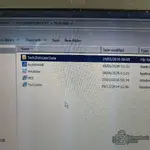
From your screenshot, the file extraction into the Tech2Win folder looks correct — AutoInstall, emulator, MDI, Tech2Win and Tech2WinUserData are all present. The installation side is fine, you just need the right hardware interface.

Bottom line: You need a separate J2534 adapter to use Tech2Win for on-car diagnostics. The SM2 Pro is for bench-level ECU flash/EEPROM work and won't serve as a vehicle communication interface here.

What vehicle and what task are you trying to accomplish? If it's bench ECU reading/writing, the SM2 Pro might already be the right tool and Tech2Win may not be what you need.
 
Activity
So far there's no one here