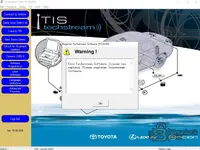
Toyota TechStream V18 +activation

Toyota Techstream_V18.00.008+key generator=JAPAN-no pass


Thanks for the share!

For those installing this, if the software locks you into the Japan region (since it is labeled JAPAN), you can usually enable the region selection menu by editing the configuration file.

Open this file in a text editor:
INI:
C:\Program Files (x86)\Toyota Diagnostics\Techstream\Env\IT3System.ini

Find the line for TISFunction and change the value to 0:
INI:
TISFunction=0

Save the file and restart Techstream. This should allow you to select North America, Europe, or General regions.

Also, don't forget to disable Windows Defender or add an exclusion before extracting the key generator, as it will likely be flagged as a false positive.
 
Hi I dowload but Need the activation

The key generator is included in the archive linked in the first post.

If you do not see the kеуgеn file inside the folder, your antivirus or Windows Defender likely deleted it automatically as a false positive.

  • Disable your antivirus/Defender real-time protection temporarily.
  • Re-extract the archive.
  • Run the kеуgеn.

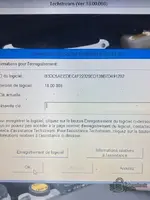
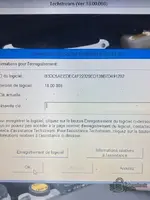
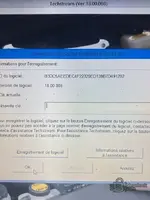
You will need to copy the Software ID shown in Techstream, paste it into the generator, and it will give you the activation key to paste back into the program.
 
The key generator is included in the archive linked in the first post.

If you do not see the kеуgеn file inside the folder, your antivirus or Windows Defender likely deleted it automatically as a false positive.

  • Disable your antivirus/Defender real-time protection temporarily.
  • Re-extract the archive.
  • Run the kеуgеn.

You will need to copy the Software ID shown in Techstream, paste it into the generator, and it will give you the activation key to paste back into the program.
It coming without kеуgеn and i dont have antivirus in my pc
 
It coming without kеуgеn and i dont have antivirus in my pc

Even if you did not install an antivirus, Windows comes with Windows Defender built-in by default. It deletes keygens silently in the background immediately after extraction.

Check here:
Start > Settings > Update & Security > Windows Security > Virus & threat protection > Protection history

If you still cannot find it, please post your Software ID and the specific Version number here.

Code:
Example ID: 55555555555555555555555555555555

Someone on the forum can generate the activation key for you if you provide that ID.
 
Even if you did not install an antivirus, Windows comes with Windows Defender built-in by default. It deletes keygens silently in the background immediately after extraction.

Check here:
Start > Settings > Update & Security > Windows Security > Virus & threat protection > Protection history

If you still cannot find it, please post your Software ID and the specific Version number here.

Code:
Example ID: 55555555555555555555555555555555

Someone on the forum can generate the activation key for you if you provide that ID.
2783CBDA9B55520DA40B333ED72D9D01 this my id need activation key plz
 
2783CBDA9B55520DA40B333ED72D9D01 this my id need activation key plz

I am currently away from my PC so I cannot run the generator for that ID right now. Hopefully another member can generate it for you shortly.

However, you definitely have Windows Defender active if you are on Windows 10 or 11. It is built into the OS and runs even if you don't install a third-party antivirus. It is 100% the reason you cannot see the kеуgеn file.

To fix it yourself immediately:
  1. Open your Start Menu and type Windows Security.
  2. Go to Virus & threat protection.
  3. Click on Protection history.
  4. You will see a "Threat blocked" or "Quarantined item" from when you extracted the folder.
  5. Click it, select Actions, and choose Restore.

The kеуgеn file will reappear in the folder, and you can generate the key yourself.
 
Back