WinOLS 5.80 Download the Latest Version - Full Changelog & New Features

WinOLS Pro ECU Tuning Software - Chip Remapping Expert 2025-07-03

Sign in to download for free
  • Thread starter Thread starter Bin
  • Start date Start date
  • Tags Tags
    winols
  • Tagged users Tagged users None
WinOLS 5.80 Download the Latest Version - Full Changelog & New Features
WinOLS Pro ECU Tuning Software - Chip Remapping Expert 2025-07-03
Sign in to download for free
  • Thread starter Thread starter Bin
  • Start date Start date
  • Tags Tags
    winols
  • Tagged users Tagged users None

Bin

Thread Owner
Administrator
Joined
03.05.2025
Messages
1,786
Reaction score
21,943
New release thread for WinOLS 5.80 Download the Latest Version - Full Changelog & New Features: discuss, share feedback, and get help.


WinOLS 5.80 Download the Latest Version - Full Changelog & New Features​

Enhanced data import, faster project comparison, and major stability fixes for the professional tune

Enhanced data import, faster project comparison, and major stability fixes for the professional tuner.
View attachment 169

We are pleased to announce the release of the official version of WinOLS 5.80, a significant update to the industry-standard ECU remapping software from EVC. This latest version introduces a host of powerful new features, performance enhancements, and critical bug fixes designed to streamline your workflow and enhance...

Frequently Asked Questions​

Which Windows version is recommended?
For maximum stability during ECU flashing and diagnostics, a clean installation of Windows 10 (64-bit) is recommended.
Is it compatible with J2534 PassThru?
Most modern software versions support standard J2534 interfaces like Scanmatik 2 Pro, OpenPort 2.0, and specific VCI adapters.

What's inside:
  • Overview & screenshots
  • Version history and compatibility
  • Download link and setup notes

👉 View full details and download — WinOLS 5.80 Download the Latest Version - Full Changelog & New Features
 
Thank's, we will test this new version (y)

Let us know your results.

It is recommended to keep your previous version installed or backup your EVC folder before upgrading, just in case you encounter compatibility issues with older checksum plugins.
 
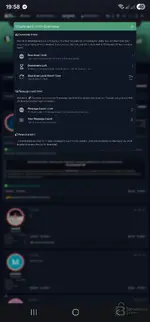
It always shows me like this. I couldn't download anything from this site.
 

Attachments

  • Screenshot_20260221_195807_Chrome.webp
    Screenshot_20260221_195807_Chrome.webp
    79.7 KB · Views: 13
It always shows me like this. I couldn't download anything from this site.

Please post a screenshot of the error you are seeing.

Common reasons for download issues:
  • You are not logged in.
  • You do not have sufficient privileges (some forums require an introduction post or a minimum number of posts).
  • Browser extensions (like AdBlock) are interfering.
 
Its not activated , i have no premium futures , and one available plugin

Did you copy the сrаск files to the installation folder? It sounds like you are running the default demo mode.

  • Make sure your antivirus didn't delete the loader or modified DLLs.
  • Run the software using the provided loader/сrаск, not the original shortcut.

If you still only see one plugin after applying the fix, the checksum DLLs might be missing from your specific installation path.
 
Did you copy the сrаск files to the installation folder? It sounds like you are running the default demo mode.

  • Make sure your antivirus didn't delete the loader or modified DLLs.
  • Run the software using the provided loader/сrаск, not the original shortcut.

If you still only see one plugin after applying the fix, the checksum DLLs might be missing from your specific installation path.
there is just one .exe file no more files !
 
there is just one .exe file no more files !

It sounds like your antivirus or Windows Defender might have quarantined the сrаск files immediately upon download or extraction. This is common with loaders.

  • Disable your antivirus temporarily.
  • Re-download the archive (or check your antivirus quarantine history to restore the files).
  • Extract the files again.

If it is still just one file, try right-clicking that .exe and choosing "Open with WinRAR" or "7-Zip". Sometimes it is a self-extracting archive containing the necessary DLLs and loader inside.
 
It sounds like your antivirus or Windows Defender might have quarantined the сrаск files immediately upon download or extraction. This is common with loaders.

  • Disable your antivirus temporarily.
  • Re-download the archive (or check your antivirus quarantine history to restore the files).
  • Extract the files again.

If it is still just one file, try right-clicking that .exe and choosing "Open with WinRAR" or "7-Zip". Sometimes it is a self-extracting archive containing the necessary DLLs and loader inside.
this one file is from the link just one .exe file in the download link no сrаск no other stuff
 
this one file is from the link just one .exe file in the download link no сrаск no other stuff

If you only have the installer executable, you are missing the necessary files to activate it.

  • Check the first post again to see if there is a separate attachment or link for the 'Fix', 'сrаск', or 'Loader'.
  • If the download was an archive (ZIP/RAR), your antivirus likely deleted the сrаск files immediately upon download. Disable Defender and try again.

You cannot activate the software with just the standard installer.
 
Back