Key points
- ECU and TCU tool choice starts with the vehicle, ECU, software version and workflow.
- OBD, Bench and Boot are different access methods with different risk levels.
- A flasher, interface, editor and EEPROM programmer are not the same thing.
- J2534, RP1210, DPDU and DoIP interfaces depend on compatible software.
- Coverage claims must be checked against official protocol and vehicle lists.
- Clone-market tools should be treated as risk-awareness topics, not recommendations.
- Dealer/OEM tools are often the safest route for programming, coding and security functions.
- Heavy-duty, agriculture, marine and powersports tools are separate ecosystems.
- Stable power, backups and recovery planning matter as much as the tool name.
- This pillar article routes readers to detailed tool profiles and method guides as the category grows.
ECU and TCU tooling is confusing because people use one word — “flasher” — for very different things. A professional ECU flasher, a J2534 interface, a dealer diagnostic VCI, a calibration editor and an EEPROM programmer can all appear in the same tuning workflow, but they do not do the same job.
The correct tool depends on the workflow, not only the brand name. Before buying anything, identify the exact vehicle, ECU or TCU family, software version, access method, available protocol, required license, cable set, power-supply requirement and recovery plan. A tool that works on one Bosch, Continental, Denso, Delphi, Marelli, Temic or ZF unit may not be the right tool for another unit with a different software version or security level.
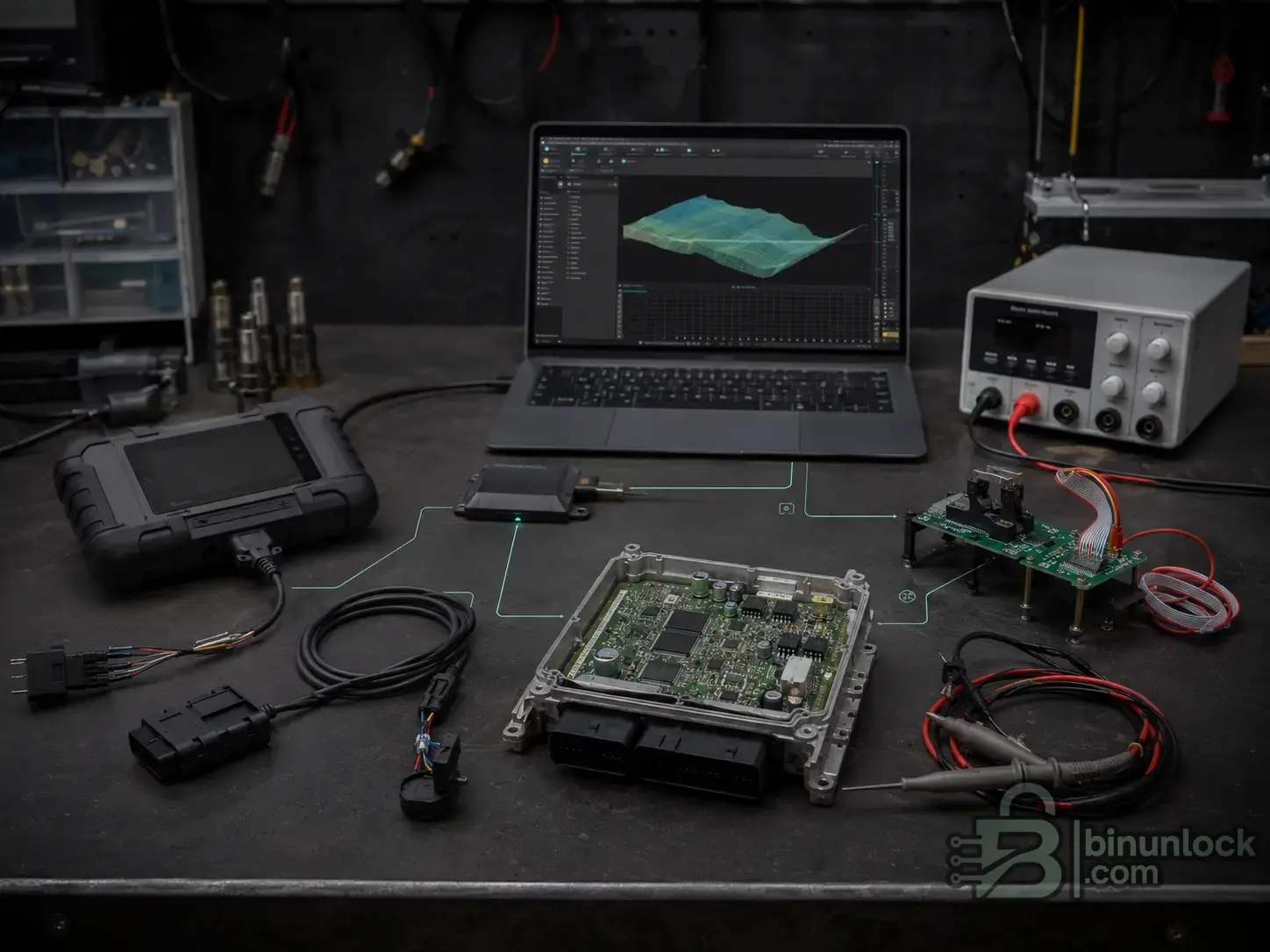
ECU and TCU tooling is a complete workflow: software, interface, cable path, stable power, ECU access and recovery planning.
This guide is the main BinUnlock hub for ECU and TCU tools. It is not a giant inventory dump. It explains the tool categories, gives short examples of important ecosystems and creates a clean map for deeper tool profiles and method guides.
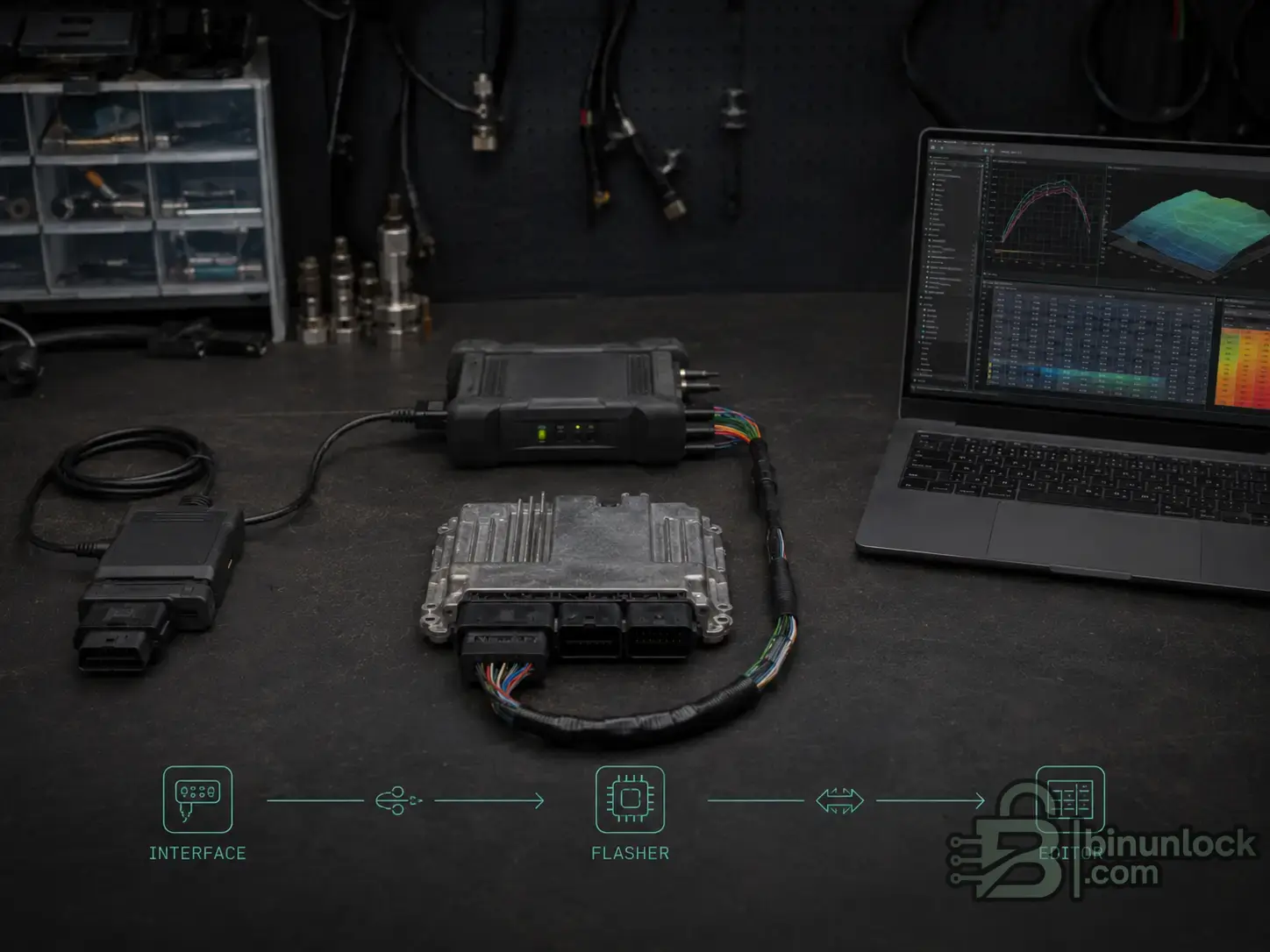
An interface communicates, a flasher reads and writes, and an editor modifies the calibration file. These are different roles in the same workflow.
OBD means communication through the diagnostic socket. It is convenient because the ECU usually stays in the vehicle. It is also dependent on gateway access, battery stability, software security, protocol availability and recovery options.
Bench means connecting to the ECU or TCU directly at the connector, usually outside the vehicle or with a bench harness. Bench can be safer than OBD when the official protocol supports it, because it avoids some vehicle-network problems and gives direct control of power and communication lines.
Boot means opening the ECU or TCU and accessing the processor or memory through boot pins, pads, probes, BDM, JTAG or similar low-level methods. Boot is often used for recovery, cloning, password read, old ECUs or protected units, but it adds physical risk.
This is why OBD, Bench and Boot should be treated as separate workflows, not interchangeable marketing labels.
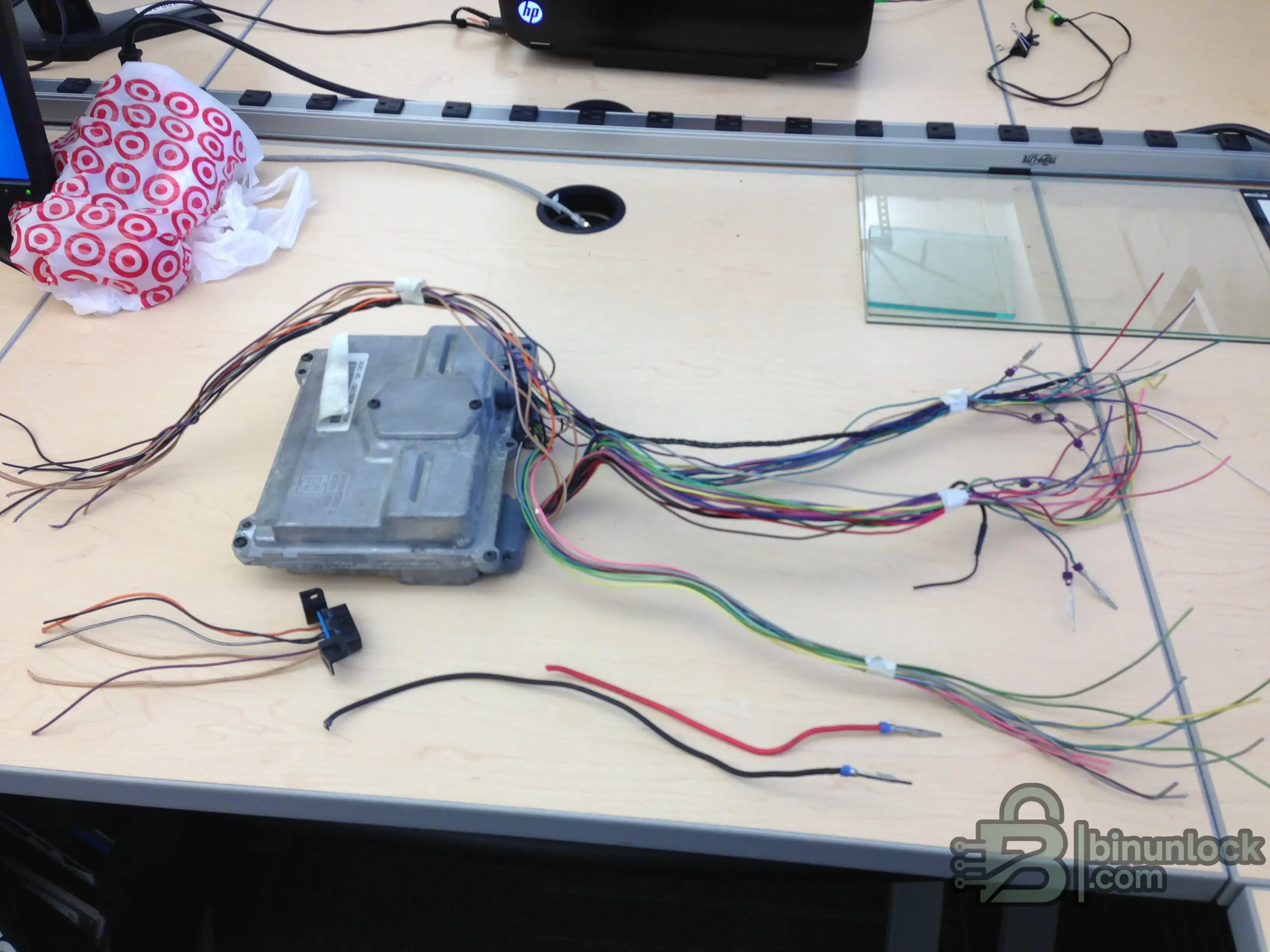
Bench work depends on correct wiring, verified pinouts and stable power. A messy harness can quickly become a risk if the connection diagram is not documented.
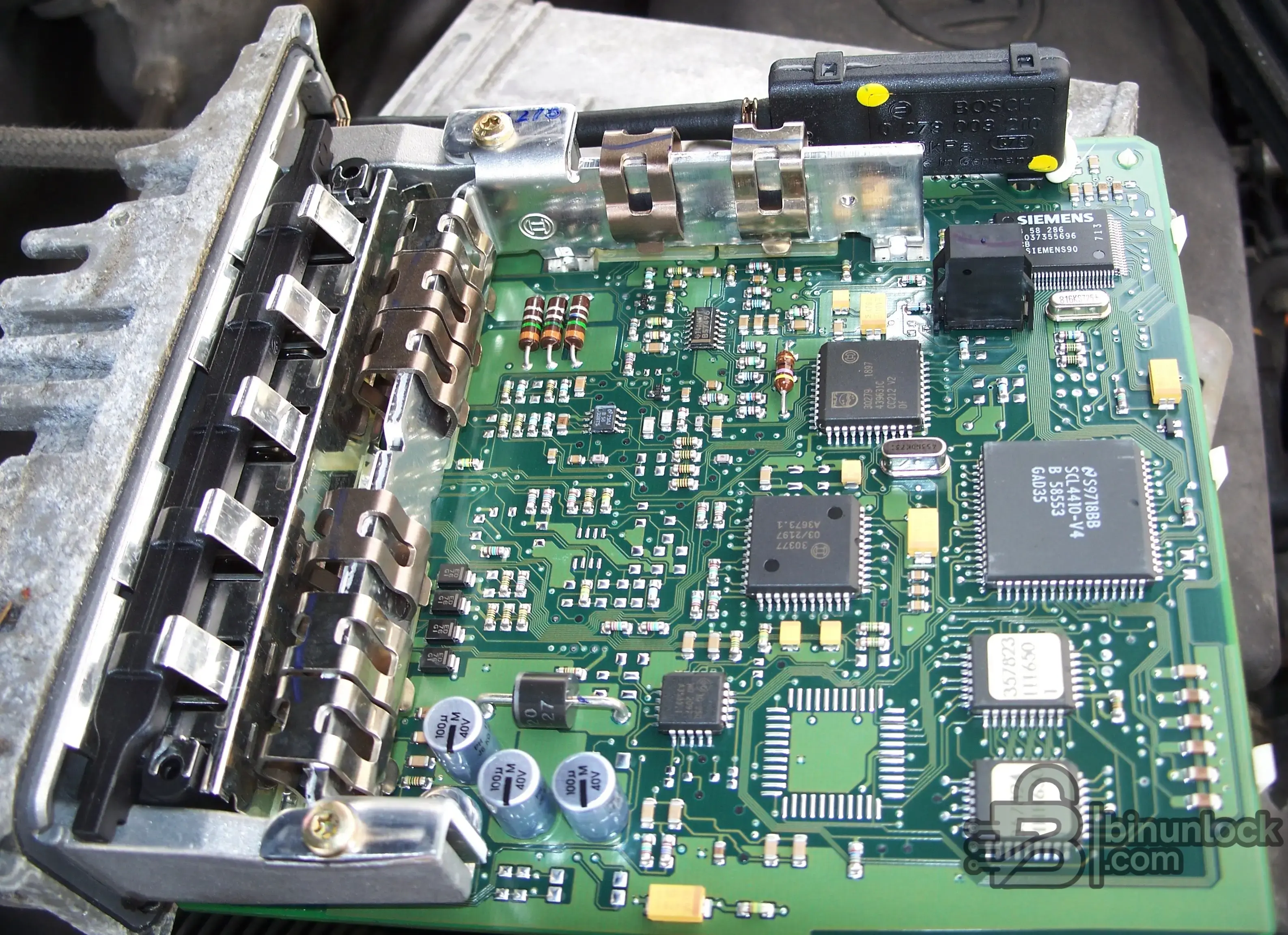
Boot, BDM, JTAG and EEPROM/MCU workflows often require physical access to the ECU board. This is a different workflow from normal OBD flashing.
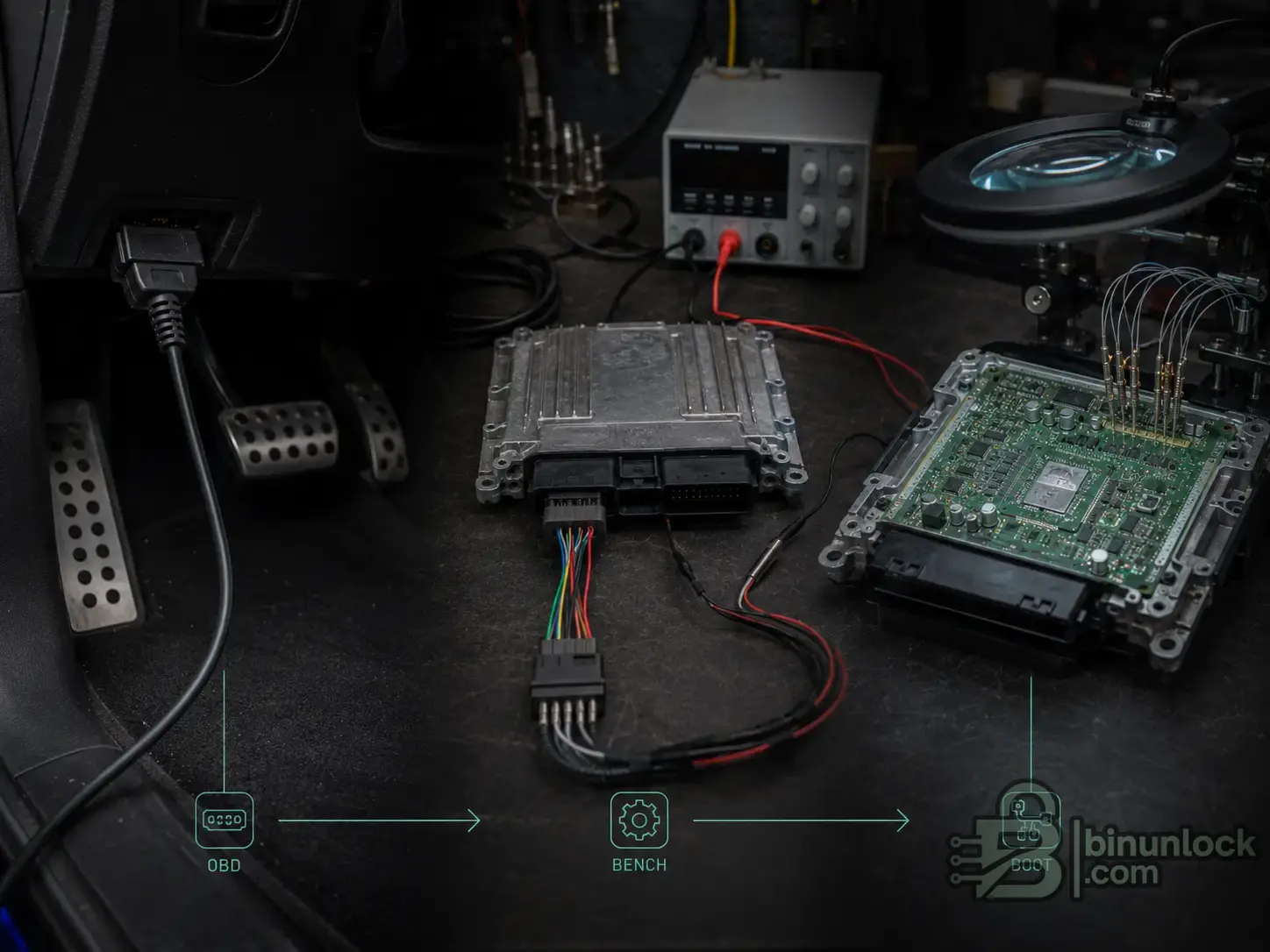
OBD, Bench and Boot are different access methods. The safest method depends on the exact ECU, protocol, vehicle network and recovery path.
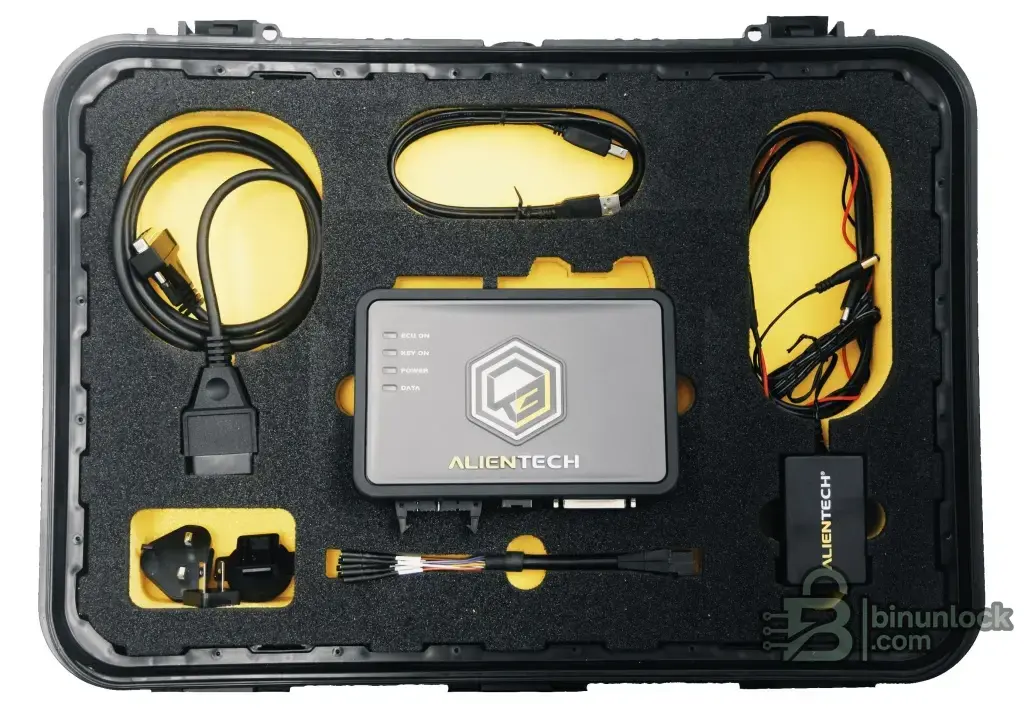
KESS3 is one example of a current professional ECU and TCU flashing ecosystem with OBD, Bench and Boot workflows.
KESS3 is Alientech’s current ECU and TCU programming ecosystem for OBD, Bench and Boot workflows. It is a common starting point for workshops that want one professional platform with official updates and vehicle lists. A dedicated KESS3 profile should cover protocol packages, licensing, OBD/Bench/Boot workflows and alternatives in more detail.
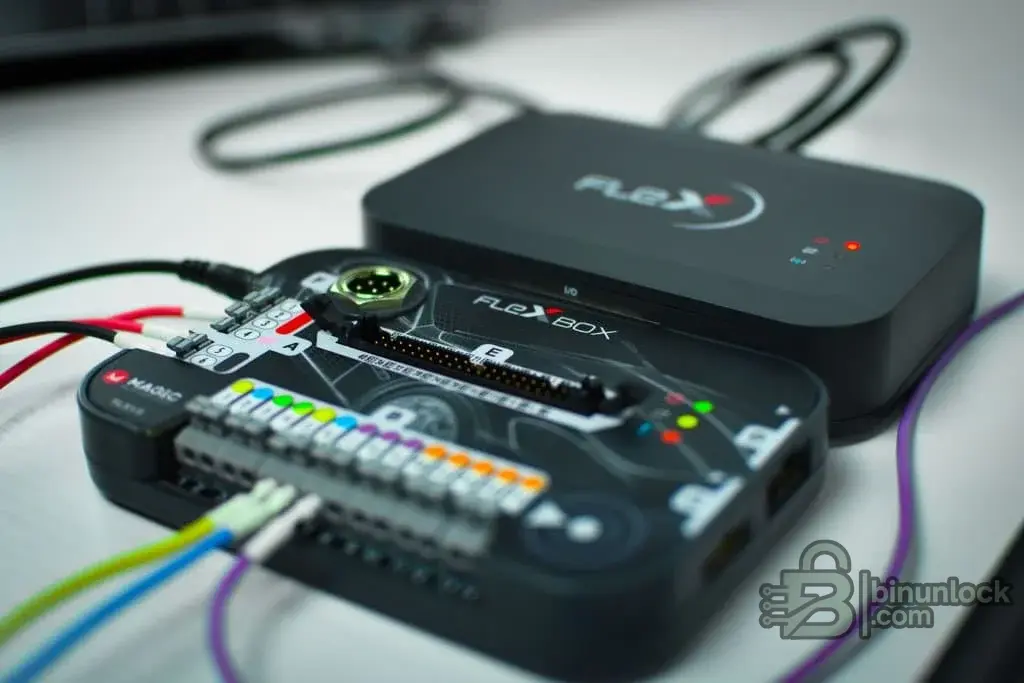
FlexBox-style bench accessories help manage ECU and TCU connections, but the official tool, software and active protocols still define coverage.
Flex is a professional ECU/TCU programmer used for tuning and electronic control-unit repair. Its role overlaps with KESS3, but the better choice depends on protocols, accessories, support, vehicle mix and your bench/boot workload. A dedicated Flex profile should cover workflow coverage, accessories, support path and alternatives in more detail.
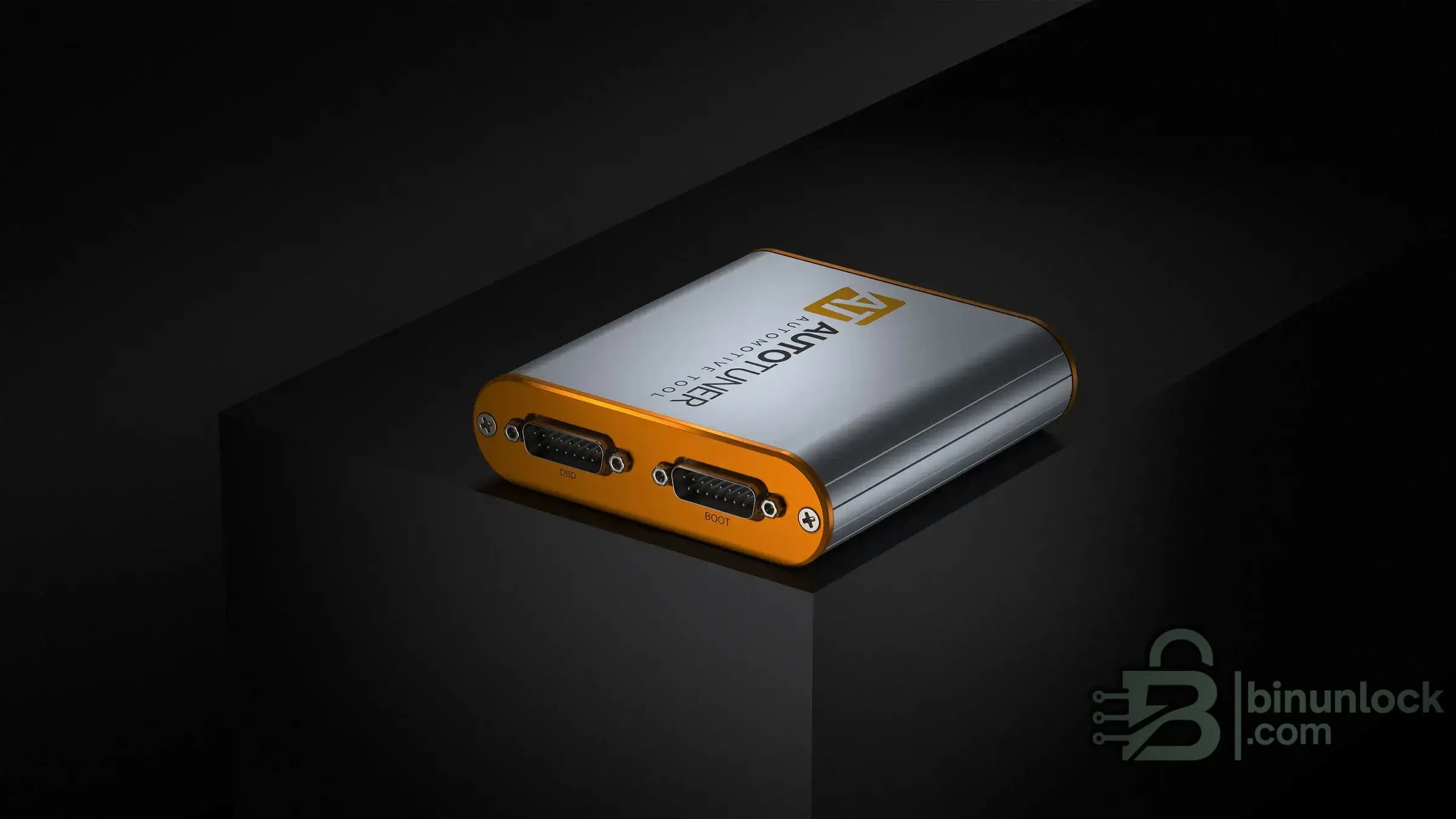
Modern flashers may support different access methods depending on active protocols and the target ECU.
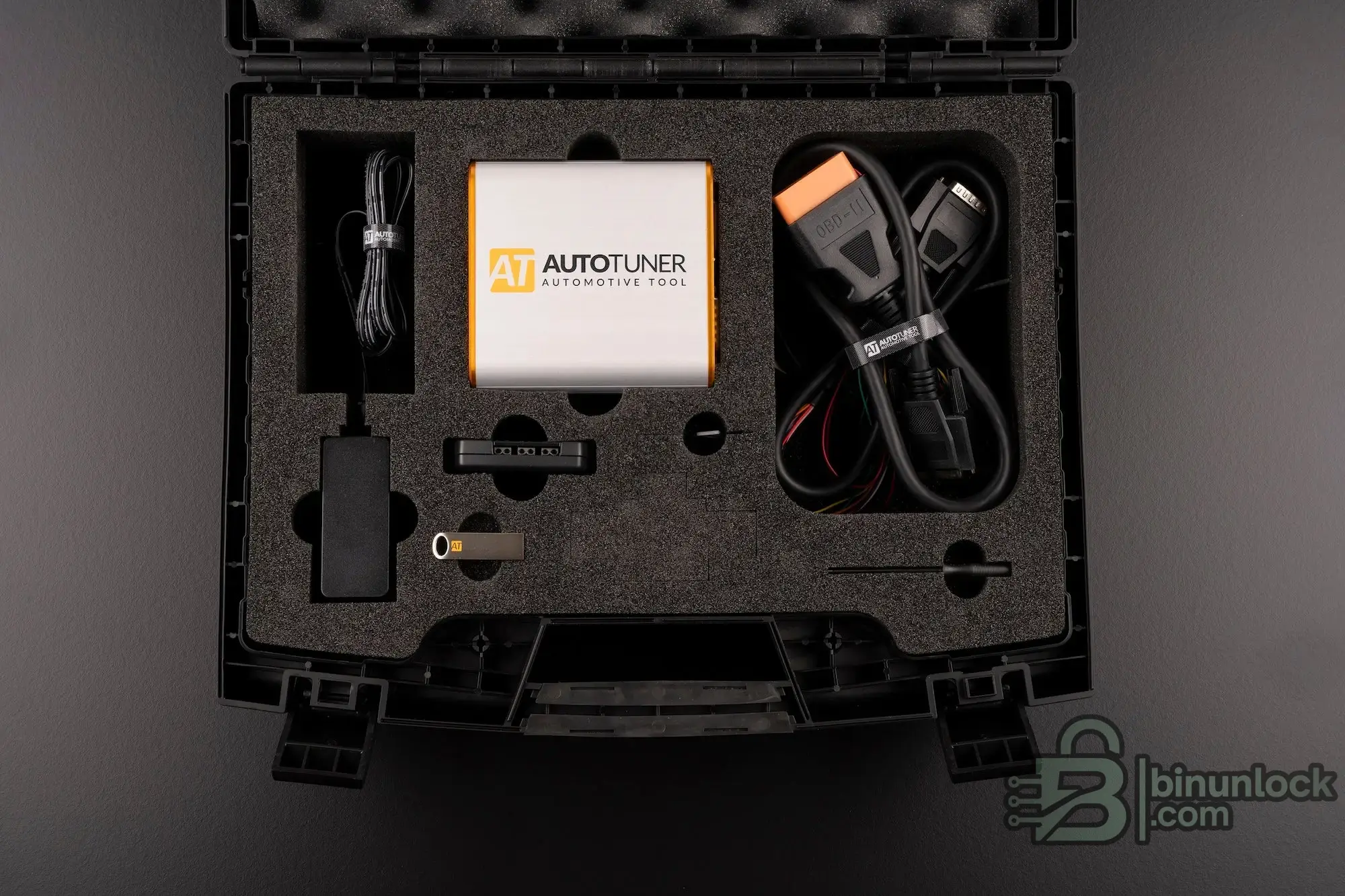
A complete flashing kit is only useful when the correct software module, cable set, power setup and recovery path are available.
AutoTuner is a modern professional ECU/TCU reprogramming tool used in master/slave and workshop workflows. It is often compared with KESS3 and Flex, but exact coverage still depends on the official compatibility list. A dedicated AutoTuner profile should cover supported workflows, licensing model, vehicle coverage and alternatives in more detail.
Module-based tools are software-first. The ECU/TCU coverage comes from the software module, license, protocol and connection diagram. The interface only carries communication.
This section is where many beginners make the biggest mistake.
The interface is communication hardware. The software provides the ECU/TCU logic.
The interface can be used by compatible software. ECU/TCU coverage depends on the software, license, protocol module, firmware, driver, cable and vehicle. Coverage must be verified in the official protocol list for the exact ECU, SW version and vehicle.
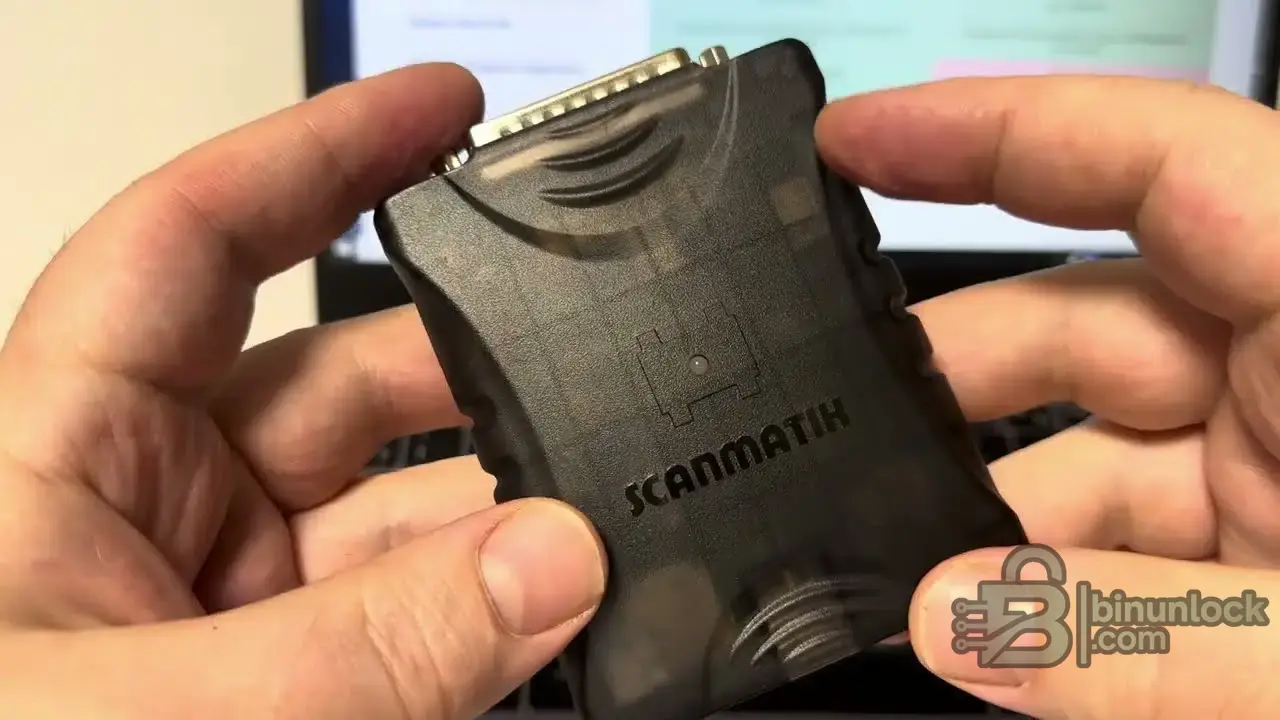
Scanmatik-style interfaces are communication devices. ECU coverage comes from compatible software, licenses, modules, firmware and drivers.
Scanmatik interfaces are widely used in pass-thru, tuning and OEM-style workflows. Scanmatik 3 adds stronger current-generation focus around J2534, RP1210, DPDU, CAN FD and DoIP. A dedicated Scanmatik 3 profile should cover J2534, RP1210, DPDU, DoIP, CAN FD and compatible software workflows in more detail.
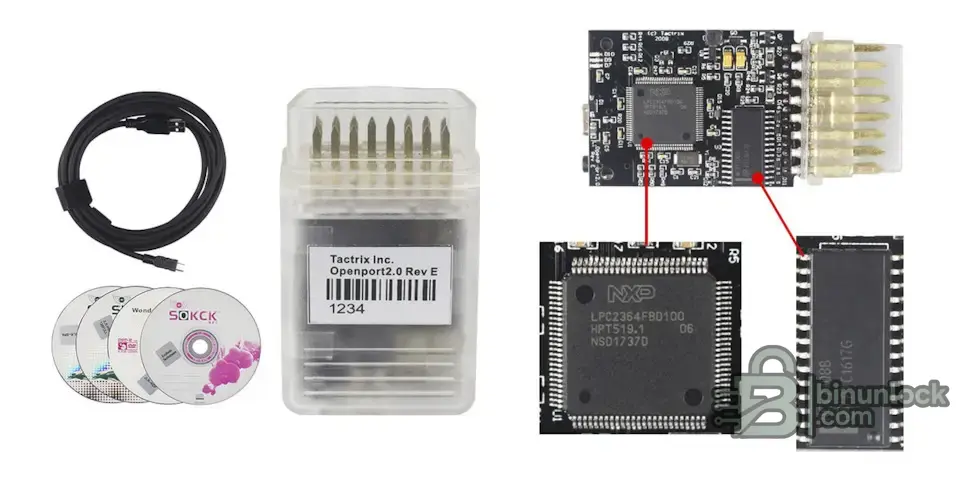
OpenPort-shaped hardware is common in the clone market. Board photos and chip labels do not prove safe reflashing or genuine J2534 reliability.
OpenPort 2.0 is a classic J2534 interface associated with EcuFlash and RomRaider workflows. It is not safe to assume it is automatically the right interface for every commercial flasher. A dedicated OpenPort 2.0 profile should cover EcuFlash, RomRaider, J2534 limitations and clone-market risk in more detail.
J2534, RP1210, DPDU and DoIP deserve their own deeper guide because they solve different communication problems.
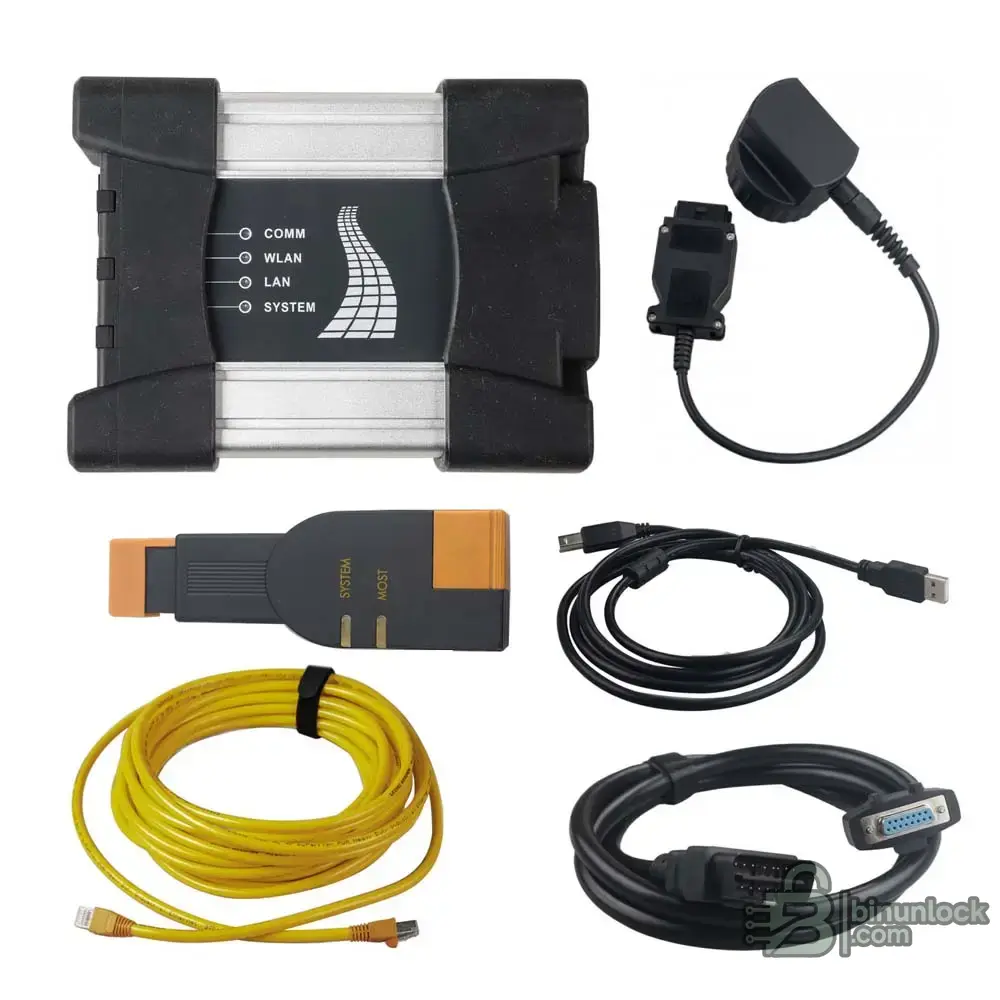
BMW ICOM is an OEM-style interface used with BMW diagnostic and programming workflows such as ISTA.
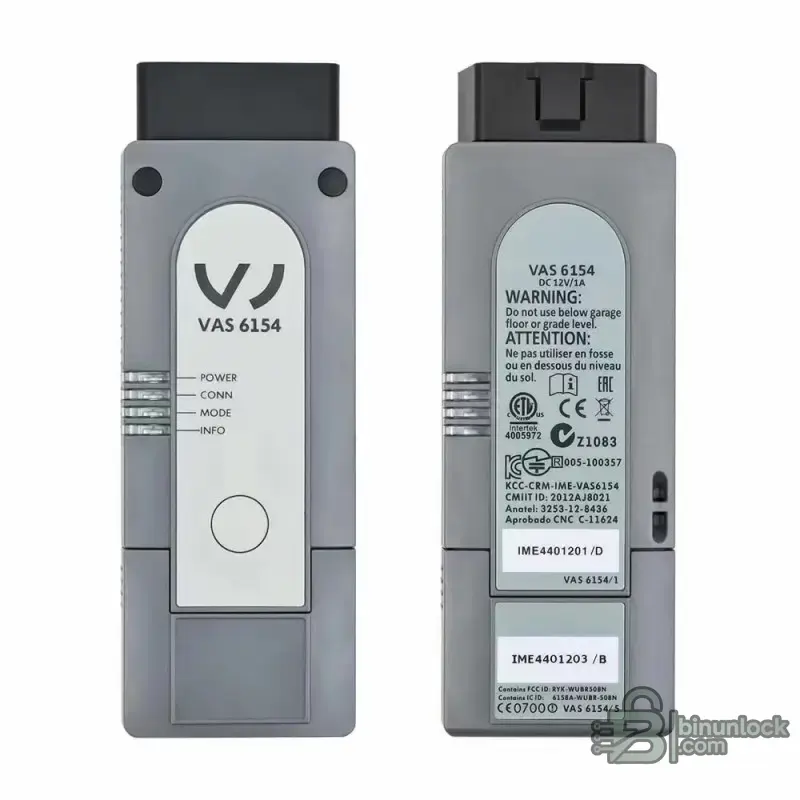
VAS 6154 belongs to the VAG ODIS ecosystem. Online functions depend on software access, credentials and supported procedures.
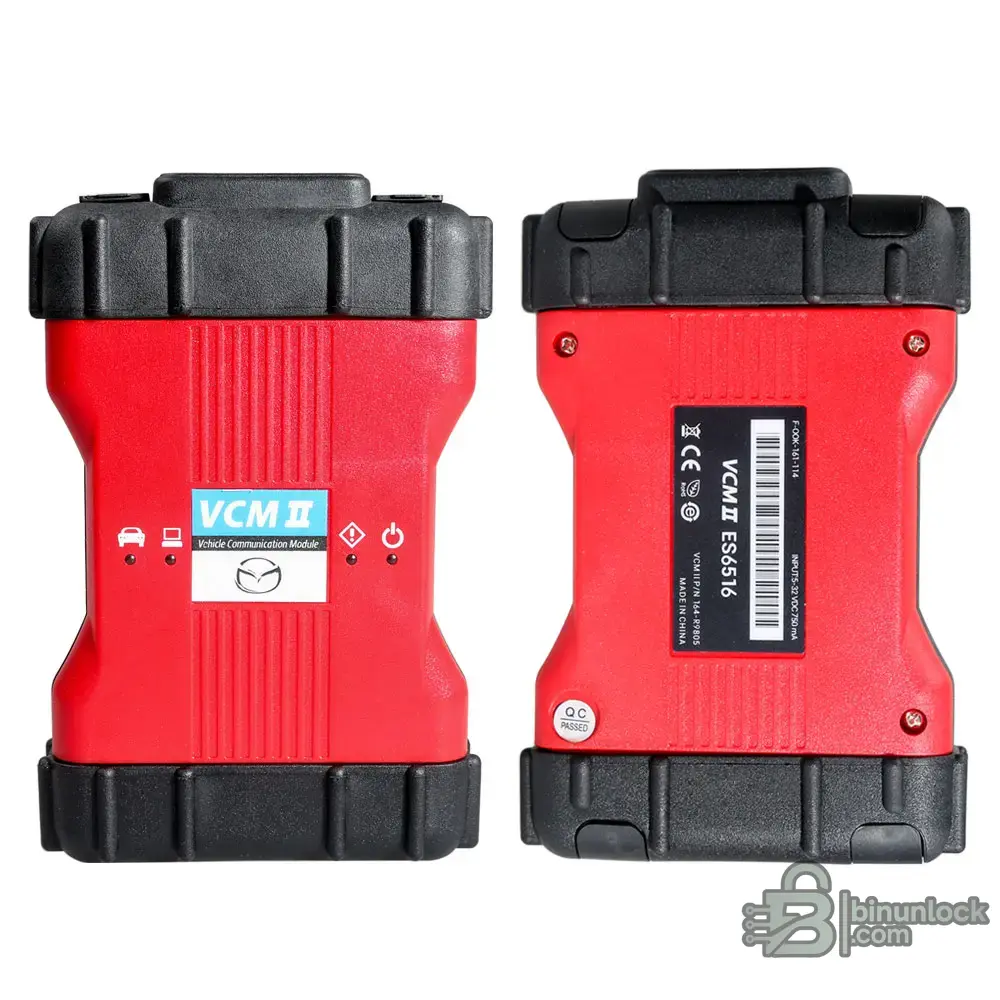
Dealer-style interfaces such as VCM II are communication hardware for OEM software workflows, not standalone tuning flashers.
Dealer tools are often the safest path for OEM programming, online coding, immobilizer/security functions, guided service routines and software campaigns. They are not always tuning tools, but they matter in a professional shop.
The interface can be used by compatible software. ECU/TCU coverage depends on the software, license, protocol module, firmware, driver, cable and vehicle. Coverage must be verified in the official protocol list for the exact ECU, SW version and vehicle.
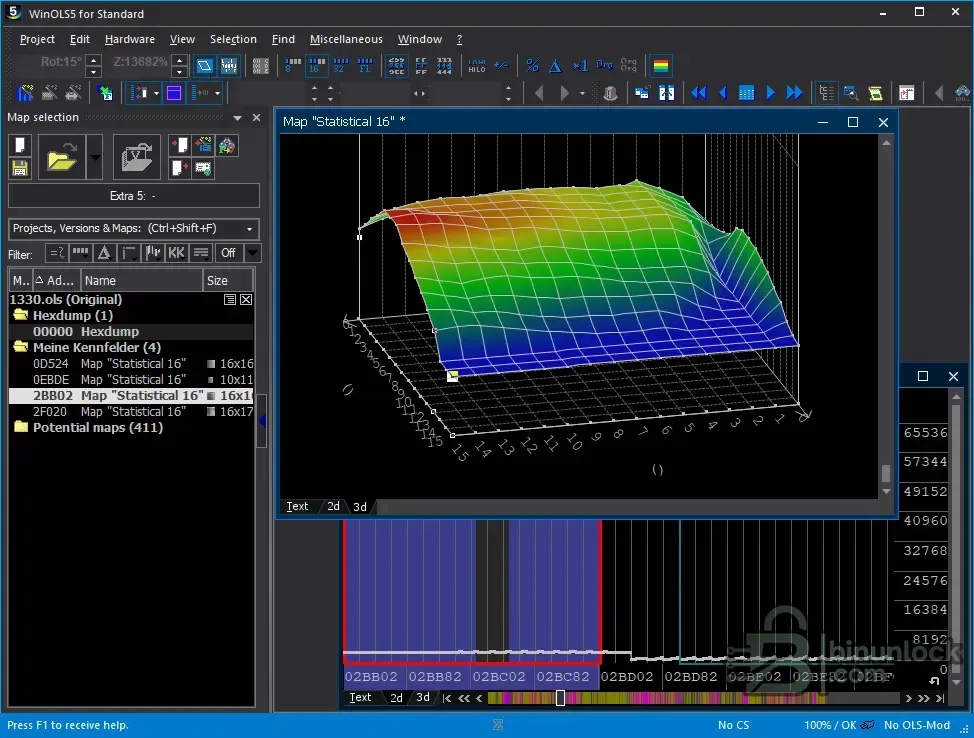
WinOLS is a calibration editor. Editing maps is not the same thing as reading or writing an ECU.
A calibration editor changes file content. It usually does not provide vehicle communication by itself.
This distinction is critical: editing is not flashing, and communication hardware is not calibration software.
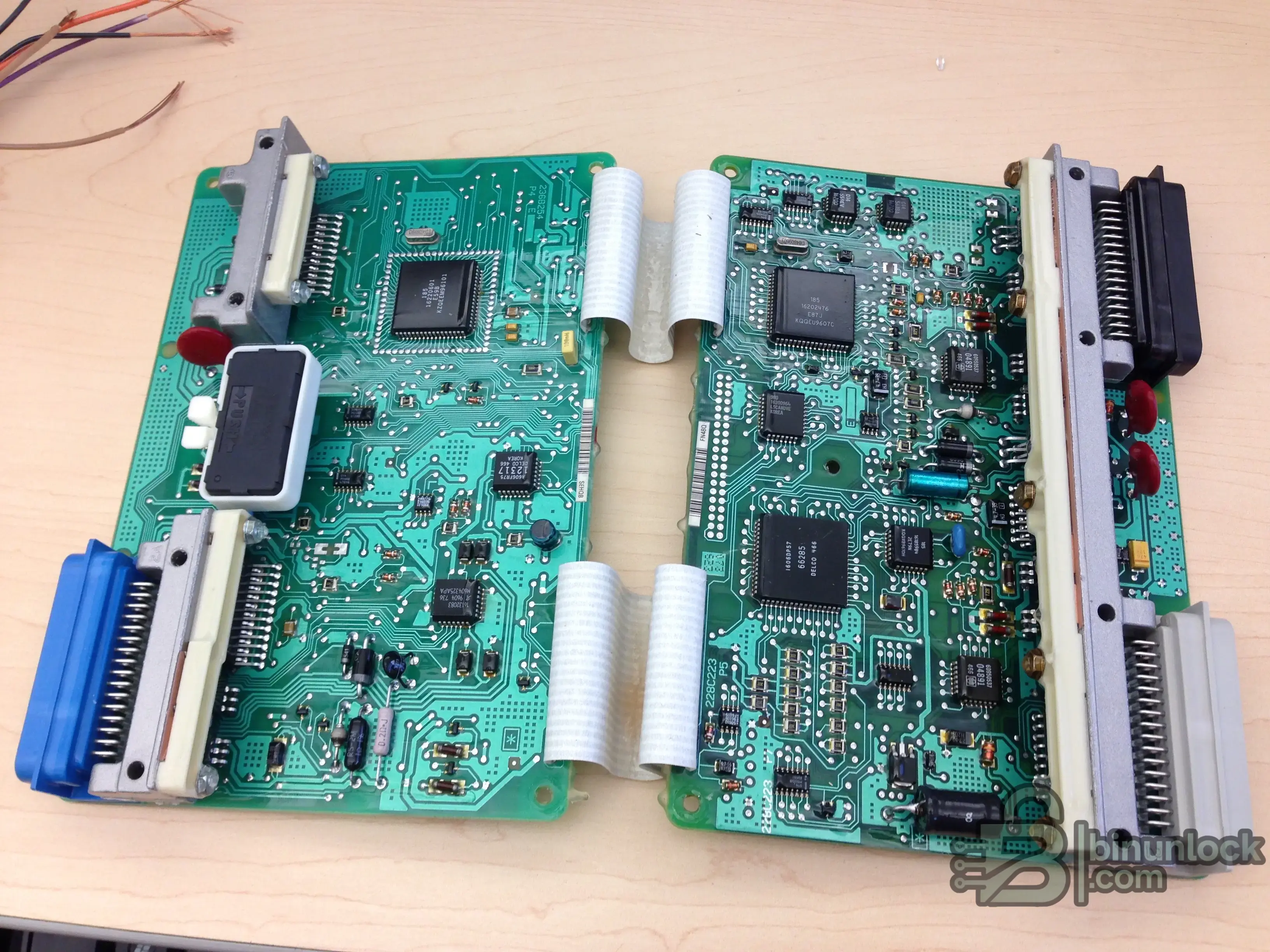
EEPROM and MCU work happens at module and board level. Adapter quality, voltage control and dump verification matter.
EEPROM and MCU programmers are for electronics work: memory chips, microcontrollers, immobilizer data, dashboards, airbag modules, ECU cloning, module repair and bench-level recovery. They are not normal OBD flashers.
Common tools include Orange5, XPROG, UPA-USB, CarProg, iProg, Xhorse VVDI Prog, Xhorse Multi-Prog, CG FC200, OBDSTAR DC706, Yanhua ACDP, HexProg II, AVDI / Abrites and TL866 / XGecu programmers.
A good programmer workflow requires device identification, voltage control, adapter quality, pinout accuracy, dump verification and backup discipline. The cheapest adapter set is often the weak point.
Clone-market tools should be discussed for education and risk awareness, not seller recommendation. A clone listing may look technical, but a listing title is not a protocol test.
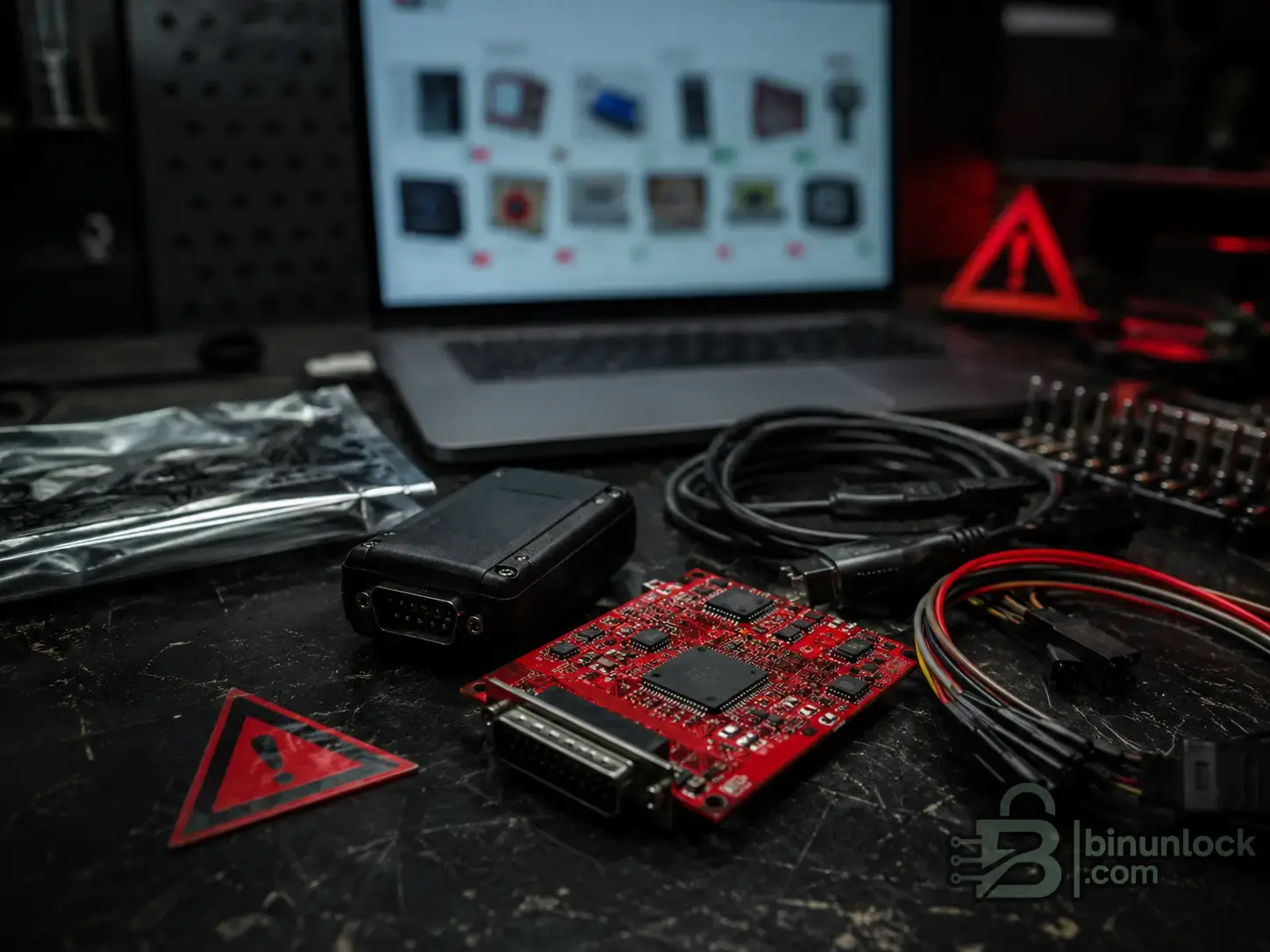
Marketplace photos, red PCBs and seller claims do not prove safe ECU writing, checksum handling or recovery support.
Common clone-market topics include KESS V2 clone, KTAG clone, MPPS clones, FGTech Galletto V54 / 0475 clones, FoxFlash, PCMTuner, KTM Bench / KTMFlash, BDM100, OpenPort clones, Scanmatik clones, VAS 6154 clones, VXDIAG gray-market bundles, GODIAG GT100+ accessories and cheap harnesses.
Seller phrases such as “full protocols,” “red PCB,” “EU quality,” “online/offline version,” “no tokens,” and “works with everything” are not proof of safe ECU writing. They do not prove checksum behavior, recovery support, cable quality, power protection, firmware integrity, update path or successful work on your exact ECU.
Use these follow-up topics when comparing clone-market tools:
Passenger-car tuning tools do not automatically cover trucks, tractors, excavators, marine engines, motorcycles, ATVs or UTVs. These markets often use different connectors, standards, subscriptions, security policies and service procedures.
In heavy-duty and off-highway work, the correct question is often not “Which ECU flasher?” It is “Which OEM software or RP1210 application is required, and which adapter does that software support?”
The most expensive mistake is buying hardware before checking the software stack.
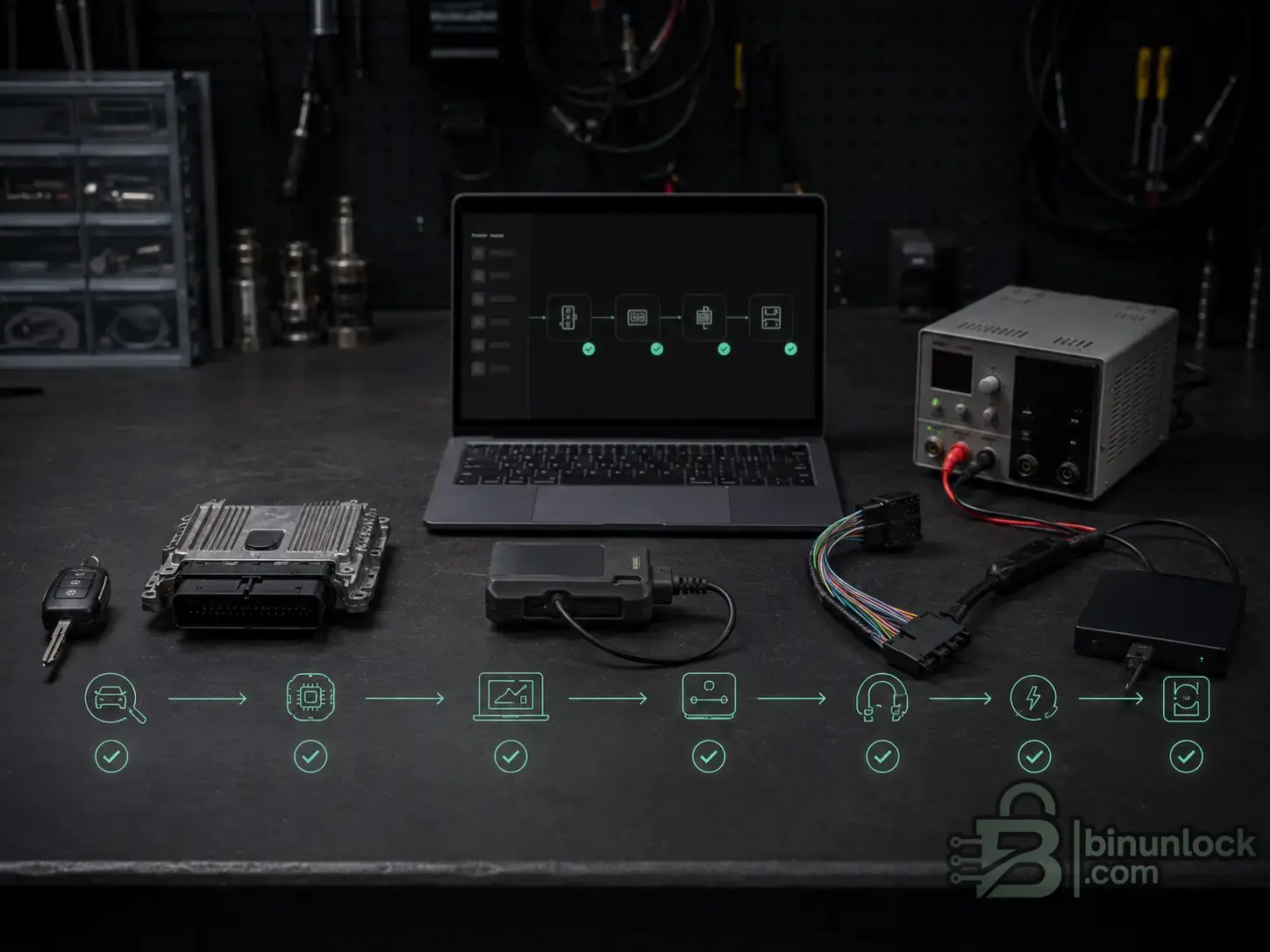
The tool stack should be selected from the ECU outward: target unit, software module, interface, cable, power supply and recovery plan.
Examples:
Use these confidence levels:
The interface can be used by compatible software. ECU/TCU coverage depends on the software, license, protocol module, firmware, driver, cable and vehicle. Coverage must be verified in the official protocol list for the exact ECU, SW version and vehicle.
Do not buy a tool before identifying the ECU/TCU and workflow.
A practical buying sequence is:
For a hobbyist, the correct first tool may be a modest legal interface for a known platform. For a workshop, the correct first tool is usually a professional flasher or a software-module stack selected around the vehicles you actually service.
These are the main follow-up topics for the Tuning Tools & Interfaces category. They can become internal links as each dedicated article is published.
The ECU and TCU tooling market changes constantly. New official tools, regional software stacks, dealer-only interfaces, clone-market devices and renamed hardware bundles appear every year.
If a tool is missing from this guide, post it on the forum with:
BinUnlock can update this guide as new verified information appears.
Start with workflow, not brand name. The right stack is built from the exact ECU/TCU, access method, software module, interface, cable, power supply and recovery path.
For professional work, original/legal tools and official software access are usually cheaper than one failed customer ECU. For clone-market topics, use the information to understand risk, red flags and alternatives — not as a seller recommendation.
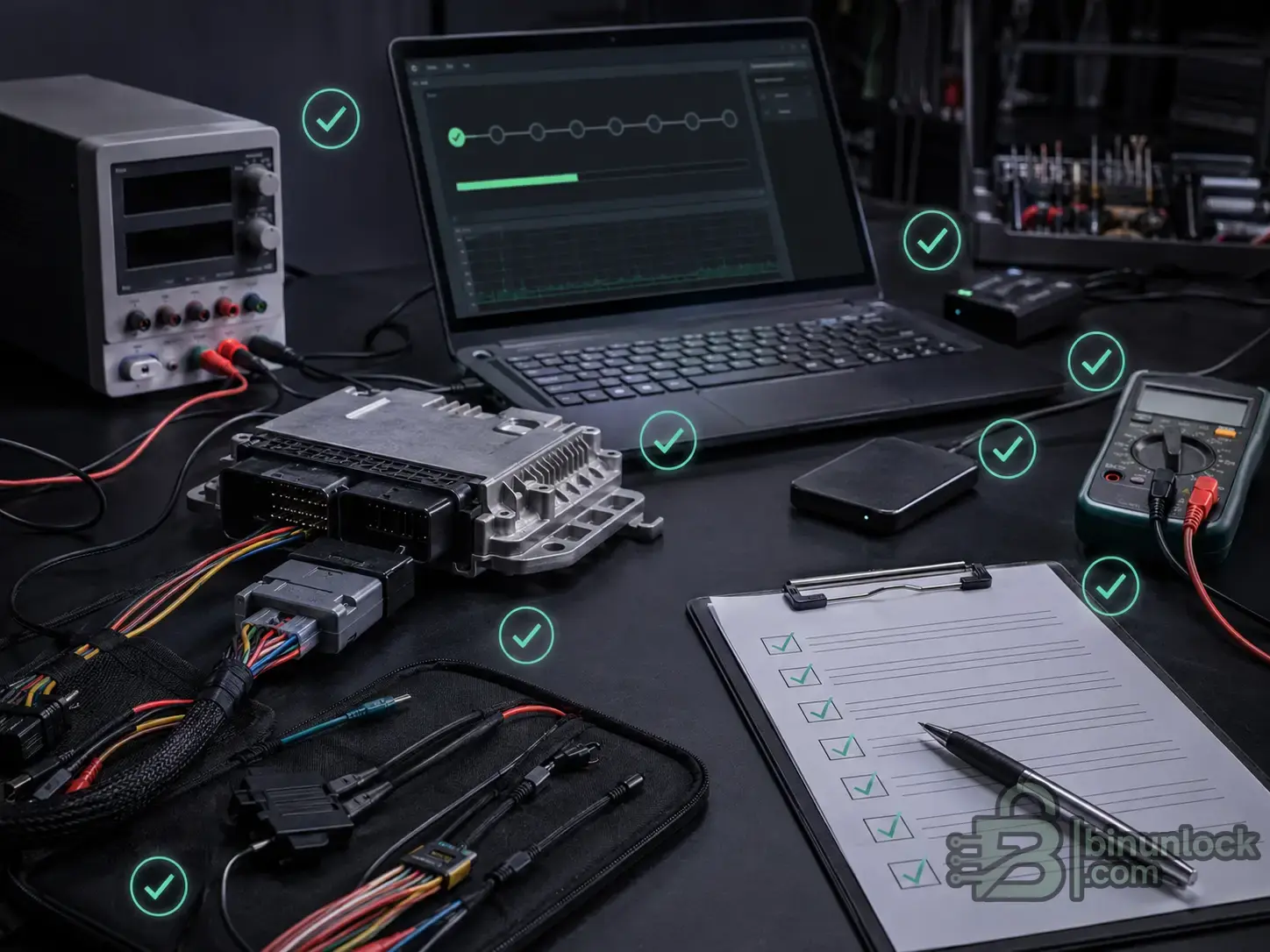
A safe flashing workflow includes protocol verification, stable power, backups, file checks, logging and a recovery path before writing.
Before buying or writing:
The correct tool depends on the workflow, not only the brand name. Before buying anything, identify the exact vehicle, ECU or TCU family, software version, access method, available protocol, required license, cable set, power-supply requirement and recovery plan. A tool that works on one Bosch, Continental, Denso, Delphi, Marelli, Temic or ZF unit may not be the right tool for another unit with a different software version or security level.
ECU and TCU tooling is a complete workflow: software, interface, cable path, stable power, ECU access and recovery planning.
This guide is the main BinUnlock hub for ECU and TCU tools. It is not a giant inventory dump. It explains the tool categories, gives short examples of important ecosystems and creates a clean map for deeper tool profiles and method guides.
Quick answer: what tool do you actually need?#
- Beginner / hobbyist: Do not start with “What is the best tool?” Start with “What ECU or TCU am I working on?” For a supported enthusiast platform, a legal interface and platform-specific software may be enough. For random modern vehicles, a clone-market flasher is a high-risk first purchase.
- Tuning workshop: You usually need a professional flasher such as KESS3, Flex, AutoTuner, CMDFlash, bFlash, DFOX, New Genius/New Trasdata or a module-based stack such as PCMflash, BitBox or CombiLoader. You also need a stable power supply, correct cables, file-editing workflow, checksum handling and recovery process.
- BMW / VAG / Mercedes specialist: OEM or dealer-style workflows often matter as much as tuning tools. BMW ICOM + ISTA, VAS 6154A + ODIS and Mercedes Xentry VCI/C6 + Xentry are often safer for OEM programming, guided functions, online coding and security-related work.
- Truck or heavy-duty workshop: Think in RP1210 and OEM software stacks. NEXIQ USB-Link, Dearborn DPA, Cummins INLINE, VOCOM, CAT Adapter and similar interfaces are only useful when paired with the correct commercial software such as INSITE, JPRO, DiagnosticLink, Allison DOC, Cat ET or Premium Tech Tool.
- Agriculture / construction workshop: Passenger-car flashers do not automatically cover John Deere, CNH, AGCO, JCB, Kubota, Bobcat, Deutz or Perkins workflows. OEM service software and the correct dealer interface may be required.
- Motorcycle / powersports / marine technician: Treat these as separate ecosystems. BRP BUDS, Polaris Digital Wrench, Harley Digital Technician II, Kawasaki Diagnostic Tool, Ducati DDS, Mercury CDS G3 and Volvo Penta VODIA are not interchangeable with normal car tuning tools.
- Calibration engineer: You need editing and analysis tools, not only flashing hardware. WinOLS, ECM Titanium, Swiftec, StageX, BitEdit, RomRaider, TunerPro, HP Tuners, EFILive, EcuTek and Race EVO serve different file-analysis and calibration roles.
- EEPROM / IMMO / module repair technician: You need memory and MCU programmers such as Orange5, XPROG, UPA-USB, CarProg, iProg, VVDI Prog, Multi-Prog, CG FC200, OBDSTAR DC706, Yanhua ACDP, HexProg II, AVDI or XGecu/TL866-style programmers. These are not the same as normal OBD flashers.
The main types of ECU and TCU tools#
Standalone ECU and TCU flashers#
These are complete programming ecosystems with their own hardware, software, protocol database, cable sets, updates and support path. Examples include KESS3, Flex, AutoTuner, CMDFlash, bFlash, DFOX, New Genius, New Trasdata, FGTech EOBD2 and genuine MPPS. These tools usually decide the read/write method from their own protocol list.Module-based flashing software#
PCMflash, BitBox, CombiLoader, ChipLoader, MDFlasher and MMC Flash are software ecosystems where coverage is purchased or activated by modules. The software provides the ECU/TCU logic. The interface is only the communication path.J2534 / RP1210 / DPDU / DoIP interfaces#
Scanmatik, Tactrix OpenPort, DiaLink, CHIPSOFT J2534, CarDAQ, Mongoose, Bosch Mastertech, Bosch MTS, NEXIQ and Dearborn DPA are communication interfaces. The interface can be used by compatible software. ECU/TCU coverage depends on the software, license, protocol module, firmware, driver, cable and vehicle. Coverage must be verified in the official protocol list for the exact ECU, SW version and vehicle.OEM and dealer diagnostic-programming tools#
VAS, ICOM, MDI, VCM, Xentry VCI, JLR DoIP VCI, VOCOM, John Deere EDL, Mercury CDS G3 and BRP MPI-3 belong to OEM-style diagnostic and programming ecosystems. They are often the correct route for guided diagnostics, online coding, service campaigns, security access and official programming.EEPROM / MCU / IMMO programmers#
These tools access memory chips, microcontrollers, immobilizer data, dashboards, airbag modules and ECU cloning data. They are essential in module repair, but they are not a substitute for a proper ECU flasher.Calibration editors#
Editors modify calibration files. They do not automatically read or write the ECU. A normal tuning workflow may use a flasher to read the file, an editor to modify maps and the flasher again to write the file.Bench accessories and power tools#
Power supplies, breakout boxes, bench harnesses, GPT adapters, probe frames, FlexBox, GT100+ and similar accessories support the workflow. They do not create protocol coverage by themselves.Clone-market and budget tools#
Clone-market tools are common, but seller claims are not engineering validation. Treat this category as a risk-awareness subject, especially when customer vehicles, modern ECUs or paid workshop liability are involved.An interface communicates, a flasher reads and writes, and an editor modifies the calibration file. These are different roles in the same workflow.
OBD, Bench and Boot explained#
OBD means communication through the diagnostic socket. It is convenient because the ECU usually stays in the vehicle. It is also dependent on gateway access, battery stability, software security, protocol availability and recovery options.
Bench means connecting to the ECU or TCU directly at the connector, usually outside the vehicle or with a bench harness. Bench can be safer than OBD when the official protocol supports it, because it avoids some vehicle-network problems and gives direct control of power and communication lines.
Boot means opening the ECU or TCU and accessing the processor or memory through boot pins, pads, probes, BDM, JTAG or similar low-level methods. Boot is often used for recovery, cloning, password read, old ECUs or protected units, but it adds physical risk.
This is why OBD, Bench and Boot should be treated as separate workflows, not interchangeable marketing labels.
Bench work depends on correct wiring, verified pinouts and stable power. A messy harness can quickly become a risk if the connection diagram is not documented.
Boot, BDM, JTAG and EEPROM/MCU workflows often require physical access to the ECU board. This is a different workflow from normal OBD flashing.
OBD, Bench and Boot are different access methods. The safest method depends on the exact ECU, protocol, vehicle network and recovery path.
Standalone ECU and TCU flashers#
Alientech KESS3#
KESS3 is one example of a current professional ECU and TCU flashing ecosystem with OBD, Bench and Boot workflows.
KESS3 is Alientech’s current ECU and TCU programming ecosystem for OBD, Bench and Boot workflows. It is a common starting point for workshops that want one professional platform with official updates and vehicle lists. A dedicated KESS3 profile should cover protocol packages, licensing, OBD/Bench/Boot workflows and alternatives in more detail.
Magicmotorsport Flex#
FlexBox-style bench accessories help manage ECU and TCU connections, but the official tool, software and active protocols still define coverage.
Flex is a professional ECU/TCU programmer used for tuning and electronic control-unit repair. Its role overlaps with KESS3, but the better choice depends on protocols, accessories, support, vehicle mix and your bench/boot workload. A dedicated Flex profile should cover workflow coverage, accessories, support path and alternatives in more detail.
AutoTuner#
Modern flashers may support different access methods depending on active protocols and the target ECU.
A complete flashing kit is only useful when the correct software module, cable set, power setup and recovery path are available.
AutoTuner is a modern professional ECU/TCU reprogramming tool used in master/slave and workshop workflows. It is often compared with KESS3 and Flex, but exact coverage still depends on the official compatibility list. A dedicated AutoTuner profile should cover supported workflows, licensing model, vehicle coverage and alternatives in more detail.
Dimsport New Genius#
New Genius is focused on serial communication through OBD or diagnostic connectors. It is useful when you want a controlled handheld-style OBD workflow inside the Dimsport ecosystem.Dimsport New Trasdata#
New Trasdata is the deeper-access counterpart for BDM, Boot, JTAG and bench-style work in the Dimsport ecosystem. It is more relevant when the ECU cannot be handled safely through normal OBD.CMDFlash#
CMDFlash is a long-running professional flasher ecosystem with OBD, Bench, Boot and related programming functions depending on configuration. Verify current protocol coverage directly from Flashtec/CMD resources before quoting support.bFlash#
bFlash is a professional ECU/TCU reprogramming platform with OBD, Bench and Boot workflows, plus features such as diagnostics and datalogging in its ecosystem. It should be evaluated by exact control-unit coverage, not by generic “supports many cars” claims.DFOX#
DFOX is the official DFB Technology flasher ecosystem. It is important because DFB publicly distinguishes original DFOX from clone-market names such as FOXFlash and KT200.FGTech EOBD2#
FGTech EOBD2 is an official ECU/TCU programming ecosystem covering diagnostic-socket and bench-style workflows depending on version and protocol. Be careful with legacy “Galletto” marketplace terminology because many listings are clone-market references, not clean official channels.MPPS official#
Genuine MPPS by AMT Cartech is separate from common MPPS clone-market versions. It is mainly known as an OBD-oriented programming tool with selected additional functions depending on version and ECU.Powergate and MyGenius#
Powergate and MyGenius are portable customer-flasher ecosystems. They are not the same as full workshop bench/boot tools; they are designed for controlled remote or customer-side read/write operations inside the supplier’s workflow.Module-based flashing software#
Module-based tools are software-first. The ECU/TCU coverage comes from the software module, license, protocol and connection diagram. The interface only carries communication.
PCMflash#
PCMflash is a module-based ECU/TCU flashing ecosystem used with compatible interfaces and licenses. It is strong in many workshop conversations because users often ask which interface, module and cable are required. A dedicated PCMflash profile should cover modules, supported interfaces, cable paths and coverage verification in more detail.BitBox#
BitBox uses a dongle and plug-in modules for identification, reading and writing of supported ECUs over J2534, CAN/K-line or Ethernet depending on module. The important step is to check the exact BitBox module list before buying hardware. A dedicated BitBox profile should cover plugins, supported interfaces, Ethernet/J2534 workflows and coverage verification in more detail.CombiLoader#
CombiLoader is a regional but important module-based flashing ecosystem, often discussed together with DiaLink and other J2534 paths. Treat every module as a separate coverage decision. A dedicated CombiLoader profile should cover modules, DiaLink/J2534 workflows and regional use cases in more detail.ChipLoader / ChipLoaderNG#
ChipLoader and ChipLoaderNG belong to the CHIPSOFT ecosystem. They are relevant when the workflow depends on CHIPSOFT modules, CHIPSOFT J2534 hardware or regional CIS-market coverage.MDFlasher#
MDFlasher is a module-based software family that requires compatible J2534 hardware and licenses. Verify the exact module, target unit and connection method.MMC Flash#
MMC Flash is another module-based family used in selected passenger-car and light-commercial workflows. Treat public coverage claims conservatively unless the exact software module and interface combination are verified.IO Terminal#
IO Terminal is commonly used in ECU, TCU, BSI, BCM and module-level read/write work. It overlaps more with electronics and module service than with normal OBD tuning on every vehicle.EcuFlash#
EcuFlash is strongly associated with Tactrix OpenPort and enthusiast/open-definition workflows. It should not be confused with commercial module-based flashers such as PCMflash or BitBox.Pass-thru and communication interfaces: J2534, RP1210, DPDU and DoIP#
This section is where many beginners make the biggest mistake.
The interface is communication hardware. The software provides the ECU/TCU logic.
The interface can be used by compatible software. ECU/TCU coverage depends on the software, license, protocol module, firmware, driver, cable and vehicle. Coverage must be verified in the official protocol list for the exact ECU, SW version and vehicle.
Scanmatik 2 Pro and Scanmatik 3 / SM3#
Scanmatik-style interfaces are communication devices. ECU coverage comes from compatible software, licenses, modules, firmware and drivers.
Scanmatik interfaces are widely used in pass-thru, tuning and OEM-style workflows. Scanmatik 3 adds stronger current-generation focus around J2534, RP1210, DPDU, CAN FD and DoIP. A dedicated Scanmatik 3 profile should cover J2534, RP1210, DPDU, DoIP, CAN FD and compatible software workflows in more detail.
Tactrix OpenPort 2.0#
OpenPort-shaped hardware is common in the clone market. Board photos and chip labels do not prove safe reflashing or genuine J2534 reliability.
OpenPort 2.0 is a classic J2534 interface associated with EcuFlash and RomRaider workflows. It is not safe to assume it is automatically the right interface for every commercial flasher. A dedicated OpenPort 2.0 profile should cover EcuFlash, RomRaider, J2534 limitations and clone-market risk in more detail.
DiaLink J2534#
DiaLink is especially relevant around CombiLoader and regional J2534 workflows. It should still be checked against the software vendor’s adapter instructions.CHIPSOFT J2534#
CHIPSOFT J2534 Lite, Mid and Pro interfaces are used in CHIPSOFT and third-party J2534 workflows. Configuration, driver mode and voltage-routing capability can matter.CarDAQ-Plus 3 and Mongoose-Plus#
OPUS/DrewTech CarDAQ and Mongoose devices are important in OE pass-thru programming and diagnostics. They are interface tools, so OEM subscription access and software validation still control what can be done.Bosch Mastertech II and Bosch MTS 6531#
Bosch interfaces sit in the professional pass-thru and D-PDU/DoIP conversation. They are relevant when a workshop needs more than a basic hobby interface.NEXIQ USB-Link and Dearborn DPA#
NEXIQ and Dearborn DPA are common in heavy-duty and commercial-vehicle workflows. Their value depends on the RP1210/J2534 software stack: INSITE, JPRO, DiagnosticLink, Allison DOC, WABCO Toolbox, Premium Tech Tool and similar applications.J2534, RP1210, DPDU and DoIP deserve their own deeper guide because they solve different communication problems.
OEM and dealer diagnostic-programming tools#
BMW ICOM is an OEM-style interface used with BMW diagnostic and programming workflows such as ISTA.
VAS 6154 belongs to the VAG ODIS ecosystem. Online functions depend on software access, credentials and supported procedures.
Dealer-style interfaces such as VCM II are communication hardware for OEM software workflows, not standalone tuning flashers.
Dealer tools are often the safest path for OEM programming, online coding, immobilizer/security functions, guided service routines and software campaigns. They are not always tuning tools, but they matter in a professional shop.
- VAS 6154A + ODIS: VAG dealer diagnostic and programming ecosystem. Genuine hardware, current ODIS access and correct online credentials matter.
- BMW ICOM Next + ISTA: BMW’s native route for diagnostics and programming. Pass-thru may exist for some workflows, but ICOM is the low-risk specialist option.
- GM MDI / MDI2 + Techline Connect / SPS / GDS2: GM programming and diagnostic workflows depend on official software access and the correct VCI path.
- Ford VCM / VCMM + IDS / FDRS: Ford work splits across IDS, FJDS and FDRS depending on model year and procedure.
- Toyota Mongoose / Techstream: Toyota validates specific J2534 device, firmware and API combinations. Do not assume any MVCI clone is acceptable.
- Honda HDS / i-HDS: Honda supports J2534 workflows but differentiates recommended and validated VCIs. Some security functions require additional registration.
- Renault CAN Clip: Renault service workflows belong to the Renault CLIP/ASOS environment.
- Nissan Consult III Plus: Nissan’s native diagnostic and programming ecosystem uses Nissan VI hardware.
- Mercedes Xentry VCI / C6: Xentry is the official diagnostic layer. Engineering tools are a separate specialist topic.
- JLR DoIP VCI: Used around JLR SDD, Pathfinder and TOPIx Cloud workflows.
- Volvo VOCOM / Premium Tech Tool: Core Volvo/Mack truck ecosystem for diagnostics and programming.
- John Deere EDL / Service ADVISOR: Agriculture and construction workflow, not a normal car flasher category.
- Mercury CDS G3 and BRP BUDS / MPI-3: Native marine and powersports dealer ecosystems.
The interface can be used by compatible software. ECU/TCU coverage depends on the software, license, protocol module, firmware, driver, cable and vehicle. Coverage must be verified in the official protocol list for the exact ECU, SW version and vehicle.
Calibration editors: editing is not flashing#
WinOLS is a calibration editor. Editing maps is not the same thing as reading or writing an ECU.
A calibration editor changes file content. It usually does not provide vehicle communication by itself.
- WinOLS: Professional binary calibration editor for finding, defining and modifying maps. A dedicated WinOLS profile should cover calibration editing, map finding, DAMOS/A2L use and why editing is not flashing in more detail.
- ECM Titanium: Driver-based editor from Alientech, often used for structured map editing.
- Swiftec: Professional file-processing and calibration workflow software.
- StageX: Browser-based calibration editor from Magicmotorsport’s ecosystem.
- BitEdit: Definition-driven editor commonly discussed with BitBox workflows.
- RomRaider: Open-source editor/logger often paired with OpenPort and EcuFlash on supported platforms.
- TunerPro: Popular XDF-based editor for older and enthusiast platforms.
- HP Tuners VCM Suite: Integrated read/edit/write/logging ecosystem for supported vehicles.
- EFILive: Flash and calibration ecosystem popular in selected North American markets.
- EcuTek ProECU / RaceROM: Performance-car tuning ecosystem with proprietary workflow.
- Race EVO: Dimsport’s calibration editor inside the Dimsport environment.
This distinction is critical: editing is not flashing, and communication hardware is not calibration software.
EEPROM, MCU, IMMO and ECU cloning programmers#
EEPROM and MCU work happens at module and board level. Adapter quality, voltage control and dump verification matter.
EEPROM and MCU programmers are for electronics work: memory chips, microcontrollers, immobilizer data, dashboards, airbag modules, ECU cloning, module repair and bench-level recovery. They are not normal OBD flashers.
Common tools include Orange5, XPROG, UPA-USB, CarProg, iProg, Xhorse VVDI Prog, Xhorse Multi-Prog, CG FC200, OBDSTAR DC706, Yanhua ACDP, HexProg II, AVDI / Abrites and TL866 / XGecu programmers.
A good programmer workflow requires device identification, voltage control, adapter quality, pinout accuracy, dump verification and backup discipline. The cheapest adapter set is often the weak point.
Clone-market and budget tools#
Clone-market tools should be discussed for education and risk awareness, not seller recommendation. A clone listing may look technical, but a listing title is not a protocol test.
Marketplace photos, red PCBs and seller claims do not prove safe ECU writing, checksum handling or recovery support.
Common clone-market topics include KESS V2 clone, KTAG clone, MPPS clones, FGTech Galletto V54 / 0475 clones, FoxFlash, PCMTuner, KTM Bench / KTMFlash, BDM100, OpenPort clones, Scanmatik clones, VAS 6154 clones, VXDIAG gray-market bundles, GODIAG GT100+ accessories and cheap harnesses.
Seller phrases such as “full protocols,” “red PCB,” “EU quality,” “online/offline version,” “no tokens,” and “works with everything” are not proof of safe ECU writing. They do not prove checksum behavior, recovery support, cable quality, power protection, firmware integrity, update path or successful work on your exact ECU.
Use these follow-up topics when comparing clone-market tools:
- KESS V2 Clone Guide
- Original vs Clone ECU Tools
- How to Read Marketplace Listings
Truck, agriculture, construction, marine and powersports tools#
Passenger-car tuning tools do not automatically cover trucks, tractors, excavators, marine engines, motorcycles, ATVs or UTVs. These markets often use different connectors, standards, subscriptions, security policies and service procedures.
- Truck and bus: Cummins INSITE, JPRO, Detroit DiagnosticLink, Allison DOC, Cat ET, Scania SDP3, WABCO Toolbox Plus, Jaltest and TEXA IDC5.
- Agriculture and construction: John Deere Service ADVISOR, CNH EST, AGCO EDT, JCB ServiceMaster, Kubota Diagmaster, Bobcat Service Analyzer, Deutz SerDia and Perkins EST.
- Marine: Mercury CDS G3, Volvo Penta VODIA, Suzuki SDSM+, Jaltest Marine and TEXA IDC5 Marine.
- Powersports and motorcycles: BRP BUDS, Polaris Digital Wrench, Harley Digital Technician II, Kawasaki Diagnostic Tool, Ducati DDS, Woolich Racing, FTecu and Dynojet ecosystems.
In heavy-duty and off-highway work, the correct question is often not “Which ECU flasher?” It is “Which OEM software or RP1210 application is required, and which adapter does that software support?”
Hardware-to-software compatibility: the rule beginners miss#
The most expensive mistake is buying hardware before checking the software stack.
The tool stack should be selected from the ECU outward: target unit, software module, interface, cable, power supply and recovery plan.
Examples:
- Scanmatik 3 + PCMflash / BitBox / CombiLoader / MDFlasher: strong pass-thru conversation, but the software module still controls coverage.
- Tactrix OpenPort 2.0 + EcuFlash / RomRaider: classic enthusiast stack for supported platforms.
- DiaLink + CombiLoader: a clean regional J2534 pairing when documented by the software path.
- VAS 6154A + ODIS: VAG dealer diagnostic/programming stack.
- BMW ICOM + ISTA: BMW native workshop stack.
- NEXIQ / DPA + heavy-duty software: RP1210/J2534 interface paired with the actual commercial application.
- CAT Adapter + Cat ET: CAT’s own adapter path is often the safer native route for CAT proprietary work.
Use these confidence levels:
- Yes: explicit official support or strong first-party validation.
- Partial: works only for some functions, models, firmware versions or software branches.
- Claimed: vendor, reseller or community evidence exists, but primary evidence is incomplete.
- Unknown: not enough public evidence to treat the combination as safe.
The interface can be used by compatible software. ECU/TCU coverage depends on the software, license, protocol module, firmware, driver, cable and vehicle. Coverage must be verified in the official protocol list for the exact ECU, SW version and vehicle.
How to choose your first ECU flashing tool#
Do not buy a tool before identifying the ECU/TCU and workflow.
A practical buying sequence is:
- Identify the vehicle, ECU/TCU manufacturer, part number, hardware number and software version.
- Check whether the job is OBD, Bench, Boot, BDM, JTAG, EEPROM, OEM programming or calibration editing.
- Find the official protocol list or module list for that exact target.
- Confirm the required license, interface, cable, adapter and power setup.
- Check whether a full backup, virtual read, real read, password read, clone read or recovery path exists.
- Use original/legal tools where professional liability, customer vehicles or online programming are involved.
For a hobbyist, the correct first tool may be a modest legal interface for a known platform. For a workshop, the correct first tool is usually a professional flasher or a software-module stack selected around the vehicles you actually service.
Common beginner mistakes#
- Buying the tool before identifying the ECU.
- Confusing an interface with a flasher.
- Confusing a calibration editor with a read/write tool.
- Trusting marketplace claims such as “full protocols” or “works with everything.”
- Ignoring battery support and bench power.
- Writing unknown files without comparing IDs, checksums and compatibility.
- Ignoring backup and recovery procedure.
- Assuming OBD is always safer than Bench.
- Assuming “supports ECU” means safe to write your exact vehicle.
- Using clone-market tools on customer vehicles without understanding liability.
Tool topic directory#
These are the main follow-up topics for the Tuning Tools & Interfaces category. They can become internal links as each dedicated article is published.
Professional flashers#
- KESS3 Guide
- Magic Motorsport Flex Guide
- AutoTuner Guide
- Dimsport New Genius Guide
- Dimsport New Trasdata Guide
- bFlash Guide
- DFOX Guide
Module-based software#
- PCMflash Guide
- BitBox Guide
- CombiLoader Guide
- ChipLoader Guide
- MDFlasher Guide
Interfaces#
- Scanmatik 3 Guide
- Tactrix OpenPort 2.0 Guide
- CarDAQ-Plus 3 Guide
- Mongoose-Plus Guide
- J2534 vs RP1210 vs DPDU
OEM/dealer tools#
- VAS 6154A and ODIS Guide
- BMW ICOM Next Guide
- GM MDI2 Guide
- Ford VCMM Guide
- Mercedes Xentry VCI Guide
Editors#
- WinOLS Guide
- ECM Titanium Guide
- StageX Guide
- Swiftec Guide
- Interface vs Flasher vs Editor
EEPROM/MCU programmers#
- Orange5 Guide
- XPROG Guide
- UPA-USB Guide
- CarProg Guide
- EEPROM and MCU Programmer Clone Guide
Clone-market guides#
- KESS V2 Clone Guide
- KTAG Clone Guide
- OpenPort Clone Guide
- VAS 6154 Clone Guide
- Original vs Clone ECU Tools
Heavy-duty, agriculture, marine and powersports#
- NEXIQ USB-Link 3 Guide
- Cummins INSITE Guide
- Cat ET Guide
- John Deere Service ADVISOR Guide
- Marine Diagnostic Tools Guide
- Powersports Diagnostic Tools Guide
Missing a tool?#
The ECU and TCU tooling market changes constantly. New official tools, regional software stacks, dealer-only interfaces, clone-market devices and renamed hardware bundles appear every year.
If a tool is missing from this guide, post it on the forum with:
- tool name and manufacturer;
- official product link, if available;
- photos of the hardware and cables;
- software name and version;
- supported workflow: OBD, Bench, Boot, BDM, JTAG, J2534, RP1210, DPDU, EEPROM or editing;
- verified vehicle, ECU/TCU family and use case;
- whether it is original, budget, regional, legacy or clone-market.
BinUnlock can update this guide as new verified information appears.
Final recommendation#
Start with workflow, not brand name. The right stack is built from the exact ECU/TCU, access method, software module, interface, cable, power supply and recovery path.
For professional work, original/legal tools and official software access are usually cheaper than one failed customer ECU. For clone-market topics, use the information to understand risk, red flags and alternatives — not as a seller recommendation.
A safe flashing workflow includes protocol verification, stable power, backups, file checks, logging and a recovery path before writing.
Before buying or writing:
- Verify the exact ECU, SW version and vehicle.
- Confirm the official protocol or module list.
- Use stable battery or bench power.
- Keep the original file and full backup where possible.
- Know the recovery path before writing.
- Do not use pirated software, cracked activations or illegal bypass methods.
- Do not use this information to promote illegal emissions deletes or non-compliant road use.
Sources and further reading#
- Alientech KESS3 official product page
- Magicmotorsport Flex official product page
- AutoTuner official website
- Dimsport New Genius official product page
- Dimsport New Trasdata official product page
- bFlash official website
- DFB Technology / DFOX official website
- FG Technology EOBD2 official product page
- AMT Cartech MPPS official information
- Scanmatik 3 official product page
- Tactrix OpenPort and EcuFlash official website
- PCMflash official downloads and diagrams
- BitBox official product page
- EVC WinOLS official product page
- VAS 6154A official tool information
- BMW AOS technical requirements
- Toyota J2534 reprogramming information
- Honda i-HDS and J2534 reprogramming information
- OPUS IVS CarDAQ J2534 information
- OPUS IVS Mongoose-Plus J2534 information
- NEXIQ USB-Link official product page
- XGecu TL866 programmer information and counterfeit warning
