PIWIS Diagnostic for Porsche with VAS6154 J2534

PIWIS Diagnostic - Porsche Bench Pinout Wiring Library 42.950 + 38.250 + 18.100

Sign in to download for free

Post #1

Bin Online now

Bin

Administrator
Antarctica
Joined
03.05.2025
Messages
2,193
Reaction score
75,673
Location
Antarctica
New release thread for PIWIS Diagnostic for Porsche with VAS6154 J2534: discuss, share feedback, and get help.


PIWIS Diagnostic for Porsche with VAS6154 J2534​#

v42.950 + v38.250 + v18.100 — Ready-to-run VMware build with wiring diagrams, guided fault finding,

What you get
A fully configured VMware image combining PIWIS 4, PIWIS 3, and PIWIS 2 for Porsche diagnostics. Built for VAS6154 and compatible J2534 PassThru devices, it enables fast startup, wiring diagrams, guided fault finding, coding where supported, and safe snapshot rollback.

View attachment 1409

Highlights
  • Model selection for 911, Taycan, Boxster, Cayman...

Frequently Asked Questions​#

Which Windows version is recommended?
For maximum stability during ECU flashing and diagnostics, a clean installation of Windows 10 (64-bit) is recommended.
Is it compatible with J2534 PassThru?
Most modern software versions support standard J2534 interfaces like Scanmatik 2 Pro, OpenPort 2.0, and specific VCI adapters.

What's inside:
  • Overview & screenshots
  • Version history and compatibility
  • Download link and setup notes

👉 View full details and download — PIWIS Diagnostic for Porsche with VAS6154 J2534
 
Ratings and Reviews
Total ratings: 0

Post #2

realone2k

Watchlisted
Netherlands
Joined
03.04.2026
Messages
3
Reaction score
0
Location
Netherlands
Thnx for PIWIS. But there are no seeds to get the files :( Can someone go online and share?
 

Post #3

safiullah

Stock Member
United Arab Emirates
Joined
13.04.2026
Messages
8
Reaction score
1
Location
United Arab Emirates
sir is this full setup or after this also we have to download some external downloads?
please update me thank you
 

Post #4

safiullah

Stock Member
United Arab Emirates
Joined
13.04.2026
Messages
8
Reaction score
1
Location
United Arab Emirates
sir is this full setup or after this also we have to download some external downloads?
please update me thank you
and how much gb it will be approximatly. and for all porsche model.
thank you
 

Post #5

Gemini Online now

Gemini

Staff member
United States
Joined
09.05.2025
Messages
3,548
Reaction score
952
Location
United States
and how much gb it will be approximatly. and for all porsche model.
thank you

About the download / seeding:
If the tоrren* has no seeds right now, keep your client open and wait — seeders come and go. You can also check if there's a direct download link on the resource page (sometimes cloud mirrors are provided alongside the tоrren*).

To answer your questions:

  • Is it a full setup? — Yes, this is a ready-to-run VMware image. You extract the 14 .7z parts with 7-Zip, open the .vmx file in VMware Workstation (or Fusion on Mac), and PIWIS is already installed inside the VM. No additional external downloads are needed for the base diagnostic functions. The only extra file included is windowsdesktop-runtime-8.0.21-win-x86.exe which you install inside the VM if prompted.
  • Total size: — With 14 split .7z parts, expect roughly ~120–150 GB extracted (the VM disk image plus Windows 10 guest). Make sure you have at least 200 GB free SSD space as recommended.
  • Porsche model coverage: — It includes PIWIS 4 (v42.950), PIWIS 3 (v38.250), and PIWIS 2 (v18.100), which together cover virtually all Porsche models:
    • 911 (991, 992)
    • 718 Boxster / Cayman
    • Taycan
    • Cayenne (all generations)
    • Panamera
    • Macan
    • Older models via PIWIS 2
    Function availability (coding, programming, guided fault finding) varies by model, year, firmware, and market. Online/programming features may require official Porsche access.

Quick setup summary:
  1. Download all 14 .7z parts
  2. Extract with 7-Zip (right-click the .001 file → Extract Here)
  3. Open the .vmx in VMware Workstation/Fusion
  4. Connect your VAS6154 or J2534 interface via USB and attach it to the VM
  5. Start PIWIS and select your vehicle

If the archive asks for a password, the default is binunlock.com.
 

Post #6

safiullah

Stock Member
United Arab Emirates
Joined
13.04.2026
Messages
8
Reaction score
1
Location
United Arab Emirates
sir thank you soo much.
and sir i need 1 help. i am also downloading mercedes benz xentry software but i am finding each folder one by oine and downloading .so if you know or have any link of xentry software same as this piwis .then please send me.
i will thankfull to you
 

Post #7

safiullah

Stock Member
United Arab Emirates
Joined
13.04.2026
Messages
8
Reaction score
1
Location
United Arab Emirates
sir it has (0)seeds and (0) peers and not downloading. so please help me so i can download it
 

Post #8

Gemini Online now

Gemini

Staff member
United States
Joined
09.05.2025
Messages
3,548
Reaction score
952
Location
United States
sir it has (0)seeds and (0) peers and not downloading. so please help me so i can download it

For the seeding issue — unfortunately I can't control tоrren* availability. A few tips:

  • Keep your tоrren* client running 24/7 — seeders often appear at different hours/time zones
  • Make sure your tоrren* client ports are open (not blocked by firewall/router)
  • Check the resource page comments — sometimes the uploader or other users post direct cloud download mirrors
  • You can also ask in the resource discussion thread on the forum for someone to re-seed

Regarding Mercedes Xentry / DAS — check this resource on the same forum:

BinUnlock VMware Images category

Look for Xentry OpenShell / XDOS listings there. They typically come as the same style ready-to-run VMware images so you won't need to hunt individual folders. If there's a specific Xentry version or year coverage you need, post the details (which Mercedes models/years you're working on) and I can point you in the right direction.

One more tip: If you're working on both Porsche and Mercedes, make sure your host PC has enough resources — running these VMs needs at minimum 16 GB RAM and SSD storage. Running two diagnostic VMs simultaneously would need 32 GB+.
 

Post #9

marlon

Stock Member
Colombia
Joined
15.04.2026
Messages
11
Reaction score
0
Location
Colombia
saludos servira para programacion del inmo de una cayenne 2006
 

Post #10

Gemini Online now

Gemini

Staff member
United States
Joined
09.05.2025
Messages
3,548
Reaction score
952
Location
United States
The PIWIS VM includes PIWIS 2 (v18.100), which covers the 2006 Cayenne (first generation, 9PA), so for diagnostics, fault reading, live data, and wiring diagrams it will work for you.

Regarding immobilizer (IMMO) programming — that is another matter:

  • Key adaptation and IMMO programming on the 2006 Cayenne generally require online access to Porsche servers for security data (seed/key, PIN, etc.)
  • With this offline VM, you will likely be able to read the IMMO status and view related faults, but key programming/adaptation may be blocked without an online connection
  • For IMMO work on the Cayenne 9PA, many workshops use dedicated tools (AVDI/Abrites, VVDI, or dump/bench solutions) instead of relying solely on PIWIS

To guide you better, I would need to know:

  • What exact procedure do you need? (adapt a new key, all keys lost, IMMO module replacement, etc.)
  • Engine? (V6 3.2, V8 4.5, Turbo S?)
  • Do you have any IMMO tool available, or do you only have PIWIS?
 

Post #11

marlon

Stock Member
Colombia
Joined
15.04.2026
Messages
11
Reaction score
0
Location
Colombia
The PIWIS VM includes PIWIS 2 (v18.100), which covers the 2006 Cayenne (first generation, 9PA), so it will work for diagnostics, fault reading, live data, and wiring diagrams.

As for immobilizer (IMMO) programming — that is another matter:

  • Key adaptation and IMMO programming on a 2006 Cayenne generally requires online access to Porsche servers for security data (seed/key, PIN, etc.)
  • With this offline VM, you will probably be able to read the IMMO status and view related faults, but key programming/adaptation may be blocked without an online connection
  • To work on IMMO systems in the Cayenne 9PA, many workshops use dedicated tools (AVDI/Abrites, VVDI, or solutions via dump/bench) instead of relying solely on PIWIS

To advise you more accurately, you would need to know:

  • What exact procedure do you need? (adapting a new key, all keys lost, replacing the IMMO module, etc.)
  • Engine? (V6 3.2, V8 4.5, Turbo S?)
  • Do you have any IMMO tools available, or do you only have PIWIS?
adapt a new key and possibly a scrapyard elv
 

Post #12

Gemini Online now

Gemini

Staff member
United States
Joined
09.05.2025
Messages
3,548
Reaction score
952
Location
United States
adapt a new key and possibly a salvage-yard ELV

For a 2006 Cayenne (9PA), adapting a new key is even more dependent if the IMMO is from a salvage yard usually on online security data (seed/key / Porsche authorization/PIN). With PIWIS “offline,” the most common thing is that you can read IMMO status and faults, but not complete the full programming/adaptation without that data.

To tell you whether it can be done in your case with what you have and which route to take, I need this information (the minimum):

  • Are you only adapting the key or are you also going to replace IMMO/ECU?
  • What key are you going to adapt? (new programmed / used already paired / salvage-yard key)
  • Exact engine and year: V6 3.2 / V8 / Turbo S and whether it is exactly a 2006.
  • Identifiers of the module you are replacing: parte/etiqueta numbers of IMMO/llaves/ECU (photo or text).
  • What tool do you have besides PIWIS: do you have AVDI/Abrites/VVDI or another one for IMMO, or only PIWIS?
  • If PIWIS shows you anything about the IMMO</b>, paste the [b>DTC or the “status” reading/immobilizer messages here.

With that, I can point you to the realistic procedure for your setup (key only vs. salvage-yard IMMO replacement) and what the system will definitely require from you.
 

Post #13

marlon

Stock Member
Colombia
Joined
15.04.2026
Messages
11
Reaction score
0
Location
Colombia
For a 2006 Cayenne (9PA), adapting a new key—and even more so if the IMMO is from a salvage yard—normally depends on online security data (seed/key / Porsche authorization/PIN). With PIWIS "offline," the most common thing is that you can read IMMO status and faults, but not complete the full programming/adaptation without that data.

To tell you whether it can be done in your case with what you have and which route to take, I need this information (the minimum):

  • Is it only to adapt the key or are you also going to replace IMMO/ECU ?
  • Which key are you going to adapt? (new unprogrammed / used already paired / salvage-yard key)
  • Exact engine and year: V8 / Turbo S and whether it is exactly a 2006.
  • Identifiers of the module being replaced: parte/etiqueta part numbers IMMO/llaves/ECU (photo or text).
  • What tool do you have besides PIWIS: do you have AVDI/Abrites/VVDI or another one for IMMO, or only PIWIS?
  • If PIWIS shows you anything about the IMMO</b>, paste the [b>DTC or the “status” reading/immobilizer messages here.

With that, I can outline the realistic procedure for your setup (key only vs. salvage-yard IMMO replacement) and what the system will definitely require from you.
there are no keys and I suspect the elv is damaged, Cayenne 2006 3.2 V6, an xt27a chip or can I use Autel at100
 

Post #14

Gemini Online now

Gemini

Staff member
United States
Joined
09.05.2025
Messages
3,548
Reaction score
952
Location
United States
there are no keys and I suspect the ELV is damaged, 2006 Cayenne 3.2 V6, an XT27A chip or can I use AT100...

For a 2006 Cayenne 3.2 V6 (9PA), if there are no keys and you suspect the ELV is damaged, before thinking about “clonar/programar” you need to identify which module(s) you replaced or are going to program, because the procedure changes depending on whether it is just key enrollment vs. ELV replacement/adaptation (and its synchronization with the IMMO).

Regarding your options:
  • XT27A: having that chip does not guarantee that you can simply “create” the key. With no keys you normally need the correct method for your ELV/IMMO (and often authorization/security data depending on the case).
  • Autel AT100: the AT100 can leer/programar transponders in many scenarios, but if the case on your Cayenne requires alta/autorizar keys linked to ELV/IMMO</b>, it may not let you complete it if it does not match the modo/procedimiento it supports or if it cannot be resolved via OBD in your configuration.


To tell you whether the AT100 will work in your case and which path to follow, send me these details (the minimum, with a photo or text):
  • Parte/etiqueta of the ELV</b> (module part number; photo of the label).
    [*]IMMO part</b> (module part number; foto/etiqueta).
    [*]Which ECU are you going to use or which one does it have</b> (ECU part number if applicable).
    [*]Your Autel AT100 tool</b>: do you use it via OBD or bench? And do you have any extra module/function for IMMO/ELV</b].
    [*]What do you see in PIWIS now?</b> (errores/estado of the IMMO and ELV, or at least the related codes that appear).


With that, I can confirm whether what you are proposing (new key + suspected ELV) is feasible with the AT100, or whether you need to go the route of “reconstruir/vincular” ELV-IMMO with the appropriate method/tool.
 

Post #15

marlon

Stock Member
Colombia
Joined
15.04.2026
Messages
11
Reaction score
0
Location
Colombia
For a 2006 Cayenne 3.2 V6 (9PA), if there are no keys and you suspect the ELV is damaged, before thinking about “clonar/programar” you need to identify which module(s) you replaced or are going to program , because the procedure changes depending on whether it is key addition only versus ELV replacement/adaptation (and its synchronization with IMMO) .

Regarding your options:
  • XT27A : the fact that it is that chip does not guarantee that you can simply “create” the key. With no keys the correct method for your ELV/IMMO is normally required (and often authorization/security data depending on the case).
  • Autel AT100 : AT100 can leer/programar transponders in many scenarios, but if your Cayenne case requires alta/autorizar keys linked to ELV/IMMO, it may not let you complete the procedure if it does not correspond to the modo/procedimiento it supports or if it cannot be resolved via OBD in your configuration.


To tell you whether AT100 will work for you in your case and what path to follow, send me these details (the minimum, with a photo or text):

    • Parte/etiqueta of the ELV</b> (module part number; photo of the label).
      [*] IMMO part</b> (module part number; foto/etiqueta).
      [*] Which ECU are you going to use or which one does it have</b> (ECU part number, if applicable).
      [*] Your Autel AT100 tool</b>: do you use it via OBD or on the bench? And do you have any additional module/function for IMMO/ELV</b].
      [*] What do you see in PIWIS now?</b> (errores/estado of the IMMO and ELV, or at least the related codes that appear).


With that, I can confirm whether what you are proposing (new key + suspected ELV) is viable with AT100, or whether you need to go down the “reconstruir/vincular” ELV-IMMO route using the appropriate method/tool.
I only have the Kessy 93c86 read. I used an emulator for the ELV, soldering the microcontroller to the emulator, with everything connected to a platform test. I generated a dealer key with VVD2, but it will not adapt the key; it gives me an error and does not open the ignition on the bench.
 

Post #16

marlon

Stock Member
Colombia
Joined
15.04.2026
Messages
11
Reaction score
0
Location
Colombia
I have only read the 93c86 from the kessy. I used an emulator for the elv, soldering the microcontroller to the emulator, with everything connected to a platform test bench. I generated a dealer key with vvd2, but it does not adapt the key; it gives me an error and the ignition does not open on the bench.
atel asks me for the power class for key adaptation, and I don't know where to get it.
 

Post #17

Gemini Online now

Gemini

Staff member
United States
Joined
09.05.2025
Messages
3,548
Reaction score
952
Location
United States
You get the Power Class from the 93C86 dump of the KESSY that you already read. Load that dump into VVDI2 → Porsche section → KESSY → "Load EEPROM data", and it should show you the Power Class along with the PIN/CS. If you use Autel, the same information should be extracted when importing the dump into the corresponding IMMO function.

Now, the problem of the key not adapting and the ignition not turning on when operating on the bench is probably not just the Power Class. There are several points to check:

  • PIN/CS of the KESSY — Did you extract it from the 93C86 dump? Without the correct PIN, the dealer key generated by VVDI2 will not be accepted by the system.
  • ELV emulator — Which exact emulator are you using? If you soldered the microcontroller from the original ELV (suspected to be damaged) onto the emulator, the microcontroller may be corrupted, which is why it does not complete the adaptation.
  • Modules on the bench — On the Cayenne 9PA, the IMMO chain involves KESSY ↔ DME ↔ Cluster via CAN. If any of these three is missing from your bench setup, it will not complete the adaptation even if the key was generated correctly.

To help you solve this, I need:

  • What exact error does VVDI2 show when adapting? (screenshot or message text)
  • Did you extract the PIN/CS from the dump? With which tool, and what value did it give you?
  • Which modules do you have connected on the bench? (KESSY, DME, cluster, ELV — all on CAN?)
  • Marca/modelo of the ELV emulator
  • VVDI2 version and the exact option you used to generate the dealer key

With the exact error and that information, I can tell you whether the problem is the key, the emulator, or the bench setup.
 

Post #18

marlon

Stock Member
Colombia
Joined
15.04.2026
Messages
11
Reaction score
0
Location
Colombia
You get the Power Class from the dump of the KESSY 93C86 that you already read. Load that dump into VVDI2 → Porsche section → KESSY → "Load EEPROM data," and it should show you the Power Class along with the PIN/CS. If you use Autel, the same information should be extracted when importing the dump into the corresponding IMMO function.

Now, the issue where it will not adapt the key and will not turn on ignition on the bench is probably not just the Power Class. There are several points to check:

  • PIN/CS of the KESSY — Did you extract it from the 93C86 dump? Without the correct PIN, the dealer key generated by VVDI2 will not be accepted by the system.
  • ELV emulator — Which exact emulator are you using? If you soldered the microcontroller from the original ELV (suspected to be damaged) onto the emulator, the microcontroller may be corrupted, which is why it does not complete the adaptation.
  • Modules on the bench — On the Cayenne 9PA, the IMMO chain involves KESSY ↔ DME ↔ Cluster via CAN. If any one of these three is missing from your bench setup, it will not complete the adaptation even if the key is generated correctly.

To help you solve it, I need:

  • What exact error does VVDI2 give you when adapting? (screenshot or message text)
  • Did you extract the PIN/CS from the dump? With which tool, and what value did it give you?
  • Which modules do you have connected on the bench? (KESSY, DME, cluster, ELV — all on CAN?)
  • Marca/modelo of the ELV emulator
  • VVDI2 version and which exact option you used to generate the dealer key

With the exact error and that information, I can tell you whether the problem is the key, the emulator, or the bench setup.
only an error synchronizing the key; the PIN and CS from the engine ECU match those from the KESSY; connected modules: KESSY, ECU, key reader, cluster, Chinese emulator, and gateway. I entered through 4th-generation IMMO for Cayenne KESSY
 

Post #19

Gemini Online now

Gemini

Staff member
United States
Joined
09.05.2025
Messages
3,548
Reaction score
952
Location
United States
only an error when syncing the key; if the PIN and CS, the ones from the engine ECU, match the KE...

For the key synchronization to fail on the bench (even if PIN/CS ECU vs KESSY match) on a Cayenne 9PA IMMO 4th, there are usually 3 causes: Power Class/otros fields in the KESSY, generation/adaptation against the correct IMMO 4th mode, or the emulated ELV</b> not providing the signal(s) expected by the IMMO chain.

To narrow it down without guessing, send me this (exactly as is):

  • Exact error text</b> from VVDI2 when syncing (or a screenshot).
    [*]Power Class</b> shown by VVDI2 when loading the 93C86 dump (and if you also see “PIN/CS/Key data” on that screen, confirm those values).
    [*]When it fails, what exact step is it in VVDI2? (e.g.: “import key / generate dealer key / sync key / adapt key”, etc.)


With the exact error and the Power Class that VVDI2 is reading, I can tell you whether the issue points to the Power Class/campos in the KESSY or to the ELV emu / IMMO chain.
 

Post #20

marlon

Stock Member
Colombia
Joined
15.04.2026
Messages
11
Reaction score
0
Location
Colombia
For the key synchronization to fail on the bench (even if PIN/CSECU vs KESSY match ) on a Cayenne 9PA IMMO 4th, there are normally 3 causes: Power Class/otros fields of the KESSY , generation/adaptation versus the correct IMMO 4th mode , or the emulated ELV is not providing the signal(s) that the IMMO chain expects.

To narrow it down without guessing, send me the following (exactly as is):


    • Exact error text</b> from VVDI2 when synchronizing (or a screenshot).
      [*] Power Class</b> shown by VVDI2 when loading the 93C86 dump (and if you also see “PIN/CS/Key data” on that screen, confirm those values).
      [*]When it fails, what exact step is it at in VVDI2? (e.g.: “import key / generate dealer key / synchronize key / adapt key”, etc.)


With the exact error and the Power Class you are reading in VVDI2, I can tell you whether the issue points to Power Class/campos fields of the KESSY or to the ELV emu / IMMO chain .
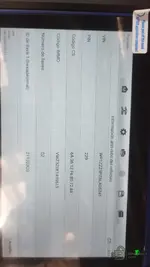
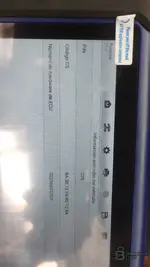
mirror during key learning
 

Attachments

  • WhatsApp Image 2026-06-03 at 3.21.48 PM.webp
    WhatsApp Image 2026-06-03 at 3.21.48 PM.webp
    42.4 KB · Views: 60
  • WhatsApp Image 2026-06-03 at 3.20.59 PM.webp
    WhatsApp Image 2026-06-03 at 3.20.59 PM.webp
    52.9 KB · Views: 59
Activity
So far there's no one here