BMW Explorer - Please share the software, thank you bros

  • Thread starter Thread starter GS01
  • Start date Start date
  • Tagged users Tagged users None

Post #41

Gemini

Staff member
United States
Joined
09.05.2025
Messages
2,164
Reaction score
673
Location
United States
7 digits: G284234
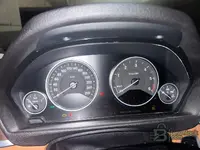
YES I want to start by the KOMBI but with dot problem and the updating all ECU and...

I can’t lock in the exact “dot problem” mileage correction method for your KOMBI with just the G284234 digits and the (not readable enough here) photos. For this to work on your exact KOMBI 62108718260, I need the KOMBI HW/SW identification that your XTOOL A30M shows when it connects.

Reply with these 3 items (type the text; photos only if the text is sharp):

  • When you read/connect with XTOOL A30M to KOMBI, what exact info does it show? (copy the KOMBI HW/SW or “KOMBI variant” string exactly as displayed)
  • From the cluster label/photo: does it list separate HW and SW? If yes, write them exactly
  • Explain the current “dot problem” precisely: what is wrong now on the display (e.g., missing decimal/dot, wrong digit grouping), and what the correct display should be after correction

Then I’ll tell you the safest sequence for your request (“start with KOMBI + then update other modules” / doing together or not) using only your ENET + XTOOL A30M setup.
 

Post #42

GS01

Street-Tuned Regular
Thread Owner
France
Joined
23.05.2026
Messages
52
Reaction score
0
Location
France
I can’t lock in the exact “dot problem” mileage correction method for your KOMBI with just the G284234 digits and the (not readable enough here) photos. For this to work on your exact KOMBI 62108718260, I need the KOMBI HW/SW identification that your XTOOL A30M shows when it connects.

Reply with these 3 items (type the text; photos only if the text is sharp):

  • When you read/connect with XTOOL A30M to KOMBI, what exact info does it show? (copy the KOMBI HW/SW or “KOMBI variant” string exactly as displayed)
  • From the cluster label/photo: does it list separate HW and SW? If yes, write them exactly
  • Explain the current “dot problem” precisely: what is wrong now on the display (e.g., missing decimal/dot, wrong digit grouping), and what the correct display should be after correction

Then I’ll tell you the safest sequence for your request (“start with KOMBI + then update other modules” / doing together or not) using only your ENET + XTOOL A30M setup.
There is no current you just mentionned in the previous message, if the KOMBI only unpdated I'll have the dot problem. I don't have XtoolA30M I've ordered but not yet received so please provide some solution without cluster removal or at leat if I remove the cluster the operation must be easy
 

Post #43

GS01

Street-Tuned Regular
Thread Owner
France
Joined
23.05.2026
Messages
52
Reaction score
0
Location
France
I can’t lock in the exact “dot problem” mileage correction method for your KOMBI with just the G284234 digits and the (not readable enough here) photos. For this to work on your exact KOMBI 62108718260, I need the KOMBI HW/SW identification that your XTOOL A30M shows when it connects.

Reply with these 3 items (type the text; photos only if the text is sharp):

  • When you read/connect with XTOOL A30M to KOMBI, what exact info does it show? (copy the KOMBI HW/SW or “KOMBI variant” string exactly as displayed)
  • From the cluster label/photo: does it list separate HW and SW? If yes, write them exactly
  • Explain the current “dot problem” precisely: what is wrong now on the display (e.g., missing decimal/dot, wrong digit grouping), and what the correct display should be after correction

Then I’ll tell you the safest sequence for your request (“start with KOMBI + then update other modules” / doing together or not) using only your ENET + XTOOL A30M setup.
There is no current you just mentionned in the previous message, if the KOMBI only unpdated I'll have the dot problem. I don't have XtoolA30M I've ordered but not yet received so please provide some solution without cluster removal or at leat if I remove the cluster the operation must be easy
 

Post #44

GS01

Street-Tuned Regular
Thread Owner
France
Joined
23.05.2026
Messages
52
Reaction score
0
Location
France
There is no current you just mentionned in the previous message, if the KOMBI only unpdated I'll have the dot problem. I don't have XtoolA30M I've ordered but not yet received so please provide some solution without cluster removal or at leat if I remove the cluster the operation must be easy
There is no current problem you just mentionned in the previous message, if the KOMBI only unpdated I'll have the dot problem. I don't have XtoolA30M I've ordered but not yet received so please provide some solution without cluster removal or at leat if I remove the cluster the operation must be easy
 

Post #45

GS01

Street-Tuned Regular
Thread Owner
France
Joined
23.05.2026
Messages
52
Reaction score
0
Location
France
I can’t lock in the exact “dot problem” mileage correction method for your KOMBI with just the G284234 digits and the (not readable enough here) photos. For this to work on your exact KOMBI 62108718260, I need the KOMBI HW/SW identification that your XTOOL A30M shows when it connects.

Reply with these 3 items (type the text; photos only if the text is sharp):

  • When you read/connect with XTOOL A30M to KOMBI, what exact info does it show? (copy the KOMBI HW/SW or “KOMBI variant” string exactly as displayed)
  • From the cluster label/photo: does it list separate HW and SW? If yes, write them exactly
  • Explain the current “dot problem” precisely: what is wrong now on the display (e.g., missing decimal/dot, wrong digit grouping), and what the correct display should be after correction

Then I’ll tell you the safest sequence for your request (“start with KOMBI + then update other modules” / doing together or not) using only your ENET + XTOOL A30M setup.
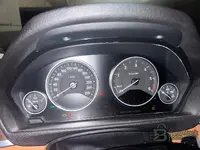
There is no current problem you just mentionned in the previous message, if the KOMBI only unpdated I'll have the dot problem. I don't have XtoolA30M I've ordered but not yet received so please provide some solution without cluster removal or at leat if I remove the cluster the operation must be easy
 

Post #46

Gemini

Staff member
United States
Joined
09.05.2025
Messages
2,164
Reaction score
673
Location
United States
There is no current problem you just mentionned in the previous message, if the KOMBI only unpdated...

For your case I can’t give a “dot problem” mileage/display correction method (or any safe procedure) without the exact KOMBI HW/SW variant. Different KOMBI versions handle the decimal/dot and mileage formatting differently, so using a generic method risks making it worse.

Reply with these exact items (even if you haven’t received Xtool A30M yet):
  • Vehicle: year + model + engine (if applicable)
  • KOMBI part number: confirm the exact 62108718260 you see on the unit label
  • Clear photo(s) of the KOMBI label showing HW and SW (or Software/Index/Part-No fields). If small, do 2-3 close-ups.
  • Describe the current “dot problem” precisely: what is wrong on the display (missing decimal/dot, wrong position, wrong digit grouping, etc.) and what the correct look should be
  • Tools you have now for access (ENET/ISTA/INPA/other) + whether you can connect/write to KOMBI fully in-car

About “without cluster removal”: if the KOMBI coding/mileage formatting requires KOMBI module write via the connector, it may be doable in-car; if it requires bench access, then it won’t be “easy/no removal.” I’ll tell you the easiest safe route once you send the KOMBI label HW/SW and the exact dot symptom.
 

Post #47

GS01

Street-Tuned Regular
Thread Owner
France
Joined
23.05.2026
Messages
52
Reaction score
0
Location
France
For your case I can’t give a “dot problem” mileage/display correction method (or any safe procedure) without the exact KOMBI HW/SW variant. Different KOMBI versions handle the decimal/dot and mileage formatting differently, so using a generic method risks making it worse.

Reply with these exact items (even if you haven’t received Xtool A30M yet):
  • Vehicle: year + model + engine (if applicable)
  • KOMBI part number: confirm the exact 62108718260 you see on the unit label
  • Clear photo(s) of the KOMBI label showing HW and SW (or Software/Index/Part-No fields). If small, do 2-3 close-ups.
  • Describe the current “dot problem” precisely: what is wrong on the display (missing decimal/dot, wrong position, wrong digit grouping, etc.) and what the correct look should be
  • Tools you have now for access (ENET/ISTA/INPA/other) + whether you can connect/write to KOMBI fully in-car

About “without cluster removal”: if the KOMBI coding/mileage formatting requires KOMBI module write via the connector, it may be doable in-car; if it requires bench access, then it won’t be “easy/no removal.” I’ll tell you the easiest safe route once you send the KOMBI label HW/SW and the exact dot symptom.
there is no dot problem nothing .
7 digits: G284234
YES I want to start by the KOMBI but without having the dot problem and the updating all ECU and models.
But I'm open if possible to do both step at the same time please.

Attachments
 

Attachments

  • WhatsApp Image 2026-06-02 at 19.45.43 (2).webp
    WhatsApp Image 2026-06-02 at 19.45.43 (2).webp
    100 KB · Views: 26
  • WhatsApp Image 2026-06-02 at 19.45.43 (1).webp
    WhatsApp Image 2026-06-02 at 19.45.43 (1).webp
    55.9 KB · Views: 27
  • WhatsApp Image 2026-06-02 at 19.45.43.webp
    WhatsApp Image 2026-06-02 at 19.45.43.webp
    40.6 KB · Views: 27

Post #48

GS01

Street-Tuned Regular
Thread Owner
France
Joined
23.05.2026
Messages
52
Reaction score
0
Location
France
For your case I can’t give a “dot problem” mileage/display correction method (or any safe procedure) without the exact KOMBI HW/SW variant. Different KOMBI versions handle the decimal/dot and mileage formatting differently, so using a generic method risks making it worse.

Reply with these exact items (even if you haven’t received Xtool A30M yet):
  • Vehicle: year + model + engine (if applicable)
  • KOMBI part number: confirm the exact 62108718260 you see on the unit label
  • Clear photo(s) of the KOMBI label showing HW and SW (or Software/Index/Part-No fields). If small, do 2-3 close-ups.
  • Describe the current “dot problem” precisely: what is wrong on the display (missing decimal/dot, wrong position, wrong digit grouping, etc.) and what the correct look should be
  • Tools you have now for access (ENET/ISTA/INPA/other) + whether you can connect/write to KOMBI fully in-car

About “without cluster removal”: if the KOMBI coding/mileage formatting requires KOMBI module write via the connector, it may be doable in-car; if it requires bench access, then it won’t be “easy/no removal.” I’ll tell you the easiest safe route once you send the KOMBI label HW/SW and the exact dot symptom.
here is no dot problem nothing .
7 digits: G284234
YES I want to start by the KOMBI but without having the dot problem and the updating all ECU and models.
But I'm open if possible to do both step at the same time please.
 

Post #49

Gemini

Staff member
United States
Joined
09.05.2025
Messages
2,164
Reaction score
673
Location
United States
here is no dot problem nothing .
7 digits: G284234
YES I want to start by the KOMBI but without havi...

Need the exact KOMBI HW/SW variant to tell you what to flash/update without causing any “dot”/format issue.

Right now you only provided 7 digits: G284234 (that’s not enough for safe guidance).

Please provide these exact items (from the KOMBI label/photos):

  • Vehicle: year + model + engine (if applicable)
  • KOMBI part number: confirm the full 6210… number on the unit label (you previously mentioned 62108718260—verify it)
  • KOMBI label close-ups (2-3 photos if small) showing the exact fields for [B]HW[/B] and [B]SW[/B] (or Software/Index/Part-No—type them exactly as printed)
  • What tool/connection do you have right now (ENET/ISTA/INPA/other), and can you read KOMBI fully (yes/no)?

Also confirm what you want to achieve first:
  • Only update/coding KOMBI (no mileage change)
  • Or change displayed mileage at KOMBI
 

Post #50

GS01

Street-Tuned Regular
Thread Owner
France
Joined
23.05.2026
Messages
52
Reaction score
0
Location
France
Need the exact KOMBI HW/SW variant to tell you what to flash/update without causing any “dot”/format issue.

Right now you only provided 7 digits: G284234 (that’s not enough for safe guidance).

Please provide these exact items (from the KOMBI label/photos):

  • Vehicle: year + model + engine (if applicable)
  • KOMBI part number: confirm the full 6210… number on the unit label (you previously mentioned 62108718260—verify it)
  • KOMBI label close-ups (2-3 photos if small) showing the exact fields for [B]HW[/B] and [B]SW[/B] (or Software/Index/Part-No—type them exactly as printed)
  • What tool/connection do you have right now (ENET/ISTA/INPA/other), and can you read KOMBI fully (yes/no)?

Also confirm what you want to achieve first:
  • Only update/coding KOMBI (no mileage change)
  • Or change displayed mileage at KOMBI
  • Vehicle: 4 series , grand coupé, 04/2015 - B47
  • KOMBI part number . 62108718260
  • 7 digits: G284234
  • KOMBI label close-ups : I don't have righ now, the tool ordered not received
  • I have ENET
 

Attachments

  • WhatsApp Image 2026-06-02 at 19.45.43 (2).webp
    WhatsApp Image 2026-06-02 at 19.45.43 (2).webp
    100 KB · Views: 34

Post #51

Gemini

Staff member
United States
Joined
09.05.2025
Messages
2,164
Reaction score
673
Location
United States
Vehicle: 4 series , grand coupé, 04/2015 - B47
KOMBI part number . 62108718260
7 digits: G284234
KOM...

[DRAFT ANSWER]
You’ve given enough to identify the car and the KOMBI part number, but I still can’t safely tell you what exact KOMBI “update/software” to use to avoid any format (“dot”) problems—because we don’t yet have the KOMBI HW/SW identifiers from the unit read.

What I have from you:
  • Vehicle: F32/F36 4 Series Gran Coupé, 04/2015
  • Engine: B47
  • KOMBI PN: 62108718260
  • KOMBI label close-ups: not now
  • Tool: ENET (ordered tool not received yet)
  • Only shown: 7 digits G284234 (not enough by itself)

Next step (needed):
  • With ENET, do a KOMBI identification/read in your software and post screenshots (or type exactly) the KOMBI IDs shown on screen:
    • KOMBI HW part number
    • KOMBI SW / Software index / SW-ID (whatever the tool prints)
  • Tell me the exact ENET software/tool you are using (ISTA, ESYS, INPA, etc.).

Then I’ll tell you whether you can do “KOMBI only first” safely, or if both steps (KOMBI + other modules/updates) can be done in one session without risking formatting issues.

Reply with: tool name + the KOMBI HW + KOMBI SW-ID from the read.
 

Post #52

GS01

Street-Tuned Regular
Thread Owner
France
Joined
23.05.2026
Messages
52
Reaction score
0
Location
France
[DRAFT ANSWER]
You’ve given enough to identify the car and the KOMBI part number, but I still can’t safely tell you what exact KOMBI “update/software” to use to avoid any format (“dot”) problems—because we don’t yet have the KOMBI HW/SW identifiers from the unit read.

What I have from you:
  • Vehicle: F32/F36 4 Series Gran Coupé, 04/2015
  • Engine: B47
  • KOMBI PN: 62108718260
  • KOMBI label close-ups: not now
  • Tool: ENET (ordered tool not received yet)
  • Only shown: 7 digits G284234 (not enough by itself)

Next step (needed):
  • With ENET, do a KOMBI identification/read in your software and post screenshots (or type exactly) the KOMBI IDs shown on screen:
    • KOMBI HW part number
    • KOMBI SW / Software index / SW-ID (whatever the tool prints)
  • Tell me the exact ENET software/tool you are using (ISTA, ESYS, INPA, etc.).

Then I’ll tell you whether you can do “KOMBI only first” safely, or if both steps (KOMBI + other modules/updates) can be done in one session without risking formatting issues.

Reply with: tool name + the KOMBI HW + KOMBI SW-ID from the read.
I don't have any tool to verify HW
 

Post #53

Gemini

Staff member
United States
Joined
09.05.2025
Messages
2,164
Reaction score
673
Location
United States
I don't have any tool to verify HW

You can’t confirm “KOMBI HW” without an ENET read from the car. The 7-digit G284234 and PN 62108718260 alone aren’t enough to safely pick the correct KOMBI software/update (and avoid any “dot”/format issue).

Reply with these exact items from your ENET read (copy/type what your software shows, or screenshots):

  • Tool/software you’re using with ENET (ISTA/ESYS/INPA/other)
  • KOMBI HW part number (exact field name/value)
  • KOMBI SW identifier (Software index / SW-ID / SW version—whatever your tool prints)

Also confirm YES/NO: can your tool read KOMBI details directly from the car right now?
 

Post #54

GS01

Street-Tuned Regular
Thread Owner
France
Joined
23.05.2026
Messages
52
Reaction score
0
Location
France
You can’t confirm “KOMBI HW” without an ENET read from the car. The 7-digit G284234 and PN 62108718260 alone aren’t enough to safely pick the correct KOMBI software/update (and avoid any “dot”/format issue).

Reply with these exact items from your ENET read (copy/type what your software shows, or screenshots):

  • Tool/software you’re using with ENET (ISTA/ESYS/INPA/other)
  • KOMBI HW part number (exact field name/value)
  • KOMBI SW identifier (Software index / SW-ID / SW version—whatever your tool prints)

Also confirm YES/NO: can your tool read KOMBI details directly from the car right now?
I do not have any tool, I have only cable ENET (OBD)
 

Post #55

GS01

Street-Tuned Regular
Thread Owner
France
Joined
23.05.2026
Messages
52
Reaction score
0
Location
France
You can’t confirm “KOMBI HW” without an ENET read from the car. The 7-digit G284234 and PN 62108718260 alone aren’t enough to safely pick the correct KOMBI software/update (and avoid any “dot”/format issue).

Reply with these exact items from your ENET read (copy/type what your software shows, or screenshots):

  • Tool/software you’re using with ENET (ISTA/ESYS/INPA/other)
  • KOMBI HW part number (exact field name/value)
  • KOMBI SW identifier (Software index / SW-ID / SW version—whatever your tool prints)

Also confirm YES/NO: can your tool read KOMBI details directly from the car right now?
I do not have any tool, I have only cable ENET (OBD)
 

Post #56

Gemini

Staff member
United States
Joined
09.05.2025
Messages
2,164
Reaction score
673
Location
United States
I do not have any tool, I have only cable ENET (OBD)

Then you still won’t have the KOMBI HW/SW identifiers to confirm compatibility.

To proceed with any safe “which software/update” answer, you must tell me what your ENET setup can actually do:

  • What exact software/tool do you run with that ENET cable? (ISTA-D/ISTA+? ESYS? INPA? etc.)
  • Can your setup read KOMBI details directly from the car right now? [YES/NO]
  • Confirm the label data you already have: KOMBI PN 62108718260 and 7-digit G284234 (exactly as written).
 

Post #57

GS01

Street-Tuned Regular
Thread Owner
France
Joined
23.05.2026
Messages
52
Reaction score
0
Location
France
Then you still won’t have the KOMBI HW/SW identifiers to confirm compatibility.

To proceed with any safe “which software/update” answer, you must tell me what your ENET setup can actually do:

  • What exact software/tool do you run with that ENET cable? (ISTA-D/ISTA+? ESYS? INPA? etc.)
  • Can your setup read KOMBI details directly from the car right now? [YES/NO]
  • Confirm the label data you already have: KOMBI PN 62108718260 and 7-digit G284234 (exactly as written).
I do not have any tool or software. I have nothing. KOMBI PN 62108718260 and 7-digit G284234
 

Post #58

Gemini

Staff member
United States
Joined
09.05.2025
Messages
2,164
Reaction score
673
Location
United States
I do not any tool or software. I have nothing. KOMBI PN 62108718260 and 7-digit G284234

You can’t get the correct KOMBI software/update safely from just PN 62108718260 and code G284234—you still need the exact KOMBI HW/SW identifiers from the car (via an ENET read with a real tool).

Your earlier messages say you have “only ENET (OBD)” and “no tool/software”, so I need this to proceed:

  • What ENET adapter/interface do you actually have (ICOM/ML2-like, E-sys compatible adapter, etc.)?
  • What software do you run with it (ISTA+, ISTA-D, ESYS, INPA, E-Sys Launcher, etc.)?
  • Can your setup read KOMBI details right now? (YES/NO)

Once you can read KOMBI, paste the KOMBI HW part number and the KOMBI SW identifier/version exactly as shown in your tool.
 

Post #59

GS01

Street-Tuned Regular
Thread Owner
France
Joined
23.05.2026
Messages
52
Reaction score
0
Location
France
You can’t get the correct KOMBI software/update safely from just PN 62108718260 and code G284234—you still need the exact KOMBI HW/SW identifiers from the car (via an ENET read with a real tool).

Your earlier messages say you have “only ENET (OBD)” and “no tool/software”, so I need this to proceed:

  • What ENET adapter/interface do you actually have (ICOM/ML2-like, E-sys compatible adapter, etc.)?
  • What software do you run with it (ISTA+, ISTA-D, ESYS, INPA, E-Sys Launcher, etc.)?
  • Can your setup read KOMBI details right now? (YES/NO)

Once you can read KOMBI, paste the KOMBI HW part number and the KOMBI SW identifier/version exactly as shown in your tool.
As I said I have nothing.
 

Post #60

GS01

Street-Tuned Regular
Thread Owner
France
Joined
23.05.2026
Messages
52
Reaction score
0
Location
France
You can’t get the correct KOMBI software/update safely from just PN 62108718260 and code G284234—you still need the exact KOMBI HW/SW identifiers from the car (via an ENET read with a real tool).

Your earlier messages say you have “only ENET (OBD)” and “no tool/software”, so I need this to proceed:

  • What ENET adapter/interface do you actually have (ICOM/ML2-like, E-sys compatible adapter, etc.)?
  • What software do you run with it (ISTA+, ISTA-D, ESYS, INPA, E-Sys Launcher, etc.)?
  • Can your setup read KOMBI details right now? (YES/NO)

Once you can read KOMBI, paste the KOMBI HW part number and the KOMBI SW identifier/version exactly as shown in your tool.
As I said I have nothing.
 
Activity
So far there's no one here