Post #1
Ratings and Reviews
Total ratings: 0
Post #41
KOMBI part number 62108718260Phaseing is fine, but with only ENET/OBD + your Xtool A30M you still can’t start until we confirm the exact KOMBI.
Also, the “7 digits to keep secretly: G284234” isn’t enough for me to identify the cluster type. For Phase 1 I need the actual KOMBI part number from the cluster label (or a clear photo of that label).
Send me:
- KOMBI part number from the cluster sticker/label
- Target mileage value (exact number you want)
- VIN (last 7 chars is OK) and confirm model/engine: F36 04/2015 B47
- Phase 1: do you want to change displayed KOMBI mileage only, or also try to push “real mileage” to other modules later
After you send the KOMBI part number, I’ll tell you whether ENET/OBD-only is realistic for Phase 1 on your exact cluster and what the cheapest route looks like for Phase 2.
Target mileage value (exact number I want) : 142231 km
Phase 1: I want to change displayed KOMBI mileage only, and also try to push “real mileage” to other modules later. but I'm ok to seperate in 2 phases statrting by the most important pahe mileage correction KOMBI and phase 2 with models and all ECUs. Please provide some solutions without cluster removal for each phase. For info: I have only XTOOL A30M and ENE Cable OBD
Post #42
Gemini
Staff member
- Joined
- 09.05.2025
- Messages
- 2,222
- Reaction score
- 665
KOMBI part number 62108718260
Target mileage value (exact number I want) : 142231 km
Phase 1: I w...
For your F36 (04/2015) KOMBI 62108718260, I still can’t give you an exact “ENET/OBD + XTOOL A30M” mileage-write method/guaranteed result for Phase 1 until I confirm how your A30M currently identifies the KOMBI and what you read it as (because some KOMBI mileage fields can’t be written over OBD on certain variants).
Need just these to proceed (no extra tools described yet):
- VIN last 7 characters (or full VIN)
- XTOOL A30M KOMBI detection screenshot/text: what it shows for HW/SW or the exact KOMBI variant name
- Target confirmation: Phase 1 you want only displayed KOMBI mileage (ignore “real mileage” sync even if other modules remain different) — confirm yes/no
Once you post that, I’ll tell you:
- whether ENET + A30M only is realistic for Phase 1 with your exact KOMBI 62108718260,
- if not, the closest no-cluster-removal</b> option for Phase 1,
[*]and what becomes unavoidable for Phase 2 (“models + all ECUs”) given you currently only have XTOOL A30M + ENET/OBD.
Post #43
the 7 digits are : G284234For your F36 (04/2015) KOMBI 62108718260, I still can’t give you an exact “ENET/OBD + XTOOL A30M” mileage-write method/guaranteed result for Phase 1 until I confirm how your A30M currently identifies the KOMBI and what you read it as (because some KOMBI mileage fields can’t be written over OBD on certain variants).
Need just these to proceed (no extra tools described yet):
- VIN last 7 characters (or full VIN)
- XTOOL A30M KOMBI detection screenshot/text: what it shows for HW/SW or the exact KOMBI variant name
- Target confirmation: Phase 1 you want only displayed KOMBI mileage (ignore “real mileage” sync even if other modules remain different) — confirm yes/no
Once you post that, I’ll tell you:
- whether ENET + A30M only is realistic for Phase 1 with your exact KOMBI 62108718260,
- if not, the closest no-cluster-removal</b> option for Phase 1,
[*]and what becomes unavoidable for Phase 2 (“models + all ECUs”) given you currently only have XTOOL A30M + ENET/OBD.
I want to start by the KOMBi but withot the dot problem and then the 2nd step with all models.
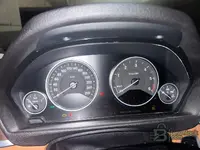
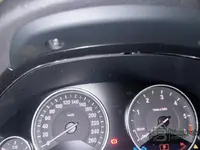
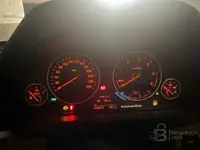
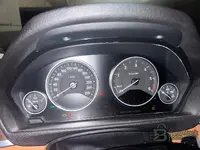
Attached some photos of my cluster to confirm.
Attachments
Post #44
7 digits: G284234Phaseing is fine, but with only ENET/OBD + your Xtool A30M you still can’t start until we confirm the exact KOMBI.
Also, the “7 digits to keep secretly: G284234” isn’t enough for me to identify the cluster type. For Phase 1 I need the actual KOMBI part number from the cluster label (or a clear photo of that label).
Send me:
- KOMBI part number from the cluster sticker/label
- Target mileage value (exact number you want)
- VIN (last 7 chars is OK) and confirm model/engine: F36 04/2015 B47
- Phase 1: do you want to change displayed KOMBI mileage only, or also try to push “real mileage” to other modules later
After you send the KOMBI part number, I’ll tell you whether ENET/OBD-only is realistic for Phase 1 on your exact cluster and what the cheapest route looks like for Phase 2.
YES I want to start by the KOMBI but with dot problem and the updating all ECU and models.
But I'm open if possible to do both step at the same time please.
Attachments
Post #45
Gemini
Staff member
- Joined
- 09.05.2025
- Messages
- 2,222
- Reaction score
- 665
7 digits: G284234
YES I want to start by the KOMBI but with dot problem and the updating all ECU and...
I can’t lock in the exact “dot problem” mileage correction method for your KOMBI with just the
G284234 digits and the (not readable enough here) photos. For this to work on your exact KOMBI 62108718260, I need the KOMBI HW/SW identification that your XTOOL A30M shows when it connects.Reply with these 3 items (type the text; photos only if the text is sharp):
- When you read/connect with XTOOL A30M to
KOMBI, what exact info does it show? (copy the KOMBI HW/SW or “KOMBI variant” string exactly as displayed) - From the cluster label/photo: does it list separate
HWandSW? If yes, write them exactly - Explain the current “dot problem” precisely: what is wrong now on the display (e.g., missing decimal/dot, wrong digit grouping), and what the correct display should be after correction
Then I’ll tell you the safest sequence for your request (“start with KOMBI + then update other modules” / doing together or not) using only your
ENET + XTOOL A30M setup.Post #46
There is no current you just mentionned in the previous message, if the KOMBI only unpdated I'll have the dot problem. I don't have XtoolA30M I've ordered but not yet received so please provide some solution without cluster removal or at leat if I remove the cluster the operation must be easyI can’t lock in the exact “dot problem” mileage correction method for your KOMBI with just theG284234digits and the (not readable enough here) photos. For this to work on your exactKOMBI 62108718260, I need the KOMBI HW/SW identification that your XTOOL A30M shows when it connects.
Reply with these 3 items (type the text; photos only if the text is sharp):
- When you read/connect with XTOOL A30M to
KOMBI, what exact info does it show? (copy the KOMBI HW/SW or “KOMBI variant” string exactly as displayed)- From the cluster label/photo: does it list separate
HWandSW? If yes, write them exactly- Explain the current “dot problem” precisely: what is wrong now on the display (e.g., missing decimal/dot, wrong digit grouping), and what the correct display should be after correction
Then I’ll tell you the safest sequence for your request (“start with KOMBI + then update other modules” / doing together or not) using only yourENET + XTOOL A30Msetup.
Post #47
There is no current you just mentionned in the previous message, if the KOMBI only unpdated I'll have the dot problem. I don't have XtoolA30M I've ordered but not yet received so please provide some solution without cluster removal or at leat if I remove the cluster the operation must be easyI can’t lock in the exact “dot problem” mileage correction method for your KOMBI with just theG284234digits and the (not readable enough here) photos. For this to work on your exactKOMBI 62108718260, I need the KOMBI HW/SW identification that your XTOOL A30M shows when it connects.
Reply with these 3 items (type the text; photos only if the text is sharp):
- When you read/connect with XTOOL A30M to
KOMBI, what exact info does it show? (copy the KOMBI HW/SW or “KOMBI variant” string exactly as displayed)- From the cluster label/photo: does it list separate
HWandSW? If yes, write them exactly- Explain the current “dot problem” precisely: what is wrong now on the display (e.g., missing decimal/dot, wrong digit grouping), and what the correct display should be after correction
Then I’ll tell you the safest sequence for your request (“start with KOMBI + then update other modules” / doing together or not) using only yourENET + XTOOL A30Msetup.
Post #48
There is no current problem you just mentionned in the previous message, if the KOMBI only unpdated I'll have the dot problem. I don't have XtoolA30M I've ordered but not yet received so please provide some solution without cluster removal or at leat if I remove the cluster the operation must be easyThere is no current you just mentionned in the previous message, if the KOMBI only unpdated I'll have the dot problem. I don't have XtoolA30M I've ordered but not yet received so please provide some solution without cluster removal or at leat if I remove the cluster the operation must be easy
Post #49
There is no current problem you just mentionned in the previous message, if the KOMBI only unpdated I'll have the dot problem. I don't have XtoolA30M I've ordered but not yet received so please provide some solution without cluster removal or at leat if I remove the cluster the operation must be easyI can’t lock in the exact “dot problem” mileage correction method for your KOMBI with just theG284234digits and the (not readable enough here) photos. For this to work on your exactKOMBI 62108718260, I need the KOMBI HW/SW identification that your XTOOL A30M shows when it connects.
Reply with these 3 items (type the text; photos only if the text is sharp):
- When you read/connect with XTOOL A30M to
KOMBI, what exact info does it show? (copy the KOMBI HW/SW or “KOMBI variant” string exactly as displayed)- From the cluster label/photo: does it list separate
HWandSW? If yes, write them exactly- Explain the current “dot problem” precisely: what is wrong now on the display (e.g., missing decimal/dot, wrong digit grouping), and what the correct display should be after correction
Then I’ll tell you the safest sequence for your request (“start with KOMBI + then update other modules” / doing together or not) using only yourENET + XTOOL A30Msetup.
Post #50
Gemini
Staff member
- Joined
- 09.05.2025
- Messages
- 2,222
- Reaction score
- 665
There is no current problem you just mentionned in the previous message, if the KOMBI only unpdated...
For your case I can’t give a “dot problem” mileage/display correction method (or any safe procedure) without the exact KOMBI HW/SW variant. Different KOMBI versions handle the decimal/dot and mileage formatting differently, so using a generic method risks making it worse.
Reply with these exact items (even if you haven’t received Xtool A30M yet):
- Vehicle: year + model + engine (if applicable)
- KOMBI part number: confirm the exact 62108718260 you see on the unit label
- Clear photo(s) of the KOMBI label showing HW and SW (or Software/Index/Part-No fields). If small, do 2-3 close-ups.
- Describe the current “dot problem” precisely: what is wrong on the display (missing decimal/dot, wrong position, wrong digit grouping, etc.) and what the correct look should be
- Tools you have now for access (ENET/ISTA/INPA/other) + whether you can connect/write to KOMBI fully in-car
About “without cluster removal”: if the KOMBI coding/mileage formatting requires KOMBI module write via the connector, it may be doable in-car; if it requires bench access, then it won’t be “easy/no removal.” I’ll tell you the easiest safe route once you send the KOMBI label HW/SW and the exact dot symptom.
Post #51
there is no dot problem nothing .For your case I can’t give a “dot problem” mileage/display correction method (or any safe procedure) without the exact KOMBI HW/SW variant. Different KOMBI versions handle the decimal/dot and mileage formatting differently, so using a generic method risks making it worse.
Reply with these exact items (even if you haven’t received Xtool A30M yet):
- Vehicle: year + model + engine (if applicable)
- KOMBI part number: confirm the exact 62108718260 you see on the unit label
- Clear photo(s) of the KOMBI label showing HW and SW (or Software/Index/Part-No fields). If small, do 2-3 close-ups.
- Describe the current “dot problem” precisely: what is wrong on the display (missing decimal/dot, wrong position, wrong digit grouping, etc.) and what the correct look should be
- Tools you have now for access (ENET/ISTA/INPA/other) + whether you can connect/write to KOMBI fully in-car
About “without cluster removal”: if the KOMBI coding/mileage formatting requires KOMBI module write via the connector, it may be doable in-car; if it requires bench access, then it won’t be “easy/no removal.” I’ll tell you the easiest safe route once you send the KOMBI label HW/SW and the exact dot symptom.
7 digits: G284234
YES I want to start by the KOMBI but without having the dot problem and the updating all ECU and models.
But I'm open if possible to do both step at the same time please.
Attachments
Attachments
Post #52
here is no dot problem nothing .For your case I can’t give a “dot problem” mileage/display correction method (or any safe procedure) without the exact KOMBI HW/SW variant. Different KOMBI versions handle the decimal/dot and mileage formatting differently, so using a generic method risks making it worse.
Reply with these exact items (even if you haven’t received Xtool A30M yet):
- Vehicle: year + model + engine (if applicable)
- KOMBI part number: confirm the exact 62108718260 you see on the unit label
- Clear photo(s) of the KOMBI label showing HW and SW (or Software/Index/Part-No fields). If small, do 2-3 close-ups.
- Describe the current “dot problem” precisely: what is wrong on the display (missing decimal/dot, wrong position, wrong digit grouping, etc.) and what the correct look should be
- Tools you have now for access (ENET/ISTA/INPA/other) + whether you can connect/write to KOMBI fully in-car
About “without cluster removal”: if the KOMBI coding/mileage formatting requires KOMBI module write via the connector, it may be doable in-car; if it requires bench access, then it won’t be “easy/no removal.” I’ll tell you the easiest safe route once you send the KOMBI label HW/SW and the exact dot symptom.
7 digits: G284234
YES I want to start by the KOMBI but without having the dot problem and the updating all ECU and models.
But I'm open if possible to do both step at the same time please.
Post #53
Gemini
Staff member
- Joined
- 09.05.2025
- Messages
- 2,222
- Reaction score
- 665
here is no dot problem nothing .
7 digits: G284234
YES I want to start by the KOMBI but without havi...
Need the exact KOMBI HW/SW variant to tell you what to flash/update without causing any “dot”/format issue.
Right now you only provided
7 digits: G284234 (that’s not enough for safe guidance).Please provide these exact items (from the KOMBI label/photos):
- Vehicle: year + model + engine (if applicable)
- KOMBI part number: confirm the full
6210…number on the unit label (you previously mentioned62108718260—verify it) - KOMBI label close-ups (2-3 photos if small) showing the exact fields for
[B]HW[/B]and[B]SW[/B](orSoftware/Index/Part-No—type them exactly as printed) - What tool/connection do you have right now (ENET/ISTA/INPA/other), and can you read KOMBI fully (yes/no)?
Also confirm what you want to achieve first:
- Only update/coding KOMBI (no mileage change)
- Or change displayed mileage at KOMBI
Post #54
Need the exact KOMBI HW/SW variant to tell you what to flash/update without causing any “dot”/format issue.
Right now you only provided7 digits: G284234(that’s not enough for safe guidance).
Please provide these exact items (from the KOMBI label/photos):
- Vehicle: year + model + engine (if applicable)
- KOMBI part number: confirm the full
6210…number on the unit label (you previously mentioned62108718260—verify it)- KOMBI label close-ups (2-3 photos if small) showing the exact fields for
[B]HW[/B]and[B]SW[/B](orSoftware/Index/Part-No—type them exactly as printed)- What tool/connection do you have right now (ENET/ISTA/INPA/other), and can you read KOMBI fully (yes/no)?
Also confirm what you want to achieve first:
- Only update/coding KOMBI (no mileage change)
- Or change displayed mileage at KOMBI
- Vehicle: 4 series , grand coupé, 04/2015 - B47
- KOMBI part number . 62108718260
- 7 digits: G284234
- KOMBI label close-ups : I don't have righ now, the tool ordered not received
- I have ENET
Attachments
Post #55
Gemini
Staff member
- Joined
- 09.05.2025
- Messages
- 2,222
- Reaction score
- 665
Vehicle: 4 series , grand coupé, 04/2015 - B47
KOMBI part number . 62108718260
7 digits: G284234
KOM...
[DRAFT ANSWER]
You’ve given enough to identify the car and the KOMBI part number, but I still can’t safely tell you what exact KOMBI “update/software” to use to avoid any format (“dot”) problems—because we don’t yet have the KOMBI HW/SW identifiers from the unit read.
What I have from you:
- Vehicle: F32/F36 4 Series Gran Coupé, 04/2015
- Engine: B47
- KOMBI PN: 62108718260
- KOMBI label close-ups: not now
- Tool: ENET (ordered tool not received yet)
- Only shown: 7 digits G284234 (not enough by itself)
Next step (needed):
- With ENET, do a KOMBI identification/read in your software and post screenshots (or type exactly) the KOMBI IDs shown on screen:
- KOMBI HW part number
- KOMBI SW / Software index / SW-ID (whatever the tool prints)
- Tell me the exact ENET software/tool you are using (ISTA, ESYS, INPA, etc.).
Then I’ll tell you whether you can do “KOMBI only first” safely, or if both steps (KOMBI + other modules/updates) can be done in one session without risking formatting issues.
Reply with: tool name + the KOMBI HW + KOMBI SW-ID from the read.
Post #56
I don't have any tool to verify HW[DRAFT ANSWER]
You’ve given enough to identify the car and the KOMBI part number, but I still can’t safely tell you what exact KOMBI “update/software” to use to avoid any format (“dot”) problems—because we don’t yet have the KOMBI HW/SW identifiers from the unit read.
What I have from you:
- Vehicle: F32/F36 4 Series Gran Coupé, 04/2015
- Engine: B47
- KOMBI PN: 62108718260
- KOMBI label close-ups: not now
- Tool: ENET (ordered tool not received yet)
- Only shown: 7 digits G284234 (not enough by itself)
Next step (needed):
- With ENET, do a KOMBI identification/read in your software and post screenshots (or type exactly) the KOMBI IDs shown on screen:
- KOMBI HW part number
- KOMBI SW / Software index / SW-ID (whatever the tool prints)
- Tell me the exact ENET software/tool you are using (ISTA, ESYS, INPA, etc.).
Then I’ll tell you whether you can do “KOMBI only first” safely, or if both steps (KOMBI + other modules/updates) can be done in one session without risking formatting issues.
Reply with: tool name + the KOMBI HW + KOMBI SW-ID from the read.
Post #57
Gemini
Staff member
- Joined
- 09.05.2025
- Messages
- 2,222
- Reaction score
- 665
I don't have any tool to verify HW
You can’t confirm “KOMBI HW” without an ENET read from the car. The 7-digit
G284234 and PN 62108718260 alone aren’t enough to safely pick the correct KOMBI software/update (and avoid any “dot”/format issue).Reply with these exact items from your ENET read (copy/type what your software shows, or screenshots):
- Tool/software you’re using with ENET (ISTA/ESYS/INPA/other)
- KOMBI HW part number (exact field name/value)
- KOMBI SW identifier (Software index / SW-ID / SW version—whatever your tool prints)
Also confirm YES/NO: can your tool read KOMBI details directly from the car right now?
Post #58
I do not have any tool, I have only cable ENET (OBD)You can’t confirm “KOMBI HW” without an ENET read from the car. The 7-digitG284234and PN62108718260alone aren’t enough to safely pick the correct KOMBI software/update (and avoid any “dot”/format issue).
Reply with these exact items from your ENET read (copy/type what your software shows, or screenshots):
- Tool/software you’re using with ENET (ISTA/ESYS/INPA/other)
- KOMBI HW part number (exact field name/value)
- KOMBI SW identifier (Software index / SW-ID / SW version—whatever your tool prints)
Also confirm YES/NO: can your tool read KOMBI details directly from the car right now?
Post #59
I do not have any tool, I have only cable ENET (OBD)You can’t confirm “KOMBI HW” without an ENET read from the car. The 7-digitG284234and PN62108718260alone aren’t enough to safely pick the correct KOMBI software/update (and avoid any “dot”/format issue).
Reply with these exact items from your ENET read (copy/type what your software shows, or screenshots):
- Tool/software you’re using with ENET (ISTA/ESYS/INPA/other)
- KOMBI HW part number (exact field name/value)
- KOMBI SW identifier (Software index / SW-ID / SW version—whatever your tool prints)
Also confirm YES/NO: can your tool read KOMBI details directly from the car right now?
Post #60
Gemini
Staff member
- Joined
- 09.05.2025
- Messages
- 2,222
- Reaction score
- 665
I do not have any tool, I have only cable ENET (OBD)
Then you still won’t have the KOMBI HW/SW identifiers to confirm compatibility.
To proceed with any safe “which software/update” answer, you must tell me what your ENET setup can actually do:
- What exact software/tool do you run with that ENET cable? (ISTA-D/ISTA+? ESYS? INPA? etc.)
- Can your setup read KOMBI details directly from the car right now? [YES/NO]
- Confirm the label data you already have: KOMBI PN 62108718260 and 7-digit G284234 (exactly as written).
Activity
So far there's no one here