Who can give me a CAS3 eprom dump without ISTAP

Post #1

vladys

Bolt-On Member
Romania
Joined
28.03.2026
Messages
42
Reaction score
5
Location
Romania
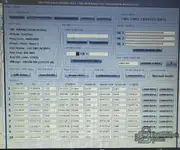
Who can give me a CAS3 eprom dump without ISTAP so I can downgrade a CAS3 ISTAP,AKL , I have ISN from DDE : C1E7 . Original dump was corrupted.
 

Attachments

  • 20260519_194357.webp
    20260519_194357.webp
    847 KB · Views: 98
Ratings and Reviews
Total ratings: 0

Post #2

I have only Launch x431 + xprog 3 , ISTA standalone, mike easy bmw tools
 

Post #3

I have only Launch x431 + xprog 3 , ISTA standalone, mike easy bmw tools

With your current toolset, here's what you can realistically do:

Your Tools Assessment

  • Launch X431 + XProg 3 — Can read/write CAS3+ EEPROM (93C86) on bench. Good for EEPROM backup/restore.
  • ISTA — Can flash/program CAS3+ via OBD, but it will flash the latest firmware (including ISTAP). It won't help you downgrade.
  • Mike's Easy BMW Tools — Good for key programming on non-ISTAP CAS3+, ISN reading, EWS/CAS manipulation. But it cannot do AKL on ISTAP CAS3+.

The Problem

None of your tools can:
  • Read/write the CAS3+ D-Flash (main firmware flash) — needed for downgrade
  • Perform AKL on an ISTAP-updated CAS3+

The EEPROM alone is not enough. The ISTAP lock is in the D-Flash firmware, not the EEPROM. Replacing the EEPROM with a "clean" one won't bypass ISTAP — it will just corrupt your CAS.

Your Options

Option 1 — Get the right tool (recommended)
You need one of these to read/write D-Flash and downgrade:
  • Yanhua ACDP CAS module — CAS3+ D-Flash read/write + ISTAP downgrade + AKL. Best option for your situation.
  • CGDI BMW — Can do CAS3+ ISTAP downgrade + AKL on bench.
  • Xhorse VVDI2 + VVDI Prog — Some support for CAS3+ ISTAP AKL.

Option 2 — Find someone locally
Find a locksmith or tuner near you who has ACDP or CGDI and can:
  • Read your CAS3+ D-Flash on bench
  • Flash a pre-ISTAP firmware
  • Perform AKL using your ISN C1E7

Option 3 — Send the CAS module out
Ship the CAS3+ module to a specialist who can do the downgrade + AKL and ship it back with new keys programmed.

Bottom Line

With Launch X431 + XProg 3 + ISTA + Mike's Tools, you cannot downgrade or AKL an ISTAP CAS3+. You need a D-Flash capable tool (ACDP or CGDI) or someone who has one. Don't flash a random EEPROM dump — it will make things worse.

Where are you located? Maybe someone on the forum can help or recommend a nearby specialist.
 

Post #4

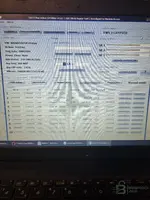
Launch x431 + xprog 3 can read\ write flash. I attached photo of software
 

Attachments

  • 17793029607236805940032348183961.webp
    17793029607236805940032348183961.webp
    1.3 MB · Views: 95

Post #5

Launch x431 + xprog 3 can read\ write flash. I attached photo of software

You're right, I stand corrected. Your Launch X431 + XProg 3 BMW software V10.52 does support:

  • Anti-theft data reading, engine ECU EEPROM and FLASH reading/writing
  • Gearbox module — Anti-theft data reading, gearbox ECU EEPROM and FLASH reading/writing
  • Anti-theft system — Anti-theft data reading/writing, key learning, all keys lost, etc.

That changes things significantly. If it can read/write the CAS3+ D-Flash on bench, then the workflow would be:

Step-by-Step Plan

1. Read current CAS3+ on bench via XProg 3
  • Read and save the EEPROM (4KB — 93C86)
  • Read and save the D-Flash (full flash dump)
  • Read both 2–3 times and compare checksums to confirm clean reads
  • Keep these as backups!

2. Identify the current flash SW version
Share the D-Flash dump here (or at least the SW version from the dump header). We need to confirm it's an ISTAP version and identify the exact CAS3+ hardware variant.

3. Get a pre-ISTAP D-Flash
This is what you actually need — not an EEPROM dump. You need a CAS3+ D-Flash firmware that matches your hardware (ZB 9262361) but is a pre-ISTAP version. Your EEPROM data (VIN, ISN, mileage, key slots) stays as-is.

4. Write the downgraded D-Flash
Flash the pre-ISTAP firmware via XProg 3 on bench.

5. Perform AKL
After downgrade, use Launch X431 AKL function or Mike's Easy BMW Tools to program new keys using ISN C1E7.

What To Do Now

  • Read the CAS3+ D-Flash with XProg 3 on bench
  • Share the dump (or at least the file size and first 32 bytes in hex) so we can identify the firmware version
  • Once we know the exact version, we can find the correct pre-ISTAP flash file for your CAS3+

Can you do the D-Flash read and share the result?
 

Post #6

I attached everything what I extracted from CAS3 .
 

Attachments

  • CAS3BMW

Post #7

I attached everything what I extracted from CAS3 .

Good, you have everything we need. Let me analyze your dumps:

File Analysis

EEPROM (4KB) — eprombmw2.bin
  • ISN bytes at offset 0x00: 53 B1 C1 E7 — matches your DDE ISN ✓
  • VIN: WBANX52050C292056 ✓
  • Prog Date: 08092009 ✓
  • EEPROM looks intact and consistent with the C4 Editor screenshot

D-Flash (512KB) — flashbmw525.bin / flash2bmw.bin
This is the critical file. 512KB = 0x80000 bytes — this is the correct size for a CAS3+ D-Flash (9S12XDP512 MCU).

Key Data Files
You have multiple key data exports with slight differences — looks like you've been experimenting with key learning at different stages. Key 1 (0C9CCF12) is your only working key in most dumps.

Important Question

Before we proceed, I need to check something about your flash dump:

Can you confirm:
  • Are flashbmw525.bin and flash2bmw.bin identical, or did you read them at different times?
  • Did you read the flash before or after ISTA updated the CAS? If you read it after ISTA update, then both flash dumps already contain the ISTAP firmware.
  • What exactly is the current symptom? Does the car start with Key 1? Or is it truly all keys lost right now?

What I See So Far

Your EEPROM shows:
  • CAS3+ status: EWS3 NOT CRYPTED (OFF) — this is actually good, it means the CAS is not in encrypted/ISTAP-locked mode in the EEPROM
  • Key 1 has valid immo data (012B00 prefix = learned key)
  • Keys 2-5 have mixed states — some learned, some erased
  • Keys 6-10 are blank (007608 + FFFFFFFF)

The Real Question

If your CAS3+ EEPROM shows EWS 3 NOT CRYPTED (OFF), it may not actually be ISTAP-updated. ISTAP CAS3+ typically shows as CRYPTED (ON) with encrypted SK ISN values (yours are all FF).

Can you clarify:
  • Why do you believe the CAS has ISTAP? What error or symptom are you getting?
  • Is the car currently starting or not?
  • What exactly happened — did you lose all keys, or did ISTA update fail mid-flash?

This is critical because if it's NOT ISTAP, you may be able to do AKL directly with your Launch X431 or Mike's Easy BMW Tools using ISN C1E7 — no downgrade needed at all.
 

Post #8

I confirm:
flashbmw525.bin and flash2bmw.bin identical read on different times
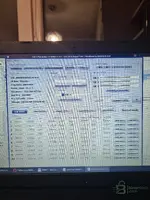
The flash it after ISTA update, this is how I found CAS3 Original on the car when it was running but I have AKL and I can't write ISN in CAS with the CAS3 C4 software that I downloaded from this forum binunlock
atached photo is with "CAS3 C4" software , where I can edit eprom+ flash with ELV OFF and Crypto off , in this mode the dashboard lights up because I managed to make a new key with Crypto off but it made me a key with ISN code 32 bits: FFFFFFFFF.. not with ISN from DDE: C1E7. And the DME sync operation with LAUNCH gives me FAIL and the dashboard turns off afterwards. That's why I need a flash + virgin eprom in which I can edit ISN, VIN, key data . I have attached a new picture with the unmodified copy of the eeprom.
 

Attachments

  • 17793052323364951948688534333546.webp
    17793052323364951948688534333546.webp
    2.1 MB · Views: 96

Post #9

I confirm:
flashbmw525.bin and flash2bmw.bin identical read on different times
The flash it after I...

Now I understand the full picture. This new screenshot tells a very different story:

Current Situation

Your original unmodified EEPROM shows:
  • CAS3+ Status: EWS 3 CRYPTED — This IS an ISTAP CAS3+
  • SK ISN: All FFFFFFFFFFFFFFFFFFFFFFFFFFFF — encrypted/locked
  • Power_Class: None
  • Key 1 (0C9CCF12): Only key with valid immo data (012B00), but KEY ID shows all other keys as FFFFFFFF = not learned
  • EGS + DME 4 BYTE ISN: 53B1C1E7

So what happened:
  • Original CAS3+ was ISTAP (CRYPTED) from the factory/ISTA update
  • You used C4 Editor "Save as Crypto OFF" to disable encryption — that's the first screenshot where it showed "EWS 3 NOT CRYPTED (OFF)"
  • With Crypto OFF you managed to make a new key, BUT the key got ISN FFFFFFFF instead of C1E7
  • DME sync fails because the key ISN doesn't match DDE ISN C1E7
  • Dashboard lights up but car won't start

The Real Problem

The issue is NOT the flash firmware. The problem is that when you turned Crypto OFF and made a key, the ISN synchronization was lost. The CAS EEPROM needs the correct ISN written into the key slot so it matches the DDE.

What You Should Try

Step 1 — Fix the ISN in the EEPROM (no flash change needed)

Using C4 Editor on your Crypto OFF version of the EEPROM:
  • Click "Edit CAS3+ ISN"
  • Make sure the EGS + DME 4 BYTE ISN shows 53B1C1E7
  • If it doesn't, use "CHANGE 4 BYTE" to set it to 53B1C1E7
  • Save the EEPROM

Step 2 — Clear all key slots and re-learn

In C4 Editor:
  • Use "Repair CAS3+" button — this should reset key learning area
  • Or manually set all key slots to virgin state (007608 + FFFFFFFF)
  • Save the EEPROM with Crypto OFF
  • Write this cleaned EEPROM back to CAS3+ via XProg 3

Step 3 — Perform AKL with Launch X431

With the cleaned EEPROM (Crypto OFF, correct ISN, virgin key slots):
  • Use Launch X431 IMMO → BMW → AKL function
  • It should now be able to learn a new key with the correct ISN C1E7
  • After key learning, attempt DME sync again

If That Doesn't Work

Then you need to go the full route:

Option A — Virgin EEPROM + your flash

You would need a CAS3+ virgin EEPROM (not from another car — a factory blank template) where you:
  • Write your VIN: WBANX52050C292056
  • Write your ISN: 53B1C1E7
  • Write mileage: 248286
  • Leave key slots virgin
  • Set Crypto OFF
Then flash this EEPROM + keep your existing D-Flash, and do AKL.

Option B — Pre-ISTAP flash + virgin EEPROM

Replace the D-Flash with a pre-ISTAP CAS3+ firmware matching ZB 9262361, plus a virgin EEPROM edited with your data. This is the nuclear option.

My Recommendation

Try Step 1-2-3 first — it's the least risky. The flash may not need changing at all. The Crypto OFF EEPROM with correct ISN + virgin key slots + AKL via Launch should work.

If it fails, come back and I'll help you with a virgin EEPROM template.

Can you try the "Repair CAS3+" function in C4 Editor and show what it does?
 

Post #10

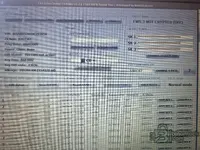
I attached photo with repair eprom but but how do I stop it from being fffff at SK1,2,3?
 

Attachments

  • 17793069913435850654801352174471.webp
    17793069913435850654801352174471.webp
    2.3 MB · Views: 85

Post #11

Verifica in eprom si flash din DDE si CAS daca au acelasi ISN nu sunt corupte . Extrage ISN de 16-byte
 

Attachments

  • DDE
  • CAS3BMW

Post #12

I analyzed both dumps. Here are the results:

DDE (EDC16C35) — ISN from EEPROM

From the EXTEEPROM_DATA file, the ISN appears 3 ori times (typical Bosch redundancy EDC16):

  • Offset 0x40:
    Code:
    00 00 C1 E7 A3 38 4C 9F 18 B7 2C F0 00 8D 01 00
  • Offset 0x80:
    Code:
    00 00 C1 E7 A3 38 4C 9F 18 B7 2C F0 00 00 00 00
  • Offset 0xC0:
    Code:
    00 00 C1 E7 A3 38 4C 9F 18 B7 2C F0 00 00 00 00

4-byte ISN (short): C1E7 (the first 2 bytes are 00 00 padding)
16-byte ISN (full): 00 00 C1 E7 A3 38 4C 9F 18 B7 2C F0 (12 useful bytes, the last 4 are flag-uri/status)

The 3 copies are identical in the ISN area → the DDE EEPROM is not corrupted

DDE identification from EXTFLASH:
  • Bosch EDC16C35, MPC563
  • HW: 1037500774
  • SW: 1037376616
  • VIN in flash: WBANX52050 + C292056 ✓

CAS3+ — ISN from EEPROM

From the file eprombmw2.bin:

  • Offset 0x00:
    Code:
    53 B1 C1 E7
  • Offset 0x10:
    Code:
    00 00 C1 E7
  • Offset 0x20:
    Code:
    00 00 C1 E7
  • Offset 0x2C:
    Code:
    00 00 C1 E7

EGS+DME 4-byte ISN: 53B1C1E7 — last 2 bytes = C1E7 ✓

ISN comparison — CAS vs DDE

Code:
Sursă              ISN 4-byte       ISN complet (hex)
─────────────────────────────────────────────────────────────
DDE EEPROM          0000C1E7         00 00 C1 E7 A3 38 4C 9F 18 B7 2C F0
CAS3+ EEPROM        53B1C1E7         (4-byte format în CAS)
─────────────────────────────────────────────────────────────
Potrivire C1E7:     ✓ DA

The ISN C1E7 is identical in both modules. Neither the DDE nor CAS EEPROM is corrupted with regard to the ISN.

The 16-byte ISN extracted from the DDE:

Code:
00 00 C1 E7 A3 38 4C 9F 18 B7 2C F0

Your actual problem

The ISN is correct in both ECUs. The problem remains the same as in the previous discussion: when you made the new key with Crypto OFF, the key was programmed with ISN FFFFFFFF instead of C1E7. That is why DME sync fails — the key sends the wrong ISN to the DDE.

Next steps

  1. In C4 Editor, open the EEPROM (Crypto OFF version)
  2. Press "Repair CAS3+" to reset the key slots to virgin
  3. Verify that EGS + DME 4 BYTE ISN = 53B1C1E7
  4. Save with "Save as Crypto OFF"
  5. Write the EEPROM back to the CAS3+ using XProg 3
  6. Perform AKL with Launch X431 — this time Launch should read the ISN C1E7 from the CAS and program the key with the correct ISN

If Launch still programs the key with ISN FFFFFFFF, then the problem is in the Launch procedure — try AKL with Mike's Easy BMW Tools, which allows you to manually specify the ISN when programming the key.
 

Post #14

For AKL with Mike's Easy BMW Tools on CAS3+ with Crypto OFF, the steps are:

Prerequisites:
  • CAS3+ must be in EWS 3 NOT CRYPTED (OFF) mode — you have already done this with C4 Editor
  • The EEPROM must have the correct ISN 53B1C1E7
  • All key slots must be empty (007608 + FFFFFFFF) — use "Repair CAS3+" in C4 Editor
  • Write the clean EEPROM back to the CAS with XProg 3
  • CAS on the bench with 12V power supply

IMPORTANT — Before AKL:

From the previous discussion, when you performed AKL with Crypto OFF, the key received ISN FFFFFFFF instead of C1E7. This means that the ISN in the EEPROM was not correct at the time of programming.

Mandatory check beforehand:
  • Open the EEPROM in C4 Editor
  • At "EGS + DME 4 BYTE ISN" it must be 53B1C1E7
  • At offset 0x00 in hex, you must see 53 B1 C1 E7
  • If you see FFFFFFFF anywhere in the ISN area, use "CHANGE 4 BYTE" to write 53B1C1E7
  • Save with "Save as Crypto OFF"
  • Write the EEPROM to the CAS with XProg 3

Steps in Mike's Easy BMW Tools:

1. Connect the CAS3+ on the bench with 12V power supply and K-Line/DCAN cable to the laptop

2. Open Mike's Easy BMW Tools → select CAS3/CAS3+

3. Select "Key Learn" or "All Keys Lost"

4. The software will read the CAS — you should see EWS3 NOT CRYPTED

5. Place the new (blank/virgin) key in the bench coil (coil antenna)

6. Press "Learn Key" — the software will write the ISN from the CAS to the key transponder and register the key in the slot

7. Repeat for each key

After AKL — installation in the car:
  • Install the CAS in the car
  • Perform DME-CAS Sync with Launch X431 — this time it should work because the ISN in the key will be C1E7, identical to the one in the DDE
  • If DME Sync still returns FAIL, check that the 16-byte ISN in the DDE is intact: 00 00 C1 E7 A3 38 4C 9F 18 B7 2C F0

What type of new key are you using? (PCF7945 transponder / keyless?) It matters for compatibility with CAS3+.
 

Post #15

La EGS status pun activ sau not active si la power class ce aleg ?
 

Attachments

  • 17811787519597704415054375065406.webp
    17811787519597704415054375065406.webp
    2.5 MB · Views: 62

Post #16

From your screenshot and the original vehicle data:

EGS Status: Set it to EGS EWS ACTIVE!

In your original dump (the CRYPTED one), you had EGS Status: EGS EWS ACTIVE!. If you set it to "not active", the EGS (automatic transmission) will not synchronize with the CAS, and you will have problems—the transmission will go into failsafe.

Power_Class: Set it to Class-2

In the original dump, you had Power_Class: Class-2. It now shows "None"—this needs to be corrected. Power Class defines the power level of the key transponder. With "None", CAS-key communication may be unstable.

Summary—what needs to be set in "Edit datas":

  • EGS Status: EGS EWS ACTIVE!
  • Power_Class: Class-2
  • EGS + DME 4 BYTE ISN: 53B1C1E7 (already correct in your case)
  • VIN, ZB Num, Prog Date, Key freq, Key CUT code, Mileage—leave them as they are; they are correct

After setting these values:

  1. Click "Edit datas" → set EGS ACTIVE + Class-2
  2. Click "Repair CAS3+" — clear all key slots
  3. Click "Save as Crypto OFF"
  4. Write the EEPROM to the CAS with XProg 3
  5. Then perform AKL with Mike's Easy BMW Tools

Very important: After "Repair CAS3+", reopen the saved file and check that the ISN 53B1C1E7 is still present and has not been reset to FFFFFFFF. If Repair erased it, rewrite it manually using "CHANGE 4 BYTE" before saving and writing it to the CAS.
 

Post #17

In the dump, but I think it had been modified, the power class was: none, so what should I choose considering that the car is a 2010 BMW 525d Business Edition?
 

Post #18

Your car is a BMW E60 525d (2010), M57N2 engine (3.0L diesel).

For an E60 with an 868 MHz key, Power_Class: Class-2 is the correct value.

"None" in your current dump is incorrect — it was most likely reset when you saved with Crypto OFF or when you performed Repair. In the original screenshot (the CRYPTED one), you already had Class-2, so this is the factory value for your car.

Set Power_Class: Class-2 and continue with the steps above.
 

Post #19

Fac save ELV of ? Elv a fost blocat datorita ca a dat si cronizare DME-Cas fail . Motorasul este bun de la ELV
 

Post #20

Yes, do Save ELV OFF.

If the ELV became locked due to failed DME-CAS synchronization, disabling it in the EEPROM will unlock the steering wheel. The physical ELV motor is fine in your case; only the software locked it.

Correct order in C4 Editor:

  1. Edit datas → set EGS EWS ACTIVE + Power_Class: Class-2
  2. Save ELV OFF — disables ELV in the EEPROM
  3. Repair CAS3+ — clears all key slots
  4. Verify that EGS + DME 4 BYTE ISN is still 53B1C1E7 — if Repair reset it to FFFFFFFF, rewrite it using "CHANGE 4 BYTE"
  5. Save as Crypto OFF
  6. Write the EEPROM to the CAS with XProg 3

After a successful AKL and successful DME-CAS synchronization, you can reactivate the ELV later by rewriting the EEPROM with ELV ON. ELV OFF does not affect engine starting — it only disables the steering column lock.
 
Activity
So far there's no one here