Automotive workshop
ECU files · diagnostics · calibration
You are using an out of date browser. It may not display this or other websites correctly.
You should upgrade or use an alternative browser.
You should upgrade or use an alternative browser.
Who can give me a CAS3 eprom dump without ISTAP
- Thread starter vladys
- Start date
Post #1
Ratings and Reviews
Total ratings: 0
Post #2
Post #3
 Online now
- Joined
- 09.05.2025
- Messages
- 3,144
- Reaction
- 904
- Location
- 🇺🇸USUnited States
I have only Launch x431 + xprog 3 , ISTA standalone, mike easy bmw tools
With your current toolset, here's what you can realistically do:
Your Tools Assessment
- Launch X431 + XProg 3 — Can read/write CAS3+ EEPROM (93C86) on bench. Good for EEPROM backup/restore.
- ISTA — Can flash/program CAS3+ via OBD, but it will flash the latest firmware (including ISTAP). It won't help you downgrade.
- Mike's Easy BMW Tools — Good for key programming on non-ISTAP CAS3+, ISN reading, EWS/CAS manipulation. But it cannot do AKL on ISTAP CAS3+.
The Problem
None of your tools can:
- Read/write the CAS3+ D-Flash (main firmware flash) — needed for downgrade
- Perform AKL on an ISTAP-updated CAS3+
The EEPROM alone is not enough. The ISTAP lock is in the D-Flash firmware, not the EEPROM. Replacing the EEPROM with a "clean" one won't bypass ISTAP — it will just corrupt your CAS.
Your Options
Option 1 — Get the right tool (recommended)
You need one of these to read/write D-Flash and downgrade:
- Yanhua ACDP CAS module — CAS3+ D-Flash read/write + ISTAP downgrade + AKL. Best option for your situation.
- CGDI BMW — Can do CAS3+ ISTAP downgrade + AKL on bench.
- Xhorse VVDI2 + VVDI Prog — Some support for CAS3+ ISTAP AKL.
Option 2 — Find someone locally
Find a locksmith or tuner near you who has ACDP or CGDI and can:
- Read your CAS3+ D-Flash on bench
- Flash a pre-ISTAP firmware
- Perform AKL using your ISN C1E7
Option 3 — Send the CAS module out
Ship the CAS3+ module to a specialist who can do the downgrade + AKL and ship it back with new keys programmed.
Bottom Line
With Launch X431 + XProg 3 + ISTA + Mike's Tools, you cannot downgrade or AKL an ISTAP CAS3+. You need a D-Flash capable tool (ACDP or CGDI) or someone who has one. Don't flash a random EEPROM dump — it will make things worse.
Where are you located? Maybe someone on the forum can help or recommend a nearby specialist.
Post #4

Post #5
Online now
- Joined
- 09.05.2025
- Messages
- 3,144
- Reaction
- 904
- Location
- 🇺🇸USUnited States
Launch x431 + xprog 3 can read\ write flash. I attached photo of software
You're right, I stand corrected. Your Launch X431 + XProg 3 BMW software V10.52 does support:
- Anti-theft data reading, engine ECU EEPROM and FLASH reading/writing
- Gearbox module — Anti-theft data reading, gearbox ECU EEPROM and FLASH reading/writing
- Anti-theft system — Anti-theft data reading/writing, key learning, all keys lost, etc.
That changes things significantly. If it can read/write the CAS3+ D-Flash on bench, then the workflow would be:
Step-by-Step Plan
1. Read current CAS3+ on bench via XProg 3
- Read and save the EEPROM (4KB — 93C86)
- Read and save the D-Flash (full flash dump)
- Read both 2–3 times and compare checksums to confirm clean reads
- Keep these as backups!
2. Identify the current flash SW version
Share the D-Flash dump here (or at least the SW version from the dump header). We need to confirm it's an ISTAP version and identify the exact CAS3+ hardware variant.
3. Get a pre-ISTAP D-Flash
This is what you actually need — not an EEPROM dump. You need a CAS3+ D-Flash firmware that matches your hardware (ZB 9262361) but is a pre-ISTAP version. Your EEPROM data (VIN, ISN, mileage, key slots) stays as-is.
4. Write the downgraded D-Flash
Flash the pre-ISTAP firmware via XProg 3 on bench.
5. Perform AKL
After downgrade, use Launch X431 AKL function or Mike's Easy BMW Tools to program new keys using ISN C1E7.
What To Do Now
- Read the CAS3+ D-Flash with XProg 3 on bench
- Share the dump (or at least the file size and first 32 bytes in hex) so we can identify the firmware version
- Once we know the exact version, we can find the correct pre-ISTAP flash file for your CAS3+
Can you do the D-Flash read and share the result?
Post #6
Post #7
Online now
- Joined
- 09.05.2025
- Messages
- 3,144
- Reaction
- 904
- Location
- 🇺🇸USUnited States
I attached everything what I extracted from CAS3 .
Good, you have everything we need. Let me analyze your dumps:
File Analysis
EEPROM (4KB) — eprombmw2.bin
- ISN bytes at offset 0x00: 53 B1 C1 E7 — matches your DDE ISN ✓
- VIN: WBANX52050C292056 ✓
- Prog Date: 08092009 ✓
- EEPROM looks intact and consistent with the C4 Editor screenshot
D-Flash (512KB) — flashbmw525.bin / flash2bmw.bin
This is the critical file. 512KB = 0x80000 bytes — this is the correct size for a CAS3+ D-Flash (9S12XDP512 MCU).
Key Data Files
You have multiple key data exports with slight differences — looks like you've been experimenting with key learning at different stages. Key 1 (0C9CCF12) is your only working key in most dumps.
Important Question
Before we proceed, I need to check something about your flash dump:
Can you confirm:
- Are flashbmw525.bin and flash2bmw.bin identical, or did you read them at different times?
- Did you read the flash before or after ISTA updated the CAS? If you read it after ISTA update, then both flash dumps already contain the ISTAP firmware.
- What exactly is the current symptom? Does the car start with Key 1? Or is it truly all keys lost right now?
What I See So Far
Your EEPROM shows:
- CAS3+ status: EWS3 NOT CRYPTED (OFF) — this is actually good, it means the CAS is not in encrypted/ISTAP-locked mode in the EEPROM
- Key 1 has valid immo data (012B00 prefix = learned key)
- Keys 2-5 have mixed states — some learned, some erased
- Keys 6-10 are blank (007608 + FFFFFFFF)
The Real Question
If your CAS3+ EEPROM shows EWS 3 NOT CRYPTED (OFF), it may not actually be ISTAP-updated. ISTAP CAS3+ typically shows as CRYPTED (ON) with encrypted SK ISN values (yours are all FF).
Can you clarify:
- Why do you believe the CAS has ISTAP? What error or symptom are you getting?
- Is the car currently starting or not?
- What exactly happened — did you lose all keys, or did ISTA update fail mid-flash?
This is critical because if it's NOT ISTAP, you may be able to do AKL directly with your Launch X431 or Mike's Easy BMW Tools using ISN C1E7 — no downgrade needed at all.
Post #8
I confirm:
flashbmw525.bin and flash2bmw.bin identical read on different times
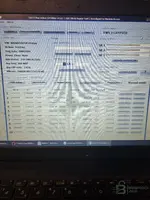
The flash it after ISTA update, this is how I found CAS3 Original on the car when it was running but I have AKL and I can't write ISN in CAS with the CAS3 C4 software that I downloaded from this forum binunlock
atached photo is with "CAS3 C4" software , where I can edit eprom+ flash with ELV OFF and Crypto off , in this mode the dashboard lights up because I managed to make a new key with Crypto off but it made me a key with ISN code 32 bits: FFFFFFFFF.. not with ISN from DDE: C1E7. And the DME sync operation with LAUNCH gives me FAIL and the dashboard turns off afterwards. That's why I need a flash + virgin eprom in which I can edit ISN, VIN, key data . I have attached a new picture with the unmodified copy of the eeprom.
flashbmw525.bin and flash2bmw.bin identical read on different times
The flash it after ISTA update, this is how I found CAS3 Original on the car when it was running but I have AKL and I can't write ISN in CAS with the CAS3 C4 software that I downloaded from this forum binunlock
atached photo is with "CAS3 C4" software , where I can edit eprom+ flash with ELV OFF and Crypto off , in this mode the dashboard lights up because I managed to make a new key with Crypto off but it made me a key with ISN code 32 bits: FFFFFFFFF.. not with ISN from DDE: C1E7. And the DME sync operation with LAUNCH gives me FAIL and the dashboard turns off afterwards. That's why I need a flash + virgin eprom in which I can edit ISN, VIN, key data . I have attached a new picture with the unmodified copy of the eeprom.
Attachments
Post #9
Online now
- Joined
- 09.05.2025
- Messages
- 3,144
- Reaction
- 904
- Location
- 🇺🇸USUnited States
I confirm:
flashbmw525.bin and flash2bmw.bin identical read on different times
The flash it after I...
Now I understand the full picture. This new screenshot tells a very different story:
Current Situation
Your original unmodified EEPROM shows:
- CAS3+ Status: EWS 3 CRYPTED — This IS an ISTAP CAS3+
- SK ISN: All FFFFFFFFFFFFFFFFFFFFFFFFFFFF — encrypted/locked
- Power_Class: None
- Key 1 (0C9CCF12): Only key with valid immo data (012B00), but KEY ID shows all other keys as FFFFFFFF = not learned
- EGS + DME 4 BYTE ISN: 53B1C1E7
So what happened:
- Original CAS3+ was ISTAP (CRYPTED) from the factory/ISTA update
- You used C4 Editor "Save as Crypto OFF" to disable encryption — that's the first screenshot where it showed "EWS 3 NOT CRYPTED (OFF)"
- With Crypto OFF you managed to make a new key, BUT the key got ISN FFFFFFFF instead of C1E7
- DME sync fails because the key ISN doesn't match DDE ISN C1E7
- Dashboard lights up but car won't start
The Real Problem
The issue is NOT the flash firmware. The problem is that when you turned Crypto OFF and made a key, the ISN synchronization was lost. The CAS EEPROM needs the correct ISN written into the key slot so it matches the DDE.
What You Should Try
Step 1 — Fix the ISN in the EEPROM (no flash change needed)
Using C4 Editor on your Crypto OFF version of the EEPROM:
- Click "Edit CAS3+ ISN"
- Make sure the EGS + DME 4 BYTE ISN shows 53B1C1E7
- If it doesn't, use "CHANGE 4 BYTE" to set it to 53B1C1E7
- Save the EEPROM
Step 2 — Clear all key slots and re-learn
In C4 Editor:
- Use "Repair CAS3+" button — this should reset key learning area
- Or manually set all key slots to virgin state (007608 + FFFFFFFF)
- Save the EEPROM with Crypto OFF
- Write this cleaned EEPROM back to CAS3+ via XProg 3
Step 3 — Perform AKL with Launch X431
With the cleaned EEPROM (Crypto OFF, correct ISN, virgin key slots):
- Use Launch X431 IMMO → BMW → AKL function
- It should now be able to learn a new key with the correct ISN C1E7
- After key learning, attempt DME sync again
If That Doesn't Work
Then you need to go the full route:
Option A — Virgin EEPROM + your flash
You would need a CAS3+ virgin EEPROM (not from another car — a factory blank template) where you:
- Write your VIN: WBANX52050C292056
- Write your ISN: 53B1C1E7
- Write mileage: 248286
- Leave key slots virgin
- Set Crypto OFF
Option B — Pre-ISTAP flash + virgin EEPROM
Replace the D-Flash with a pre-ISTAP CAS3+ firmware matching ZB 9262361, plus a virgin EEPROM edited with your data. This is the nuclear option.
My Recommendation
Try Step 1-2-3 first — it's the least risky. The flash may not need changing at all. The Crypto OFF EEPROM with correct ISN + virgin key slots + AKL via Launch should work.
If it fails, come back and I'll help you with a virgin EEPROM template.
Can you try the "Repair CAS3+" function in C4 Editor and show what it does?
Post #10
Post #11
Post #12
Online now
- Joined
- 09.05.2025
- Messages
- 3,144
- Reaction
- 904
- Location
- 🇺🇸USUnited States
Am analizat ambele dump-uri. Iată rezultatele:
DDE (EDC16C35) — ISN din EEPROM
Din fișierul EXTEEPROM_DATA, ISN-ul apare de 3 ori (redundanță tipică Bosch EDC16):
ISN 4-byte (scurt): C1E7 (primii 2 bytes sunt padding 00 00)
ISN 16-byte (complet): 00 00 C1 E7 A3 38 4C 9F 18 B7 2C F0 (12 bytes utili, ultimii 4 sunt flag-uri/status)
Cele 3 copii sunt identice în zona ISN → DDE EEPROM nu este corupt ✓
Identificare DDE din EXTFLASH:
CAS3+ — ISN din EEPROM
Din fișierul eprombmw2.bin:
EGS+DME 4-byte ISN: 53B1C1E7 — ultimii 2 bytes = C1E7 ✓
Comparație ISN — CAS vs DDE
ISN-ul C1E7 este identic în ambele module. Nici DDE nici CAS EEPROM nu sunt corupte din punct de vedere ISN.
ISN-ul de 16-byte extras din DDE:
Problema ta reală
ISN-ul este corect în ambele ECU-uri. Problema rămâne aceeași din discuția anterioară: când ai făcut cheia nouă cu Crypto OFF, cheia s-a programat cu ISN FFFFFFFF în loc de C1E7. De aceea DME sync eșuează — cheia trimite ISN greșit către DDE.
Pașii următori
Dacă Launch tot programează cheia cu ISN FFFFFFFF, atunci problema este în procedura Launch — încearcă AKL cu Mike's Easy BMW Tools, care permite specificarea manuală a ISN-ului la programarea cheii.
DDE (EDC16C35) — ISN din EEPROM
Din fișierul EXTEEPROM_DATA, ISN-ul apare de 3 ori (redundanță tipică Bosch EDC16):
- Offset 0x40:
Code:
00 00 C1 E7 A3 38 4C 9F 18 B7 2C F0 00 8D 01 00 - Offset 0x80:
Code:
00 00 C1 E7 A3 38 4C 9F 18 B7 2C F0 00 00 00 00 - Offset 0xC0:
Code:
00 00 C1 E7 A3 38 4C 9F 18 B7 2C F0 00 00 00 00
ISN 4-byte (scurt): C1E7 (primii 2 bytes sunt padding 00 00)
ISN 16-byte (complet): 00 00 C1 E7 A3 38 4C 9F 18 B7 2C F0 (12 bytes utili, ultimii 4 sunt flag-uri/status)
Cele 3 copii sunt identice în zona ISN → DDE EEPROM nu este corupt ✓
Identificare DDE din EXTFLASH:
- Bosch EDC16C35, MPC563
- HW: 1037500774
- SW: 1037376616
- VIN în flash: WBANX52050 + C292056 ✓
CAS3+ — ISN din EEPROM
Din fișierul eprombmw2.bin:
- Offset 0x00:
Code:
53 B1 C1 E7 - Offset 0x10:
Code:
00 00 C1 E7 - Offset 0x20:
Code:
00 00 C1 E7 - Offset 0x2C:
Code:
00 00 C1 E7
EGS+DME 4-byte ISN: 53B1C1E7 — ultimii 2 bytes = C1E7 ✓
Comparație ISN — CAS vs DDE
Code:
Sursă              ISN 4-byte       ISN complet (hex)
─────────────────────────────────────────────────────────────
DDE EEPROM          0000C1E7         00 00 C1 E7 A3 38 4C 9F 18 B7 2C F0
CAS3+ EEPROM        53B1C1E7         (4-byte format în CAS)
─────────────────────────────────────────────────────────────
Potrivire C1E7:     ✓ DA
ISN-ul C1E7 este identic în ambele module. Nici DDE nici CAS EEPROM nu sunt corupte din punct de vedere ISN.
ISN-ul de 16-byte extras din DDE:
Code:
00 00 C1 E7 A3 38 4C 9F 18 B7 2C F0Problema ta reală
ISN-ul este corect în ambele ECU-uri. Problema rămâne aceeași din discuția anterioară: când ai făcut cheia nouă cu Crypto OFF, cheia s-a programat cu ISN FFFFFFFF în loc de C1E7. De aceea DME sync eșuează — cheia trimite ISN greșit către DDE.
Pașii următori
- În C4 Editor, deschide EEPROM-ul (versiunea Crypto OFF)
- Apasă "Repair CAS3+" pentru a reseta key slot-urile la virgin
- Verifică că EGS + DME 4 BYTE ISN = 53B1C1E7
- Salvează cu "Save as Crypto OFF"
- Scrie EEPROM-ul înapoi în CAS3+ cu XProg 3
- Fă AKL cu Launch X431 — de data aceasta Launch ar trebui să citească ISN-ul C1E7 din CAS și să programeze cheia cu ISN-ul corect
Dacă Launch tot programează cheia cu ISN FFFFFFFF, atunci problema este în procedura Launch — încearcă AKL cu Mike's Easy BMW Tools, care permite specificarea manuală a ISN-ului la programarea cheii.
Post #13
Post #14
Online now
- Joined
- 09.05.2025
- Messages
- 3,144
- Reaction
- 904
- Location
- 🇺🇸USUnited States
Pentru AKL cu Mike's Easy BMW Tools pe CAS3+ cu Crypto OFF, pașii sunt:
Condiții prealabile:
IMPORTANT — Înainte de AKL:
Din discuția anterioară, când ai făcut AKL cu Crypto OFF, cheia a primit ISN FFFFFFFF în loc de C1E7. Asta înseamnă că ISN-ul din EEPROM nu era corect în momentul programării.
Verifică obligatoriu înainte:
Pași în Mike's Easy BMW Tools:
1. Conectează CAS3+ pe bancă cu alimentare 12V și cablu K-Line/DCAN la laptop
2. Deschide Mike's Easy BMW Tools → selectează CAS3/CAS3+
3. Selectează "Key Learn" sau "All Keys Lost"
4. Soft-ul va citi CAS-ul — trebuie să vezi EWS3 NOT CRYPTED
5. Pune cheia nouă (goală/virgin) în bobina de pe bancă (coil antenna)
6. Apasă "Learn Key" — soft-ul va scrie ISN-ul din CAS în transponderul cheii și va înregistra cheia în slot
7. Repetă pentru fiecare cheie
După AKL — montare în mașină:
Ce tip de cheie nouă folosești? (PCF7945 transponder / keyless?) Contează pentru compatibilitate cu CAS3+.
Condiții prealabile:
- CAS3+ trebuie să fie în modul EWS 3 NOT CRYPTED (OFF) — ai făcut deja asta cu C4 Editor
- EEPROM-ul trebuie să aibă ISN-ul corect 53B1C1E7
- Toate sloturile de chei trebuie să fie goale (007608 + FFFFFFFF) — folosește "Repair CAS3+" din C4 Editor
- Scrie EEPROM-ul curat înapoi în CAS cu XProg 3
- CAS-ul pe bancă cu alimentare 12V
IMPORTANT — Înainte de AKL:
Din discuția anterioară, când ai făcut AKL cu Crypto OFF, cheia a primit ISN FFFFFFFF în loc de C1E7. Asta înseamnă că ISN-ul din EEPROM nu era corect în momentul programării.
Verifică obligatoriu înainte:
- Deschide EEPROM-ul în C4 Editor
- La "EGS + DME 4 BYTE ISN" trebuie să fie 53B1C1E7
- La offset 0x00 în hex trebuie să vezi 53 B1 C1 E7
- Dacă vezi FFFFFFFF oriunde în zona ISN, folosește "CHANGE 4 BYTE" pentru a scrie 53B1C1E7
- Salvează cu "Save as Crypto OFF"
- Scrie EEPROM-ul în CAS cu XProg 3
Pași în Mike's Easy BMW Tools:
1. Conectează CAS3+ pe bancă cu alimentare 12V și cablu K-Line/DCAN la laptop
2. Deschide Mike's Easy BMW Tools → selectează CAS3/CAS3+
3. Selectează "Key Learn" sau "All Keys Lost"
4. Soft-ul va citi CAS-ul — trebuie să vezi EWS3 NOT CRYPTED
5. Pune cheia nouă (goală/virgin) în bobina de pe bancă (coil antenna)
6. Apasă "Learn Key" — soft-ul va scrie ISN-ul din CAS în transponderul cheii și va înregistra cheia în slot
7. Repetă pentru fiecare cheie
După AKL — montare în mașină:
- Montează CAS-ul în mașină
- Fă DME-CAS Sync cu Launch X431 — de data asta ar trebui să meargă pentru că ISN-ul din cheie va fi C1E7, identic cu cel din DDE
- Dacă DME Sync tot dă FAIL, verifică ISN-ul de 16 bytes din DDE să fie intact: 00 00 C1 E7 A3 38 4C 9F 18 B7 2C F0
Ce tip de cheie nouă folosești? (PCF7945 transponder / keyless?) Contează pentru compatibilitate cu CAS3+.
Post #15
Post #16
Online now
- Joined
- 09.05.2025
- Messages
- 3,144
- Reaction
- 904
- Location
- 🇺🇸USUnited States
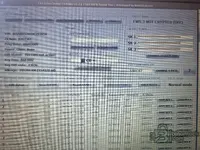
Din screenshot-ul tău și din datele originale ale mașinii:
EGS Status: Pune EGS EWS ACTIVE!
În dump-ul tău original (cel CRYPTED) aveai EGS Status: EGS EWS ACTIVE!. Dacă pui "not active", EGS-ul (cutia automată) nu va sincroniza cu CAS-ul și vei avea probleme — cutia va intra în failsafe.
Power_Class: Pune Class-2
În dump-ul original aveai Power_Class: Class-2. Acum arată "None" — asta trebuie corectat. Power Class definește nivelul de putere al transponderului cheii. Cu "None", comunicarea CAS-cheie poate fi instabilă.
Rezumat — ce trebuie setat în "Edit datas":
După ce setezi aceste valori:
Foarte important: După "Repair CAS3+", redeschide fișierul salvat și verifică că ISN-ul 53B1C1E7 este încă prezent și nu a fost resetat la FFFFFFFF. Dacă Repair l-a șters, rescrie-l manual cu "CHANGE 4 BYTE" înainte de a salva și scrie în CAS.
EGS Status: Pune EGS EWS ACTIVE!
În dump-ul tău original (cel CRYPTED) aveai EGS Status: EGS EWS ACTIVE!. Dacă pui "not active", EGS-ul (cutia automată) nu va sincroniza cu CAS-ul și vei avea probleme — cutia va intra în failsafe.
Power_Class: Pune Class-2
În dump-ul original aveai Power_Class: Class-2. Acum arată "None" — asta trebuie corectat. Power Class definește nivelul de putere al transponderului cheii. Cu "None", comunicarea CAS-cheie poate fi instabilă.
Rezumat — ce trebuie setat în "Edit datas":
- EGS Status: EGS EWS ACTIVE!
- Power_Class: Class-2
- EGS + DME 4 BYTE ISN: 53B1C1E7 (deja corect la tine)
- VIN, ZB Num, Prog Date, Key freq, Key CUT code, Mileage — lasă-le cum sunt, sunt corecte
După ce setezi aceste valori:
- Click "Edit datas" → setează EGS ACTIVE + Class-2
- Click "Repair CAS3+" — golește toate sloturile de chei
- Click "Save as Crypto OFF"
- Scrie EEPROM-ul în CAS cu XProg 3
- Apoi faci AKL cu Mike's Easy BMW Tools
Foarte important: După "Repair CAS3+", redeschide fișierul salvat și verifică că ISN-ul 53B1C1E7 este încă prezent și nu a fost resetat la FFFFFFFF. Dacă Repair l-a șters, rescrie-l manual cu "CHANGE 4 BYTE" înainte de a salva și scrie în CAS.
Post #17
Post #18
Online now
- Joined
- 09.05.2025
- Messages
- 3,144
- Reaction
- 904
- Location
- 🇺🇸USUnited States
Mașina ta este un BMW E60 525d (2010), motor M57N2 (diesel 3.0L).
Pentru E60 cu cheie 868 MHz, Power_Class: Class-2 este valoarea corectă.
"None" din dump-ul tău actual este greșit — cel mai probabil a fost resetat când ai salvat cu Crypto OFF sau când ai făcut Repair. În screenshot-ul original (cel CRYPTED) aveai deja Class-2, deci asta e valoarea de fabrică pentru mașina ta.
Setează Power_Class: Class-2 și continuă cu pașii de mai sus.
Pentru E60 cu cheie 868 MHz, Power_Class: Class-2 este valoarea corectă.
"None" din dump-ul tău actual este greșit — cel mai probabil a fost resetat când ai salvat cu Crypto OFF sau când ai făcut Repair. În screenshot-ul original (cel CRYPTED) aveai deja Class-2, deci asta e valoarea de fabrică pentru mașina ta.
Setează Power_Class: Class-2 și continuă cu pașii de mai sus.
Post #19
Post #20
Online now
- Joined
- 09.05.2025
- Messages
- 3,144
- Reaction
- 904
- Location
- 🇺🇸USUnited States
Da, fă Save ELV OFF.
Dacă ELV-ul s-a blocat din cauza sincronizării eșuate DME-CAS, dezactivarea din EEPROM va debloca volanul. Motorul ELV fizic e bun la tine, doar software-ul l-a blocat.
Ordinea corectă în C4 Editor:
După AKL reușit și sincronizare DME-CAS cu succes, poți reactiva ELV-ul mai târziu rescriind EEPROM-ul cu ELV ON. ELV OFF nu afectează pornirea motorului — doar dezactivează blocarea coloanei de direcție.
Dacă ELV-ul s-a blocat din cauza sincronizării eșuate DME-CAS, dezactivarea din EEPROM va debloca volanul. Motorul ELV fizic e bun la tine, doar software-ul l-a blocat.
Ordinea corectă în C4 Editor:
- Edit datas → setează EGS EWS ACTIVE + Power_Class: Class-2
- Save ELV OFF — dezactivează ELV din EEPROM
- Repair CAS3+ — golește toate sloturile de chei
- Verifică că EGS + DME 4 BYTE ISN este încă 53B1C1E7 — dacă Repair l-a resetat la FFFFFFFF, rescrie-l cu "CHANGE 4 BYTE"
- Save as Crypto OFF
- Scrie EEPROM-ul în CAS cu XProg 3
După AKL reușit și sincronizare DME-CAS cu succes, poți reactiva ELV-ul mai târziu rescriind EEPROM-ul cu ELV ON. ELV OFF nu afectează pornirea motorului — doar dezactivează blocarea coloanei de direcție.
Activity
So far there's no one here
Similar threads
- Replies
- 5
- Views
- 6K
