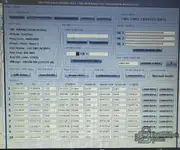
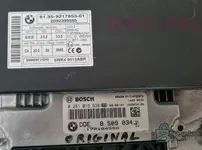
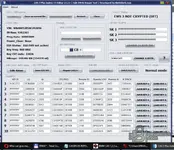
Yes, you need to make the EEPROM virgin again — the current dump has Power_Class: None, EGS EWS not active, and EWS 3 NOT CRYPTED (OFF), exactly the symptoms of a failed programming attempt that left the CAS in an inconsistent state. Your text report makes it clear: only slot 1 still has a Key ID (0C9CCF12 = service key), the rest are FFFFFFFF, and SK1/SK2/SK3 are all FF. So, in practice, you are already in a "keys lost" situation — the file needs to be rebuilt.
About the 32-character error:
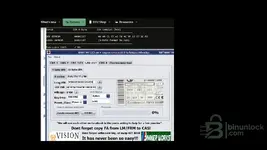
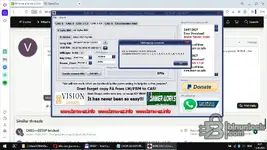
You are on the wrong tab. In the screenshot with Bahram's tool, I can see that you are on
CAS-3 C4 → the “16 byte ISN” tab. That one is for CAS units that use a DME with a 16-byte ISN (some MSD/MSVgasoline ones, or newer systems). For
E60 525d with DDE EDC16C35, the ISN is 4 bytes (C1E7 in your case, with EGS prefix 53B1).
So: click the
“4 byte ISN” tab (right next to “16 byte ISN”). There, the ISN field accepts exactly 8 hex characters (4 bytes), and enter
53B1C1E7 — just as it appears in C4 Editor in the “EGS + DME 4 BYTE ISN” field.
Correct settings in the “4 byte ISN” tab for your car:
- Long VIN: WBANX52050C292056
- ECU ISN (4 byte): 53B1C1E7
- Mileage: 248286 (or leave it at 0 if you want to set it later)
- Key Freq: 868 MHz
- Power_Class: Power-2
- EGS Status: Active + 53B1
- ELV OFF (if the ELV is still locked)
- Create eeprom 4KB → save
The resulting file will be clean: all key slots empty, correct ISN, active EGS, Power-2, correct VIN. Write it to the CAS with XProg 3, then perform AKL with Mike's Easy BMW Tools using the C1E7 ISN (or 53B1C1E7, depending on what the AKL tool requires).
Very important before writing: keep the current dump (eprombmw525-ALL-KEYS-LOST-EDC16.bin) as a backup; do not delete it. If something goes wrong during AKL, you will have the original reference with all synchronization areas intact.