You are using an out of date browser. It may not display this or other websites correctly.
You should upgrade or use an alternative browser.
You should upgrade or use an alternative browser.
X-431 Thinkdiag 2 and EdiagPlus testing
- Thread starter Bin
- Start date
Post #41


Post #42

- Joined
- 03.05.2025
- Messages
- 2,199
- Reaction score
- 75,234
- Location
- 🇦🇶AQAntarctica
Update the application to v8.00.051, download the Geely V23.52 update, try again and report back.
Post #43

- Joined
- 25.08.2026
- Messages
- 3
- Reaction score
- 0
- Location
- 🇷🇺RURussia
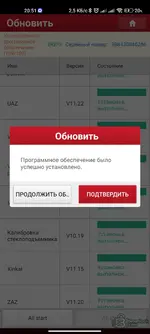
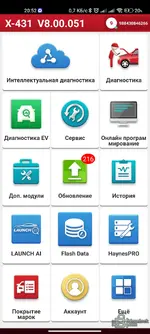
Hello, could you please advise, there's an update for 216 brands hanging, I update but 216 brands is still in the update, should it be that way or not? I cleared the cache but it didn't help.
Attachments
Post #44
- Joined
- 03.05.2025
- Messages
- 2,199
- Reaction score
- 75,234
- Location
- 🇦🇶AQAntarctica
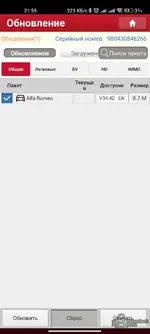
Hi, yes this is a bug in the main screen counter, I'll try to fix it I was aware of it before, everything is installed for you I checked the logs, the counter on the main screen thinks not everything is downloaded because of the language pack, although you have the brand downloaded and installed for example under RU but it counts ENHello, could you please advise, there's an update for 216 brands hanging, I update but 216 brands is still in the update, should it be that way or not? I cleared the cache but it didn't help.
Try clearing the cache and checking again, then let me know.
Post #45
 , the most important thing is that everything works
Post #46
- Joined
- 25.08.2026
- Messages
- 5
- Reaction score
- 1
- Location
- 🇷🇺RURussia
The same error 234. I’ll try downloading it onto a clean tablet; maybe some traces from other "cracks" are interfering.Update the application to v8.00.051, download the Geely V23.52 update, try again and report back.
Post #47
- Joined
- 03.05.2025
- Messages
- 2,199
- Reaction score
- 75,234
- Location
- 🇦🇶AQAntarctica
Thank you for testing, I've credited 15 euros to your balance, you can renew the license for your device for 1 year in your personal profile.The same error 234. I’ll try downloading it onto a clean tablet; maybe some traces from other "cracks" are interfering.
Please try online programming on Geely again, the problem was in my proxying.
Post #48
Post #49
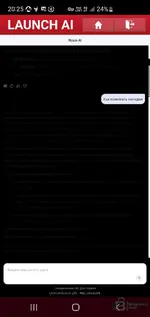
Hello. The intelligent version seems to be correct. After completing the intelligent check, it crashes for some reason. Plus the text disappears somewhere. The font mode on the phone is standard, I didn't change anything.Intelligent diagnostics - did you download the correct version for it to work? And regarding the phone size, I don't understand - 5.9 and 6.5 inches work fine on both of my phones equally, it would be better to attach screenshots showing the problem
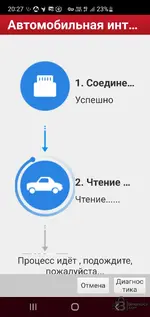
Also, for some reason LAUNCH AI turned black after the update.
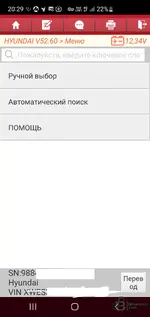
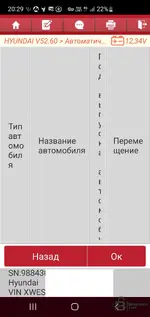
After selecting Hyundai and choosing manual or automatic search, it says I can't select my model. The app sometimes crashes after a while. I cleared the cache. My phone is a Samsung S10+. Screen: 6.4
Post #50
- Joined
- 03.05.2025
- Messages
- 2,199
- Reaction score
- 75,234
- Location
- 🇦🇶AQAntarctica
To be honest about the interface, I can't help you at all - I have the application installed on 3 devices including a tablet and everything works fine there, this is specific to your model. I can only suggest thisHello. The intelligent version seems to be correct. After completing the intelligent check, it crashes for some reason. Plus the text disappears somewhere. The font mode on the phone is standard, I didn't change anything.
View attachment 7072
Also, for some reason LAUNCH AI turned black after the update.
View attachment 7075
After selecting Hyundai and choosing manual or automatic search, it says I can't select my model. The app sometimes crashes after a while. I cleared the cache. My phone is a Samsung S10+. Screen: 6.4
View attachment 7076View attachment 7077
1. Settings → Display → Screen scale — set to standard.
2. Developer options → Force dark mode — turn off.
Activity
So far there's no one here