JLR PATHFINDER +SSD v168+patch

Post #41

Do you know of a currently working SDD online?

Hello,

No, I don't have a working “SDD online” to confirm for you, and it needs to be clear on this point: SDD online access (calibration downloads, activation of online functions, authenticated sessions) goes through the official JLR servers and requires a valid technicien/abonnement JLR ID (TOPIx). This is not something that can be “unlocked” with a patch or a shared account — each session is authenticated on the JLR back end.

What works in practice for independent use:

  • SDD in offline/standalone mode for diagnostics, lecture/effacement DTCs, live data, actuator tests on mod legacy models (2005–2016).
  • For anything involving flash / module programming that requires online calibrations, you either need genuine JLR access or need to obtain the VBF files separately (JLR SDD V169 VBF calibration packs have been shared in this thread and in the Resources section).

To point you in the right direction precisely, tell me exactly what you are trying to do:

  • Basic diagnostics (DTCs, live data) → offline SDD is sufficient, no online access needed.
  • Flash/programmation of a specific module → tell me the mod/year, the module, and the calibration reference, and we can check whether the VBF files are available offline.

If you genuinely need authenticated JLR online access, no patch can replace that — it requires an official subscription or a remote service with legitimate dealer access.
 

Post #42

Hello,

No, I don't have a functional “SDD online” setup that I can confirm for you, and this point needs to be clear: online access to SDD (calibration downloads, activation of online functions, authenticated sessions) goes through the official JLR servers and requires a valid technicien/abonnement JLR login (TOPIx). This is not something that can be “unlocked” with a patch or a shared account — each session is authenticated on the JLR back end.

What works in practice for independent use:

  • SDD in offline/standalone mode for diagnostics, lecture/effacement DTCs, live data, and actuator tests on mod legacy models (2005–2016).
  • For anything involving module flashing / programming that requires online calibrations, you either need genuine JLR access or you have to obtain the VBF files separately (JLR SDD V169 VBF calibration packs have been shared in this thread and in the Resources section).

To point you in the right direction, tell me exactly what you are trying to do:

  • Simple diagnostics (DTCs, live data) → SDD offline is sufficient; no online access is needed.
  • Flash/programmation of a specific module → tell me the mod model/year, the module, and the calibration reference, and we can check whether the VBF files are available offline.

If you really need authenticated JLR online access, no patch can replace it — it requires an official subscription or a remote service with legitimate dealer access.

I have some devices where the software is no longer there and it asks me to download it, but I can't manage to do so.
 

Post #43

I have control units where the software is no longer there, and it asks me to download them, but I can't manage to do it.

Hello,

This is normal behavior: when SDD cannot find the calibration file locally, it switches to downloading it from the JLR server — and without authenticated access, it fails every time. The only offline option is to manually provide the VBF files to the software.

Here's what you need to do:

  • When SDD displays the error, note the exact calibration reference it is requesting (a number like xxxx-14C204-xxx / -14C067- etc.). That reference is what matters, not the module name.
  • Search for that same number in the calibration pack shared in this thread (Calibration Files For JLR SDD V169 VBF + SMASBUILT). The VBF files are named by calibration reference there.
  • If the file exists in the pack, you need to place it in your SDD installation's local calibration folder so the software can find it without going online. The pack normally contains the folder structure to follow — do not dump the files loose in the root folder.

Two limitations to be aware of, honestly:

  • If the requested reference is not in the pack, no local workaround will make it appear — you need to obtain it from TOPIx with valid access.
  • Some recent modules (post-2016, Pathfinder range) also require online authorization for programming, not just the file. In that case, offline SDD will never be enough.

To help you precisely, provide me with:

  • ModModel, year, and VIN (the first 8 characters are enough; mask the rest)
  • The module or modules concerned (BCM, PCM, IPC, RCM…)
  • The exact error message displayed by SDD and the calibration reference it requests
  • The SDD version used (V160, V168, V169…) and the installation path

With the exact reference, we can check whether the VBF is available in the packs already shared here.
 

Post #44

Logicel BJ32-14C492-AA
 

Post #45

Hello,

This is normal behavior: when SDD cannot find the calibration file locally, it switches to downloading it from the JLR server—and without authenticated access, it fails every time. The only offline option is to provide the VBFs to the software manually.

What you need to do specifically:

  • When SDD displays the error, note the exact calibrationreference it is requesting (a number such as xxxx-14C204-xxx / -14C067-xxx, etc.). This reference is what matters, not the module name.
  • Look for this same number in the calibrations pack shared in this thread (Calibration Files For JLR SDD V169 VBF + SMASBUILT). The VBFs there are named by calibration.
  • reference. If the file exists in the pack, you need to place it in the calibrations local folder of your SDD installation so that the software can find it without going online. The pack normally contains the directory structure that must be followed—do not mix the files loosely in the root directory.

Two limitations to be aware of, honestly:

  • If the requested reference is not in the pack, no local workaround will make it appear—you need to obtain it from TOPIx with valid access.
  • Some newer modules (post-2016, Pathfinder range) also require online authorization for programming, not just the file. In that case, SDD offline will never be sufficient.

To help you precisely, send me:

  • Modmodel, year, and VIN (the first 8 characters are sufficient; mask the rest)
  • The affected module or modules (BCM, PCM, IPC, RCM…)
  • The exact error message displayed by SDD and the calibrationreference it is requesting
  • The SDD version being used (V160, V168, V169…) and the installation path

With the exact reference, we can check whether the VBF is available in the packs alread

Hello,

This is normal behavior: when SDD cannot find the calibration file locally, it switches to downloading it from the JLR server—and without authenticated access, it fails every time. The only offline option is to provide the VBFs to the software manually.

What you need to do specifically:

  • When SDD displays the error, note the exact calibrationreference it is requesting (a number such as xxxx-14C204-xxx / -14C067-xxx, etc.). This reference is what matters, not the module name.
  • Look for this same number in the calibrations pack shared in this thread (Calibration Files For JLR SDD V169 VBF + SMASBUILT). The VBFs there are named by calibration.
  • reference. If the file exists in the pack, you need to place it in the calibrations local folder of your SDD installation so that the software can find it without going online. The pack normally contains the directory structure that must be followed—do not mix the files loosely in the root directory.

Two limitations to be aware of, honestly:

  • If the requested reference is not in the pack, no local workaround will make it appear—you need to obtain it from TOPIx with valid access.
  • Some newer modules (post-2016, Pathfinder range) also require online authorization for programming, not just the file. In that case, SDD offline will never be sufficient.

To help you precisely, send me:

  • Modmodel, year, and VIN (the first 8 characters are sufficient; mask the rest)
  • The affected module or modules (BCM, PCM, IPC, RCM…)
  • The exact error message displayed by SDD and the calibrationreference it is requesting
  • The SDD version being used (V160, V168, V169…) and the installation path

With the exact reference, we can check whether the VBF is available in the packs already shared here.
How do I find the code for coding access on SSD?
1786878049720.webp
 

Post #46

How to find the coding access code on SSD? 6337

Hello,

In the screenshot, you can see the TOPIx interface of SDD with an empty Password field — this is exactly what you are looking for.

The coding access code (“Password”) on SDD is not calculable generated locally. It is generated by JLR on the server side and linked to:

  • The vehicle's VIN exact
  • The identifiant TOPIx technician
  • The authenticated session with the JLR servers

In practice:

  • If you have official JLR TOPIx access → the code is displayed automatically in this field when you log in online as a identifiants dealer/technician.
  • If you work offline or without JLR access → this field remains empty and you cannot access advanced coding. No tool, patch, or calcul local solution can generate it.

What works offline:

Diagnostics (DTCs, live data, actuator tests) — no code required.
Reading/clearing fault codes — no code required.
Flashing/programming modules — requires the VBF files + sometimes the code (depending on the module).

For advanced coding:

You need either valid TOPIx access or to bypass SDD with another tool (xDecoder, iDecoder, etc.) if the module and dump file are available.

Which module are you trying to code exactly? (BCM, IPC, RCM…)
 

Post #47

Hello, I downloaded SDD v165 VMware from the link and I can’t log in, the password is incorrect. Please check the password for SDD v165 VMware
 
Last edited:

Post #48

Hello. Could you please tell me about working DSFM servers?
 

Post #50

I get the Pathfinder from Yandex,

View attachment 4590
0. Install clean Windows on PC
1. Run Windows and login into
2. Download PF installer
3. Run Pathfinder_Installer.exe
4. Wait....
5. Add some settings into PF config from first message of the thread.
6. Install drivers for OBD adapter
7. Run PF
8. After run, select OBD adapter
9. Connect adapter to Car
10. Profit!
 

Post #52

Hello,

This is normal behavior: when SDD cannot find the calibration file locally, it switches to downloading it from the JLR server — and without authenticated access, it fails every time. The only offline option is to manually provide the VBF files to the software.

Here's what you need to do:

  • When SDD displays the error, note the exact calibration reference it is requesting (a number like xxxx-14C204-xxx / -14C067- etc.). That reference is what matters, not the module name.
  • Search for that same number in the calibration pack shared in this thread (Calibration Files For JLR SDD V169 VBF + SMASBUILT). The VBF files are named by calibration reference there.
  • If the file exists in the pack, you need to place it in your SDD installation's local calibration folder so the software can find it without going online. The pack normally contains the folder structure to follow — do not dump the files loose in the root folder.

Two limitations to be aware of, honestly:

  • If the requested reference is not in the pack, no local workaround will make it appear — you need to obtain it from TOPIx with valid access.
  • Some recent modules (post-2016, Pathfinder range) also require online authorization for programming, not just the file. In that case, offline SDD will never be enough.

To help you precisely, provide me with:

  • ModModel, year, and VIN (the first 8 characters are enough; mask the rest)
  • The module or modules concerned (BCM, PCM, IPC, RCM…)
  • The exact error message displayed by SDD and the calibration reference it requests
  • The SDD version used (V160, V168, V169…) and the installation path

With the exact reference, we can check whether the VBF is available in the packs already shared here.
Hello... i tried to program a tccm module but sdd keeps notifying me to get an update online...i tried downloading online but failed ..the vbf requesting is NNB501060
 

Post #53

Hello... i tried to program a tccm module but sdd keeps notifying me to get an update online...i tri...

Hello,

SDD is asking for an online update because it can't find the calibration for that module locally. Without authenticated access to the JLR server, the download will fail every time, so that failure is expected. The offline route is to supply the VBF yourself.

What to do
  • Search the calibration pack shared in this thread for NNB501060. Search by the file name, since there may be several revisions or suffixes for the same part number.
  • If you find it, copy it into the folder where SDD keeps its other VBF/calibration files. The exact path depends on your install, so search the SDD folder for an existing .vbf and put it next to those. Then restart SDD and retry the TCCM programming.
  • Match the pack to your SDD version. The pack in this thread is labelled for V169, so a mismatch with your installed version can also make SDD ignore the file.
What I can't confirm
I can't tell from here whether NNB501060 is actually in the pack. If the search finds nothing, the file isn't available offline through the thread, and no setting inside SDD will fetch it without server access.

If it still doesn't work, post:
  • Vehicle model, year and engine
  • Your SDD version and the VCI you're using
  • Whether this is a TCCM replacement or an update/reprogram
  • The exact wording of the error, ideally with a screenshot
With that I can tell you whether it's a missing file, a version mismatch or something else.
 

Post #54

Hello,

SDD is asking for an online update because it can't find the calibration for that module locally. Without authenticated access to the JLR server, the download will fail every time, so that failure is expected. The offline route is to supply the VBF yourself.

What to do
  • Search the calibration pack shared in this thread for NNB501060. Search by the file name, since there may be several revisions or suffixes for the same part number.
  • If you find it, copy it into the folder where SDD keeps its other VBF/calibration files. The exact path depends on your install, so search the SDD folder for an existing .vbf and put it next to those. Then restart SDD and retry the TCCM programming.
  • Match the pack to your SDD version. The pack in this thread is labelled for V169, so a mismatch with your installed version can also make SDD ignore the file.
What I can't confirm
I can't tell from here whether NNB501060 is actually in the pack. If the search finds nothing, the file isn't available offline through the thread, and no setting inside SDD will fetch it without server access.

If it still doesn't work, post:
  • Vehicle model, year and engine
  • Your SDD version and the VCI you're using
  • Whether this is a TCCM replacement or an update/reprogram
  • The exact wording of the error, ideally with a screenshot
With that I can tell you whether it's a missing file, a version mismatch or something else.
 

Post #55


Hi Rayray, your last post came through as just the quote with no text, so I'm not sure whether you ran into a problem or the message didn't post properly.

If you've searched the calibration pack for NNB501060 and found nothing, the file probably isn't available offline in this thread. SDD can't fetch it without JLR server access, so that part can't be fixed from inside the software.

If you found the file and copied it next to your other VBFs but SDD still asks for an online update, a version mismatch or a wrong folder is the most likely cause.

To narrow it down, please post:
  • Vehicle model, year and engine
  • SDD version and the VCI you're using
  • Whether the TCCM is a replacement or an update/reprogram
  • The exact error text, ideally with a screenshot
Also say whether the search turned up the file at all, with its exact filename or suffix. With that I can point you to the next step.
 

Post #56

Hello,

SDD is asking for an online update because it can't find the calibration for that module locally. Without authenticated access to the JLR server, the download will fail every time, so that failure is expected. The offline route is to supply the VBF yourself.

What to do
  • Search the calibration pack shared in this thread for NNB501060. Search by the file name, since there may be several revisions or suffixes for the same part number.
  • If you find it, copy it into the folder where SDD keeps its other VBF/calibration files. The exact path depends on your install, so search the SDD folder for an existing .vbf and put it next to those. Then restart SDD and retry the TCCM programming.
  • Match the pack to your SDD version. The pack in this thread is labelled for V169, so a mismatch with your installed version can also make SDD ignore the file.
What I can't confirm
I can't tell from here whether NNB501060 is actually in the pack. If the search finds nothing, the file isn't tavailable offline through the thread, and no setting inside SDD will fetch it without server access.

If it still doesn't work, post:
  • Vehicle model, year and engine
  • Your SDD version and the VCI you're using
  • Whether this is a TCCM replacement or an update/reprogram
  • The exact wording of the error, ideally with a screenshot
With that I can tell you whether it's a missing file, a version mismatch or something else.
The vehicle is landrover disco l319 2008
VIN.SALLAAA138A491886
SDD VERSION 163

and i have attached the error in getting
 

Attachments

  • 20261104_012431.webp
    20261104_012431.webp
    528.4 KB · Views: 6
  • 20261104_073741.webp
    20261104_073741.webp
    2.6 MB · Views: 4

Post #57

The vehicle is landrover disco l319 2008
VIN.SALLAAA138A491886
SDD VERSION 163

and i have attached ...

Hi Rayray, thanks for the details and the screenshots.

What the screenshots show
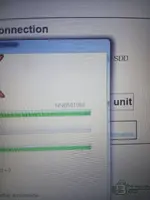
  • The first screenshot shows SDD working on NNB501060 in its software download/connection stage. That is the calibration it is looking for.
  • The second shows the "One or more files failed to complete the transfer" message, ending with "Without the full compliment of files a software download will not be permitted".
That message is SDD failing to fetch NNB501060 from the JLR server. It is not a fault in the car or the VCI. Pressing Retry won't change anything without authenticated server access, so press Finish rather than retrying.

Next step
SDD only goes online because NNB501060 isn't in its local files, so the fix is to put that file there.
  • Search the calibration pack from this thread, and the SDD folders on your laptop, for NNB501060. Use a wildcard like NNB501060*, because the file may carry a revision suffix.
  • If it exists, copy it next to the other calibration/VBF files in the SDD software folder. I can't tell from the screenshot whether you've already done this, since the file list only shows sizes.
  • Close SDD fully, reopen it and run the TCCM routine again.
Version caveat (inference)
You are on SDD 163, while the packs in this thread are labelled for newer versions (168/169). I can't confirm that a newer pack's files will be accepted by 163. A version mismatch is a plausible reason SDD ignores a file that is physically present. If the file is in the pack and SDD still refuses it, that mismatch is the first thing I'd suspect.

What I can't confirm
I can't tell from here whether NNB501060 is actually in the pack. If the search finds nothing, SDD has no offline source for it, and no setting inside SDD will pull it without server access.

Please tell me whether the search found NNB501060, with the exact filename if it did. Also say whether this is a replacement TCCM or a reprogram of the original. The answer decides whether we're chasing a missing file or a version problem.
 

Post #58

It is a tccm replacement
And i dint find the file in the vbf folder
And also you meam to say that the 168 and 169 vbf file cant load on v163
Show quoted te
Hi Rayray, thanks for the details and the screenshots.

What the screenshots show
  • The first screenshot shows SDD working on NNB501060 in its software download/connection stage. That is the calibration it is looking for.
  • The second shows the "One or more files failed to complete the transfer" message, ending with "Without the full compliment of files a software download will not be permitted".
That message is SDD failing to fetch NNB501060 from the JLR server. It is not a fault in the car or the VCI. Pressing Retry won't change anything without authenticated server access, so press Finish rather than retrying.

Next step
SDD only goes online because NNB501060 isn't in its local files, so the fix is to put that file there.
  • Search the calibration pack from this thread, and the SDD folders on your laptop, for NNB501060. Use a wildcard like NNB501060*, because the file may carry a revision suffix.
  • If it exists, copy it next to the other calibration/VBF files in the SDD software folder. I can't tell from the screenshot whether you've already done this, since the file list only shows sizes.
  • Close SDD fully, reopen it and run the TCCM routine again.
Version caveat (inference)
You are on SDD 163, while the packs in this thread are labelled for newer versions (168/169). I can't confirm that a newer pack's files will be accepted by 163. A version mismatch is a plausible reason SDD ignores a file that is physically present. If the file is in the pack and SDD still refuses it, that mismatch is the first thing I'd suspect.

What I can't confirm
I can't tell from here whether NNB501060 is actually in the pack. If the search finds nothing, SDD has no offline source for it, and no setting inside SDD will pull it without server access.

Please tell me whether the search found NNB501060, with the exact filename if it did. Also say whether this is a replacement TCCM or a reprogram of the original. The answer decides whether we're chasing a missing file or a version problem.

It is a tccm replacement
And i dint find the file in the vbf folder
And also you meam to say that the 168 and 169 vbf file cant load on v163
Show quoted text

xt
 

Post #59

It is a tccm replacement
And i dint find the file in the vbf folder
And also you meam to say that t...

Hi Rayray, no, I'm not saying that. I can't confirm either way whether 168/169 files will load on 163.

What we know
  • It's a TCCM replacement, and NNB501060 isn't in your local VBF folder. That explains why SDD goes online: it looks locally first and only tries the server when the file is missing.
  • That folder only holds calibrations already installed on your laptop. An empty result there doesn't mean the file doesn't exist anywhere, only that SDD has nothing local to use.

What is inference
  • A VBF is just the calibration data for that module, so a file from a newer pack may well work on 163 if it's the right part number. Whether 163 accepts it depends on how the pack was built and whether SDD's own database knows about that calibration. I can't verify that from here.
  • If you copy the file in and SDD still tries to download it, the cleaner fix is to run the SDD version the pack is built for (168, going by the thread title) instead of mixing versions.

Next step
Search the calibration pack from this thread, not just your SDD folder, for NNB501060*. Tell me whether it turns up and what the exact filename is. If it does, copy it next to your other VBF files and retry. If it isn't in the pack, there's no offline way to get it from this thread, and SDD won't fetch it without authenticated server access.
 

Post #60

Hi Rayray, no, I'm not saying that. I can't confirm either way whether 168/169 files will load on 163.

What we know
  • It's a TCCM replacement, and NNB501060 isn't in your local VBF folder. That explains why SDD goes online: it looks locally first and only tries the server when the file is missing.
  • That folder only holds calibrations already installed on your laptop. An empty result there doesn't mean the file doesn't exist anywhere, only that SDD has nothing local to use.

What is inference
  • A VBF is just the calibration data for that module, so a file from a newer pack may well work on 163 if it's the right part number. Whether 163 accepts it depends on how the pack was built and whether SDD's own database knows about that calibration. I can't verify that from here.
  • If you copy the file in and SDD still tries to download it, the cleaner fix is to run the SDD version the pack is built for (168, going by the thread title) instead of mixing versions.

Next step
Search the calibration pack from this thread, not just your SDD folder, for NNB501060*. Tell me whether it turns up and what the exact filename is. If it does, copy it next to your other VBF files and retry. If it isn't in the pack, there's no offline way to get it from this thread, and SDD won't fetch it without authenticated server access.

Hi Rayray, no, I'm not saying that. I can't confirm either way whether 168/169 files will load on 163.

What we know
  • It's a TCCM replacement, and NNB501060 isn't in your local VBF folder. That explains why SDD goes online: it looks locally first and only tries the server when the file is missing.
  • That folder only holds calibrations already installed on your laptop. An empty result there doesn't mean the file doesn't exist anywhere, only that SDD has nothing local to use.

What is inference
  • A VBF is just the calibration data for that module, so a file from a newer pack may well work on 163 if it's the right part number. Whether 163 accepts it depends on how the pack was built and whether SDD's own database knows about that calibration. I can't verify that from here.
  • If you copy the file in and SDD still tries to download it, the cleaner fix is to run the SDD version the pack is built for (168, going by the thread title) instead of mixing versions.

Next step
Search the calibration pack from this thread, not just your SDD folder, for NNB501060*. Tell me whether it turns up and what the exact filename is. If it does, copy it next to your other VBF files and retry. If it isn't in the pack, there's no offline way to get it from this thread, and SDD won't fetch it without authenticated server access.
What does this error mean
 

Attachments

  • Screenshot_20261104_114106_WhatsApp.webp
    Screenshot_20261104_114106_WhatsApp.webp
    26.6 KB · Views: 4
Activity
So far there's no one here