
FRM3 Recovery Tool — D-Flash to EEPROM Converter
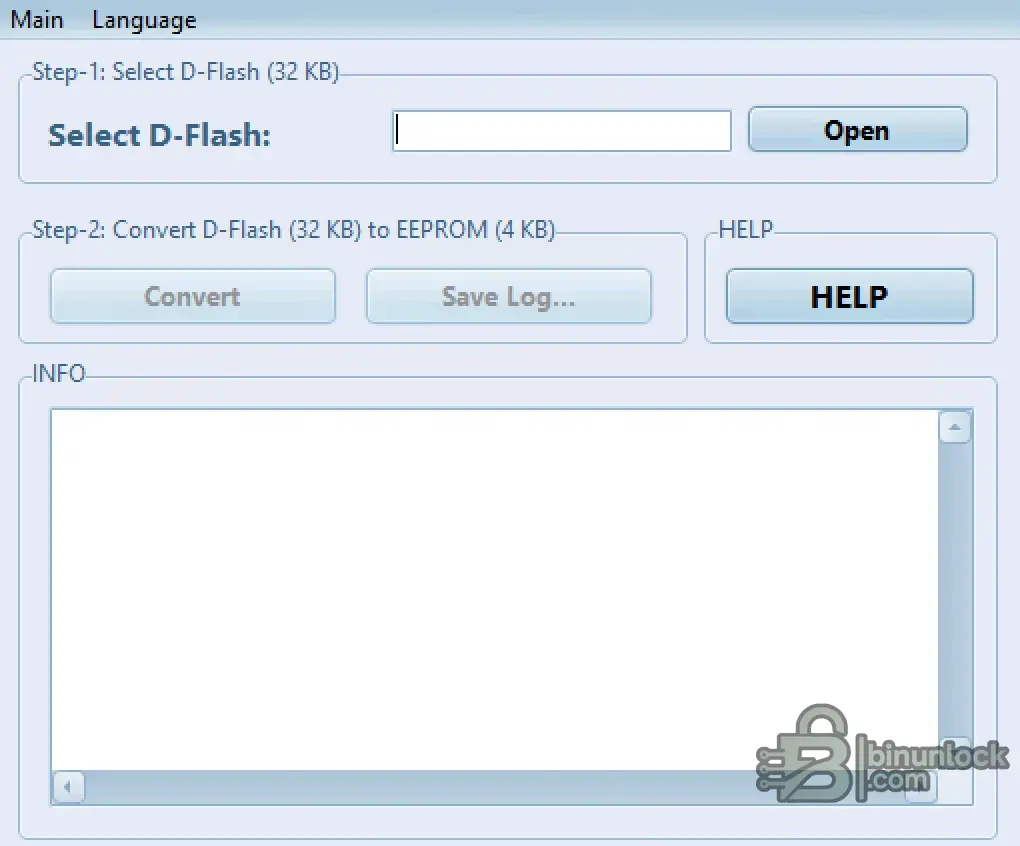
This standalone utility is specifically designed to repair and recover BMW FRM3 (Footwell Module) units that have failed due to battery depletion or communication loss. The software processes a corrupted 32 KB D-Flash dump, repairs the data structure, and generates a healthy 4 KB EEPROM file.
Highlights
Supported Hardware
The software processes binary dumps offline and does not connect to the vehicle. It requires an external MCU programmer (e.g., Xprog-M, VVDI Prog, CG100, Hexprog, or Orange5) to read and write the Motorola 9S12XEQ384 processor.
Supported Languages
Includes 31 language packs (English, German, French, Spanish, Russian, Japanese, Arabic, Chinese, Turkish, and more).
Package contents
Compatibility notes
Designed exclusively for BMW FRM3 modules. The application strictly requires a 32 KB D-Flash file to process the conversion. Ensure your initial bench read is complete and valid.
Basic usage
Operating systems
Windows 7, Windows 10, and Windows 11.
Minimum system requirements
Disclaimer
This website does not host any files or software. All download links point to third-party public storage and are provided for educational and reference purposes only. We do not supply liсеnsе keys, patches, or methods to bураss protection. You assume full responsibility for compliance, vehicle safety, and any potential damage to your equipment. Proceed at your own risk.
Highlights
- Direct 32 KB D-Flash to 4 KB EEPROM conversion
- Restores factory coding so no additional coding is required after write
- Generates logs containing VIN, hardware, and software part numbers
- Fully offline processing with unlimited conversions
- Multilingual interface supporting 31 distinct languages
Supported Hardware
The software processes binary dumps offline and does not connect to the vehicle. It requires an external MCU programmer (e.g., Xprog-M, VVDI Prog, CG100, Hexprog, or Orange5) to read and write the Motorola 9S12XEQ384 processor.
Supported Languages
Includes 31 language packs (English, German, French, Spanish, Russian, Japanese, Arabic, Chinese, Turkish, and more).
Package contents
- BMWfrm3.exe
- 31 Language pack archives (01_english_bmw_frm3.zip through 31_tajik_bmw_frm3.zip)
Compatibility notes
Designed exclusively for BMW FRM3 modules. The application strictly requires a 32 KB D-Flash file to process the conversion. Ensure your initial bench read is complete and valid.
Basic usage
- Read the 32 KB D-Flash from the FRM3 module using your MCU programmer.
- Launch the application and select the corrupted D-Flash .bin file.
- Click "Convert" to generate the repaired EEPROM file.
- Write the newly generated 4 KB EEPROM file back to the FRM3 module.
- Install the module back into the vehicle.
Operating systems
Windows 7, Windows 10, and Windows 11.
Minimum system requirements
- CPU: Intel Core 2 Duo or equivalent
- RAM: 1 GB
- Storage: 50 MB available space
- Network: Offline operation supported
- Admin rights: Required for executing and saving local logs
Disclaimer
This website does not host any files or software. All download links point to third-party public storage and are provided for educational and reference purposes only. We do not supply liсеnsе keys, patches, or methods to bураss protection. You assume full responsibility for compliance, vehicle safety, and any potential damage to your equipment. Proceed at your own risk.


