Hi guys, Tried installing ISTA_Standalone_4.59.12 but never fully installs

Post #1

natek1751

Stock Member
Thread Owner
United States
Joined
28.06.2026
Messages
6
Reaction score
1
Location
United States
Hi guys,

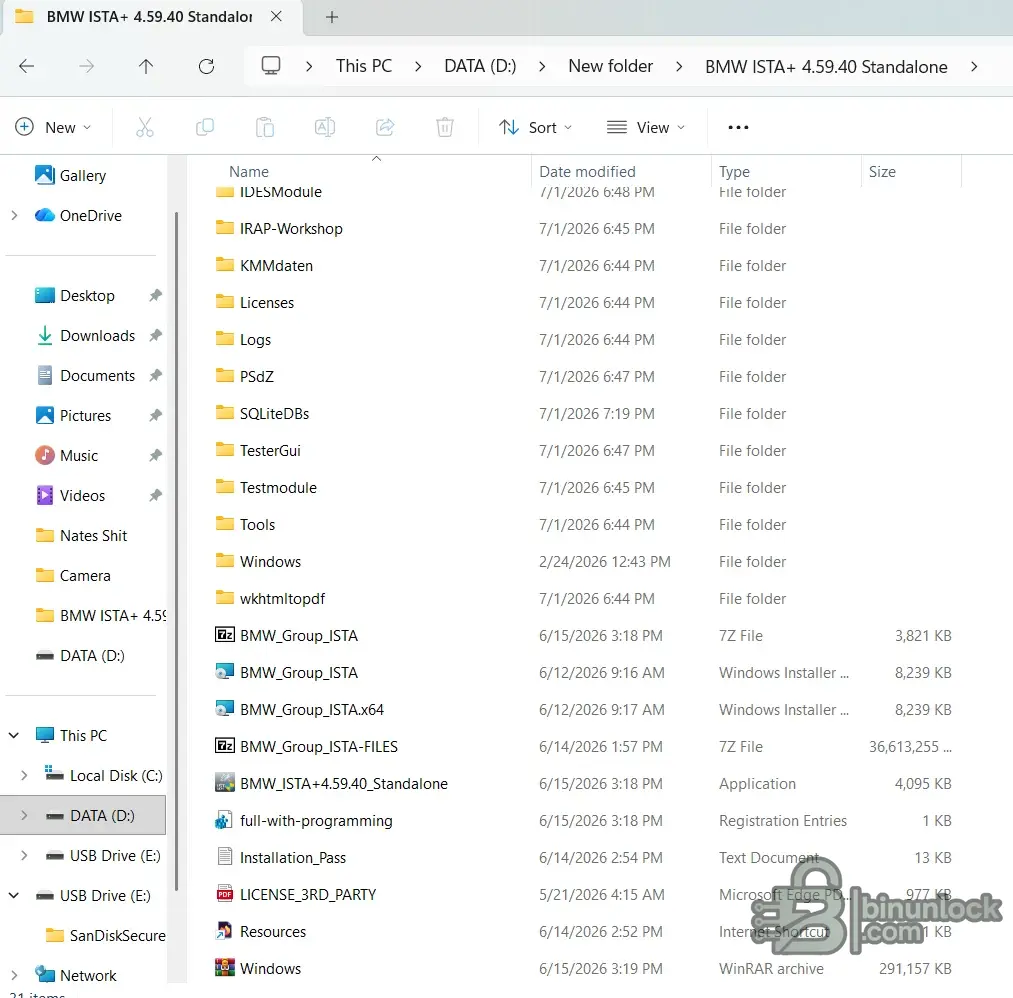
I have recently installed ISTA_Standalone_4.59.12 which fails to fully download ive spent hours with Chatgpt im out of options. ill attach some photos. I had to run it from my D drive because of the size. As you can see i cant get passed this part of the install. The installation does start making folders but seems to stop.
install 1.webp


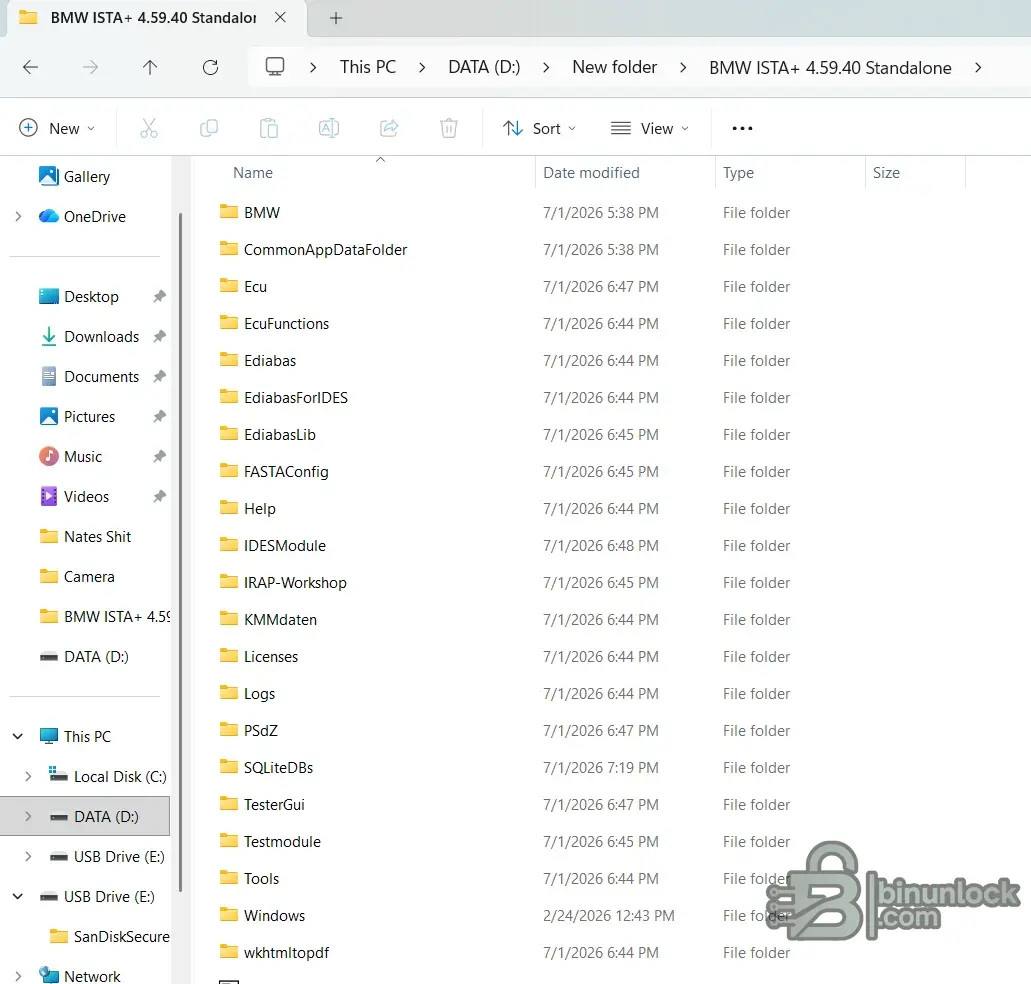
Here is everything i abstracted

install 2.webp
install 3.webp
 
Ratings and Reviews
Total ratings: 0

Post #2

Hi guys,

I have recently installed ISTA_Standalone_4.59.12 which fails to fully download ive spent hours with Chatgpt im out of options. ill attach some photos. I had to run it from my D drive because of the size. As you can see i cant get passed this part of the install. The installation does start making folders but seems to stop.
View attachment 5014


Here is everything i abstracted

View attachment 5015View attachment 5016
The files are built strangely and incorrectly.
 

Post #4

Should i just delete everything and start over
Delete all possible ISTA folders:
"C:\Program Files\BMW"
"C:\ProgramData\BMW"
"C:\EC-APPS\ISTA"
"C:\ISTA"
"C:\Users\Username\AppData\Roaming\ISTA"
Delete the following branches Registry key:
"\HKEY_LOCAL_MACHINE\SOFTWARE\WOW6432Node\BMW"
"\HKEY_LOCAL_MACHINE\SOFTWARE\WOW6432Node\BMWGroup"
"\HKEY_LOCAL_MACHINE\SOFTWARE\BMW"
"\HKEY_LOCAL_MACHINE\SOFTWARE\BMWGroup"
Reboot then install everything again
 

Post #5

Delete all possible ISTA folders:
"C:\Program Files\BMW"
"C:\ProgramData\BMW"
"C:\EC-APPS\ISTA"
"C:\ISTA"
"C:\Users\Username\AppData\Roaming\ISTA"
Delete the following branches Registry key:
"\HKEY_LOCAL_MACHINE\SOFTWARE\WOW6432Node\BMW"
"\HKEY_LOCAL_MACHINE\SOFTWARE\WOW6432Node\BMWGroup"
"\HKEY_LOCAL_MACHINE\SOFTWARE\BMW"
"\HKEY_LOCAL_MACHINE\SOFTWARE\BMWGroup"
Reboot then install everything again
Ok will do then ill reinstall.
 

Post #6

Ok will do then ill reinstall.
also could i be running into a problem with downloading to my D drive. I in no way can get enough space to save it to my C: drive. i have 90 gbs open but it still says there isnt enough space. So when i go to run the exe file it never asks what drive i want it on. it assumes i want it on C: drive. So i might have extraceted to many files.

Chatgpt did give me a way around the issue and was able to run the installer on the D; drive
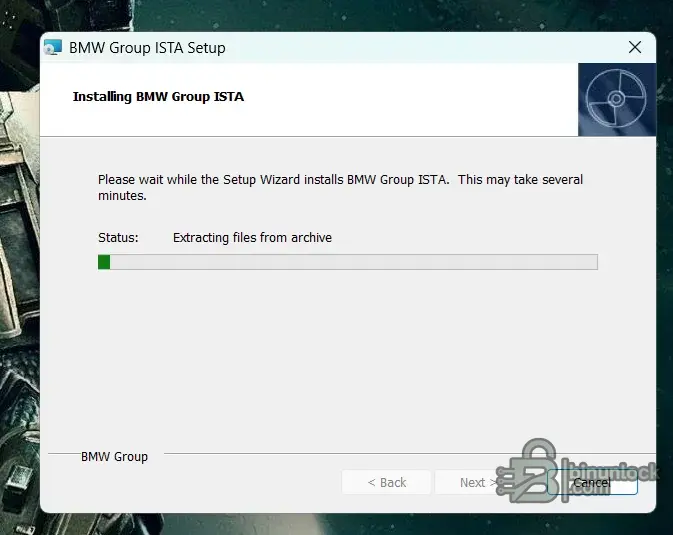
below is a photo of me trying to reisntall.
posted a short video as well with a pic.
 

Attachments

  • ista recording.mp4
    6.2 MB
  • cdrive issue.webp
    cdrive issue.webp
    57.6 KB · Views: 4

Post #7

also could i be running into a problem with downloading to my D drive. I in no way can get enough space to save it to my C: drive. i have 90 gbs open but it still says there isnt enough space. So when i go to run the exe file it never asks what drive i want it on. it assumes i want it on C: drive. So i might have extraceted to many files.

Chatgpt did give me a way around the issue and was able to run the installer on the D; drive
below is a photo of me trying to reisntall.
posted a short video as well with a pic.
all i did so far is extract with 7zip to its old folder on my destop to the C: drive. I would like to save and run it from the D drive if possible
 

Post #8

also could i be running into a problem with downloading to my D drive. I in no way can get enough space to save it to my C: drive. i have 90 gbs open but it still says there isnt enough space. So when i go to run the exe file it never asks what drive i want it on. it assumes i want it on C: drive. So i might have extraceted to many files.

Chatgpt did give me a way around the issue and was able to run the installer on the D; drive
below is a photo of me trying to reisntall.
posted a short video as well with a pic.
90 GB is very little for ISTA.
 

Post #9

all i did so far is extract with 7zip to its old folder on my destop to the C: drive. I would like to save and run it from the D drive if possible
INSTALLATION:
‣1. Disable Windows Defender and other antivirus programs during installation.
‣2. Install 7ZIP (if not already installed).
‣4. Install all add-ons from the Windows folder.
‣5. Run the "BMW ISTA+ Standalone.exe" file.
(Installation may take up to 3 hours, but it's easier to leave it overnight ⏳).
‣6. Add the "C:\Program Files\BMW" folder to Windows Defender exceptions.
(At this point, ISTA is ready for use in diagnostic mode; you don't need to download or install "PSDZ Lite").
‣7. Full version with programming: activate the "full-with-programming" registry file, download and unzip "PSdZData full" to "C:\Program Files\BMW\ISPI\TRIC\ISTA\PSdZ\data_swi".
OR create a symbolic link if you need the full "PSDZ" database to be located elsewhere. location. To do this, open "CMD" as administrator and enter the command (example):
mklink /D "C:\Program Files\BMW\ISPI\TRIC\ISTA\PSdZ\data_swi" "C:\EC-APPS\PSDZ\data" —
where the first quotation marks indicate the desired path to "PSDZ" in "ISTA," and the second quotation marks indicate the actual path to "PSDZ."
‣8. Russification: Unzip the "RU SQLiteDBs" archive to "C:\Program Files\BMW\ISPI\TRIC\ISTA\SQLiteDBs" and change the language in the settings.
 

Post #10

all i did so far is extract with 7zip to its old folder on my destop to the C: drive. I would like to save and run it from the D drive if possible
INSTALLING TO AN EXTERNAL DRIVE:
Starting with version 4.59.xx, the option to install to an external drive has been added.
Run the installer and select the desired drive for installation.
When installing to an external drive, ISTA will work with ICOM and ENET, but DCAN will stop working.
To fix this, open the path "?\BMW\ISPI\TRIC\ISTA\Tools" and edit the "ediabas" registry file, changing two parameters:

"BMW.Rheingold.ISTAGUI.BinPathModifications"="?:\\BMW\\ISPI\\TRIC\ISTA\\EdiabasLib"
"BMW.Rheingold.ISTAGUI.EdiabasIDESBinPathModifications"="?:\\BMW\\ISPI\\TRIC\ISTA\\EdiabasLib"
Where "?" Your drive letter, such as "D," "E," or "F."
Save your changes.
 

Post #11

INSTALLATION:
‣1. Disable Windows Defender and other antivirus programs during installation.
‣2. Install 7ZIP (if not already installed).
‣4. Install all add-ons from the Windows folder.
‣5. Run the "BMW ISTA+ Standalone.exe" file.
(Installation may take up to 3 hours, but it's easier to leave it overnight ⏳).
‣6. Add the "C:\Program Files\BMW" folder to Windows Defender exceptions.
(At this point, ISTA is ready for use in diagnostic mode; you don't need to download or install "PSDZ Lite").
‣7. Full version with programming: activate the "full-with-programming" registry file, download and unzip "PSdZData full" to "C:\Program Files\BMW\ISPI\TRIC\ISTA\PSdZ\data_swi".
OR create a symbolic link if you need the full "PSDZ" database to be located elsewhere. location. To do this, open "CMD" as administrator and enter the command (example):
mklink /D "C:\Program Files\BMW\ISPI\TRIC\ISTA\PSdZ\data_swi" "C:\EC-APPS\PSDZ\data" —
where the first quotation marks indicate the desired path to "PSDZ" in "ISTA," and the second quotation marks indicate the actual path to "PSDZ."
‣8. Russification: Unzip the "RU SQLiteDBs" archive to "C:\Program Files\BMW\ISPI\TRIC\ISTA\SQLiteDBs" and change the language in the settings.
ok cool so the fact its taking forever to extract the files is ok. I just wasnt seing anything populate in the folder as it installed
 
Activity
So far there's no one here

Similar threads