You're welcome. Give it a try connected to the car and let us know if you get it running.
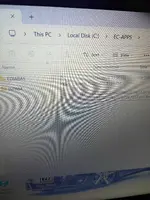
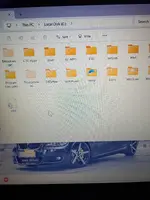
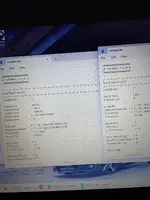
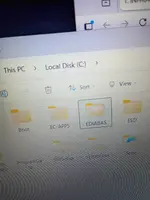
When I reinstalled software I'm getting two EC App files. I didn't have to copy and paste it to c: it did it automatically? I it's putting in each ec app 1 ediabas 7.7 in one in the other ec app ediabas 7.6? I edited to std:obd the first time and once opened inpa it stayed Enet?
 

Attachments

  • IMG_20260131_022326011_HDR.webp
    IMG_20260131_022326011_HDR.webp
    2 MB · Views: 3
  • IMG_20260131_022804454_HDR.webp
    IMG_20260131_022804454_HDR.webp
    2 MB · Views: 3
  • IMG_20260131_023107393_HDR.webp
    IMG_20260131_023107393_HDR.webp
    1.8 MB · Views: 3
  • IMG_20260131_022804454_HDR.webp
    IMG_20260131_022804454_HDR.webp
    2 MB · Views: 3
  • IMG_20260131_023107393_HDR.webp
    IMG_20260131_023107393_HDR.webp
    1.8 MB · Views: 3
When I reinstalled software I'm getting two EC App files. I didn't have to copy and paste it to c: i...

It sounds like the installation process created nested folders or you have leftover files from previous attempts. Having both EDIABAS 7.6 and 7.7 present simultaneously means the environment is messy and will definitely lead to conflicts.

If you edited an EDIABAS.INI file and INPA didn't change behavior, you 100% edited the wrong file in an inactive folder. INPA is loading from somewhere else.

Here is how to fix this:

1. Cleanup: Delete ALL EC-APPS and EDIABAS folders from your C:\ drive. Start totally clean.
2. Manual Extraction: Do not rely on an automatic installer if it's creating messes. Open the downloaded archive with 7-Zip or WinRAR. Extract the contents directly to the root of C:\. You should end up with exactly these two folders at the root:
C:\EC-APPS\
C:\EDIABAS\
3. Configuration: Navigate to the *only* resulting binary folder: C:\EDIABAS\BIN\. Open EDIABAS.INI and set Interface = STD:OBD. Ensure your OBD.INI has the correct COM port.
4. The "ENET" Label: Crucial point: The text displayed at the top header of the INPA window (e.g., "INPA - Loader for F-Series ENET") is often just hardcoded text in the loader script. It does not necessarily reflect the actual active EDIABAS configuration.

Do not worry about what the INPA header text says. If you configured EDIABAS.INI correctly for STD:OBD and set up your COM port in OBD.INI, plug the K+DCAN cable into the car and try to connect to a module (like Engine or Airbag). That is the only real test.
 
It sounds like the installation process created nested folders or you have leftover files from previous attempts. Having both EDIABAS 7.6 and 7.7 present simultaneously means the environment is messy and will definitely lead to conflicts.

If you edited an EDIABAS.INI file and INPA didn't change behavior, you 100% edited the wrong file in an inactive folder. INPA is loading from somewhere else.

Here is how to fix this:

1. Cleanup: Delete ALL EC-APPS and EDIABAS folders from your C:\ drive. Start totally clean.
2. Manual Extraction: Do not rely on an automatic installer if it's creating messes. Open the downloaded archive with 7-Zip or WinRAR. Extract the contents directly to the root of C:\. You should end up with exactly these two folders at the root:
C:\EC-APPS\
C:\EDIABAS\
3. Configuration: Navigate to the *only* resulting binary folder: C:\EDIABAS\BIN\. Open EDIABAS.INI and set Interface = STD:OBD. Ensure your OBD.INI has the correct COM port.
4. The "ENET" Label: Crucial point: The text displayed at the top header of the INPA window (e.g., "INPA - Loader for F-Series ENET") is often just hardcoded text in the loader script. It does not necessarily reflect the actual active EDIABAS configuration.

Do not worry about what the INPA header text says. If you configured EDIABAS.INI correctly for STD:OBD and set up your COM port in OBD.INI, plug the K+DCAN cable into the car and try to connect to a module (like Engine or Airbag). That is the only real test.
Will do update after some good ole rest lol
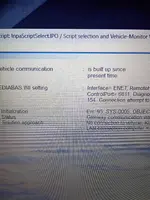
 
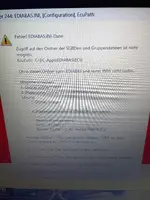
Ok I tried zipping into c drive same results two ediabas. Then I ran installation again got it back working and ec apps and ediabas loaded to c drive. Now here's the thing when I open ec apps there's an ediabas folder there. Yet inpa opened but I get this error. Sys-0005IMG_20260131_232653552.webp
 
Ok I tried zipping into c drive same results two ediabas. Then I ran installation again got it back ...

That confirms the issue. The directory structure is definitely messed up.

The error SYS-0005: OBJECT NOT FOUND means INPA is looking for a specific ECU description file (.prg) based on its configuration paths, but it cannot find it. This is happening precisely because you have nested EDIABAS folders.

Standard BMW tools rely on hardcoded paths at the root of C.

Here is how to fix the structure manually. Do not run the installer again.

1. Close INPA and any related tools.
2. Open File Explorer.
3. If you currently have a folder named C:\EDIABAS at the root drive, delete it. (We are going to replace it with the one currently hiding inside EC-APPS).
4. Navigate into C:\EC-APPS\.
5. Find the EDIABAS folder inside there (C:\EC-APPS\EDIABAS\).
6. Cut that entire EDIABAS folder (Ctrl+X).
7. Navigate back to the root C:\ drive.
8. Paste the folder there (Ctrl+V).

The Goal:
You must end up with exactly this structure at the root of your drive:

Code:
C:\EC-APPS\
C:\EDIABAS\

There should no longer be an EDIABAS folder inside EC-APPS.

Once the folders are in their correct standard locations, try launching INPA again.
 
Done this is error I get now. It's funny when both ediabas files are there inpa opens. After deleting and copy paste ediabas this comes up IMG_20260131_234436979_HDR.webp
 
Done this is error I get now. It's funny when both ediabas files are there inpa opens. After deletin...

This makes perfect sense.

Error 2480 means EDIABAS cannot find its standard configuration file (EDIABAS.INI).

Here is what happened: The INPA shortcut or executable you were clicking previously was located *inside* that nested C:\EC-APPS\EDIABAS\BIN\ folder. It worked because it found the INI file right next to it.

When you moved that folder to the root C:\EDIABAS\, the old shortcut you were using broke because the path changed.

Now that your directory structure is correct, you must run INPA from the standard location.

1. Navigate to C:\EC-APPS\INPA\BIN\
2. Find the file INPALOAD.EXE.
3. Right-click it -> Send to -> Desktop (create shortcut).
4. Delete your old shortcut and use this new one.

It should launch correctly now and find the EDIABAS configuration in C:\EDIABAS\BIN\.
 
Also I had another error so I looked in ediabas ecu folder empty.

That is a showstopper. You cannot do anything without those files.

The C:\EDIABAS\ECU\ folder must contain the ECU description files (.prg files) for the specific car you are trying to connect to. Without them, INPA has no idea how to talk to the modules.

This package likely only provided the program binaries and scripts, not the actual diagnostic data (which is very large).

You need to populate that folder.

1. If you have standard SP-Daten files for your chassis (E60, E90, etc.), navigate to the ecu folder within those daten files.
2. Copy all the .prg files from there.
3. Paste them into C:\EDIABAS\ECU\.

Once those files are present, INPA should be able to connect.
 
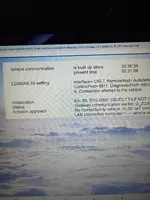
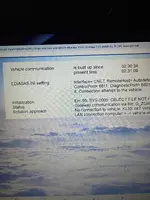
Great 👍 I have daten files. So I tried file explorer instructions reopen the same error red background. So then I restore second ediabas in ec apps folder and it open normally? So still two ediabasIMG_20260131_042431805_HDR.webpIMG_20260201_000526375_HDR.webp
 
Great 👍 I have daten files. So I tried file explorer instructions reopen the same error red backgrou...

It opens "normally" with the nested folders because the specific shortcut you are clicking is launching a specialized loader, not standard INPA.

Look at your screenshot header: "INPA - Loader: 1.010 for F-Series ENET".

This is a custom wrapper script designed specifically for that non-standard, self-contained folder structure. It expects to find EDIABAS inside EC-APPS.

Why this is a problem:
While that specific loader works, it breaks everything else. Standard tools like NCS Expert, WinKFP, and Tool32 are hardcoded to look for configuration files in C:\EDIABAS\BIN\. They will not find the nested version. You will be stuck unable to code or program anything.

To have a fully functional BMW Standard Tools suite, you must use the standard structure.

The Correct Fix (Repeat and verify):

1. Close everything.
2. Move the nested EDIABAS folder out of C:\EC-APPS\ and put it at the root C:\.
* Final check: You must have C:\EDIABAS\ and C:\EC-APPS\ as separate folders at the root drive.
3. Crucial Step: Do not use your old desktop shortcut. It points to the wrong loader.
4. Navigate using File Explorer to exactly this path:
C:\EC-APPS\INPA\BIN\
5. Double-click INPALOAD.EXE.

Does standard INPA launch correctly from that specific executable once the folders are structured properly?
 
Will do that now. By the way my 335i is an e93 same instructions apply?

Yes, the instructions for the folder structure and launching are identical. The core BMW Standard Tools software setup is the same regardless of the car.

The only thing specific to your E93 is the data. As mentioned a couple of posts back, just ensure you copy the E89 (E9x cars usually share the E89 daten set) .prg files from your SP-Daten source into the C:\EDIABAS\ECU\ folder so INPA can talk to your specific modules.
 
Lol well this is fun. So I did all the procedures this is what Is happening, I'm not a programmer but I am A+ repair certified. Program only runs with ediabas folder in ec apps along with inpa64
Every time I cut in paste ediabas error. But as above ediabas in ec apps opens perfectly.Also I noticed there's no obd in file. Im going to reinstall software let it run as is and try an enet cable see what happens. I should had included os win 11 at start my bad. So also here's the package size to confirm accurate or not. Size 2.58 GB, files 36 folders?
 
Lol well this is fun. So I did all the procedures this is what Is happening, I'm not a programmer bu...

Ah, okay. Being A+ certified helps here as you understand how pathing works. The behavior you are seeing confirms something important about this specific download: it is a "portable" or self-contained package.

My previous instructions were based on standard BMW Tools architecture. However, the evidence you provided (the custom loader screenshot and your testing results) proves this is a non-standard package.

It uses that custom loader specifically to force the program to look inside its own nested folder structure instead of the drive root.

1. The Folder Structure
You are correct. For *this specific software package, the nested structure is intentional. If you move EDIABAS to the root C:\, you break the custom loader's relative pathing. Your plan to reinstall and leave it nested is correct for this* specific download.

2. The "Missing OBD" file
You don't see an obd.ini file because this package is pre-configured for ENET (Ethernet cable), not a K+DCAN USB cable.

If you look in the nested EDIABAS\BIN\EDIABAS.INI file, you will likely find the configuration line reads Interface = ENET rather than the standard Interface = STD:OBD. Therefore, it doesn't need the obd.ini file used for USB sеriаl port settings.

3. The Critical Issue: E93 vs. ENET
While your plan to reinstall and use an ENET cable is the correct way to test *this software package*, it will likely fail on your specific car.

An E93 (E-Series) generally requires a K+DCAN USB Cable for diagnostics.

E-Series cars do not support full vеrsiоn vehicle diagnostics over ENET. ENET is primarily for F and G series chassis. On an E-series, the ethernet pins on the OBD port usually only connect to the CIC navigation unit (if equipped) for specific high-speed data transfers, not to the central gateway for general module communication (DME, CAS, Airbag, etc.).

Summary:
Go ahead with your plan to reinstall it in the nested configuration so it launches. But be aware that connecting an ENET cable to an E93 will likely result in INPA failing to connect to any modules (the battery/ignition dots likely won't even turn black).

To diagnose your E93, you almost certainly need a standard K+DCAN USB setup, not this specialized ENET package.
 
Oh I almost forgot note 90 never pops up for language.

That is expected.

"Note 90" is a step in the old, standard BMW installer wizard where it asks you to choose a language and interface type.

Since you are using a "portable" package where you just extract files to a folder, no installer script is running. Therefore, you will never see that prompt. The configuration (including language) is already hardcoded into the files you downloaded. You don't need to worry about missing that step with this specific package.
 
Back