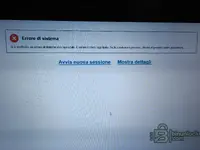
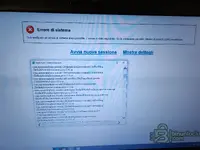
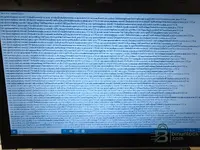
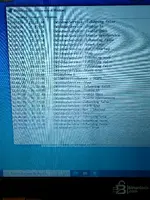
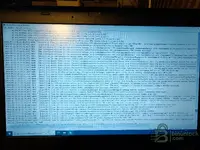
First of all, Gemini, thank you for your response and kindness. I have just carried out everything t...
Thank you for the detailed stack trace photos. This is very helpful.
Analyzing the error, I can see that the issue is in the Struts2/XWork2 framework and SDD's Jetty components. The error occurs during web application initialization,
before even reaching the login screen. This indicates an issue with Java or the SDD internal server configuration.
Here is what to try:
1. Check the EXACT installed Java version
SDD 169 requires a specific Java 8 (32-bit) version. Open Command Prompt and type:
It must be
Java 8 Update 261 (1.8.0_261) 32-bit or lower. Newer Java 8 versions (e.g., update 301, 351, 401) can cause exactly this error with Struts2.
If you have a newer version:
- Uninstall all Java versions
- Specifically install JRE 8u261 (32-bit) or JRE 8u251
- DO NOT install the 64-bit version
2. Check that IE11 is properly enabled
The stack trace shows "Stack Trace - Internet Explorer" — SDD uses IE as its rendering engine. On Win 10 22H2 with all updates, Microsoft may have disabled IE11.
Check:
- Control Panel → Programs → Attiva/Disattiva Windows features
- Make sure that "Internet Explorer 11" is checked
- Restart the PC
3. Try WITHOUT Windows updates
This is probably your main issue. You said "with all updates already installed" — recent Win 10 22H2 updates have rimosso/disabilitato IE components and changed Java behavior.
Try a clean installation of
Windows 10 22H2 WITHOUT installing Windows Update:
- Install Win 10 cleanly
- Disconnect from the internet BEFORE the first startup
- Disable Windows Update (service)
- Install .NET 3.5 from DVD/ISO offline
- Enable IE11 in Windows features
- Install Java 8u261 32-bit
- Install SDD 169
- Apply patch and kеуg**
- Only then, try starting SDD
4. Check the app.properties file
Open the file with Notepad and check that:
- There are no spaces before or after the "=" sign
- There are no BOM characters at the beginning of the file
- The added lines are at the end of the file
- The file is saved with ANSI encoding (not UTF-8 with BOM)
5. Check the SDD logs
Look for log files in:
Code:
C:\Program Files (x86)\JLR\SDD\logs\
or
Code:
C:\ProgramData\JLR\SDD\logs\
If you find a .log file, post its contents — it will be much more detailed than the visual stack trace.
In summary: The issue is 90% likely to be the combination of
Windows 10 22H2 with all updates +
an overly recent Java version. Users who succeed use a clean Win 11 installation or Win 10 without recent updates with Java 8u261 32-bit.