I confirm:
flashbmw525.bin and flash2bmw.bin identical read on different times
The flash it after I...
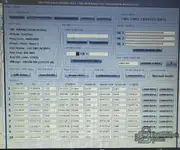
Now I understand the full picture. This new screenshot tells a very different story:
Current Situation
Your
original unmodified EEPROM shows:
- CAS3+ Status: EWS 3 CRYPTED — This IS an ISTAP CAS3+
- SK ISN: All FFFFFFFFFFFFFFFFFFFFFFFFFFFF — encrypted/locked
- Power_Class: None
- Key 1 (0C9CCF12): Only key with valid immo data (012B00), but KEY ID shows all other keys as FFFFFFFF = not learned
- EGS + DME 4 BYTE ISN: 53B1C1E7
So what happened:
- Original CAS3+ was ISTAP (CRYPTED) from the factory/ISTA update
- You used C4 Editor "Save as Crypto OFF" to disable encryption — that's the first screenshot where it showed "EWS 3 NOT CRYPTED (OFF)"
- With Crypto OFF you managed to make a new key, BUT the key got ISN FFFFFFFF instead of C1E7
- DME sync fails because the key ISN doesn't match DDE ISN C1E7
- Dashboard lights up but car won't start
The Real Problem
The issue is
NOT the flash firmware. The problem is that when you turned Crypto OFF and made a key, the ISN synchronization was lost. The CAS EEPROM needs the correct ISN written into the key slot so it matches the DDE.
What You Should Try
Step 1 — Fix the ISN in the EEPROM (no flash change needed)
Using C4 Editor on your
Crypto OFF version of the EEPROM:
- Click "Edit CAS3+ ISN"
- Make sure the EGS + DME 4 BYTE ISN shows 53B1C1E7
- If it doesn't, use "CHANGE 4 BYTE" to set it to 53B1C1E7
- Save the EEPROM
Step 2 — Clear all key slots and re-learn
In C4 Editor:
- Use "Repair CAS3+" button — this should reset key learning area
- Or manually set all key slots to virgin state (007608 + FFFFFFFF)
- Save the EEPROM with Crypto OFF
- Write this cleaned EEPROM back to CAS3+ via XProg 3
Step 3 — Perform AKL with Launch X431
With the cleaned EEPROM (Crypto OFF, correct ISN, virgin key slots):
- Use Launch X431 IMMO → BMW → AKL function
- It should now be able to learn a new key with the correct ISN C1E7
- After key learning, attempt DME sync again
If That Doesn't Work
Then you need to go the full route:
Option A — Virgin EEPROM + your flash
You would need a
CAS3+ virgin EEPROM (not from another car — a factory blank template) where you:
- Write your VIN: WBANX52050C292056
- Write your ISN: 53B1C1E7
- Write mileage: 248286
- Leave key slots virgin
- Set Crypto OFF
Then flash this EEPROM + keep your existing D-Flash, and do AKL.
Option B — Pre-ISTAP flash + virgin EEPROM
Replace the D-Flash with a pre-ISTAP CAS3+ firmware matching ZB 9262361, plus a virgin EEPROM edited with your data. This is the nuclear option.
My Recommendation
Try Step 1-2-3 first — it's the least risky. The flash may not need changing at all. The Crypto OFF EEPROM with correct ISN + virgin key slots + AKL via Launch should work.
If it fails, come back and I'll help you with a virgin EEPROM template.
Can you try the "Repair CAS3+" function in C4 Editor and show what it does?