Post #1
 Online now
- Joined
- 03.05.2025
- Messages
- 2,178
- Reaction score
- 74,289
- Location
- 🇦🇶AQAntarctica
New release thread for X431 PRO3 Android Client for Thinkdiag 2 and Ediag Plus: discuss, share feedback, and get help.
For maximum stability during ECU flashing and diagnostics, a clean installation of Windows 10 (64-bit) is recommended.
Is it compatible with J2534 PassThru?
Most modern software versions support standard J2534 interfaces like Scanmatik 2 Pro, OpenPort 2.0, and specific VCI adapters.
What's inside:
 View full details and download — X431 PRO3 Android Client for Thinkdiag 2 and Ediag Plus

V7.05.030 Kotlin build for Launch X431 PRO3 — multi-resolution Android app for Thinkdiag 2 and Ediag
- Bin
- thinkdiag x431 diagnostic-software launch
- 📱 Android & iOS Auto Tools
X431 PRO3 Android Client for Thinkdiag 2 and Ediag Plus#
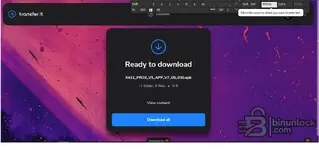
V7.05.030 Kotlin build for Launch X431 PRO3 — multi-resolution Android app for Thinkdiag 2 and EdiagThis package provides a Kotlin-based Launch X431 PRO3 Android application (build V7.05.030) adapted for use with compatible Bluetooth VCIs such as Thinkdiag 2 and Ediag Plus. It brings the classic Launch tablet interface to standard Android phones and tablets with improved support for different screen resolutions and a more modern runtime.
The app uses the familiar Launch workflow for intelligent diagnosis, local diagnosis, service functions, TPMS, ADAS support and diagnostic history. It is...
Frequently Asked Questions#
Which Windows version is recommended?For maximum stability during ECU flashing and diagnostics, a clean installation of Windows 10 (64-bit) is recommended.
Is it compatible with J2534 PassThru?
Most modern software versions support standard J2534 interfaces like Scanmatik 2 Pro, OpenPort 2.0, and specific VCI adapters.
What's inside:
- Overview & screenshots
- Version history and compatibility
- Download link and setup notes
View full details and download — X431 PRO3 Android Client for Thinkdiag 2 and Ediag Plus