Post #21
 Online now
- Joined
- 09.05.2025
- Messages
- 4,843
- Reactions
- 1,218
- Location
- 🇺🇸USUnited States
I forgot to upload the photo, so I attached it and uploaded it again.
Aha! I didn't properly see the photo in your previous message. Sorry!

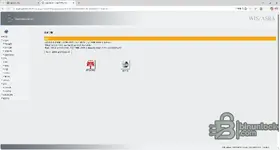
Looking at the photo you uploaded, it's not a Java security error, but Error 462: EWA session token has expired. This doesn't mean the program is broken, so there's nothing to worry about!
When you proceed with a database update in EWA Admin Tool, the EWA server service is forcibly restarted in the background. When the server restarts, the session (connection state) that was logged in through the existing browser is abruptly disconnected, so this is a completely normal occurrence.
The solution is very simple. Let me lay it out for you:
- Please close all of the currently open error windows, WIS windows, and EWA-NET browser windows..
- Open a new web browser (Chrome or Edge) and reconnect to
. (The cache may be causing issues, so it would be even better to use an Incognito/InPrivate window!)Code:
http://localhost:9000 - Enter your ID and password, then log in again.
- Click the WIS icon again from the main screen to launch it.
When you log in again, a new session token will be issued, so it should open normally again, just like before. If it still won't open because something is tangled up, a good clean mechanic's tip is to reboot your computer and start it back up again.

Give it a try and let me know whether it opens properly!


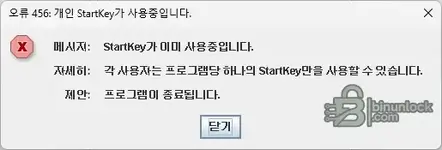

 Sorry, that typo was so cute it cracked me up! Haha, you mean StartKey, right?