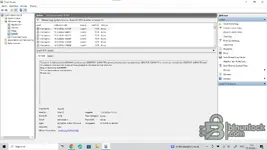
Short answer: no, do not use a virtual machine. That is the environment most likely to make things worse. The protections used in tools of this type routinely check for hypervisors, and the usual response is exactly what you are seeing—a silent error
shutdown /s /f /t 0. If it is run in a virtual machine, you will be troubleshooting two problems instead of one. Keep it on real hardware.
Since the log has already proven that a 32-bit process is initiating the shutdown, what remains is to determine
what the tool is objecting to. Go through this in order.
1. First, make the shutdown harmless
This is the most useful step because the machine is currently shutting down before you can read an error message. From an elevated command prompt, deny your account permission to execute the 32-bit shutdown binary:
[КОД=cmd]изтегляне /f C:\Windows\SysWOW64\shutdown.exe
icacls C:\Windows\SysWOW64\shutdown.exe /deny "%USERNAME%"

RX)[/CODE]
Now launch xDecoder and open the car file again. The shutdown call will fail, and whatever message or behavior the protection is designed to show will remain on the screen—this usually reveals the actual trigger immediately. Take a screenshot.
When you are finished, restore it:
[КОД=cmd]icacls C:\Windows\SysWOW64\shutdown.exe /remove:d "%ПОТРЕБИТЕЛСКОИМЕ%"[/КОД]
(The 64-bit copy
System32is untouched, so normal Windows shutdown still works.)
2. Close anything the protection could interpret as analysis tools
Before the next test, close and preferably uninstall: Process Monitor, Process Hacker / Process Explorer, x64dbg, OllyDbg, IDA, сhеаt Engine, Wireshark, any sandbox, and virtual-drive software such as Daemon Tools or Alcohol. Also check that nothing similar is in the startup list. This group is the second most common trigger after virtual machines.
3. Antivirus—exclude, then extract again
Add the entire
C:\xDecoderfolder as an exclusion in Defender/your antivirus software
and then extract the archive again. If a file was quarantined during the first extraction, adding the exclusion afterward does not restore it, and the missing component causes the same symptom.
4. Check that the download is complete
The resource lists the package size as 7,807,488 bytes. Compare that with the downloaded file; if its size differs, download it again before doing anything else.
5. Narrow it down to the file or the program
Try opening a different, small BIN file from another ECU family. If every file shuts down the machine, it is an environment/protection issue. If only one file does it, it is a parsing issue with that specific strategy and requires a completely different solution.
To continue troubleshooting, I need:
- Windows edition and build (
winver)
- Which antivirus is installed (and whether it is only Defender)
- The exact path to the folder where you extracted it—non-ASCII characters in the path have caused problems before
- The vehicle / ECU and the file you are trying to open (e.g. EDC17C64, MD1CS004), plus the file size
- The screenshot from step 1