
Description
Snapshot
ZF Testman Pro is ZF’s OEM diagnostic environment for commercial-vehicle, bus, off-road and marine driveline systems. The v10.5 release delivers full-system scans, Data List/graphing, actuator tests, guided service utilities and parameter handling in a single workspace.

What it does
Coverage highlights
Quick start
Download & access
Free download for registered forum members — sign in or create an account to view the links.
Archive password (all ZIPs):
This post is informational only, use official licensing for production environments.
Platform support
Windows 7/8.1/10/11 (x64 recommended). Tested on Windows 10 LTSC (2019), also verified on recent Windows 11 builds.
Stable 12–24 V power and a supported VCI are recommended for workshop/bench operation.
Minimum system requirements
Legal notice
Diagnostics and parameter changes must be performed only by authorized personnel and in compliance with ZF policies and local laws. Information is compiled from public sources, any files, if referenced, are hosted by third parties and our forum does not store or distribute software.
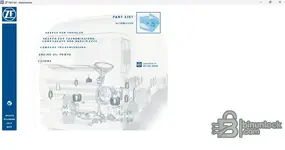
ZF Testman Pro is ZF’s OEM diagnostic environment for commercial-vehicle, bus, off-road and marine driveline systems. The v10.5 release delivers full-system scans, Data List/graphing, actuator tests, guided service utilities and parameter handling in a single workspace.
What it does
- Global scan, DTC read/clear with freeze/info
- Live data monitor with charts and logging
- Actuator tests (solenoids, clutches, valves, pumps) and calibrations/adaptations
- Guided service: clutch/gear learn, oil change/service reset, pressure checks, end-of-line routines
- Parameter/variant handling for supported controllers (with proper credentials)
Coverage highlights
- Automatic & AMT transmissions: Ecomat, Ecolife, 4/5/6HP, AS Tronic, TraXon
- CV/Bus/Off-Road: ZF transmission ECUs, retarders, transfer cases, axles and auxiliaries
- Marine propulsion & steering systems (where supported)
- Protocols typically used: CAN/J1939 and legacy K-Line via compatible interfaces
Quick start
- Install ZF Testman Pro v10.5 on Windows.
- Connect a ZF-compatible RP1210/J2534 interface, verify link and select the correct system family.
- Run a vehicle test → review DTCs/Data List → perform actuator tests or service routines as required.
Download & access
Free download for registered forum members — sign in or create an account to view the links.
Archive password (all ZIPs):
binunlock.com This post is informational only, use official licensing for production environments.
Platform support
Windows 7/8.1/10/11 (x64 recommended). Tested on Windows 10 LTSC (2019), also verified on recent Windows 11 builds.
Stable 12–24 V power and a supported VCI are recommended for workshop/bench operation.
Minimum system requirements
- CPU: Dual-core 2.0 GHz+
- RAM: 4 GB (8 GB recommended)
- Storage: 4–8 GB free
- Display: 1366×768+
- RP1210/J2534 driver installed
Legal notice
Diagnostics and parameter changes must be performed only by authorized personnel and in compliance with ZF policies and local laws. Information is compiled from public sources, any files, if referenced, are hosted by third parties and our forum does not store or distribute software.


