BMW E-Sys 3.27 VMware for BMW coding: E-Sys + Premium Launcher + PSdZdata Lite

Post #1

aleksey-ms

Thread Owner
Stage I
Joined
15.02.2026
Messages
77
Reaction score
290
Location
Ukraine
Files inside:
BMW E-Sys 3.27
Premium Launcher
PSdZdata 63 Lite
Windows 7 x64 English VMware

1. BMW E-Sys 3.27
This is a stable "engineering" version of the software for BMW F, G, and I-series vehicles. It is used for:
  • Function coding (activating hidden options);
  • Editing trim levels (FA/VO);
  • Programming (flashing) electronic control units.

2. E-Sys Launcher Premium (by TokenMaster)
E-Sys itself is closed for editing critical data.

The launcher performs two main tasks:

- Token generation (.EST): Allows the "FDL Coding" function
(changing individual parameters within the unit). Without this, you can only
change the entire trim level, not individual settings.

- Un-trimming (Mapping): In newer databases, BMW removes function names,
leaving periods or empty strings. The launcher replaces this data,
returning human-readable names (for example, instead of "3001 > .."
you see "3001 > Speed_Limit").

3. Differences in PSdZdata Databases
PSdZdata contains firmware and module descriptions that are "inserted"
into E-Sys for vehicle operation.

PSdZdata LITE:
  • Purpose: Exclusively CODING (hidden functions, settings).
  • SWFL files: None (cut to save space).
  • Disk space: ~5-15 GB.
  • Pros: Takes up little space, downloads and installs quickly.

PSdZdata FULL:
  • Purpose: PROGRAMMING (firmware) + coding.
  • SWFL files: Included in full.
  • Disk space: ~150-350 GB.
  • Pros: Allows you to fully update your vehicle's software and restore control units.

* SWFL (Software Files) are large firmware files required for updating control unit software.

4. Which one to choose?
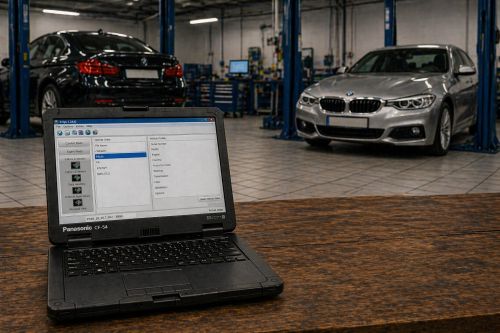
  • If you're a beginner and just want to activate functions (start-stop, logos, videos): download the LITE version.
  • If you plan to update your vehicle's firmware or replace the hardware with used equipment: you need the FULL version.
bmw-e-sys-vmware.jpg


Need it? Push button Thanks, PM for pass | or by email right now.
 

Attachments

Post #2

Files inside:
BMW E-Sys 3.27
Premium Launcher
PSdZdata 63 Lite
Windows 7 x64 English VMware

1. BMW E-Sys 3.27
This is a stable "engineering" version of the software for BMW F, G, and I-series vehicles. It is used for:
  • Function coding (activating hidden options);
  • Editing trim levels (FA/VO);
  • Programming (flashing) electronic control units.

2. E-Sys Launcher Premium (by TokenMaster)
E-Sys itself is closed for editing critical data.

The launcher performs two main tasks:

- Token generation (.EST): Allows the "FDL Coding" function
(changing individual parameters within the unit). Without this, you can only
change the entire trim level, not individual settings.

- Un-trimming (Mapping): In newer databases, BMW removes function names,
leaving periods or empty strings. The launcher replaces this data,
returning human-readable names (for example, instead of "3001 > .."
you see "3001 > Speed_Limit").

3. Differences in PSdZdata Databases
PSdZdata contains firmware and module descriptions that are "inserted"
into E-Sys for vehicle operation.

PSdZdata LITE:
  • Purpose: Exclusively CODING (hidden functions, settings).
  • SWFL files: None (cut to save space).
  • Disk space: ~5-15 GB.
  • Pros: Takes up little space, downloads and installs quickly.

PSdZdata FULL:
  • Purpose: PROGRAMMING (firmware) + coding.
  • SWFL files: Included in full.
  • Disk space: ~150-350 GB.
  • Pros: Allows you to fully update your vehicle's software and restore control units.

* SWFL (Software Files) are large firmware files required for updating control unit software.

4. Which one to choose?
  • If you're a beginner and just want to activate functions (start-stop, logos, videos): download the LITE version.
  • If you plan to update your vehicle's firmware or replace the hardware with used equipment: you need the FULL version.
bmw-e-sys-vmware.jpg


Need it? Push button Thanks, PM for pass | or by email right now.
I need ETK BMW Vm
 

Post #3

I need ETK BMW Vm

This thread is for BMW E-Sys 3.27 VMware (coding/programming tool), not ETK.

ETK (Elektronischer Teilekatalog) is BMW's electronic parts catalog — a completely different application. It's used for looking up part numbers, diagrams, and vehicle configurations, not for coding or flashing ECUs.

You'll need to look for a separate ETK/BMW ETK thread or resource. Try searching the forum for "BMW ETK VMware" or "BMW ETK 2024".
 

Post #4

Files inside:
BMW E-Sys 3.27
Premium Launcher
PSdZdata 63 Lite
Windows 7 x64 English VMware

1. BMW E-Sys 3.27
This is a stable "engineering" version of the software for BMW F, G, and I-series vehicles. It is used for:
  • Function coding (activating hidden options);
  • Editing trim levels (FA/VO);
  • Programming (flashing) electronic control units.

2. E-Sys Launcher Premium (by TokenMaster)
E-Sys itself is closed for editing critical data.

The launcher performs two main tasks:

- Token generation (.EST): Allows the "FDL Coding" function
(changing individual parameters within the unit). Without this, you can only
change the entire trim level, not individual settings.

- Un-trimming (Mapping): In newer databases, BMW removes function names,
leaving periods or empty strings. The launcher replaces this data,
returning human-readable names (for example, instead of "3001 > .."
you see "3001 > Speed_Limit").

3. Differences in PSdZdata Databases
PSdZdata contains firmware and module descriptions that are "inserted"
into E-Sys for vehicle operation.

PSdZdata LITE:
  • Purpose: Exclusively CODING (hidden functions, settings).
  • SWFL files: None (cut to save space).
  • Disk space: ~5-15 GB.
  • Pros: Takes up little space, downloads and installs quickly.

PSdZdata FULL:
  • Purpose: PROGRAMMING (firmware) + coding.
  • SWFL files: Included in full.
  • Disk space: ~150-350 GB.
  • Pros: Allows you to fully update your vehicle's software and restore control units.

* SWFL (Software Files) are large firmware files required for updating control unit software.

4. Which one to choose?
  • If you're a beginner and just want to activate functions (start-stop, logos, videos): download the LITE version.
  • If you plan to update your vehicle's firmware or replace the hardware with used equipment: you need the FULL version.
bmw-e-sys-vmware.jpg


Need it? Push button Thanks, PM for pass | or by email right now.
Anche questo impossibile di scaricare
 

Post #5

Anche questo impossibile di scaricare

Il post originale indica chiaramente come ottenere il download:

  • Premi il pulsante Thanks sul post dell'autore
  • Poi invia un PM (messaggio privato) all'autore per ricevere la password
  • Oppure contattalo via email per riceverla subito

Il link di download è nell'allegato BMW E-Sys VMware new.txt — dovrebbe diventare accessibile dopo aver premuto Thanks. Se il link non funziona, contatta direttamente l'autore del thread tramite PM.
 

Post #6

Files inside:
BMW E-Sys 3.27
Premium Launcher
PSdZdata 63 Lite
Windows 7 x64 English VMware

1. BMW E-Sys 3.27
This is a stable "engineering" version of the software for BMW F, G, and I-series vehicles. It is used for:
  • Function coding (activating hidden options);
  • Editing trim levels (FA/VO);
  • Programming (flashing) electronic control units.

2. E-Sys Launcher Premium (by TokenMaster)
E-Sys itself is closed for editing critical data.

The launcher performs two main tasks:

- Token generation (.EST): Allows the "FDL Coding" function
(changing individual parameters within the unit). Without this, you can only
change the entire trim level, not individual settings.

- Un-trimming (Mapping): In newer databases, BMW removes function names,
leaving periods or empty strings. The launcher replaces this data,
returning human-readable names (for example, instead of "3001 > .."
you see "3001 > Speed_Limit").

3. Differences in PSdZdata Databases
PSdZdata contains firmware and module descriptions that are "inserted"
into E-Sys for vehicle operation.

PSdZdata LITE:
  • Purpose: Exclusively CODING (hidden functions, settings).
  • SWFL files: None (cut to save space).
  • Disk space: ~5-15 GB.
  • Pros: Takes up little space, downloads and installs quickly.

PSdZdata FULL:
  • Purpose: PROGRAMMING (firmware) + coding.
  • SWFL files: Included in full.
  • Disk space: ~150-350 GB.
  • Pros: Allows you to fully update your vehicle's software and restore control units.

* SWFL (Software Files) are large firmware files required for updating control unit software.

4. Which one to choose?
  • If you're a beginner and just want to activate functions (start-stop, logos, videos): download the LITE version.
  • If you plan to update your vehicle's firmware or replace the hardware with used equipment: you need the FULL version.
bmw-e-sys-vmware.jpg


Need it? Push button Thanks, PM for pass | or by email right now.
 

Attachments

  • IMG_20260423_155227.webp
    IMG_20260423_155227.webp
    1.3 MB · Views: 6

Post #7


Vedo che il download di E-Sys VMware.zip (4.05 GB) sta procedendo correttamente.

Quando ti chiederà la password per estrarre l'archivio, prova con la password predefinita del forum: binunlock.com

Se non funziona, significa che l'autore ha impostato una password personalizzata — in quel caso dovrai contattarlo tramite PM come indicato nel post originale.
 

Post #8

This thread is for BMW E-Sys 3.27 VMware (coding/programming tool), not ETK.

ETK (Elektronischer Teilekatalog) is BMW's electronic parts catalog — a completely different application. It's used for looking up part numbers, diagrams, and vehicle configurations, not for coding or flashing ECUs.

You'll need to look for a separate ETK/BMW ETK thread or resource. Try searching the forum for "BMW ETK VMware" or "BMW ETK 2024".
Scarica il file ma non mi da opzione arire file guardo nella cartella download nn ce niente ho messo like ricevuto pass tramite email e niente ma questo problema ce lho anche con altri software che date voi
 

Post #9

Scarica il file ma non mi da opzione arire file guardo nella cartella download nn ce niente ho messo...

Capito: se tu “scarichi” ma poi nella cartella Download non c’è niente (o non appare l’opzione di estrazione/apertura), di solito è un problema di browser/permessi o del file che in realtà non viene completato.

Facciamo così (dimmi cosa trovi passo-passo):

  • Che browser usi (Chrome/Edge/Firefox) e su che sistema (Windows 10/11)?
  • Quando clicchi download, la pagina ti fa vedere un file in basso a sinistra / barra download, e a che punto resta (0%, interrotto, completato)?
  • Controlla anche queste cartelle oltre a “Download”:
  • C:\Users\TUO_UTENTE\Downloads (classico)
  • C:\Users\TUO_UTENTE\ (a volte salva lì temporaneamente)
  • Se hai impostato percorso personalizzato, dove scarica di default?

In parallelo, per gli archivi (zip/rar/7z) prova anche:
  • Verifica che il download sia proprio un file (es. .zip o .7z). Se non c’è l’estensione, spesso il download non è terminato.
  • Se hai ricevuto “password” via email/PM, ma non riesci ad estrarre: quando provi a fare estrai, ti esce un errore tipo “password required/invalid” oppure proprio non trova l’archivio?

Mi serve una cosa per diagnosticare:
quando provi a scaricare, il file finale lo vedi con nome ed estensione? (anche solo: “vedo bmw-esys-vmware.zip” oppure “non vedo nulla / vedo solo una pagina”).

Se puoi, manda anche uno screenshot della schermata download o della cartella in cui dovrebbe comparire il file.
 

Post #10

Capito: se tu “scarichi” ma poi nella cartella Download non c’è niente (o non appare l’opzione di estrazione/apertura), di solito è un problema di browser/permessi o del file che in realtà non viene completato.

Facciamo così (dimmi cosa trovi passo-passo):

  • Che browser usi (Chrome/Edge/Firefox) e su che sistema (Windows 10/11)?
  • Quando clicchi download, la pagina ti fa vedere un file in basso a sinistra / barra download, e a che punto resta (0%, interrotto, completato)?
  • Controlla anche queste cartelle oltre a “Download”:
  • C:\Users\TUO_UTENTE\Downloads (classico)
  • C:\Users\TUO_UTENTE\ (a volte salva lì temporaneamente)
  • Se hai impostato percorso personalizzato, dove scarica di default?

In parallelo, per gli archivi (zip/rar/7z) prova anche:
  • Verifica che il download sia proprio un file (es. .zip o .7z). Se non c’è l’estensione, spesso il download non è terminato.
  • Se hai ricevuto “password” via email/PM, ma non riesci ad estrarre: quando provi a fare estrai, ti esce un errore tipo “password required/invalid” oppure proprio non trova l’archivio?

Mi serve una cosa per diagnosticare:
quando provi a scaricare, il file finale lo vedi con nome ed estensione? (anche solo: “vedo bmw-esys-vmware.zip” oppure “non vedo nulla / vedo solo una pagina”).

Se puoi, manda anche uno screenshot della schermata download o della cartella in cui dovrebbe comparire il file.
uso chrome ma a sempre funszionato con voi adesso nn capisco perche
 

Post #11

uso chrome ma a sempre funszionato con voi adesso nn capisco perche

Ok, se con Chrome prima ti funzionava e ora no, quasi sempre è una di queste cause: download che viene bloccato (policy/AV), file che non finisce di scaricarsi, estensione sandbox/cookie, oppure cartella download “diversa”.

Prova nell’ordine (veloce):

  • Controlla Download in Chrome
    Vai su: chrome://downloads
    Dimmi cosa risulta per quel file: In corso, Annullato, Errore (e l’eventuale codice/descrizione).
  • Verifica cartella di download di Chrome
    Impostazioni > Privacy e sicurezza > Impostazioni sito > (o direttamente) Download
    Controlla “Posizione” e se è bloccato/chiesto ogni volta.
    Assicurati che non stia salvando su un’altra cartella.
  • Svuota tentativi e riprova
    Rimuovi/annulla la richiesta precedente e riprova il download. A volte rimane “bloccato” in cache.
  • Controlla antivirus / Windows Defender
    Disattiva temporaneamente la protezione “controllo download” per test (solo prova), oppure guarda la quarantena.
  • Prova in modalità Incognito
    Apri una finestra Incognito e scarica da lì (spesso risolve cookie/redirect bloccati).

Per capire al 100%:
1) In chrome://downloads lo vedi? Che stato ti mostra (completato/in corso/errore)?
2) Quando dici “non c’è niente nella cartella download”, intendi C:\Users\TUO_UTENTE\Downloads oppure la cartella che hai impostato in Chrome?

Rispondimi con questi 2 dati e ti dico subito la causa più probabile.
 
Activity
So far there's no one here
Back