dazthespaz
Street-Tuned Regular
That folder intact


That folder intact
.reg file I provided above.C:\Program Files (x86)\Tactrix\OpenPort 2.0\op20pt32.dll actually exists (sometimes antivirus software quarantines this file during a crash or scan).
Left the damn charger in car so here goes....fingers crossed

Still no cbf openports
C:\ProgramData\D-PDU API\pdu_api_root.xml with Notepad. You need to ensure there is a <LIBRARY_FILE> entry pointing to your Tactrix DLL. It should look something like this inside the structure:<PDU_API_ROOT_ITEM>
<LIBRARY_FILE>C:\Program Files (x86)\Tactrix\OpenPort 2.0\op20pt32.dll</LIBRARY_FILE>
<SHORT_NAME>Tactrix Inc. - OpenPort 2.0 J2534 ISO/CAN/VPW/PWM</SHORT_NAME>
<MODULE_TYPE>MODULE_TYPE_STD</MODULE_TYPE>
<CABLE_TYPE>CABLE_TYPE_VCI</CABLE_TYPE>
</PDU_API_ROOT_ITEM>1st part def missing didn't think to check....rookie mistake
[CODE]<PDU_API_ROOT_LIST>[/CODE] tags (usually near the bottom before the closing tag):<PDU_API_ROOT_ITEM>
<LIBRARY_FILE>C:\Program Files (x86)\Tactrix\OpenPort 2.0\op20pt32.dll</LIBRARY_FILE>
<SHORT_NAME>Tactrix Inc. - OpenPort 2.0 J2534 ISO/CAN/VPW/PWM</SHORT_NAME>
<MODULE_TYPE>MODULE_TYPE_STD</MODULE_TYPE>
<CABLE_TYPE>CABLE_TYPE_VCI</CABLE_TYPE>
</PDU_API_ROOT_ITEM>2nd in device manger
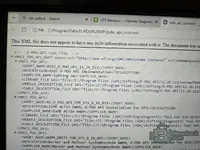
pdu_api_root.xmlHow I sceenshoot with toughbook lol
ill send it to my desktop and edit it cus its way easy than that damn pen on my toughbook lol
my desktop has a 38" 4k screen i can see that lol
you missed 1 line </MVCI_PDU_API>
    </PDU_API_ROOT_LIST>
</MVCI_PDU_API></MVCI_PDU_API> tag, it breaks. Make sure that final tag is the very last thing in the file.