Post #21

- Joined
- 08.03.2026
- Messages
- 7
- Reactions
- 2
- Location
- 🇹🇼TWTaiwan
1. Exact name of the loader file: Is it definitely Loader_Final.exe?Hey,
Apologies for the .NET Framework link issue. It seems that particular direct download link might be outdated. You can usually find the latest version directly on the .NET Framework download page.
Since you're still having trouble with the auto-activation, and the Loader isn't showing errors, it's highly likely that Windows Defender or another security software is interfering, even if you think it's off.
Let's try a more aggressive approach:
Step 1: Fresh Extraction in a Secure Folder
1. Delete the current tool folder entirely.
2. Create a new folder, perhaps namedC:\Tools\ECU_Tool(or something simple and not in Program Files).
3. Temporarily disable ALL real-time protection features in your antivirus, including Windows Defender (Tamper Protection too).
4. Extract the tool archive into this new, clean folder.
5. Immediately after extraction, run Loader_Final.exe as Administrator (right-click -> Run as administrator). Do not run the main executable yet.
Step 2: Check File Integrity
After running the loader, check if the main executable (ECUtuningsolutions.D.exeor similar) has been modified or if its file size has changed. Sometimes the loader updates or patches the main file.
Step 3: Manual Registration Attempt (If Loader Fails)
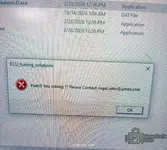
If the loader still doesn't activate it, and you're certain nothing is being blocked, we might need to try a manual registration approach, though this is less common for this type of release. However, the error message "The Registration did not succeeded — Your registration information is incorrect!" usually means the loader is failing to apply the activation.
Could you confirm a few things for me?
1. Exact name of the loader file: Is it definitelyLoader_Final.exe?
2. Exact name of the main executable: What is the.exefile you are trying to run that prompts for registration?
3. File list: After extracting and running the loader, can you list the files that are present in the tool's folder? This helps us identify if any crucial activation files are missing.
4. Antivirus: Which antivirus software are you using besides Windows Defender?
Let's get this sorted!
2. Exact name of the main executable: What is the .exe file you are trying to run that prompts for registration?
loader_final
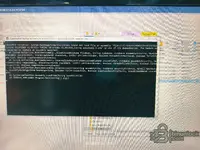
3. File list: After extracting and running the loader, can you list the files that are present in the tool's folder? This helps us identify if any crucial activation files are missing.
4. Antivirus: Which antivirus software are you using besides Windows Defender? Nope