
Ford IDS 132.04 + FJDS 132.04 + FDRS 47.6.9 + Mazda IDS 132
IDS. IDS provides complete dealership level vehicle diagnostic coverage for all 1996 to select 2018 Ford, Lincoln, Mercury vehicles. IDS requires the use of Ford diagnostic hardware VCM II.
FJDS provides module reprogramming software that covers 1996 to select 2018 Ford, Lincoln, and Mercury module reprogramming functions, plus complete dealership level diagnostic software for all 2018 to present Ford and Lincoln vehicles. FJDS is designed for use with J2534 compatible Vehicle Communications Interfaces (VCI) including Ford diagnostic hardware VCM II.
FDRS - next-generation factory Ford Motor Company vehicle diagnostic Software designed for use with VCM II and J2534 compatible VCI. FDRS provides complete dealership-level vehicle diagnostic coverage for some 2018 and forward vehicles. FDRS provides superior capabilities, is more user-friendly, and provides more diagnostic tools than IDS.
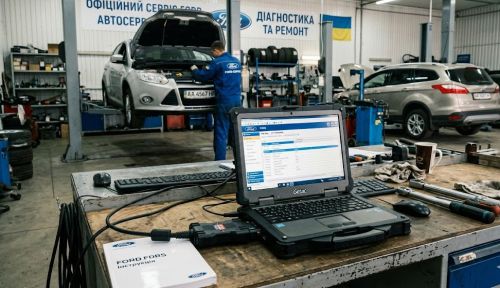
Need it? Push buttons Rate+Thanks, PM for pass.
IDS. IDS provides complete dealership level vehicle diagnostic coverage for all 1996 to select 2018 Ford, Lincoln, Mercury vehicles. IDS requires the use of Ford diagnostic hardware VCM II.
FJDS provides module reprogramming software that covers 1996 to select 2018 Ford, Lincoln, and Mercury module reprogramming functions, plus complete dealership level diagnostic software for all 2018 to present Ford and Lincoln vehicles. FJDS is designed for use with J2534 compatible Vehicle Communications Interfaces (VCI) including Ford diagnostic hardware VCM II.
FDRS - next-generation factory Ford Motor Company vehicle diagnostic Software designed for use with VCM II and J2534 compatible VCI. FDRS provides complete dealership-level vehicle diagnostic coverage for some 2018 and forward vehicles. FDRS provides superior capabilities, is more user-friendly, and provides more diagnostic tools than IDS.
Need it? Push buttons Rate+Thanks, PM for pass.


