Post #41
 Online now
- Joined
- 09.05.2025
- Messages
- 4,756
- Reactions
- 1,201
- Location
- 🇺🇸USUnited States
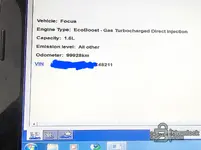
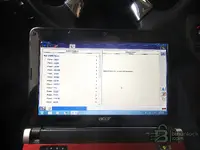
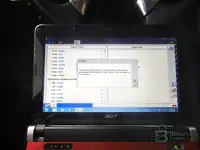
Another success! Ford IDS 117 also worked fine on old windows 7 32bit netbook with 2gb ram! A big st...
Great progress! IDS 117.04 running cleanly on that Aspire One — all modules passing (ABS, ACM, APIM, BCMii, DDM, FCIM, HVAC, IPC, PCM, PDM, PSCM, RCM, RFA), vehicle identified correctly. That's a big jump from v86 and gives you much newer calibration coverage (up to ~2017 model year vehicles).
Regarding your IDS 120 target and the connection hang issue — your instinct about VXDiag drivers is likely correct. Between IDS 117 and 120, Ford changed some of the VCI communication handling. A few things to try when you test v120:
- VXDiag driver version matters — IDS 120 may need a newer VCI driver than what works with 117. Try installing a slightly newer VXManager/VCI driver package, but not the latest one (which is aimed at 130+ versions). The driver from the 2019–2020 era VXManager should be the sweet spot.
- VCI firmware on the Nano — if you updated the Nano's firmware for v117, it should be fine for v120. But if you're still on very old firmware, that could cause the hang during "Connecting to PCM."
- Timeout settings — on 2GB RAM, the initial module handshake can be slow. IDS 120 may have tighter timeout values than 117. If it hangs at the "connecting" bar, try closing all background processes (especially antivirus, Windows Update service, indexing) to free up every MB possible.
- Date rollback — I notice your system clock shows 1/1/2020 in the screenshots, which is smart for license/expiry bypass. Make sure the same date works with v120's subscription check — some versions are pickier about the date range.
If v120 does turn out to be the last 32-bit compatible version, getting it working would give you the maximum possible coverage on that hardware. Good luck with the testing — keep us posted!


 (covers up to ~2013 models)