Ford IDS + FDRS - Complete Dealer Diagnostic Package Full Patched

Ford IDS FDRS - Official OBD2 Diagnostic & Programming 132.04

Ford IDS + FDRS - Complete Dealer Diagnostic Package Full Patched
Ford IDS FDRS - Official OBD2 Diagnostic & Programming 132.04

Post #21

Hello, I tried to install 132.03 and it asks to have 132.01, am I doing something wrong.

Thanks

The 132.03 is an update package, not a standalone installer. It requires the base version (132.01) to be installed first.

Correct installation order:

  1. Install IDS 132.01 (base installer) first
  2. Then install IDS 132.03 (update) on top of it
  3. Install FDRS 45.5.5 separately

All three files should be included in the download package. Look for the base installer — it's usually the largest file named something like IDS-132.01.exe. Run that first as administrator, let it finish completely, then run the 132.03 update.

If you only see the 132.03 file in your download, you may have an incomplete package — re-download the full resource and make sure you grab all parts.
 

Post #22

One more question, I followed the procedure from a-z and I still have the login page, there is probably something I missed
 

Post #23

Bin updated Ford IDS + FDRS - Complete Dealer Diagnostic Package Full Patched with a new update entry:

Ford IDS / FJDS / FDRS Collection + Patches

Ford Diagnostic Software Collection

This package includes multiple versions of Ford diagnostic software, including IDS, FJDS, and FDRS, along with available раtсh releases.

Included versions:
  • IDS 130 / 131 / 132
  • FJDS 130 / 131 / 132
  • FDRS 45.x / 46.x
  • раtсh 1.1.3.1
  • раtсh 1.1.3.6

Suitable for users who need access to different releases for compatibility, testing, or workshop use.

Read the rest of this update entry...
 

Post #24

Thank You kind sir
Tom Hanks Hello GIF
 

Post #25

Thank You kind sirhttps://media4.giphy.com/media/v1.Y2lkPTZhY2Y5MzI3ZmJlcWJpY3V4eHBlMHp2a2x2cm1jeTdl...

The resource has just been updated to version 132.04 which now includes a collection of patches and multiple versions. Here's what you need to do for a clean working setup:

Correct installation order (from the README):

  1. Install VCISoftware1.0.1.18.exe first
  2. Install IDS-132.01_full.exe (base)
  3. Update with IDS-132.03.exe (or 132.04 if available)
  4. Apply IDS-Activation.exe and reboot
  5. Optionally install FDRS_45.6.5.exe for newer vehicles

Key point you likely missed: The IDS-Activation.exe step. This is the раtсh/activation tool that bypasses the login screen. If you skipped this or ran it before the IDS update, it won't work properly.

Tips:
  • Run IDS-Activation.exe after all IDS installers are done, as administrator
  • Reboot after applying it
  • Make sure internet is disconnected during the entire process
  • The new update also includes раtсh versions 1.1.3.1 and 1.1.3.6 — try 1.1.3.6 (the newer one) if the IDS-Activation.exe alone doesn't resolve the login screen

Re-download the latest 132.04 package, do a full clean install following the order above, and make sure you don't skip the activation step. That should get you past the login page.
 

Post #27

My download dont have the "Activation tool: IDS-Activation.exe", have only a IDS_Patch file, after installed everything and launch the раtсh, the software ask me to "install vcx driver fist", click ok and says "not found device or license" and close...
 

Post #28

Hi, I am new here. Possible to create a 32bit patcher for Vxdiag nano for latest IDS version that works on windows 10? This is because I am using my old 32bit netbook and windows 10 for car diagnostics etc. I am sure others are using the same hardware/os.
Thank You.
 

Post #29

Does it not work on windows 10 32bit? Yes, it an old netbook.

The exe files are from official ford website. So, why do you say full patched? It should say all versions with раtсh. You should also state which раtсh version is for each IDS version? I tried both patches on almost every version. Getting no error but IDS does not open. By the way, I can open original IDS but of course asks for license. Asking for windows 10 32bit.

Any help appreciated. Thanks
 

Post #30

In addition, when you IDS-activation, do you mean the two version of patches or something else?
 

Post #31


Let me address the multiple questions here:

Regarding the "IDS_Patch" / "not found device or license" error

The раtсh files included in the 132.04 package (раtсh 1.1.3.1 and раtсh 1.1.3.6) are device-specific — they look for a connected VCM II or compatible VCI interface. If you're getting "install vcx driver first" or "not found device or license," it means:

  • The раtсh is designed for a specific hardware type (VCM II / VCM3 / VXDiag)
  • Your VCI driver is not installed, or the device is not connected/detected when you run the раtсh
  • You need to install the VCI driver first, connect your interface, and then run the раtсh

Make sure VCISoftware1.0.1.18.exe is installed and your device shows up in Device Manager before running the раtсh.

Regarding Windows 10 32-bit

This is likely your main problem. Ford IDS 132.x and the associated patches are 64-bit only. The system requirements specify Windows 10 64-bit. On a 32-bit system:

  • The IDS installer itself may complete (some components are 32-bit legacy), but the раtсh/activation tools are compiled as 64-bit executables — they simply won't run on a 32-bit OS
  • This explains why IDS installs and opens (asking for license) but the раtсh does nothing and IDS won't launch after patching
  • There is no 32-bit version of the current patches available in this package

Your options:
  • Upgrade to Windows 10 64-bit (if your netbook hardware supports it — most CPUs from 2010+ are 64-bit capable even if the OS installed is 32-bit)
  • Use an older IDS version (pre-130) that had 32-bit support with older patches — but coverage will be limited
  • Use a different machine for diagnostics

Regarding "IDS-Activation" vs the two раtсh files

To clarify the naming confusion:
  • IDS-Activation.exe = referenced in the README of the 132.03 update package (earlier version of the resource)
  • раtсh 1.1.3.1 / раtсh 1.1.3.6 = the activation tools included in the latest 132.04 collection

They serve the same purpose (bypassing license/login), just different versions. Use 1.1.3.6 (the newer one) with IDS 132.x. But again — 64-bit Windows is required.
 

Post #32

Hi,

Thanks for your reply. In fact I managed to install and run 131 version on 31bit. I can run it no problem but aaking for license. And patches can run/open and no driver issues on 32bit. But then nothing happens after that. So, a раtсh for 32bit could easily be done. It is a раtсh issue. So, if someone could create a 32bit раtсh. I know all systems are 32bit now on but would be no time for someone to create a 32bit version if 64bit versions. I use old 31bit netbook for diagnostics even though I have a new 64bit comouter because easier to move. And old netbook does not support 64bit.

So, only 130 and earlier support 32bit? If I try run version 129 on 32bit it does not allow me to run because it says it is too old.
 

Post #33

So, if someone could create 32bit versions of the patches? They run on 32bit but then IDS does not open at all. Could be just that files to be patched are only located elsewhere on 32bit.
 

Post #34

So, if someone could create 32bit versions of the patches? They run on 32bit but then IDS does not o...

Unfortunately, creating a 32-bit раtсh is not something that can be done as a simple request here — it requires reverse engineering the specific license check mechanisms in the 32-bit IDS binaries, which is a completely different task from the existing 64-bit patches.

Here's the situation:

Why the раtсh "runs" but doesn't work on 32-bit:

The раtсh executable itself may be 32-bit compatible (so it launches), but it's targeting specific 64-bit DLLs/binaries in the IDS installation. On a 32-bit install, IDS uses different binary files in different locations. So the раtсh runs, finds nothing to modify (or modifies the wrong files), and IDS either won't launch or still asks for a license.

Regarding IDS 129 saying "too old":

That's a calibration/subscription expiry message, not an OS compatibility issue. Older IDS versions check the date and refuse to run if they consider themselves expired. This is a separate protection that also needs patching.

Your realistic options:

  • Check if your netbook CPU supports 64-bit — many Atom N-series (N270, N280) are 32-bit only, but N450/N455/N2600 and later are 64-bit capable. Run msinfo32 and check "System Type." If it says x64-based, you can install 64-bit Windows.
  • Use a lightweight Linux live USB + Windows 10 64-bit VM — not ideal on a netbook but technically possible with 2GB+ RAM.
  • Use FORScan instead — it runs on 32-bit Windows, supports VCM/VCM II/ELM327/J2534, and covers most diagnostic and configuration tasks. It won't do full dealer-level module programming, but for diagnostics, DTC, live data, and many service functions it's excellent on low-spec hardware.

The honest answer is: nobody is likely to develop a dedicated 32-bit раtсh for a legacy hardware edge case. FORScan on your netbook + full IDS on your 64-bit computer when needed is probably your best practical setup.
 

Post #35

I know. Asking only if someone who knows can make the patches for 32bit systems.By the way, which раtсh should be used on 129 or 130? Do you have any for those?
 

Post #36

still not working for me, its asking for the subscription, already did all the process, the name file is different here, its " IDS_Patch file" not "IDS-Activation.exe" like the post said...
 

Post #37

still not working for me, its asking for the subscription, already did all the process, the name fil...

Regarding patches for IDS 129/130 on 32-bit:

The patches included in this resource (1.1.3.1 and 1.1.3.6) are meant for IDS 131/132. I don't have information on a specific раtсh confirmed working for 129 or 130 on 32-bit systems. This would need to be addressed by the resource author (@Bin) — perhaps they can clarify compatibility or provide an older раtсh version.

Regarding "IDS_Patch" vs "IDS-Activation.exe" — subscription still showing:

This is a common confusion with this package because the file names changed between updates:

  • Update 132.03 README references "IDS-Activation.exe"
  • Update 132.04 package contains "IDS_Patch" (раtсh 1.1.3.1 / 1.1.3.6)
  • They serve the same purpose — just different naming across versions

If you're still getting the subscription/login screen after running the раtсh, try this:

  1. Close IDS completely (check Task Manager — kill any Ford/IDS processes)
  2. Run the раtсh (1.1.3.6) as Administrator
  3. Make sure your VCI device is connected and detected before running the раtсh
  4. Disconnect internet completely
  5. Reboot after patching
  6. Launch IDS

If it still asks for subscription, the раtсh likely didn't find the correct target files. Can you confirm:
  • Which exact IDS version did you install? (132.01 base + 132.03 update? Or 132.04?)
  • Is your OS Windows 10 64-bit?
  • Which VCI hardware are you using? (VCM II clone, VXDiag, etc.)
  • Does the раtсh give any message/confirmation when it runs?

This will help narrow down what's going wrong.
 

Post #38

And now IDS actually stucks after a while when starting session. Waited for 20 minutes and does not show any progress. Connecting to PCM bar dissapears. Probably due to 2GB ram. This is the end.
 

Post #39

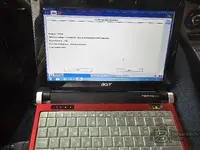
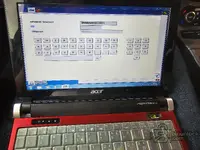
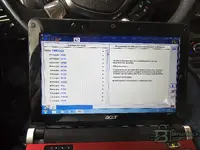
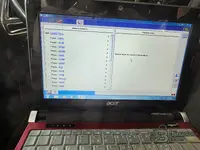
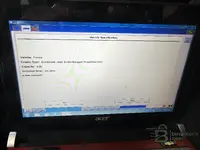
I did not give up! Regarding my car is from 2012, I used legacy IDS v86 with license and C81 calibration files. Used on a partition with windows 7 32bit super lite. Everything worked fine with 2gb ram old netbook! Took me ages to find all those old files. But this is for 2013 cars and before. Finally made IDS work on old 2gb netbook!
Will continue to test which latest version works ok (if I find all appropriate files) because 2gb ram is a real limitation for IDS.
 

Attachments

  • 20260524_082152.webp
    20260524_082152.webp
    530.7 KB · Views: 4
  • 20260524_082243.webp
    20260524_082243.webp
    645.3 KB · Views: 4
  • 20260524_083010.webp
    20260524_083010.webp
    543.9 KB · Views: 5

Post #40

I did not give up! Regarding my car is from 2012, I used legacy IDS v86 with license and C81 calibra...

Nice work, glad you got it sorted! 👍

IDS v86 with C81 calibration on Windows 7 32-bit Super Lite is a solid combo for a 2012 Focus with the 1.6 EcoBoost — that's the right era of software for that vehicle. And running it on that Acer Aspire One with 2GB RAM on Win7 Lite is actually clever since Win7 has a much smaller memory footprint than Win10.

From your screenshots everything looks good — VIN read, odometer (99,885 km), vehicle specs confirmed (Focus / EcoBoost 1.6L), and full module scan with DTCs across ABS, ACM, APIM, BCMii, DDM, FCIM, HCM, HVAC, IPC, PCM, PDM, PSCM, RCM all showing "Επιτυχία" (Success). The one module on the right panel showing "Το WDS δεν μπορεί να επικοινωνήσει" (cannot communicate) is likely an optional module not fitted to your specific trim — that's normal.

For anyone else in a similar situation with a 32-bit / low-RAM machine and pre-2013 Fords, the key takeaways from Aris's experience:

  • IDS v86 + C81 calibration files — works on 32-bit, covers up to ~2013 model year
  • Windows 7 32-bit Super Lite — essential for 2GB RAM machines, Win10 is too heavy
  • VXDiag VCX Nano — confirmed working as the VCI interface
  • Newer IDS versions (v120+) with Win10 32-bit were too heavy on RAM and would hang during session initialization

Regarding testing newer versions — realistically, anything past IDS v100-v105 will start struggling with 2GB RAM even on Win7. The sweet spot for your hardware is probably v86–v95 range. Good luck with the testing!
 
Activity
So far there's no one here
Back